Buy anything from 5,000+ international stores. One checkout price. No surprise fees. Join 2M+ shoppers on Desertcart.
Desertcart purchases this item on your behalf and handles shipping, customs, and support to Vanuatu.
🔥 Power your Ryzen 9000 build with speed, style, and unstoppable connectivity!
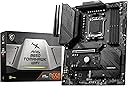
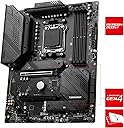
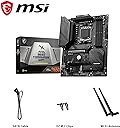
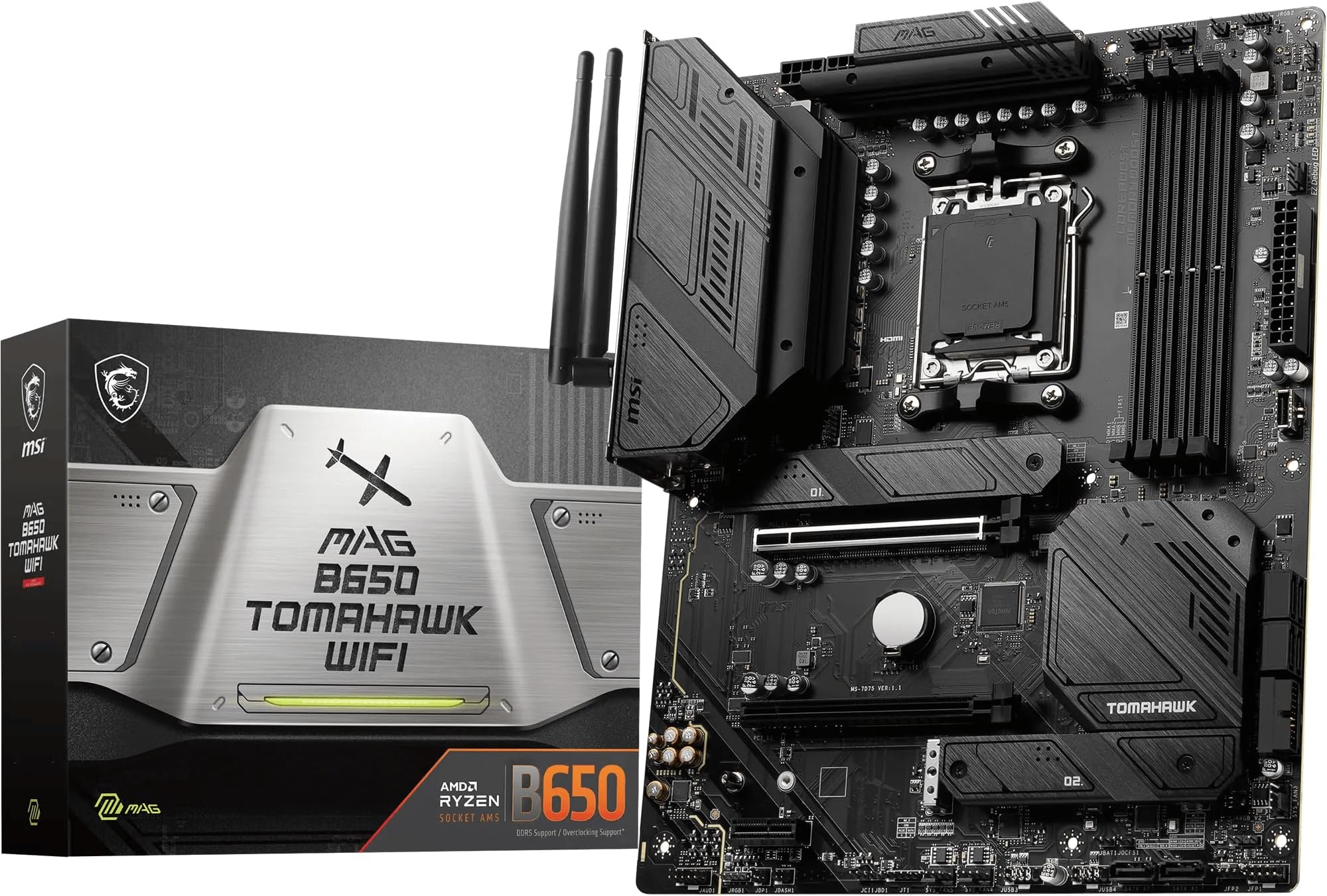
The MSI MAG B650 TOMAHAWK WIFI is a high-performance ATX motherboard designed for AMD Ryzen 9000 series processors. Featuring a robust 14+2 phase 80A VRM power system, DDR5 memory support up to 6400+ MHz, and triple M.2 Gen4 SSD slots with advanced cooling, it delivers exceptional stability and speed. Integrated Wi-Fi 6E, Bluetooth 5.3, and 2.5Gbps LAN ensure cutting-edge connectivity. With dual PCIe 4.0 x16 slots and extensive cooling options, this board balances future-ready features with excellent value for professional and enthusiast PC builders.


| ASIN | B0BDS873GF |
| Available Memory Slots | 4 |
| Best Sellers Rank | 1,703 in Computers & Accessories ( See Top 100 in Computers & Accessories ) 4 in Motherboards |
| Box Contents | Camera Body |
| Brand | MSI |
| Brand Name | MSI |
| CPU Model | Ryzen 7 |
| CPU socket | Socket AM5 |
| Chipset Type | AMD B650 |
| Chipset type | AMD B650 |
| Compatible Devices | Personal Computer |
| Compatible Processors | AMD Socket AM5 Processors |
| Compatible devices | Personal Computer |
| Compatible processors | AMD Socket AM5 Processors |
| Country of Origin | China |
| Customer Reviews | 4.6 out of 5 stars 1,757 Reviews |
| Global Trade Identification Number | 04711377010153 |
| Graphics Card Interface | PCI-Express x16 |
| Item Dimensions L x W x H | 24.4L x 5W x 30.5H centimetres |
| Item Type Name | amd motherboard |
| Item Weight | 1 Kilograms |
| Main Power Connector Type | 4+4 pins |
| Manufacturer | MSI |
| Manufacturer Part Number | 7D75-001R |
| Memory Clock Speed | 5600 MHz |
| Memory Storage Capacity | 128 GB |
| Model Name | MAG B650 TOMAHAWK WIFI |
| Model Number | 7D75-001R |
| Number of Ethernet Ports | 2 |
| Number of Ports | 31 |
| Platform | Windows 11 |
| Processor Socket | Socket AM5 |
| Product Warranty | 3 Years |
| RAM Memory Technology | DDR5 |
| RAM memory technology | DDR5 |
| Ram Memory Maximum Size | 64 GB |
| S/PDIF Connector Type | Optical |
| System Bus Standard Supported | SATA 3 |
| Total PCIe Ports | 2 |
| Total SATA Ports | 6 |
| Total USB Ports | 17 |
| USB 2.0 | 6 |
| Unit Count | 1.0 count |
D**N
Great value mobo for right now, with some caveats for the future.
I bought this motherboard to support a system with a Ryzen 7800X3D, MSI Nvidia Geforce 4070Ti, 2x WD_Black NVMe SSDs and 2x 16GB G.Skill Neo Z Trident DDR5-6000 RAM. These components ran me to an eye-watering sum, and with the AM5 platform being notoriously expensive, I was looking for a motherboard that could get them working efficiently without further breaking the bank. Having built the system and had a little time to get used to it, I am happy to say that the Tomohawk is a good board that works well for my needs, but there are one or two points you may want to consider to see if it meets yours too. Firstly, if you are using one of the 7000X3D CPUs, you WILL want to do a BIOS flash in order to load some firmware that makes the board compatible. This process can be done with a USB drive and a power supply before you assemble the build; a demonstration video on MSI's webpage makes the process straightforward. If this process sounds intimidating, you might want to consider a product that guarantees compatibility out of the box, but it's no more complicated than any other part of the PC building you will be doing. Make sure to take the latest firmware available: there was a recent controversy with older firmware setting voltages far too high for PBO profiles on AM5 motherboards, in the worst cases even resulting in total chip burnout. While the chances of being affected are slim, it is in all users' interests to take this step to make their system safe. Secondly, it should be noted that the board lacks PCI Express 5 support. This mainly has implications for the *next* generation of graphics cards and SSDs built to take advantage of this new high-speed channel - at the time of writing, almost everything (including all current-gen GPUs) is still on PCIE 4. If you're building a system with the intention of upgrading it, this isn't the most forward-compatible motherboard. If you're only intending to 'set and forget' like me, it won't be an issue at all, unless you 're planning to be an early adopter with the earliest PCIE 5 SSDs. But if neither of these issues are a dealbreaker, this motherboard will likely win you over for its stability, feature set and price. It has a healthy number of ports, both on the back plate and to connect to the front of your case. It has a better than average audio codec compared to other boards in this price range. The BIOS is attractive and easy to use, offering a wide degree of fine control for CPU and memory overclocking as well as 'one-click' presets. Context memory restore can cut down those notorious AM5 boot times significantly. Built in software automatically grabs the drivers you need immediately after the installation of Windows, which is convenient. I have had zero issues with the bluetooth, Wifi or ethernet networking, and zero issues in general so far. I'm satisfied with this purchase and happy to see that you don't need to spend silly money to get a motherboard that supports the latest and greatest from Nvidia and AMD. I can happily recommend the product on these strengths. However, those who are building with future upgrades in mind may want to consider whether they need something in a heavier weight class.
M**P
Sturdy, expansive and pretty
The MSI B650 Tomahawk WIFI is one of the newest MSI boards currently in circulation, sporting the new AM5 socket for AMD's Ryzen 7000 series. MSI have upped their game with this new motherboard - providing a seamless and ageless design with an all black and grey low profile colour scheme with some darker accents, creating a fantastic and sleek design that looks great in my S340 Elite. For the price, this board is excellent. With the new AM5 socket and DDR5 DIMM slots, new boards have a slight premium over older boards still in circulation, but this board strikes a nice balance between cost and feature set and I'm glad I spent the extra money for this board, especially an ATX variant. Features: This board supports from 4800MHz to 6600MHz DDR5, allowing for variation in purchased modules with room for overclocking with XMP profiles. 6 System fan ports are great to see, especially for those with larger cases that require more fans, as well as liquid coolers that can take advantage of the Pump fan port. The ATX variant allows for more features on the board, incluyding 3 Gen4 M.2 connectors for serious SSD expansion which is very exciting, and 2 of these include Frozr Shields over the SSDs for thermal protection! The I/O is fantastic - including Wifi and Bluetooth connectivity, with BT 5.2 and Wifi 6E. The ethernet port supports 2.5Gbps for incredible speed. But the main draw for me is the USB I/O; including USB 3.2 Gen 1 and 2, with USB 2.0 and Type C! In all, the I/O and expansion slots of this board are its real strengths and are an attractive draw for PC builders looking for options and futureproofing. One weakness does occur to me and thats clearance; its a common issue and not strictly MSI based - but clearance for DIMM slots when using a larger CPU cooler can be extremely tight if not impossible -my modules sit in DIMMs 2 and 4 as 1 is almost covered by a BeQuiet Dark Rock 4 with just one fan attached, so CPU Air cooler fans, be aware - a behemoth like the Dark Rock Pro 4 may remove access to DIMM slot 1. In all, its an ongoing problem that occurs with beefier coolers, but you may need one with a Ryzen 7000 series. That said - this is a fantastic and high value motherboard to bring in the new generation of AMD's CPUs and beyond. As an experienced builder, I highly recommend this motherboard, even if the price can be hard to swallow at first.
G**G
Super motherboard for AMD
This has all the bells and whistles you need, a ton of USBs, full audio ports, wifi and Bluetooth. It even has three m.2 ports, and 6 Sata ports so you will not run out of storage. It was pretty easy to build my PC on, the fan sockets are clearly labelled, the m.2 ports are easy and have heat sinks, and everything just feels premium. After my research it seems like good advice to follow is not to spend a huge amount on your motherboard and instead just look for the one that has the features you want, and so that lead me to choose this, it's only a bit more expensive than the "gaming" version, but has more m.2 drives, more Sata ports and apparently its faster. It was also surprisingly easy to update the bios, I had never done it before so I was a bit worried, but it took no time at all and was dead easy. Overall I personally think this is the best option for your new AMD CPU, because it has all the features you need, feels super premium but is not massively expensive.
N**N
High Quality board with an easy BIOS and Good support online
Decided on this board after some lengthy comparisons against others at this price point from ASUS, Gigabyte. The main convincing factor for me was the power delivery, up to date audio codec and good selection of ports to use. I built with it in the Fractal North and found it easy to install. I only had a slightly issue with the 3.0 Header being too close to the case cable pass through, the bend was a little tight initially but was more than fine one the header was seated. The board itself is very sturdy. Regarding finishing the build, I found the bios easy to flash and setting up the system FAN curves was a breeze (pun intended). Installing drivers was easy from MSIs website, there is also decent help online on reddit etc. Overall my system stays nice and cool, everything worked first time, no complaints.
L**A
Great Mid Range B650 Motherboard With Some Teething Issues
After spending a long time researching the right B650 motherboard for me for a new build I finally settled on the MSI MAG B650 Tomahawk WIFI. I've listed some Pros & Cons and my experience: Pros: - Instructions for installation were easy to follow (QR code is on the back of the box). - The motherboard has a good amount of fan headers. - Lots of SATA ports and M.2 slots for future expansion. - BIOS is easy to navigate. - Very stable on first boot with stock settings. - High quality components and built well. - WIFI/Bluetooth is nice to have and is quick! Cons: - Be aware of AM5 memory training, it might seem like your PC isn't working but sometimes it can take a minute or so to boot once you turn on EXPO or XMP. This is not exclusive to this motherboard but seems more of an AM5 thing in general. I would recommend turning on Memory Context Restore in the BIOS, which can speed up boot times. I would also recommend buying a DDR5 Kit from the compatible list on the MSI website for the motherboard to ensure compatibility and EXPO & XMP stability. - After turning on EXPO, my RAM was at 6000mhz stable. I then decided to clone my SSD but once it completed and I booted into the new drive, I kept getting instant blue screens with some different errors each time. The most common errors were related to memory. I initially thought the clone was to blame but I couldn't even boot back into the windows install on my old drive, which I knew was stable. The BIOS was also freezing a lot and I was unable to turn off EXPO as the whole BIOS would just freeze when I tried to save and restart. I had to resort to resetting all BIOS settings which seemed to stabilise things but I still couldn't re enable EXPO and my TPU wasn't showing in the BIOS. After doing some research online, I flashed the latest BIOS and all my issues got resolved! - When updating the BIOS, m-flash didn't recognise my USB flash drive when it was plugged into the BIOS update USB port, I had to change the USB port for it to be recognised. - Would have been nice to see PCIE Gen 5 support on the x16 slot and primary m.2 slot. Summary: A solid mid range B650 Motherboard with a good feature set which I would recommend but has some teething issues. I would suggest updating the BIOS if you do encounter any issues.
A**R
Great Motherboard!
The MSI MAG B650 TOMAHAWK WiFi is a great motherboard that offers solid performance at a reasonable price. It gets the job done with ease, and its user-friendly BIOS is simple to navigate, making it perfect for users who don’t want overly complicated settings. It’s an ideal option for those looking to future-proof their build, thanks to its strong PCIe support and wide range of connectivity options, including M.2 slots and USB ports. The WiFi capability is another convenient feature that adds to its value. Installation is straightforward, and the board supports a lot of modern components, making it easy to integrate into your PC. One of the highlights is the cooling solutions, which keep the system running smoothly even during heavy use. For anyone looking for a reliable motherboard that delivers on performance, ease of use, and the ability to handle future upgrades, this is a fantastic choice.
D**R
Fantastic Board
Has plenty of ports for connecttivity, Bios was updated out of the box. I installed a Liquid AIO and the board has dedicated ports for the pump and fans which is a nice touch. Boots up very quickly. 6000MHz RAM makes programs very fast. I have 3 case fans blowing on the VRM's so cooling is not a problem.
J**C
Highly recommended
The MSI MAG B650 TOMAHAWK is a fantastic motherboard, offering a great balance of performance, features, and value. It's well-built with sturdy components and provides solid support for the latest AMD processors. The layout is clean, with plenty of connectivity options, including multiple M.2 slots, USB ports, and robust PCIe support. The BIOS is user-friendly, making overclocking and tuning straightforward even for less experienced users. The onboard cooling solutions are effective, keeping temperatures in check during heavy use. Overall, I'm very satisfied with its performance and reliability—highly recommended for gamers and enthusiasts alike!
Trustpilot
2 weeks ago
1 month ago