💾 Elevate your external storage game with speed and style!
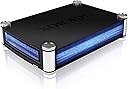
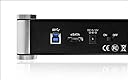
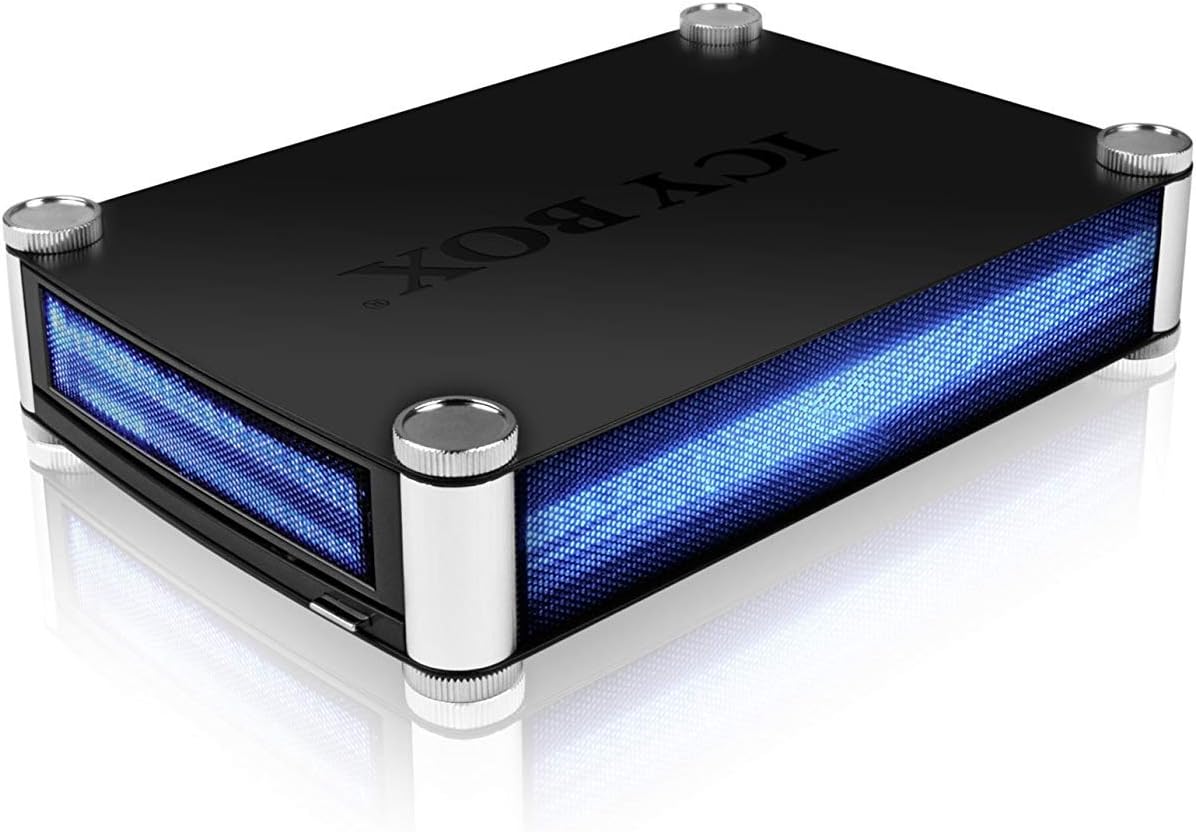
The Icybox IB-550STU3S is a robust external enclosure designed for 5.25" SATA Blu-Ray/DVD/CD drives and 3.5" SATA HDDs. Featuring USB 3.0 (up to 5 Gbit/s) and eSATA (up to 3 Gbit/s) interfaces, it delivers high-speed data transfers in a sleek blue-lit aluminum chassis. The package includes all necessary cables and a power supply, plus a convenient rear power switch, making it a versatile and professional-grade storage solution.
| Brand | ICY BOX |
| Product Dimensions | 6 x 18 x 26.1 cm; 900 g |
| Batteries | 1 Lithium Ion batteries required. |
| Item model number | IB-550STU3S |
| Manufacturer | Icybox |
| Series | IB-550STU3S |
| Colour | Black |
| Form Factor | 3.5-inch |
| Hard Drive Size | 256 GB |
| Hard Disk Description | Mechanical Hard Disk |
| Hard Drive Interface | eSATA |
| Hard Disk Rotational Speed | 7200 RPM |
| Wattage | 3600 |
| Hardware Platform | PC or Laptop |
| Are Batteries Included | No |
| Lithium Battery Energy Content | 2 Kilowatt Hours |
| Lithium Battery Packaging | Batteries packed with equipment |
| Lithium Battery Weight | 780 Grams |
| Number Of Lithium Ion Cells | 5 |
| Number of Lithium Metal Cells | 5 |
| Item Weight | 900 g |
| Guaranteed software updates until | unknown |
A**M
Does what it says on the tin, and does so quite well.
Absolutely perfect case for my BluRay Writer. Wanted a sturdy case, which also looks ok on my desk. This case does so, except, it looks better than ok! Installation is dead easy and I found no "niggly" corners or anything like that either. Items like this, the fit can sometimes be a little hit and miss, but not so with this case. Perfect and nice fit, everything where it should be, and installed it in minutes. It'll last me a good number of years, as it is a sturdy build.
S**X
Icybox External enclosure 5.25 dvd drive fitted
Icybox enclosure. Great versatile idea with good connectivity. I bought this to fit a DVD drive in, to copy my CD's to my Networked storage Dukebox rather than burn out my laptop DVD drive. the internal 5.25 DVD fits well, secured with 4 screws underneath. Does require initial careful aligning of the drive and top lid to ensure the door which is pushed open by the internal DVD drive tray (external button lines up with DVD tray opening button) doesn't get stuck. all in all useful way to use a sacrificial DVD rather than burn out the laptop drive. so far over 200 CD's copied and no problems came with a USB 3 A-B cable included. I bought a long one as I wasn't sure if it was included "no need!". Only 4 stars because although Its well made it's let down a bit by the slightly crude and plasticy mechanism on the door which is a bit clunky and hard on the DVD tray. It'll be good value if it lasts for all my CD transfers, may then retire it to being a spare Hard drive. overall very pleased with it. PS blue glowing sides and rear are cool!
S**A
A bit expensive but works just fine.
As others have said, the blue lights are annoying and I like others have disconnected them. I tried the eSATA connection into my external Caldigit hub first but I find it a bit too unreliable, disconnecting too frequently. Maybe it's my hub or because I'm on an iMac as it's not the first time an eSATA connection has failed like that. Apart from that the Blu-ray writer I have installed and now connected via USB 3.0 is working just fine. The cable length is quite short but that is not a problem for me. It is a bit expensive for what it is but as there is very little choice I went for it and I'm actually very happy with it so far.
J**N
Not amazing but it does the job
It's obvious that optical drive technology is dying when this is just about the only SATA 5.25" drive enclosure on the market and no matter where you look you'll be paying between about £30 and £50 for it which seems rather expensive given that the drives you'll be putting in this are likely much cheaper than the enclosure itself and the fact that for not much more you can buy USB 3.0 external DVD and Blu-ray drives. My new case (NZXT H440) doesn't have any 5.25" bays and I wanted to be able to use my Blu-ray RW drive that I had been using for a number of years, so since I couldn't find anything else, I purchased this.On the face of it it looks pretty good. It encloses a 5.25" optical drive and allows you to connect it to your computer via eSATA or USB 3.0 which is nice. It also comes with a USB 3.0 cable and an eSATA cable too which is nice. I haven't tested either cable yet but some reviewers are reporting that the eSATA cable doesn't work!Yes, it's true that it feels a bit cheap and nasty but I probably wouldn't mind about that had I not spent about £40 on it. For this kind of money I do expect better quality but when you're selling the only enclosure on the market I guess you can get away with it. Quality aside, there are some positive points. Firstly, the delivery was very quick. It was ordered on a Sunday evening, dispatched on the Monday and arrived on the Tuesday. I can't fault the delivery. Secondly the instruction manual is clear to understand and is written in English which makes a change and as I've said it comes supplied with the necessary cables. Installing a drive is also very quick and easy thanks to the design of the enclosure and the instructions. I was expecting it to be much harder so I was pleasantly surprised by this.No drivers for the enclosure itself are required. Using USB it's entirely plug and play and works right away as long as you have the USB drivers installed which Windows usually has anyway. Using eSATA you need the correct SATA or eSATA drivers installed for your motherboard and it should work. Depending on your board you may need to turn the PC off, plug the enclosure in and then turn the PC on again if you're using eSATA - just like if you were installing a SATA device in your case. I'm using Windows 10 x64.Now we come onto the not-so-good points.Firstly, within minutes of taking it out of the box and having a quick play, I had managed to push the eject button too far in and had got it stuck in a weird position. This was fixed by opening the enclosure up and pushing it back into place with some force but I was scared I was going to break it. Again, would have expected better quality to be honest.The LED lights on it are a bit brash. It would have appealed to me about 5 years ago but I'm not so sure now. The solution is to either only turn the enclosure on when you need to use it or simply open it up and disconnect the LEDs from the circuit board which is straight-forward.It should be noted that the LED lights act as a status indicator, just like the little LED light on the fascia of your optical drive. This means that when the disc is being read, the lights flash! This can get REALLY annoying after a very short time, especially if you're watching a film or copying files, so disconnecting the LED is recommended!I've tried this enclosure using two drives. Luckily my LG Blu-Ray RW drive fits and works fine and there are no issues, however before I tried using my Blu-Ray drive I tried using a regular generic brand DVD drive and the drive wouldn't open properly because the bulge on the inside of the door prevented the tray from opening. Maybe I didn't install the drive correctly but this seems like a design flaw. The tray would eventually open after it kept trying but as it kept trying to open it kept pushing the front of the enclosure away from the enclosure itself.So to conclude, it's expensive for what it is and it doesn't feel like a quality product I'm afraid. It would probably be cheaper and easier just to buy a USB DVD or Blu-ray drive than spend time and money on this, but since I have purchased and it seems to work fine with my drive and I can disconnect the LEDs I'll keep using it.
M**.
Works well. Fair Price
As a lock down project I decided to setup a NAS for all my DVDs & Blu Rays. Bought an external Drive and this Icybox unit to house it. It is easy to use and sturdy. You do have the option to turn off the blue lighting. I thought I would find this useful. But it turns out.. I prefer the blue glow!
M**D
a quick solution would be to drill slighly larger holes in the crap Icy box to allow leeway but I won't (would ...
Purchased a LG Blu-Ray Disc Rewriter to fit inside,however I've had to just use two retaining screws loosely tightened on the side of the silver eject button otherwise I'm unable to use the eject button to operate it furthermore the holes for the retaining screws should have been elongated(slotted) to allow compensation for adjustment,a quick solution would be to drill slightly larger holes in the crap Icy box to allow leeway but I won't (would probably invalidate warranty)extremely disappointed to say the least!!!I On a final note I would recommend you seek another enclosure for your accessories rather than this rubbish of which I would give zero stars if I could!!!Additional info,fitted my Bluray drive in a friends Icybox & functions perfectly(base plate screw holes not misaligned)Conclusion questionable as to whether the one I purchased from Amazon is genuine or a production reject??Item returned.
Trustpilot
1 month ago
3 days ago