Buy anything from 5,000+ international stores. One checkout price. No surprise fees. Join 2M+ shoppers on Desertcart.
Desertcart purchases this item on your behalf and handles shipping, customs, and support to Vanuatu.
๐ Stay connected everywhere, effortlessly stylish and travel-smart!
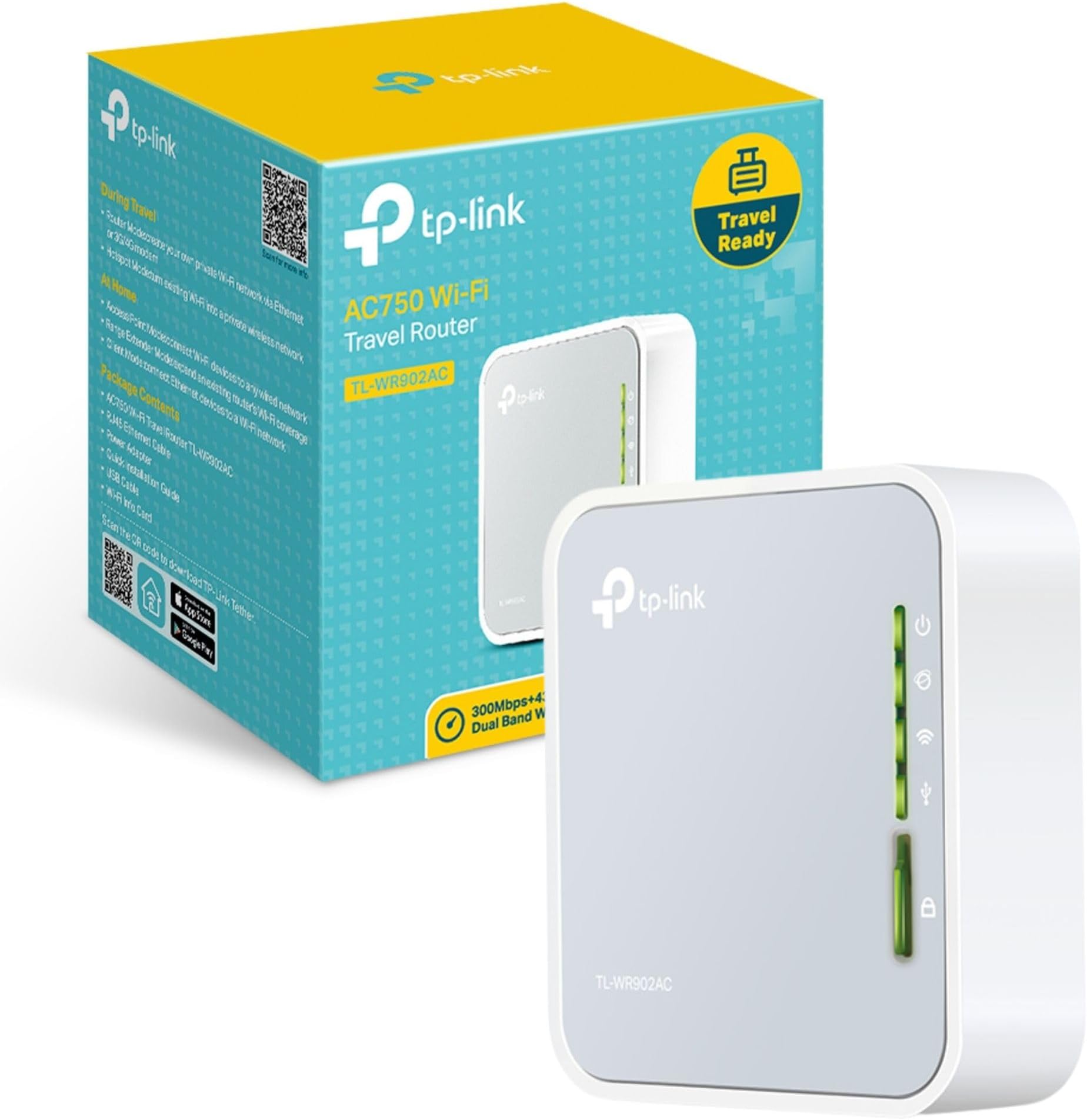
The TP-Link TL-WA902AC is a compact, travel-sized dual-band AC750 Wi-Fi router designed for professionals on the move. It supports multiple modes including router, range extender, and hotspot, enabling versatile network setups. With internal antennas and a USB port for 3G/4G modem support, it delivers secure, private Wi-Fi networks up to 100 square meters. Lightweight and easy to configure, itโs ideal for creating reliable connections in hotels, offices, or remote locations, backed by a 3-year warranty.


| ASIN | B01NAYG15H |
| Antenna Location | Home |
| Antenna Type | Internal |
| Best Sellers Rank | 1,804 in Computers & Accessories ( See Top 100 in Computers & Accessories ) 12 in Routers |
| Box Contents | Ethernet Cable |
| Brand | TP-Link |
| Brand Name | TP-Link |
| Colour | white with black accents |
| Compatible Devices | Personal computer, laptop, tablet, smartphone, game console |
| Compatible devices | Personal computer, laptop, tablet, smartphone, game console |
| Connectivity Protocol | Wi-Fi |
| Connectivity Range | 100 Square Metres |
| Connectivity Technology | Ethernet |
| Control Method | Touch |
| Controller Type | Switch |
| Country of Origin | China |
| Coverage | Up to 2 Bedroom Houses |
| Customer Reviews | 4.2 out of 5 stars 924 Reviews |
| Data Transfer Rate | 150 Megabits Per Second |
| Frequency | 5 GHz |
| Frequency Band Class | Dual-Band |
| Frequency band class | Dual-Band |
| Global Trade Identification Number | 06935364095673 |
| Has Internet Connectivity | Yes |
| Has Security Updates | Yes |
| Is Modem Compatible | Yes |
| Item Dimensions L x W x H | 6.7L x 2.2W x 7.4H centimetres |
| Item Weight | 2.12 Ounces |
| LAN Port Bandwidth | 150 megabits_per_second |
| Manufacturer | TP-Link |
| Manufacturer Part Number | TL-WR902AC |
| Maximum Upstream Data Transfer Rate | 150 Megabits Per Second |
| Model Name | TL-WR902AC(UK) |
| Model Number | TL-WR902AC |
| Model name | TL-WR902AC(UK) |
| Number of Antennas | 3 |
| Number of Ports | 1 |
| Operating System | Windows |
| Other Special Features of the Product | Access Point Mode |
| Product Warranty | 3 year Manufacturer |
| Router Network Type | Wireless Router |
| Security Protocol | WPS |
| Special feature | Access Point Mode |
| Unit Count | 1.0 count |
| Wi-Fi Generation | Wi-Fi 5 |
| Wireless Compability | 2.4 GHz Radio Frequency, 5 GHz Radio Frequency, 802.11ac, 802.11b |
| Wireless communication standard | 2.4 GHz Radio Frequency , 5 GHz Radio Frequency , 802.11ac, 802.11b |
T**S
Compact and Versatile Travel Router โ Ideal for On-the-Go Connectivity
The TP-Link AC750 Dual Band Wi-Fi Travel Router (TL-WR902AC) has been a game-changer for my travel needs. Its compact design makes it easy to pack, and it offers multiple modesโRouter, Hotspot, Range Extender, Client, and Access Pointโproviding flexibility in various situations. The dual-band AC750 Wi-Fi ensures stable and fast connections, whether I'm in a hotel room or a cafรฉ. The USB 2.0 port is a handy feature for file sharing or charging devices on the go. Overall, it's a reliable and versatile device that enhances my internet experience while traveling.
P**F
Brilliant for accessing captive portals on public networks
Bought this for my mum to use during her long term stay in hospital at the moment. The 'Patient Wifi' doesnโt quite reach her room, so I bought this to extend the wifi so she can access the internet on her phone and tablet. Itโs brilliant! The beauty with this Router - and the primary reason I bought it - so it can access captive portals on the web browser in order to get online. I initially tried using my own home-use wifi repeater, but for whatever reason, it canโt access the captive portals on public wifi networks, but the TP Link Travel Router does! Once the parameters of the Travel Router are set up on the TP Link Settings Page ( http://192.168.0.1/ ), itโs a brilliant wee box of tricks and works super on public wifi points. I left a sticky note on my Router, so if itโs discovered by patients/ staff, they know what it is and who it belongs to. Mum now has superb internet access and can communicate with family online etc as much as she wants now. Happy Bunny. Recommend. ------- UPDATE 27th April 2022 Router still going strong ๐ Bought a second one for myself to use when travelling and tried out the different functions (AP, client, Repeater). They all do their job well once you set up the correct parameters on the settings page through your browser. TP Link makes it easy for any person to use, whether you're super tech savvy or a luddite. The settings interface guides you through setting up your router, step by step, or of you're an advanced user, you can set it up manually. All the information you need about the router is there on the screen.
M**N
A brilliant device, if only a user experience expert could come in and sort the configuration page.
This is a very enjoyable little device - I first knew of these specific "nano routers" from TP Link as a techie friend had the original version in maybe 2014-15. A lot of the headache is removed by having a physical mode switch on the device, but I would say that the placement of items on the actual web config interface is a bit random - it's all there - but you have to hunt up and down for it all (I found it useful to check the device log and then look for that configuration - issues with an IGMP version mismatch in my case). Make sure that you keep hold of / have access to the included documentation at least while setting up for the first time. I also initially had the device stood upright near a wall and from trial and error I think that the (built in) antenna(s) must be in the top (grey) part of the case as my signal improved once it was flat. I am using the device as a hotspot bridge for a portal-page open network and can confirm it passes through the portal authentication page without issues. The device has a lot of clever options available to you - the USB is designed for either a 3G/4G mobile data dongle (which this device can then give shared access to) or a memory stick (from which it can seemingly share files between all users or host as a media streaming server). I originally intended to hotspot by bridging a wifi connection but due to complexity of the config page, I resorted to connecting the ethernet connection option to the device with all endpoints connected to the newly created hotspot. It's a good device once you get everything just right, and is very "set and forget" - no issues after it power cycles etc, but that initial setup can be a little more tricky than you might be bargaining for.
J**G
Fantastic bit of kit
I bought this for Hubby to use as a range extender at home but he has found it invaluable when travelling. When staying away in hotels, he has used it to make a wired signal from a wireless signal & vice versa so it allows a variety of devices even if the Wi-Fi has been hit & miss . It can create a private network which is great when you are having to use the available public signal so you can keep your info private. He has also used it at work to wirelessly monitor a machine on the shop floor from his desk & his colleagues were also impressed with the capacities. It's a nice size, very easy to set up, simple to understand and extremely useful as it has multiple functions. Worth every penny!
C**T
Tricky to setup Repeater
Took me 3 hrs to configure as a WiFi repeater. Instructions are misleading. The correct ip address is 192.168.0.1 for the tplink repeater. The physical switch setting that works is share hot-spot. Going into the admin menu for setup, select REPEATER and activate your listed existing router plus enter existing password and save. There might be some other steps I can't remember. Hope this saves you a few hours setup time. I gave it one star to make it easier to find my feedback. Actually works quite well as a repeater once configured correctly.
D**R
Great little box of delights
Reading the confusing reviews for this device, I was unsure whether it would be any good or not. Having owned a Tripmate Nano before, I knew I wanted something better, preferably dual band and specifically, I wanted something that I could connect to a hard drive and use it aboard a minibus as a media server on long journeys, as well as for bridging WiFi and Ethernet in hotel rooms. I needn't have worried. This is miles better than a Tripmate. It is easy to setup in any of its three operating modes, has a lot of power and range for its size, plugs right into a hard drive and provides media server, file sharing, FTP and guest network functionality, works pretty seamlesly with network enabled media players, such as VLC and runs just as happily off a car cigarette lighter socket with an adaptor as it does off a phone charger. It also works as a NAT firewall and offers good security, unless you're particularly paranoid. So, really it's perfect for what I need. I have a hard drive with hundreds of movies on it and have just toured across Australia with it for two months and I can say the long drives just flew by with everyone on their tablets streaming the movies of their choice. I'm very glad I took a chance on it.
A**N
Excellent when working. Good range and dual band wifi. Poor support for 3G/4G USB mobile devices. Documentation not good.
I have had this for a few weeks and have by no means tested everything but I will update this review as I go along. The model I received was the TL-WR902AC(EU) Ver 1.0 (with UK plug on the mains adapter). There are other versions out there (like EU ver 3 and US). Also, this model has a recent firmware update available from the tp-link UK website which I have applied. The micro USB socket for the power is set back in the unit and I have found some USB cables have a B plug that isn't quite long enough to stay connected. YMMV The first thing to do is check that the built in Wifi networks have a password. Set the switch to ETH and switch it on. Don't plug it into a network. When the unit is ready, use a tablet or laptop to connect to the WR902 wifi. If it doesn't ask for a wifi password, visit the WR902 admin page tplinkwifi.net and login. Check the Wifi settings and make sure both the 2.4G and 5G networks have a secure password set. I didn't do this and just plugged it into the home network. The WR902 promptly created 2 completely open unprotected Wifi access points. :( :( The wifi range of the WR902 is surprisingly good even though it has no external aerial. However, the unit has to be powered externally (there are no batteries) although it can be powered from a USB port (on your laptop, or car socket for example) so you don't require a mains socket. There was no manual provided. Just a quick guide. I did find a bigger manual on the USA TP-Link website (but not on the UK one). The documentation is not good and neither is the support website. If things don't work as expected, you can spend a lot of time tinkering trying to make it work. Test scenarios: Share ETH switch setting: Wifi access to the internet via an existing (wired) network. Plug the WR902 into a handy RJ45 ethernet port on the network and switch on. After a couple of minutes the WR902 should provide 2.4G and 5G wifi access to the internet via the network. This works flawlessly. As long as the WR902 can get an IP address from the network there is no more to do. If the local network requires the WR902 to have a fixed IP address, you can use the WR902 admin page to enter it. Wifi access to internet via a 3G/4G mobile network. Instead of plugging the WR902 into an existing network, you can plug in a USB mobile dongle. However, the WR902 is very choosy about which USB mobile dongles it will talk to. It doesn't recognise my Vodafone K5160 4G dongle and it doesn't like my old K3520 3G dongle either. Luckily it likes a K4201 3G dongle. The WR902 takes several minutes to recognise and connect to the internet via the dongle. You will probably have to do some configuration via the WR902 admin pages to make it a plug and play process but it can be done. Share Hotspot switch setting: Wifi access to internet via a Wifi network. This seems a bit strange. Why would you use the WR902 to connect to a Wifi network? You can just connect your device directly. There are a couple of situations. 1) The hotel wifi only works in one part of the room but you want wifi in the whole room. Place the WR902 where it can connect to the hotel wifi and share the internet around the whole room. 2) The hotel wifi only works with one device. Use the WR902 as the device. it will share the connection with all your devices. Start up the WR902. After a couple of minutes you will be able to connect to the WR902 Wifi and log in to the admin page (URL = tplinkwifi.net). Choose Quick Connect. You can get the WR902 to scan the local wifi networks and choose the one to connect to. Enter the wifi password and continue. The WR902 will reboot and after a few minutes, the internet will be available. The good news is the WR902 remembers the last wifi network you connected to so if you are staying in the same hotel for a while, subsequent use is plug and play. Note: With both of the above modes, the WR902 creates its own LAN which it connects to the internet. Devices using the WR902 can network with each other, but are isolated from the LAN that the WR902 uses to connect to the internet. If you want to use the WR902 to extend your existing LAN, use the third switch position AP/Rng Ext/Client. More later.
A**B
Easy to set up and 'Client Mode' disables WiFi Repeater as I wanted.
This device, TP-Link AC750 WR902AC Travel Router, does exactly what I want: a WiFi to Ethernet Bridge ONLY. When set up in "Client Mode", functioning as a WiFi to Ethernet adapter, it will not be broadcasting WiFi as a repeater. This is unlike several other TP-Link devices that combine WiFi Repeater/Extender functions with that of a WiFi to Ethernet Bridge/Adapter. On those, such as the RE450 (and all others in the series) the WiFi broadcasting (i.e. the Repeater function) cannot be turned off, which can cause interference issues that can quite severely slow down the WiFi throughput. This little Travel Router does actually work purely as a WiFi to Ethernet bridge/adapter when set to Client Mode, and thus is a perfect choice if that is all you want to do and you are doing that well within the range of the main router so you need to avoid WiFi interference/contention. This little device is providing exactly what I want: a WiFi to Ethernet Bridge with no WiFi Repeater/Extender function active. My Ethernet-only devices are now connected via this WR902AC to the home wifi network with no unnecessary wifi signals causing trouble. I have read one or two reports here of failure after a few months of constant 24/7 use, and it does get rather warm, a bit more than I think it should, so I will watch out for any issues (this one can be switched off from time to time but I need a second one which will not be - we will see). At the moment I am very happy.
Trustpilot
2 months ago
1 month ago