Buy anything from 5,000+ international stores. One checkout price. No surprise fees. Join 2M+ shoppers on Desertcart.
Desertcart purchases this item on your behalf and handles shipping, customs, and support to Vanuatu.
🖱️ Elevate your workspace comfort and control—because your wrist deserves the upgrade!
The Evoluent Right Handed Wireless Vertical Mouse (VMOUS4WRLHY) features an ergonomic vertical design that minimizes forearm twisting and wrist strain, making it a favorite among professionals and therapists. It offers adjustable pointer speeds with clear LED indicators, an improved thumb rest with programmable buttons, and a long-lasting 3-month battery life powered by 2 AAA batteries. Compatible with PC and Linux, it supports plug-and-play use with optional software for advanced customization.


| ASIN | B006P2594Y |
| Antenna Location | Use for right-handed users and for ergonomic hand and wrist positioning while using the computer |
| Are Batteries Included? | No |
| Are Batteries Required | Yes |
| Battery Average Life | 3 months |
| Best Sellers Rank | 14,365 in Computers & Accessories ( See Top 100 in Computers & Accessories ) 371 in Mice |
| Brand | Evoluent |
| Brand Name | Evoluent |
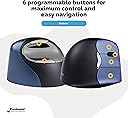
| Button Quantity | 6 |
| Colour | Metallic Blue, Black. |
| Compatible Devices | Personal Computer, Laptop |
| Connectivity technology | USB, Wireless |
| Country of Origin | China |
| Customer Reviews | 4.3 out of 5 stars 1,477 Reviews |
| Enclosure Material | Plastic |
| Global Trade Identification Number | 00172302698459, 00852153014416 |
| Hand Orientation | Right |
| Hardware Platform | PC |
| Item Dimensions L x W | 1L x 1W millimetres |
| Item Type Name | Gray Star TRIBE DC Comic Catwoman USB Flash Memory Drive DC comics Cat Woman FD031404 |
| Item Weight | 0.45 Pounds |
| Manufacturer | Evoluent |
| Manufacturer Part Number | 2 |
| Minimum Required Operating System Version | Windows XP |
| Model Name | VMOUS4WRLHY |
| Model Number | VM4RW |
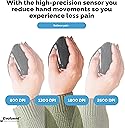
| Mouse Maximum Sensitivity | 2600 Dots per Inch |
| Movement Detection | Optical |
| Movement detection technology | Optical |
| Network Connectivity Technology | USB, Wireless |
| Number of Batteries | 2 AAA batteries required. |
| Number of buttons | 6 |
| Operating System | Linux |
| Pattern | Single |
| Power Source | Battery Powered |
| Product Features | Wireless |
| Product Finish Type | Glossy |
| Range | 5.0 meters |
| Special feature | Wireless |
| Style Name | USB Wireless |
| UPC | 172302698459 803982895967 807320188254 852153014416 132017583372 852153010661 168141474217 851905121662 163120778263 887611945285 887611929179 |
| Unit Count | 1.0 count |
M**Y
Top quality vertical mouse, but not cheap
If you suffer from RSI/joint pain or trigger finger in your right hand, this mouse is ideal to avoid further agrovation. It has more than enough programmable controls. The 3 mouse buttons can be a little difficult to get used to having the “right click” mouse button under your 4th finger. A few times reaching across my desk for something, I’ve caught the top “back” button of mouse as I’m still not used to the height of the mouse as compared with my old horizontal unit - I just have to get used to lifting my arm a little higher! This is a well made unit, a little expensive but has worked faultlessly since arrival and was simplicity to pair up. It’s rather “fatter” than many other vertical mouses which makes it more comfortable to use. One tip - if you reach the left-hand limit of your desk surface and need to physically reposition the mouse back to the right of your desk, tip the mouse over onto its right-hand edge and slide it over the desk; this avoids having to physically having to pick ithe mouse up risking inadvertent button pressing in doing so.
J**D
Best mouse I’ve ever owned
I realised I’d bought this mouse 6 years ago when coming back to look at another one for work since I’ve now moved to working from home. Prior to getting this mouse I’d used a variety of high quality Logitech mice and this just blew them out the water. Firstly my RSI has not returned since I shifted to this, in fact the old twinges I used to get prior to the RSI after extended mouse use haven’t made an appearance either. I’ve used it extensively for PC gaming including FPS (most recently Doom Eternal) without issue and it’s been a pleasure to use. It’s precise, responsive, DPI is easily adjustable and all the buttons are easy to access. I have one of the cheaper vertical mice for work but only be to cost. I’d happily use this mouse full time for everything. For the sake of balance it’s worth noting I have quite large hands. My wife tried this and actually prefers one of the cheaper mice. That said it’s no contest for me.
S**H
Completely cured my RSI !
This mouse has been an absolute Godsend ! I started suffering from RSI and tried this. I must say it too about a week to get used to it. I am 3D styling so I sit in front of a computer for about 38 hours per day and I use all three butttons. On a normal mouse I use the index finger for the left mouse button and the middle finger for middle mouse button (or scrolly) and right button but with this I had to get used to using index for left, middle for middle and the ring and pinky for the right. (you can install the drivers so that the buttons are configured like a normal mouse but Ive found that this method utlises my fingers better so Ive stuck with it) Like I said it took about a week to get used to but I cannot stress how much of a difference it has made to my life. I can work all day with absolutely zero hand, wrist finger, muscle or any other pains or complaints. The only reason why I have not awarded this product a full five stars is because after about four years the left mouse button sensor became faulty and when I clicked on it once it behaved as if it had been clicked multiple times. I contacted Evoluent but did not receive a reply. Seeing as there is nothing that can compete with this mouse I just bought another one. I do use my mouse a LOT, a lot more than an average mouse is used so I guess it has suffered but it just doesn't feel as robust as a Microsoft mouse. If/when this one breaks I will buy another one. Another great bonus is that a lot of people are amazed at the appearance of the mouse and often ask questions about it, they assume that I must be really good at my job (which I am) So it has the potential to provide many fascinating conversations, or if you can't be bothered to do any work one day you can just squint your eyes slightly and look towards one of the top corners of your monitor while tapping the mouse. You'll look like you're thinking about a very complex mathematical equation and the tapping will draw attention to the mouse so everyone will just look at you and think 'Wow, I wonder what time that handsome guy's gonna solve the meaning of life'
R**E
Comfortable to use
Loved this mouse right out of the box! The hand position feels comfortable and natural, the mouse glides well and it took no time to get used to the vertical position. The mouse feels well made and the buttons are easy to press. Installs itself but the extra software is useful if you want to take full advantage of the features. No connection problems at all even though I've used it with several different computers / setups.
M**C
Evoluent Vertical 4 Wireless Mouse
I use a wired version of this vertical mouse at work and I experience risk ache when I used a traditional mouse. No I am using my PC at home a lot more for studying, I was experiencing wrist ache so chose this Evoluent Vertical 4 Wireless Mouse. I'm not disappointed - no wrist ache anymore. I would advise new users that you will take some getting used to the mouse when you first start using it, but after a few days you'll be up and running and you'll never want to go back to a traditional mouse again. A traditional mouse makes you bend your wrist to use it. The Evoluent Vertical mouse means your wrist is in a natural neutral position.
4**S
It's ok, but not great.
It's ok, but I don't find it as easy to use as my Penguin mouse it replaces. I find it difficult to be precise with positioning the cursor, with this mouse. However, it seems to be better quality than the Penguin mouse. I really dislike the ubiquitous black rubber-like coating on this and so many other items. The coating is lasting longer on this mouse than the Penguin mouse, though. I wish it did not have the black coating. I don't see the point. It's just introducing a point of failure, with no benefit.
A**R
This arrived this morning and so far so very good. It worked on my mac air immediately with ...
This arrived this morning and so far so very good. It worked on my mac air immediately with zero install, and the download to set the buttons took two minutes and the choices are huge. It's lighter than it looks, but that means it moves around easily - I was worried it would take some shifting across the desk. It's also no way near as weird to use as I feared. The scroll wheel did seem further back than is comfortable at first, but tweaking how you hold the thing solves this. I imagine it's more an issue if you've bought one too small for your hands. Go big. Button sensitivity is perfect, and all very well placed. I have been suffering with very bad RSI / TE - probably a mixture of both - for six months now and here's hoping this helps, as my mac trackpad doesn't seem to be: although it's nice to have that on the left now to mix things up a bit. Will report back in a few weeks to see if this has helped my RSI.
M**K
Trying to avoid smashing this against the wall.
Ergonomic yes great. But in terms of its connection to bluetooth it's the worst product I've owned and am going insane with it. I've tried it in different USB ports, near and far, on its own, unplugging everything and it is jumping all over the place. Have never had a probelm with any other bluetooth item, all of which are working perfectly well. Agggghhhh!!!!!!!!!!
D**S
Works great, pain reduced
The mouse appears as advertised and worked fine out of the box. There was some glitching at first as I plugged it in to a USB hub next to my corded gaming mouse (the instructions specify not to use a hub but my laptop is USB deficient), but when I unplugged both, plugged the Evoluent in first and made sure it was configured properly, then plugged the gaming mouse in second, they both work fine. I had hoped to use it for both work and gaming, but I did not find it as responsive as I like for FPS games. I keep my corded mouse handy for gaming but use the Evoluent for everything else. I am a large man (6'2") with large hands, and I find this mouse comfortable. Using a regular mouse for more than a couple of hours causes me pain in my wrist, forearm and elbow that can last for several days. Using this mouse for 4+ hours per day for the last week, I felt a slight soreness from using unaccustomed muscles, but adjusting my chair to be more ergonomically correct has pretty much solved that. Also I am learning that not dropping my wrist or allowing the fleshy part of the outside of the hand to rest on the desk is important; eventually I will get one of those gel wrist pads but for now I have adjusted the armrest on my chair so that when I reach for the mouse my arm and hand stay properly aligned. Basically this mouse is re-configuring the way I sit and work, starting from my mousing hand. After 20+ years of incorrect posture, it's taking some getting used to, but the reduction in pain is worth it. There are some other minor things that require getting used to. For example: There are two thumb buttons, one above and one below where the thumb sits. Contrary to expectation the top one is used as a back button, which is good since I keep accidentally bumping the bottom thumb button when I reach for or grab the mouse. I would recommend on their next iteration of this mouse that they put both buttons above the thumb rest. Another minor thing to get used to is the three-button layout, with scroll wheel between the first and second button. At first I thought the RMB was not working, but soon realized I was pressing the center button, not the actual right mouse button. Now that I'm used to using my ring finger for RMB, having the center button as a scroll control has come in very handy when reading lengthy documents and web pages. Over all, I am glad I bought this mouse.
M**U
Excellente souris, vraiment ergonomique
Avant achat : - Utilisation intense du clic : travail de bureau, utilisation prolongée d'Autocad. - Douleurs chroniques dans l'index et crispation du poignet. Cela est apparu après utilisation d'une souris classique dans le train sur les genoux, avec poignet plié. Même en utilisant le majeur pour cliquer, ces douleurs ont persisté pendant plusieurs mois jusqu'à l'achat de cette souris (symptomes faisant penser au syndrome du canal carpien). - Mauvaise ergonomie du bureau (siège non adapté, mauvaise position des bras et des poignets). Après achat : - Prise en main rapide. Il faut juste un peu de temps pour acquérir un geste rapide et précis. Le bouton de réglage de la vitesse du pointeur et ses 4 positions permet de choisir simplement sa vitesse de croisière, lente au début, et progressivement plus rapide. - Prise en main agréable, même avec de grandes mains (21 cm entre pli du poignet et extrémité du majeur). - Premières sensations d'amélioration dès la première semaine d'utilisation : plus de douleurs persistantes en dehors du travail. Quelques crispations du poignet pendant l'utilisation au début. - Boutons légers sans être trop sensibles. Le clic molette se fait avec le bouton du milieu (pratique sous Autocad et Internet). - Deux boutons additionnels côté pouce, programmables avec le pilote de la souris (raccourci pour Précédent sur Internet...). - Bonne impression de solidité. En bref : - Très bon produit, à recommander vivement ! - C'est maintenant difficile de réutiliser une souris classique. Elle me suit au travail et à la maison. - Le prix d'achat est un peu excessif, mais le prix s'oublie, la qualité reste. - Penser également à vérifier l'ergonomie de son bureau : position des bras, hauteur du siège... Je n'utilise pas de tapis de souris surélevé.
M**®
Not at all what I expected, actually better!
I'm pretty amazed by this mouse. It's not at all what I had pictured it would be. I assumed it would be big and bulky, but it's not. At first, I thought they had sent me the small version by mistake. I started getting pains in my hand and wrist both working and gaming. This mouse was so comfortable right out of the box and I have yet to notice any pain (except switching back to my keyboard). It didn't take long to get use to the feel of it. The one drawback is that now my hand seems to rest completely on my pisiform bone. I'm just used to having the mouse closer to me. Guess I need to learn to rest my arm on the desk too. I've been using a Logitech Performance MX mouse for years, so I can only compare this Evoluent to it. It's lighter than my Logitech and easier to move around. The Logitech seems a lot heavier. The Evoluent is actually smaller in length than the Performance MX by almost an inch. If you stacked 2 MX mice on top of one another, that's about how high the Evoluent sits. But, your hand sits almost vertical. For me, it's the perfect size of my hand and fingers. I think this is a very good looking mouse. The grip has a slight rubberized texture to it and the dark blue on the click buttons is very nice. The mouse clicks are actually more sensitive than my Performance MX. I also love the third button. I have mine programmed to right click on the 2nd button and show desktop on the 3rd (it's pre-programmed to right click on that 3rd button). At first I did squeeze that 3rd button a lot by accident, but I'm getting used to not hitting it. You could just disable it, if it bugs you. I only had one hitch with the software. I use Emsisoft Malware & Online Armor. When I tried to open the Evoluent control panel, Online Armor would block it and freeze my system (which it never does). I had to reboot and setup Online Armor to ignore the Evoluent folder, before I could use the software. So just FYI, if you use Emsisoft. Was it worth $109? To me yes. I remember when I bought my Logitech Performance MX new, it was $99. This isn't a cheaply made mouse and it helps so much with my hand and wrist pain. I'm happy with it.
I**I
questo è il vero mouse verticale
Appena lo si impugna ci si sente a proprio agio, e si percepisce l'ergonomia. Con la possibilità di scelta di modello destro e sinistro e per mano normale o piccola la scelta è completa. Basta inserire il micro trasmettitore e funziona subito, anche sul vecchio XP. Forse le uniche critiche possono essere: - Se allo stesso computer siedono persone diverse, ci sono delle difficoltà. - E' una scelta ottimizzata e quindi se ne pagano le conseguenze. - Non è avanzato come sensore, non funziona su superfici tipo vetro come i Logitech - Bisogna andare sul sito a scaricarsi l'applicatico se si vogliono personalizzare i pulsanti. - All'apparenza pur ottimamente eseguito non si può dire bello ed elegante Tutte cose superabili facilmente a fronte di una insuperabile ergonomia. Anche se taluni lamentano un difficile approccio con i mouse verticali, per me l'assefiazione è stat immediata, nessuna indecisione, mi sembra di usarlo da sempre, e dopo poco tempo l'uso di altri mouse mi è diventato difficoltoso. Un po' caro ma il gioco ne vale la candela, forse non come vaolre assoluto ma come usufruibilità Anche la confezione è elegante, simile a quella dei cellulari top di gamma
P**Z
Tennisarm geheilt!
Ich verwende diese Maus nun mittlerweile seit 8 Monaten, im Büro als auch privat, und siehe da, bereits nach weniger als einer Woche war mein Maus-/Tennisarm schmerzfrei bei der täglichen Arbeit am PC. Die Eingewöhnung dauert nur ein paar Tage, dann ist das Gefühl der vertikalen Haltung nicht mehr fremd und alles lässt sich wieder in normaler Geschwindigkeit ansteuern, also bitte nicht "die Flinte ins Korn" werfen und mindestens 4-5 Tage durchhalten, es lohnt sich! Ich empfehle auch den Download des "Evoluent Mouse Managers" auf der Homepage des Herstellers, da man hier unglaublich gute Einstellungen vornehmen und sich sogar nach einstellbarer individueller Zeit automatisch auf ein "take a break and stretch your body" hinweisen lassen kann... manchmal gar keine dumme Idee ;-) Für mich ebenfalls seeeehr angenehm, dass sich jede Taste individuell programmieren lässt, so habe ich mir auf die mittlere Taste den Doppelklick gelegt, was wiederum eine Sehnenbewegung im Arm pro Doppelklick weniger bedeutet, und auch das hat man nach kurzer Eingewöhnungszeit wie aus dem FF in Benutzung. Auch die Verarbeitung und das Material ist meiner Ansicht nach sehr hochwertig im Vergleich zu dem anderen Plastikschrott, den man so als Maus angedreht bekommt. Die Tasten sind sehr leichtgängig und jeder Bereich der Maus ist mit einem anderen Material ausgestattet, wie er für den Bereich (evtl. auch schwitztechnisch) erforderlich ist. Für mich die perfekte Auswahl. Einen kleinen negativen Punkt hätte ich noch anzumerken: Die Maus ist für Menschen mit längeren Fingern definitiv ein Stück zu kurz, selbst die "normal" lange Variante. Es müsste hier noch eine "long"-Version geben, damit man die Finger richtig ausstrecken kann, um dann nicht mit den Fingerkuppen über den Tasten zu liegen. Alles in allem aber ein empfehlenswertes Teil, was mir nach über einem Jahr Arbeiten unter starken Schmerzen endlich und schon nach weniger als einer Woche geholfen hat.
Trustpilot
1 day ago
2 weeks ago