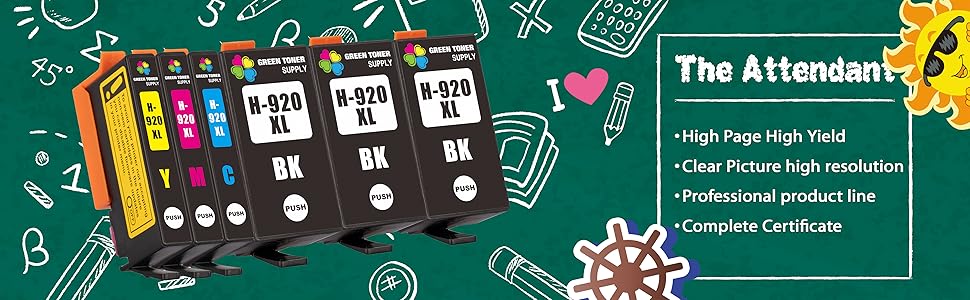
🖨️ Elevate your print game—never run out of ink, never miss a deadline!
This 6-pack Green Toner Supply compatible 920XL ink cartridge set includes 3 black and 1 each cyan, magenta, and yellow cartridges designed for HP OfficeJet 6000 through 7500 series printers. Delivering up to 1,200 pages in black and 700 pages in color at 5% coverage, these cartridges offer high yield and professional-quality prints. With a recommended shelf life of 36 months and a 1-year money-back warranty, this set ensures reliable, cost-effective printing for busy professionals.



| ASIN | B08RS1BM9K |
| Additional Printer Functions | All In One |
| Brand Name | Green Toner Supply |
| Colour | Black Cyan Magenta Yellow |
| Customer Reviews | 4.1 4.1 out of 5 stars (56) |
| Ink Colour | Black Cyan Magenta Yellow |
| Item Weight | 0.33 Kilograms |
| Manufacturer | Green Toner Supply |
| Manufacturer Part Number | GTS-HP-920XL(3B1C1Y1M) |
| Model Name | GTS-HP-920XL(3B1C1Y1M) |
| Model Number | 920XL |
| Print media | Paper (plain) |
| Printer Type | Inkjet |
| UPC | 725407615458 |
J**R
I have a very old model 6500 OfficeJet printer that wouldn’t print using HP’s Stupid instant ink Subscription ink. i’d researched the problem And read that if you buy aftermarket ink it would work and I tried it and it worked great. Prints just like it did before.
H**.
This is my second order of The Green Toner Supply….. this printer ink works even better than HP 920XL. The ink lays down very Smoothly without distortion… NO BLEEDING
A**Z
These cartridges were giving warning alerts at first. After a few inserts and removals they're working fine and a real bargain compared to the rip off h.p. brand. I hope they keep on working because the print jobs are fine and the savings is amazing.
L**R
The ink actually has good color quality.But first, you have to get your printer to work with it. *That* can be frustrating. There is no peel off sticker to allow access to the vent hole on each cartridge. The label on top of each cartridge is covering the vent hole and very securely stuck in place. You have to feel for it and very carefully poke it with a pin -- but not too far or you'll wreck the new cartridge! (None of this is in any included instructions.) Without doing that, the ink will not flow and the printer won't work. I had to search for that information on YT to solve this all too time-consuming issue.
D**Z
No mount to hold cartridges
Trustpilot
2 months ago
1 month ago