🚀 Future-Proof Your Home Network with TP-Link Archer BE900 – Speed, Coverage, and Control in One!
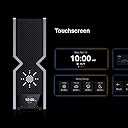
The TP-Link Archer BE24000 (Archer BE900) is a cutting-edge quad-band Wi-Fi 7 router delivering blazing-fast wireless speeds up to 24.4 Gbps. Equipped with dual 10 Gbps multi-gig Ethernet ports and 12 high-performance antennas, it ensures expansive, reliable coverage and ultra-low latency. Featuring an intuitive LED touchscreen, EasyMesh compatibility, and robust security with TP-Link HomeShield, this router is designed for seamless streaming, gaming, and smart home management across all major ISPs.


| ASIN | B0BRD3P4XV |
| Best Sellers Rank | #3,011 in Computers & Accessories ( See Top 100 in Computers & Accessories ) #126 in Computer Routers |
| Brand | TP-Link |
| Color | Red |
| Customer Reviews | 3.9 3.9 out of 5 stars (183) |
| Date First Available | December 31, 2022 |
| Item Dimensions LxWxH | 11.9 x 10.3 x 3.8 inches |
| Item Weight | 11.77 pounds |
| Item model number | Archer BE900 |
| Manufacturer | TP-Link |
| Number of USB 2.0 Ports | 1 |
| Number of USB 3.0 Ports | 1 |
| Operating System | ZyNOS |
| Product Dimensions | 11.9 x 10.3 x 3.8 inches |
| Series | Archer BE900 |
| Wireless Type | 802.11.be, 802.11ac, 802.11ax, 802.11g, 802.11n |
B**S
Skip the gaming router, get this instead
If you want a router that is as future-proof as possible while delivering great real-world performance and EasyMesh support, this is the one to get. I previously tried a TP-Link gaming router that I thought would do everything this one does. Instead, I got weaker and less stable WiFi in exchange for it looking like a spaceship and coming with a bunch of AI gaming QoS features that are mostly useless in real setups. In most cases, you should not be using QoS at all anyway. This router has been far more stable, has better signal strength, and has been much less of a headache overall. Do yourself a favor and get the non-gaming version. You will get better performance without the gimmicks. The little pixel screen is fun but kind of pointless. I would have preferred it not be there in exchange for a lower price, but it is still fun to mess with and write things on. Also, for those who care, this is an AMAZING Steamlink router even through multiple rooms. Can confirm, very low latency and packet loss.
C**S
Wow, what a difference from my previous mesh router
I recently upgraded to the TP-Link WiFi 7, and I couldn’t be happier with the decision! This single router has replaced my previous three-node setup and delivers far superior performance with much less hassle. Setting it up was a breeze—no need to assign reserved IP addresses for my HomeKit devices or restart the router every time I made changes. It also offers a dedicated network for smart home devices, which makes managing them much easier. The performance is outstanding. Near the router, I get 800–900 Mbps on my iPhone 16, and even at the furthest point in my house, speeds are consistently 400–500 Mbps. My three-level home, including two upper floors and a basement, is now fully covered with just one router, something my old three-node system couldn’t handle nearly as well. For comparison, my previous setup consisted of three hardwired nodes configured in a star layout, with the basement router connected to a fiber modem. Despite this, the performance was only okay. Speeds maxed out at 100–200 Mbps even after upgrading to a 1 Gbps connection. Worse, I had constant issues with HomeKit devices dropping randomly. I had to assign reserved IPs to stabilize them, but every time I added one, I had to restart the router. Devices like my Logitech cameras required frequent restarts, too. In contrast, the TP-Link WiFi 7 has been rock-solid from day one. It’s a massive time-saver and a significant upgrade in both performance and convenience. If you’re considering this router, I highly recommend it. It’s worth the investment, especially if you’re looking for simplicity, reliability, and top-tier performance.
A**R
Absolute trash
After four months of struggling with this router, I'm beyond the return window, and TP-Link support is completely worthless, so I'm stuck with a $700 paperweight. This thing will just randomly drop connection to the internet, and when you're relying upon said connection for remote meetings, you can imagine the frustration that ensues when this thing up and decides, "hey, I think I'll take a break and come back to life when I please". As of this writing, 8/28/2023, the last firmware update was made available at the end of June. TP-Link knows there's a problem with this router, but it's painfully obvious that it's hardware based and not software. This is why updates have ceased and availability for the router is non-existent. I've factory reset this thing a total of five times over the course of the last four months, even changed every ethernet and coax cable in the connection chain thinking that would make a difference, but now I have resolved that TP-Link released a half baked product and is turning a blind eye to the people who were suckered into buying this piece of trash. I've since went back to using my previous router, and surprise, I have zero issues with my internet connection. Please do yourselves a favor, if you've got this on your wishlist in anticipation to purchase it, remove it immediately and save yourself the financial burden and heartache that those of us that bought into have to show for it. Shame on you, TP-Link
A**D
Great router, way more powerful wifi signal than my replaced Asus ROG BE98. Only issue was the IoT network is flakey, but just setting up a guest network with the same SSID and credentials, then deactivated the IoT broadcast, fixed all issues and I'm never seeing a single drop out any more.
Trustpilot
5 days ago
3 weeks ago