Buy anything from 5,000+ international stores. One checkout price. No surprise fees. Join 2M+ shoppers on Desertcart.
Desertcart purchases this item on your behalf and handles shipping, customs, and support to Vanuatu.
๐ฎ Elevate your workspace & game zone with pro-grade Mini LED clarity!
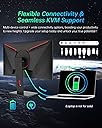
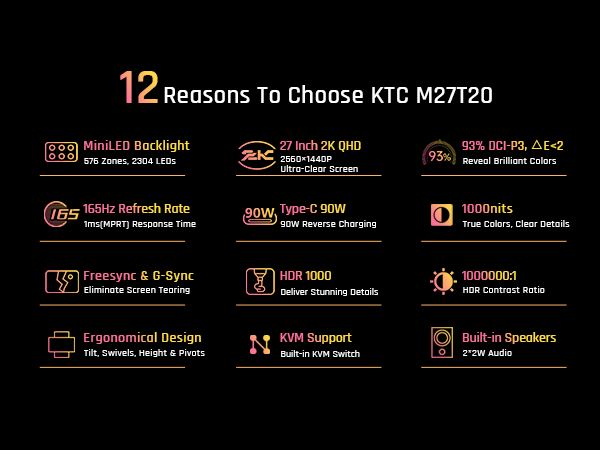
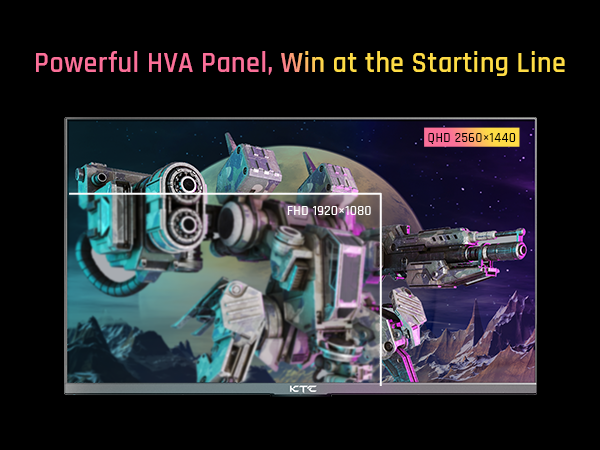
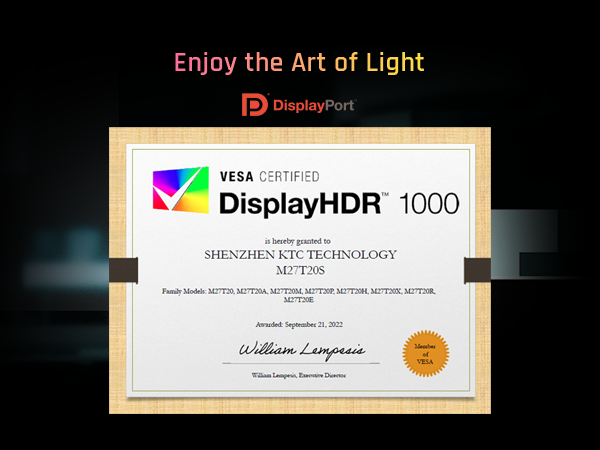
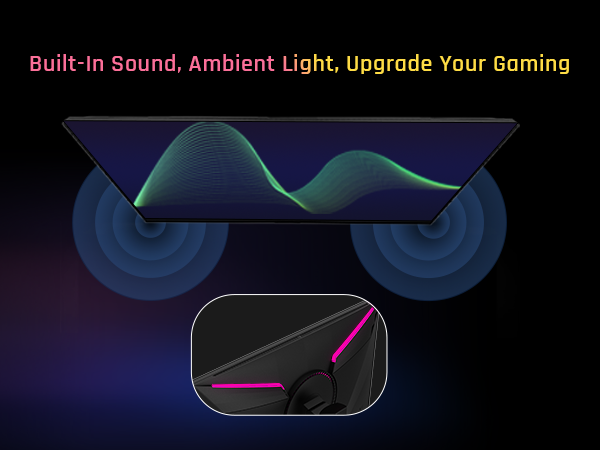
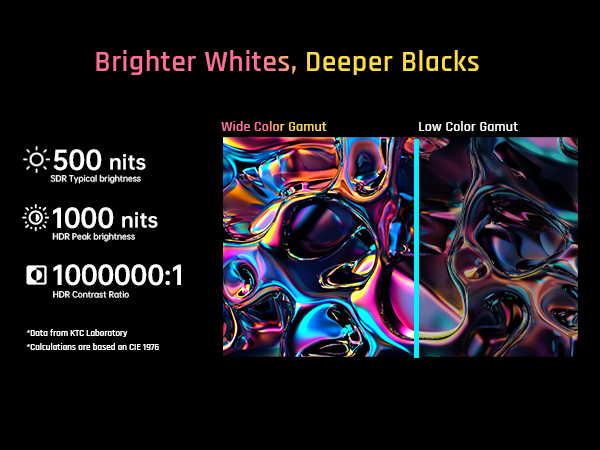
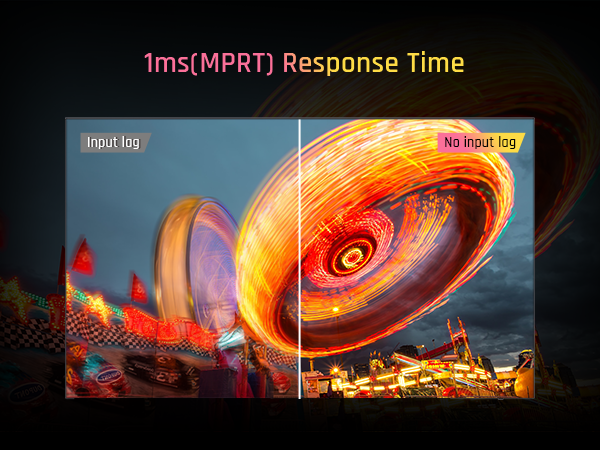
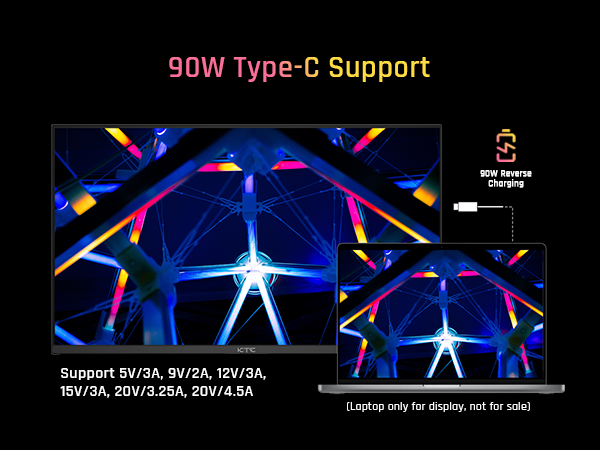
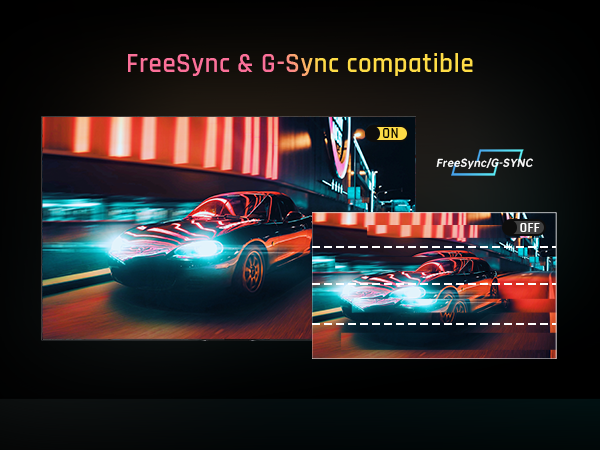
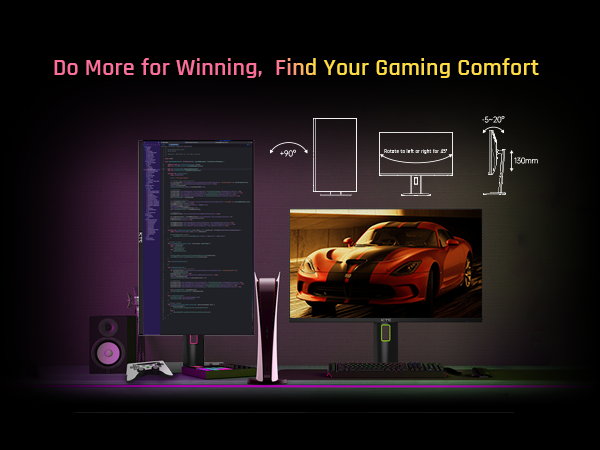
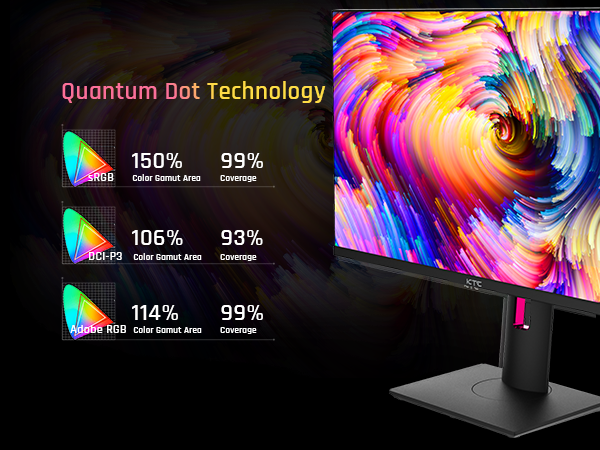
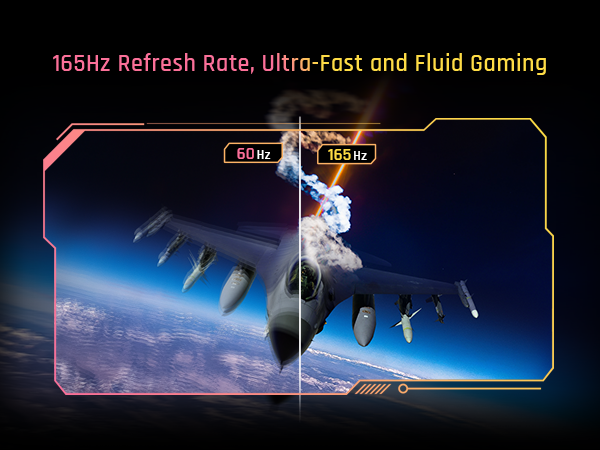
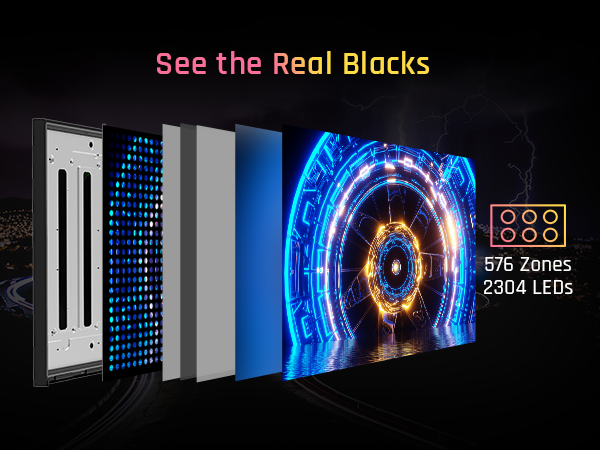
The KTC 27 Inch Mini LED Monitor combines a 2560x1440 QHD Mini LED panel with 576 local dimming zones and HDR1000 brightness for exceptional color depth and contrast. Designed for gamers and professionals, it offers a blazing 165Hz refresh rate, 1ms response time, and compatibility with G-Sync and FreeSync. Robust connectivity includes USB-C with 90W power delivery, HDMI 2.0, DisplayPort 1.4, and a KVM switch, while ergonomic adjustments and built-in stereo speakers complete a versatile, immersive setup. This monitor balances cutting-edge tech with practical features at a competitive price point.


| ASIN | B0BG3Y3G1S |
| Adaptive Sync | FreeSync Premium, G-Sync Compatible |
| Additional Features | Blue Light Filter |
| Aspect Ratio | 16:9 |
| Best Sellers Rank | #14,351 in Electronics ( See Top 100 in Electronics ) |
| Brand | KTC |
| Brightness | 1000cd/mยฒ |
| Compatible Devices | gaming consoles and PCs with HDMI, DisplayPort, or VGA output |
| Connectivity Technology | HDMI, DisplayPort, USB |
| Contrast Ratio | 1,000,000:1 |
| Customer Reviews | 4.2 out of 5 stars 183 Reviews |
| Display Resolution Maximum | 2560 x 1440 Pixels |
| Display Technology | LCD |
| Display Type | LCD |
| EU Spare Part Availability Duration | 5 Years |
| Hardware Connectivity | USB 3.0 |
| Has Color Screen | Yes |
| Image Contrast Ratio | 1,000,000:1 |
| Is Electric | Yes |
| Item Dimensions D x W x H | 32"D x 66"W x 12"H |
| Manufacturer | KTC |
| Model Name | M27T20 |
| Model Number | M27T20 |
| Mounting Type | Wall Mount |
| Native Resolution | 2560x1440 |
| Number of Component Outputs | 4 |
| Picture Quality Enhancement Technology | Mini-LED 576 Zones Local Dimming, HDR 1000 |
| Power Consumption | 90 Watts |
| Refresh Rate | 165 Hz |
| Resolution | QHD Wide 1440p |
| Response Time | 1 Milliseconds |
| Screen Finish | Matte |
| Screen Size | 27 Inches |
| Screen Surface Description | Matte |
| Shape | rectangular prism |
| Specific Uses For Product | Gaming |
| Total Number of HDMI Ports | 1 |
| Total USB 2.0 Ports | 3 |
| Total USB 3.0 Ports | 3 |
| Viewing Angle | 90 Degrees |
| Warranty Type | 1 Year Manufacturer Warranty |
A**T
After 1 year of daily use, I can say this is the best monitor I've ever had!
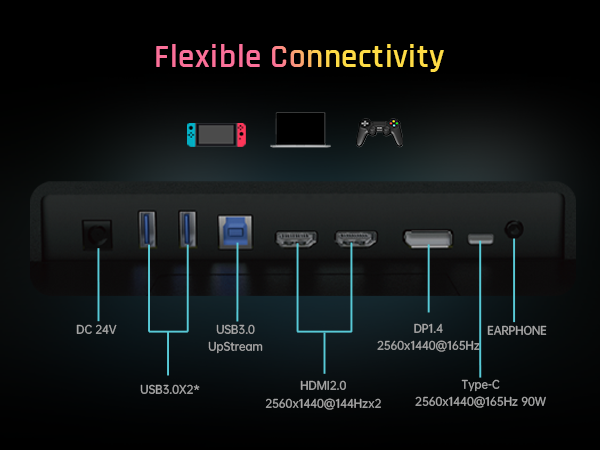
***UPDATE (01/13/2026)*** - The M27T20 is still going strong with no issues whatsoever! I've been using the KTC M27T20 as my main monitor for a little over a year now and it has been amazing! I updated the firmware to the latest version (V1.2.1A) and used an ICC Profile from a YouTube channel called "techless" and loaded it through a program called DisplayCAL and after a few small tweaks to the settings in the monitor's OSD (which I'll upload a screenshot of my settings), this monitor has gone above and beyond my expectations! The two main features that make this monitor worth it for me are the Local Dimming and HDR capabilities. First, HDR is amazing but I have found that your experiences and how it is implemented with PC games will vary from game to game. Though with NVidia's new RTX HDR and programs like SpecialK/reShade, you can customize HDR content to best fit your display and the KTC M27T20 will need some tweaking to get things perfect but once you've got the settings dialed in, it's beautiful and vibrant. Second, Local Dimming is a must have feature to have enabled when using HDR as you'll be able to get those inky blacks. While you're not getting the black levels of an OLED display, the KTC M27T20 is a VA display with excellent contrast and with local dimming enabled, you can get pretty close to an OLED with minimal blooming...most of the time. Local dimming should really only be enabled with HDR content and I leave it on Auto but when I used my Switch to play The Legend of Zelda: Tears of the Kingdom, I turned it on and despite being SDR, it worked really well with the artstyle and areas like the Depths looked great with Local Dimming enabled so your mileage will vary. A feature that I was unaware of when I purchased the monitor but came in handy was the 90w USB-C port on the back of the monitor. It can be used as an alternate display connection for a variety of devices and act as a fast charging port. Because of it's power output, I can power my Pinecil soldering iron off of my monitor which is crazy to think about. There's also 2 USB-A 3.0 ports, a USB-B UpStream port, 2 HDMI 2.0 ports, a DisplayPort 1.4 port, and a 3.5mm audio connection. This monitor also doubles as a KVM but I haven't tested it since it's a feature I don't have any use for personally but I know many look for it. If I had one complaint about the monitor, it's that the power cable is a bit short. There's a cable that runs from the monitor to a power brick and then another cable running to the wall or surge protector. Both cables are awkwardly short and I have to prop the brick on a shelf under my desk otherwise it would be suspended in the air rather than resting on the floor where I would've liked it to be. Also, despite having built in speakers, they work but the quality leaves a lot to be desired. Make sure you get a pair of desktop speakers instead. Final thoughts, if you don't want to spend the money that current OLED monitors are going for and want a good HDR monitor with excellent contrast, go with the KTC M27T20. It's cheaper than a lot of the competition and as long as you update the firmware from the main website, you'll be golden. (Sorry for poor quality phone pictures, I just wanted to show the difference Local Dimming can have when running a game with HDR enabled)
P**S
Excellent HDR Monitor at a Mid-Range Cost
As of this review I've had no problems, will revise later if anything crops up. If you're in the market for an HDR monitor, and you're worried about OLED burn-in issues or price, this is an excellent middle-ground. I managed to purchase this monitor at $459 with a $120 coupon, which put it into the $360 range after tax. At that price it is an absolute steal, especially compared to the Cooler Master GP27Q, of which this monitor is a variant (KTC are the panel makers for the Cooler Master Mini-LED monitors). When purchasing this monitor, you should consider immediately upgrading the firmware, as it allows the use of HDR, local dimming, and VRR to work together. Reading over other reviews, it's clear that some of the users who have purchased this monitor don't understand the caveats of Mini-LED. You should never run local dimming and HDR when doing normal tasks in SDR, it will wash out the color and the blooming will be terrible. The monitor has a setting of "AUTO" for both local dimming and HDR, and you should assign them to that. You should then activate HDR whenever you're planning to watch HDR content or play games (win + alt + B in Windows), as it will automatically turn on both settings. For HDR this monitor is exceptional, the blooming is only noticeable under strict circumstances, and the brightness and saturation are great. While it is not as precise as my TCL QM8's backlight system, the implementation is quite good. The motion clarity is also really good in gaming, especially for a VA panel (specifically HVA for this monitor). I've played plenty of FPS games, and when you set the overdrive to advanced, which is the recommended setting in almost every scenario, there is little-to-no ghosting or black smear. Keep in mind this is still a 165hz panel, and if you're interested solely in FPS games I'd recommend something with a higher refresh rate. Setting overdrive beyond advanced will cause inverse ghosting, though this is common in most LCD monitors with aggressive overdrive settings. For SDR you'll need to do some calibration to your liking, as the colors are overly saturated out of the box, and you cannot adjust colors in HDR. My personal settings were to leave the Professional Mode in Native, and all of the initial "display" settings untouched. Under "Color Temperature" I set it to User, and then configured it for Red 48, Green 48, and Blue 47. Your colors may need to be adjusted differently, no panel is the same. The SRGB and DCI-P3 settings are also reasonably accurate, but keep in mind that with the gamma shifts of a VA panel this isn't a good monitor for color critical work. Interestingly, while this monitor will default to 144hz when HDR and local dimming are set to Auto, you can set custom resolutions that will force the monitor to still run at 165hz. While the difference is practically unnoticeable, I would understand why someone would want to do this for maximum performance. Setting a custom resolution will also allow you to force the monitor to run at 10-bit instead of 8-bit. This monitor is, like most "HDR" monitors, an 8-bit panel that will employ FRC to reach 10-bit color depth. The difference is negligible, but the manufacturer lists the panel as 8-bit for this reason. You can also run MPRT on this monitor, but the option is only available if you turn off HDR and local dimming. This includes switching them off of Auto, as MPRT will remain locked out otherwise. Other notable additions to this monitor are the 90w USB-C charging and video input, and 2 USB 3.1 pass through ports. When configuring this, note that the monitor sets the USB ports to off under KVM on initial setup. I'd recommend "Auto" setting if you are running something like a keyboard through the monitor, as the "USB UP" setting will not make the keyboard sleep when you turn off your computer. I don't need the KVM switch, so I cannot comment on use of that feature. You can configure hot settings for the joystick, but some of the most important features can't be bound to this function, which is an oversight in my opinion. Being able to turn off HDR to enable MPRT quickly would be nice (you can bind local dimming at least), but it's not a big deal for my use cases. I'd also like to point out that the build quality is pretty decent, though not as nice as the Gigabyte Aorus monitor it's replacing. The stand is heavy, and serviceable, but not particularly noteworthy, it does all the tilting and turning you'd need though. As for downsides, I'd argue that not including HDMI 2.1 is a little unfortunate. This monitor can simulate 4K and then downscale to 2K, which would be nice if you were interested in using this with a console. The viewing angles, due to it being a VA panel, aren't amazing, but still appreciably better than a TN panel, and you don't get the IPS glow. I have once noticed the flicker from local dimming, but it was localized to the Vignetting setting in the Witcher 3. Turning the setting off fixed the problem, but I don't understand why it would've caused an issue to begin with as it was causing the corners of the screen to be light rather than dark. There is a bit of black crushing, so you'll probably need to adjust your games to help alleviate overly dark or bright areas. I also don't understand why the blue light filter only adjusts in increments of 25, so be aware you may want to use your OS settings or videocard drivers instead. I also, for whatever reason, did not have the 3.1 adapter cable in my box, though I already had one from my previous monitor. There seems to be a common complaint of missing cables, so consider having alternatives on-hand. Frankly, all of these issues are minor to me, as the overall presentation is impeccable for the cost. It's worth noting that if you're not like me, and don't need the extra inputs/outputs, the AOC Q27G3XMN at $250-$280 is an excellent alternative to this monitor. It has a slightly worse build quality, less dimming zones, which doesn't matter as the implementation is good, and the OSD software is worse, but the presentation is just as good, if not better, than the M27T20, and its refresh rate is faster at 180hz. In fact, the VA panel it uses is possibly the fastest one currently available in terms of GTG performance, and the black smear is even lower than the M27T20's. Further, the AOC has a 3 year warranty to the KTC's 1 year. I also have to admit that I will miss having desktop software to control the monitor, which is something my Gigabyte monitor uses. That aspect of the user experience makes the implementation here feel not nearly as premium, but again setting things to Auto helps alleviate most of the headaches. The bottom line is, at the price I purchased this monitor, I think any shortcomings are easy to overlook. I'd strongly recommend doing the research on understanding how this monitor should be used before purchase, so that your expectations align with the experience.
O**R
It's decent for what it is
It's not the best performing tablet but it's dual use and split screen capability is pretty nice. Some streaming services glitch while streaming. Netflix for instance will go back to previous episodes with out any inputs.
D**M
Awesome budget mini led with local dimming.
Ive wanted an oled for years but still dont trust them with burn in. I have been using a 55" 4k 120Hz hisense u8h mini led qled tv as my pc monitor for about a year. Its an amazing display and makes me not feel like im missing out on an oled but its huge and hard on my eyes its so bright, and 4k 120Hz is hard to push with a rtx 3090. I realized a 27" 1440p display would actually have a better pixel per inch density than my 4k at 55", and have the huge benefit of being easier to push frames for my rtx 3090. After ordering I had a little buyers guilt and thought I wouldnt like the monitor, was worried it would be too small but boy was I surprised. First off, with the stock firmware I noticed local dimming option was grayed out in the menu. I think the stock firmware cant run local dimming with gsync on. The firmware update was painless. Just head to ktc website, downloads, pick your model... For this M27T20 model I had to download the bin file, rename it, put it on a usb stick, put usb stick in slot next to power jack, in menu chose usb update. After it updates just power cycle it, open the menu and choose reset. Now i have local dimming and it looks fantastic. Out of the box settings look good to me. With overdrive set to advanced, hdr and local dimming set to auto.... Windows looks fine, nice and easy on the eyes. When opening a game and local dimming kicks in its amazing. This display gets bright like my hisense u8h but being able to play at 1440p without dlss on, it truely looks better to me than 4k did on my big 55" with dlss on. Awesome, bright little monitor with fantastic contrast and black levels. I got it on sale and it was a steal. Solong as it holds up and lasts ill be very happy with it! Almost want to get a 2nd one!
B**N
Worked fine first day. Second day failure
Monitor was beautiful and amazing on the first day. Had 0 issues. Went to turn it back on the second day and greeted with electrical buzzing, popping, and the smell of burnt electronics. Returning for a refund as they would not allow me to exchange it. Very poor QC.
T**S
The Person That Came Up With This MegPad is a GENIUS!
THE BEST! No need for a long review just go buy it, itโs definitely worth the money. Do not hesitate on it. Easy installation!! PERFECT!!
L**Y
Awesome
I really like this item. The picture is so clear and sharp.
D**D
25-inch too low res, and 32-inch can't use without base (e.g. with other stands)
I have now purchased both the 25-inch and 32-inch version of the Megapad for use as an electronic music stand. I'm returning the 32-inch, and stuck with the 25-inch because I can't find anything better. Amazon annoyingly won't let me review these two *very* different products separately, so I'm combining both reviews into one. My purpose for buying these tablets was for side-by-side display of sheet music while conducting. Neither of these tablets works well for that purpose, but for different reasons. There are really only two requirements for this: 1. It must be able to tip back to be almost horizontal. 2. It must have high enough resolution to show 12x16 scores in 2-up configuration (two pages at once). One of these failed requirement 2, the other failed requirement 1. For the 25-inch tablet, the main problem is that its resolution (about 87 DPI) is grossly inadequate. Modern displays are usually closer to 250 DPI. This is like working with a computer from 2006. If you're using it for anything else other than watching TV and movies, you're going to be badly disappointed in its resolution. They *really* should have designed it with UHD resolution at an absolute minimum, which would at least put it on par with the original iPad from 2010. :-) So when I found myself unable to read the text on large scores at all, I ordered the 32-inch display to replace it. Unfortunately, that one has even bigger design problems. I suspected that the stand that comes with it might not meet my needs, because it didn't tip back nearly far enough to use for conducting. But that didn't matter, because I already had a stand that should work with any modern monitor. Right? Nope. Unfortunately, using the existing stand proved impossible because of two critical details that are not disclosed in the item description: 1. Unlike the 25-inch version, at least some of the power supply hardware is inside the base. The power cord plugs into the base with a normal DC connector. The base plugs into the tablet with a 2x2-pin Molex connector or similar. There is no DC input on the tablet itself. This means you cannot use it with any other pedestal, nor wall mount it, nor use it in any other possible configuration. You can't even turn it on without attaching it to the provided pedestal (or at least I couldn't; I'm assuming it doesn't ship with a completely dead battery). 2. Although the panel itself has holes for VESA mounting, the (required) pedestal uses a nonstandard mount with special metal tabs that go into slots in the back. If the stand had VESA mounting holes, I could buy a tilt adapter bracket to add another 45 degrees of tilt. But because they used their own nonstandard mounting hardware without VESA holes, there's no way to make this hardware do what I bought it for without significantly modifying or even redesigning their mount. I am therefore returning it. I would encourage KTC to make the following changes: 1. Clearly disclose in the product description that the hardware cannot be used without the stand. 2. Move to standard VESA mounting on the product so that people with specific needs, such as quick-release plates, tilt plates, etc. can use the product, or at least put VESA mounting holes on the stand hardware so that both pieces *can* be used with VESA equipment. 3. Put all of the power hardware in the device where it belongs, not in the base, and just pass a normal DC plug through the stand like other manufacturers do. I did not even turn on the device, so I have no idea how well it performs. Because I'm unable to find anything better, I guess I will end up keeping the 25-inch tablet and using it vertically one page at a time for larger scores. I don't like that, but there's truly nothing on the market that's even close to being good enough for this purpose for any amount of money. If the 25-inch had a UHD screen, but was otherwise designed similar to the current model, I'd already have recommended it to at least a hundred other musicians. Unfortunately, because its resolution is so low, you're likely better off with a couple of cheap 15-inch tablets sitting side by side on a music stand. And the 32-inch is way too big and unwieldy, and the requirement that you use their stand (which won't let the panel lie flat) makes it unusable for conducting, jazz bands, etc. So that's a hard pass for me. Please make a 25-inch with UHD. No other physical changes. Just UHD.
P**A
Fantastic monitor for the money!
If you reside in the U.S.A., KTC has this monitor for sale for $489 USD! Since I reside in Canada, I could only purchase this monitor through Amazon and unfortunately, there is a premium to pay. However, there is no mini-LED monitor available in Canada that I know of in this price range. Facts: KTC is the OEM that produces both the Cooler Master GP27Q and GP27U. This particular monitor is identical to the GP27Q with the exception of the Cooler Master using an IPS panel while the KTC uses a VA panel. Pros: 1440p @165Hz, but can support 2160p via downscaling. Excellent contrast ratio 576 zone mini-LED backlight with 2304 LEDS Peak HDR brightness of over 1000 nits Peak SDR brightness of over 600 nits Menu is easy to navigate Pair of integrated 2W speakers Built-in KVM switch Cons: Refresh rate is reduced to 144Hz when HDR is enabled Like most VA panels, exhibits some black smearing if there is a lot of motion, but it's not that noticeable. Definitely not as fast as Samsung VA panels used in the G7 and higher models Minor bloom and halo effect caused by the mini-LEDs around bright objects, however the contrast ratio mitigates the effect greatly. You won't notice it while consuming most HDR content. Not really a con, but this monitor is REALLY bright out of the box, but then again, this is what one wants when consuming HDR content. Firmware out of the factory is a bit buggy. Highly recommend that one upgrades the firmware as it resolves a lot of issues when using HDR and VRR at the same time. Speakers aren't that great. No bass whatsoever. If you have headphones however, there is a headphone input built-in.
K**Y
16 Months BACKLIGHT DIED
EDIT: Half my backlight died, contacted support... no response. This was a $800 CAD monitor, and haklf the backlight just died. Not good... OLD: It's been about half a year or so with it so far and... really effing good! Issues first. The Mini LED really darkens the screen, especially on the desktop, but in movies and games it looks amazing... just is dark, so be aware that you do seem to lose some brightness even on bright colours. Same with HDR! You can turn them on and off which is good... but I wish auto-detection was a bit more proactive. What KTC really, REALLY, should have done though is put 2 buttons or a toggle switch just for HDR and MiniLED so you could instantly change the options instead of navigating the menu. The menu is good, but it would be way faster and better to to have 2 dedicated hard buttons for it. The refresh rate is amazing and it feels so responsive. The size is... great. Mini LED looks incredible in games and movies, it's AWFUL in documents, web pages, and desktops. Don't do it. There's weird bands on screen, not just your cursor lighting zones up, there's these super weird bands all over for some reason on desktop/webpage. I wish auto explained more what it did or it was more aggressive. HDR is a windows issue, and it darkens the colours so much. Even in games HDR seems to wash colours out and make things darker? I don't even bother with it right now, the implementation software side is bad... which all monitors suffer from period. HDR is in a weird place, sometimes it looks awesome but like, in Cyberpunk for instance it makes everything just wortse. Some games? Looks awesome. Why does it wash out desktop so much? Dunno, but windows needs to fix that on their end. KTC did great with HDR hardware here, amazing really. But software is still not there. Mini-LED again, KTC, please make a firmware update so I can either flip it on easier somehow with the buttons available if you can, OR make the auto dimming/mini LED actually explain what it's doing please. But yeah I can't recommend this brand enough, they seem great. I might have gone the non Mini-LED version of this monitor all things considered, it's MUCH cheaper and I barely use the feature because it takes going through a menu to turn it on and off. If the option was one button or at least 1-2 options away I'd be turning it on and off ALL the time. And when ti is on and working it looks really cool, blacks being pitch black is so... bizzarely awesome. It's almost like Raytracing it just, looks amazing. You wouldn't think it'd make a huge change but it really does. I just wish everything else didn't get darker and it could maintain its maximum brightness.
Trustpilot
2 months ago
1 week ago