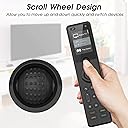
Okay, I am sold on the X1. I was in love with the Logitech Harmony remotes and when my last Logitech Harmony remote, the Harmony Hub, got scrambled and stopped remoting, I thought the audio visual entertainment part of my was about to get very complicated. You see, I have many, many remotes for many different parts of my home theater, which means I'd have to do things like we did in the old days...use a separate remote for everything. So, I tried Sofabaton U1. It worked. Kinda. Most of the time. Then support for it became non-existent when codes failed to work for new purchases. What was a geek to do? Here was my concern: I didn't want to spend the money for the X1 if it was as unloved by the manufacturer as the U1. I mean, they evidently stopped caring about it as there are still three open work order tickets that they still have not addressed. The Harmony Hub cost me about $200 and it lasted 3 years, so here I am about to spend the same amount for something I am probably going to return, right? You can understand my reticence, hopefully. I cautiously ordered and received the X1. On sale. I opened the box and could immediately tell the manufacturer loved the X1 as it was well packaged, and documented. It was like opening a new mobile phone and it even had that "new remote smell." So, I immediately put it on charge to top off the battery and settled down to read the manual. Simple enough. I already had the Sofabaton app on my mobile phone, so I plugged in the hub, hit the sync button, and introduced the phone and hub which took a few tries as they didn't want to communicate over the Wi-Fi network. I finally got them to be friends by restarting the hub and connecting to Bluetooth and then linking them via Wi-Fi. With them friends, I began the easy task of adding devices, which took no time. It seems that more devices are supported by X1 than the U1. Many more devices. Many, Many more. Here is where I thought I had run into a problem: remote function for devices. Once devices are added, you must go through several function tests before you can complete set-up and add activities, like "watch TV: turn on TV, set input to HDMI I, wake (or turn on) DVR if needed, and turn on soundbar/Amp and change imput, if needed. The problem for me was my TV. Well, it really wasn't a problem as it was a learning curve for how the remote natively handles certain device functions. My TV is new, manufactured last year, and in the database. After adding the TV, I had to check button functions and was taken to the test area of the app. The power section showed an on button and off button. My TV only has a single power button, so on worked, but off did not. I had to tell the software there was only one power button. Fine. Done. Tested and it worked. Then the "home" button started the built-in Netflix app on the TV instead of the TV's home screen. I had to manually remap that function. After I figured out the remapping and repairing procedure, the TV was complete, and I could move on to the rest of the devices. A few more required remapping and two of my devices required Bluetooth remote calls instead of IR calls, and that confused me as those two devices showed up in both Bluetooth and IR device types of the "add device". When all devices were added and completed testing, I moved on to the activities set-up, which went extremely smooth and carefree. What do I really think about the X1? First of all, the remote has some solid weight to it, so it feels stable in-hand, and does not feel cheaply made. The buttons light up, which makes me happy. The scroll wheel is still there to navigate the screen and that saves remote real estate as it functions as both up/down and enter. The remote buttons are responsive and nearly intuitive. There are not separate play, pause, or stop buttons, and no number buttons, which makes for a smaller remote. The lack of play/pause/stop is not really missed as the 4-position ring with center button make navigating each device's functions painless. Like I said, it is pretty much intuitive. There is a hidden feature, well despite reading the manual, it was hidden from me. Sometimes, some devices may not be triggered and they have to be turned on or off separately from the activities trigger. The upper-most right button, the left arrow < allows one to go to settings, devices, and activities. Devices is where separate devices can be navigated to and triggered, pampered, spanked, or their respective settings tweaked, such as "base up" or "3-D off." Settings lets you re-sync or reboot the hub. Press the <-- again and using the scroll wheel go to activities, press the wheel and the remote is back to default and ready to watch The Princess Bride for the 23rd time. Yes, the X1 is a Logitech Harmony Hub replacement and the X1 is EVERYTHING the U1 isn't. Edit: 23 July, 2023. Well, it stopped working properly. All activities are out of sync and I cannot resync them. For example, for my Nvidia Shield, when I start that activity, the TV turns on, but the soundbar doesn't and the NVidia Shield does not waken. I can manually engage them, with their respective remote or with the devices function of the X1 remote. Once I manually turn everything on, the remote will not control them, other than to turn all off, using the "power" button. Then the TV and Shield turn back on, putting everything back out of sync. It looks like I get to go through a full factory reset, uninstall the smartphone app, reinstall smartphone app, relink remote to app, reinstall ALL devices, train devices, set up activities and see if that works. It ain't really worth it, so I will see what customer service says. 2nd Edit: July 27th. I have updated back to 4 stars. I have worked around the issues and have had multiple pleasant and quick responses from the manufacturer/seller. They offered lots of advice, suggestions, and were ever so kind. They even offered a refund or replacement, but I declined because I wish to keep this device. I really want to love it and I am trying to accept that nothing is perfect and the Sofabaton X1 comes closest to meeting my needs and even with its random acts of forgetfulness, it has a home, here, in my "Haven of Nerdiness and Geekdom." Even my past experience with the Harmony line of remotes had issues with commands being misinterpreted. I am surprised this works as well as it does, considering we are surrounded by multiple wireless networks, mobile phones, wireless speakers, talking toaster ovens, and other random smart devices...a single series of perfectly timed remote control signals will occasionally get missed, slowing down a well-planned binge watching session. Edit with final update: 8/3/2023 Sofabaton customer service is incredible. They updated me with suggestions and while I had most things worked around and was mostly happy, they persisted until it was as perfect as any electronic gizmo can be in 2023, with the world burning up, oceans rising, snowcaps melting, and the frequent price increases on good beer. There was one single device in my activity list that often failed to respond, so customer service had me edit the activity to place that device first, then call all subsequent devices afterwards to power on. That solved most of the issues. I used one of the included IR blaster/extenders and attached the business-end of that to the front of another device that always seemed to ignore most remote requests--which solved the final issue I had. So...in conclusion: 5 Stars. All around. If you purchase this, and you should since you are looking at it already, don't hesitate to contact customer service. They are proud of the X1 and they spent a lot of time with me getting this to work. I am a geek. A nerd. I know tech and I pretend to know everything about gadgets and gizmos, however, even I need help sometimes. Sofabaton helped me sort out some issues that I had decided to live with. They are incredible. Go for it. Put all your other remotes in a shoebox, under the bed, and use this remote to control all those gadgets. Did I mention that the buttons light up too? It's also USB C rechargeable, so no need to swipe the batteries from the kids' loud and obnoxious toys.