Buy anything from 5,000+ international stores. One checkout price. No surprise fees. Join 2M+ shoppers on Desertcart.
Desertcart purchases this item on your behalf and handles shipping, customs, and support to Vanuatu.
♻️ Print smarter, save bigger, and join the eco-conscious pros!
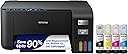
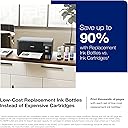
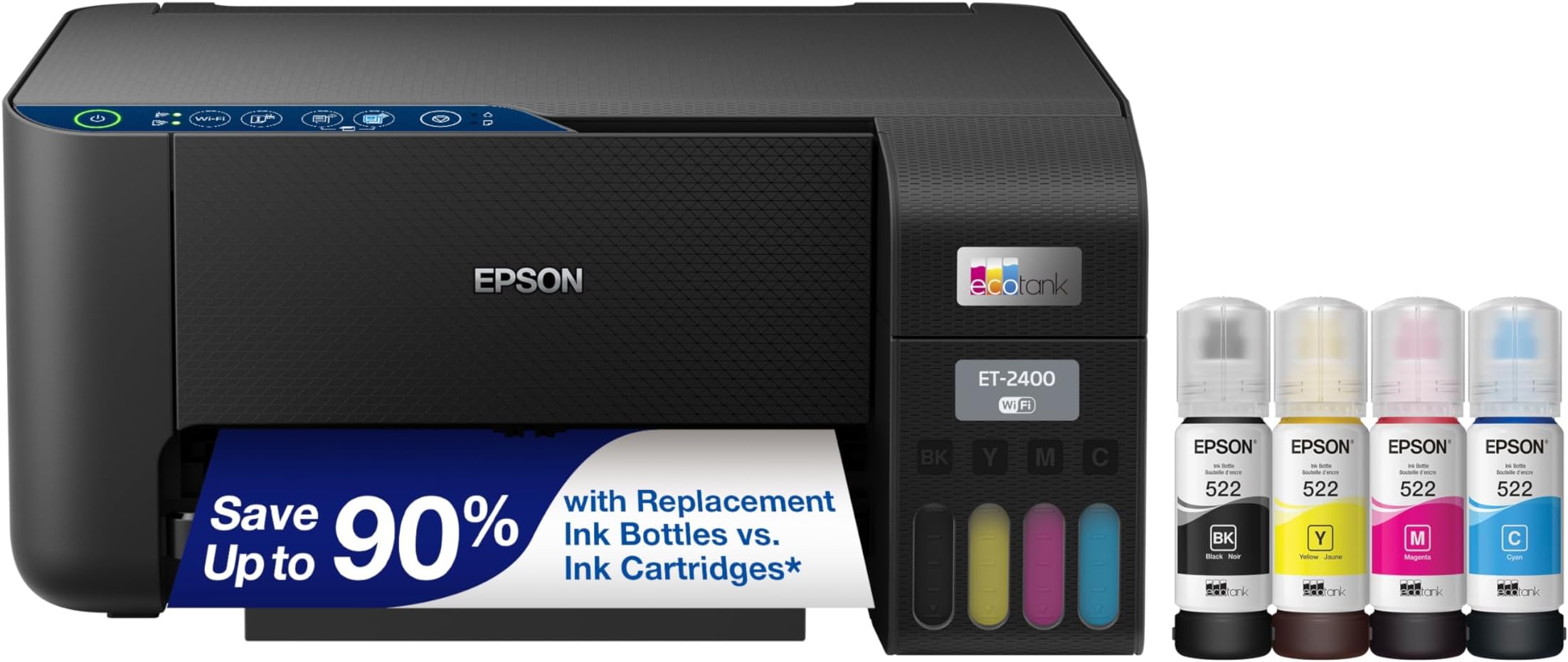
The Epson EcoTank ET-2400 is a wireless all-in-one inkjet printer designed for home and small office use. Featuring ultra-high 5760x1440 dpi resolution, it delivers sharp color and black-and-white prints, scans, and copies. Its cartridge-free EcoTank system offers up to 7,500 color pages per refill, cutting ink costs by up to 90% and minimizing environmental waste. With both USB and Wi-Fi connectivity, a 100-sheet rear feed tray, and Energy Star certification, it combines efficiency, convenience, and sustainability in a compact footprint.


| ASIN | B0BM9BFLMX |
| Additional Printer Functions | Copy, Scan |
| B&W Pages per Minute | 10 ppm |
| Best Sellers Rank | #1,378 in Office Products ( See Top 100 in Office Products ) #4 in Ink Tank Printers |
| Brand | Epson |
| Built-In Media | EcoTank ET-2400 All-in-One Printer, 1 bottle 522 Black (65 mL) and 1 bottle each 522 Cyan, Magenta, and Yellow (65 mL), power cord, and Quick Start guide |
| Color | Black |
| Color Depth | 24 bpp |
| Color Pages per Minute | 5 ppm |
| Compatible Cartridge | T522 |
| Compatible Devices | Laptops, PCs, Tablets, Smartphones |
| Connectivity Technology | USB, Wi-Fi |
| Control Method | App |
| Controller Type | Android |
| Customer Reviews | 4.1 out of 5 stars 4,353 Reviews |
| Dual-sided printing | No |
| Duplex | Manual |
| EU Spare Part Availability Duration | 2 Years |
| Hardware Interface | USB |
| Initial Page Print Time | 7 Seconds |
| Ink Color | Black |
| Item Dimensions D x W x H | 22.8"D x 14.8"W x 10"H |
| Item Type Name | Inkjet Printer |
| Item Weight | 8.6 Pounds |
| Manufacturer | Epson |
| Maximum Copy Resolution Black and White | 5760 x 1440 dpi |
| Maximum Copy Resolution Color | 5760 x 1440 dpi |
| Maximum Copy Speed Black and White | 10 ppm |
| Maximum Media Size | 8.5 x 14 inch |
| Maximum Print Resolution Black and White | 5760 x 1440 dpi Dots Per Inch |
| Maximum Sheet Capacity | 100 |
| Maximum print Resolution Color | 5760 x 1440 dpi Dots Per Inch |
| Model Name | EcoTank ET-2400 |
| Model Number | C11CJ67201 |
| Model Series | EcoTank |
| Number of Drivers | 2 |
| Number of Trays | 1 |
| Other Special Features of the Product | Energy Star, Refillable Ink Tank |
| Output sheet capacity | 30.0 |
| Paper Size | A4, A6, Executive, Half Letter, Legal, Letter |
| Power Consumption | 12 Watts |
| Print media | Paper (plain) |
| Printer Connectivity Type | USB, Wi-Fi |
| Printer Output Type | Color |
| Printer Type | Inkjet |
| Printing Technology | Inkjet |
| Processor Count | 1 |
| Resolution | 5760 x 1440 |
| Scanner Type | Flatbed |
| Series Number | 2400 |
| Special Feature | Energy Star, Refillable Ink Tank |
| Specific Uses For Product | home use, small office use, remote working, cartridge-free printing preference |
| Total Usb Ports | 1 |
| UPC | 010343971042 |
| Unit Count | 1.0 Count |
| Warranty Description | 1-year limited warranty |
| Warranty Type | Limited |
| Wattage | 12 watts |
K**Y
Excellent quality and value!
I bought the Epson EcoTank 2400 yesterday and set it up today. If it continues performing this well for the next ten years, I’ll be very happy with this purchase. I bought it to replace my old Canon MP190. The print quality on the Canon suddenly became very poor, which may honestly have been more of a cartridge issue than a printer issue, but testing that would have been expensive. On top of that, the printer was old enough that modern operating systems no longer support the scanner drivers, so I couldn’t even use the flatbed scanner anymore. At that point, replacing the whole printer made more sense. The ET-2400 is not quite as wide as the MP190 which is a nice plus. The biggest advantage of the EcoTank line is the refillable ink tanks. Printer ink is already expensive, but traditional cartridges also include microchips and hardware that drive the cost even higher. With this printer, I can refill only the specific color I need instead of replacing an entire color cartridge because one channel ran out. I mostly print proxies and alternate art for Magic: The Gathering, so I regularly print nearly full-page, full-color images (eight cards per page). Because of that, image quality matters a lot to me. I also wanted a working flatbed scanner so I could scan my paintings instead of photographing them. I did not use the wireless features. Instead, I connected the printer directly to my computer with a USB cable after downloading Epson’s management software. Setup was straightforward, the software updated itself automatically after asking permission, and my computer recognized the printer immediately. It showed up in Photoshop right away with no issues. The only thing I disliked during setup was that the registration process appears to require opting into marketing emails. I’ll unsubscribe later. Print Quality: Colors are bright and vibrant, blacks are deep and dark, and the images come out crisp and clean. Some reviewers mentioned getting “light gray” blacks, but I haven’t experienced that problem at all. Scanning: The flatbed scanner is slightly too small for a full 9x12 painting, but I expected that and don’t consider it a flaw. The scans came out vibrant, sharp, and detailed. It couldn’t fully capture the shimmer of my metallic paints, but that’s normal — I usually need angled lighting in photographs to show metallic effects accurately anyway.
D**T
Incredibly cost-efficient, reliable, and perfect for everyday home use
I’ve been using the Epson EcoTank ET-2400, and it’s easily one of the best home printers I’ve owned—especially if you’re tired of constantly buying expensive ink cartridges. Ink Savings (Huge Win): The cartridge-free EcoTank system is a game changer. Filling the tanks is simple, mess-free, and the amount of ink you get lasts a long time. I’ve printed a ton already and barely made a dent. If you print regularly, this alone makes the printer worth it. Print Quality: For everyday documents, it’s excellent—sharp text and clean color prints. Even photos come out crisp and vibrant, though I will say it’s a bit slower when printing high-definition images. That said, the final quality is absolutely worth the wait. Functionality: Having print, scan, and copy all in one compact machine is super convenient. It handles everything I need for home use—school papers, forms, photos, and more. Wireless & Ease of Use: Setup was quick, and the wireless printing works smoothly from my phone and computer. The interface is simple and beginner-friendly, so you don’t need to be tech-savvy to get it up and running. Pros: ✔️ Extremely low ink cost (no cartridges!) ✔️ Crisp text and vibrant color prints ✔️ Easy to refill and maintain ✔️ Wireless printing works great ✔️ All-in-one functionality (print/scan/copy) ✔️ Compact and clean design Cons: ➖ Slower when printing high-quality photos ➖ Basic display (not fancy, but functional) Final Verdict: If you want a budget-friendly, low-maintenance printer with excellent print quality and huge long-term savings on ink, the EcoTank ET-2400 is an outstanding choice. Perfect for everyday home use—and the slow photo printing is a small trade-off for how good the results look. Highly recommend!
A**R
inexpensive adequate home color printer. Security issues using Epson printing apps.
Economic and easy to set up home color printer. Very cheap plastic body. Feels easy to crack if you press too hard. Setup and wifi was easily done using the Epson smart panel app on my phone. Took about 15-20 minutes. No problems. Color printing quality on regular paper was very adequate though not photo quality. Printing speed a little slow but not terrible. Noisy. Would not put in a sleeping area. As a home printer it is inexpensive to buy ($159) and print. Comes with bottles of ink with enough in the box for hopefully 5,000 (?) pages making the total price quite good. I am satisfied so far. Suits my needs. But I am worried about it sending data to Epson when using Epson printing apps. If i print from my android phone using Epson iPrint or Epson smartPanel apps, it will connect with Epson servers sending who knows what everytime I print. If i block Epson servers these apps will not print at all. Fortunately there are other android apps that will print from my phone on this printer without needing internet access.
L**S
Finally a printer sold for the user, not the person who sells ink!!
Independent and Transparent ink refill reservoirs means no more replacing tri-color cartridge when only 1 of three is depleted. Much less ink waste! And you can just look at the printer and know how much ink is left. Brilliant. No more solid black plastic cartridges. Did not need to waste ink on a test page!! wat?! First print was a full multi-color page and didn't see ink get sucked up like a water spout; and it printed really, really fast and great color brilliance and and and... I'm so glad I spent the extra on this for my home use. I might even start printing photos for framing again. Set up was a touch time consuming (30 minutes? ) but very well instructed via the mobile app. Most of the time was just waiting for the ink to get into the printer - I think around 8 minutes?. Typically I hate that everyone wants you to download an app. I think this one was worth it. Fun extra print features. Usually I think all that is really dumb but this stuff is actually useful.
J**R
Great all around printer !
Awesome printer ! The software was a bit cumbersome at first for pc so make sure your pc and anti-virus ate updated and restart your pc and it should be a piece of cake . The ink is super easy to fill, no spills and every color spout is different so you really can't accidentally use the wrong color . It is a little bit on the loud side but not enough to complain about or remove a star especially at this price point . It's a very good price considering the amount of ink it comes with .
J**S
Easy to use, Prints great!
Full disclosure, I own a Epson Ecotank at home and I bought this one for my business. I do not print a lot otherwise I would’ve bought a laser printer. For someone who doesn’t do a lot of printing it’s perfect. It prints photos flawlessly as you see in my photo I printed a photo of my grandson. I would say even if your print needs are in the middle this would be a great printer. It doesn’t use much ink at all. And now you can find off brand ink for a fraction of the price of name brand.
A**E
great looking
It's a great product if you want a printer splashed in ink that was not supposed to be in the printer to be tossed around in shipping. The ink bottles to fill the ink tanks were supposed to be outside the printer - so the printer does not work - it is good looking - you are not supposed to tip the printer once the ink tanks are filled - and the printer does not work once it is tossed around with ink in it - that happened with the original order and the replacement - both have been returned - but it takes weeks to get your money back - still don't have my refund
P**S
Great Printer but Connecting is... annoying.
I love that this printer comes with step by step set up instructions. Super easy to fill, super economical, and prints at a pace I pretty much expect from this kind of printer. Decent quality printing. During set up, it offered to connect to home wifi. I began set up and it insisted it was not discoverable on my network and asked if I wanted to redo the password. I clicked "no" since I know it's correct. It asked if I wanted to do direct wifi set up, I clicked "yes". I didn't really want that, but even that was not working. I hopped on my computer, opened up my wifi router info to see and, low and behold, it showed as connected to my home wifi. I then looked up the printer via wifi since using a cable is NOT possible on my computer and found it. Connected successfully via wifi on my computer even though it said it was not discoverable, but now my phone... my phone wanted to direct connect and I'm like yeah no. So I opted to input the IP address on the printer and that worked to connect my phone to the printer via wifi rather than direct connection, so now I don't have to incessantly open the app. Needless to say, that was a whole annoying process. I'm not that tech saavy and was able to figure it out, but the amount of stupidity I had to go through to make it connect through the home wifi was ridiculous. If you struggle to connect to wifi, try manually connecting the router by either pressing the WPS button on the router or (what I had to do on my Arris) by logging into my router, navigating to connected devices, and hitting PAIR under the WPS connection, then go to your printer and hit the WIFI button. Give it a couple minutes but it should connect and then you'll see the IP address for your printer there too... at least you should. Anyways I bought this KNOWING that it had notorious connectivity issues but willing to deal with it for the price point. So far so good. I did read a warning when troubleshooting to never let it do an update and cut the power/turn it off as that can mess it up and make it unresponsive, possible permanently. Yikes. But I'm glad to be rid of the old ink cartridges that cost astronomical sums. I feel like the ink in those are less and less, I was printing fewer items and replacing them faster than ever, made no sense. The price for this was worth being free from those cartridges! Seems user-friendly, scans well, ink levels are easy to see, although the tank protrudes weirdly in my opinion, regardless how petty that seems. I will update if anything remarkable happens in the coming days/weeks/months.
Trustpilot
2 weeks ago
2 weeks ago