Buy anything from 5,000+ international stores. One checkout price. No surprise fees. Join 2M+ shoppers on Desertcart.
Desertcart purchases this item on your behalf and handles shipping, customs, and support to Vanuatu.
🚀 Power Your Mini-ITX Build with Next-Level Speed & Stability!
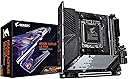
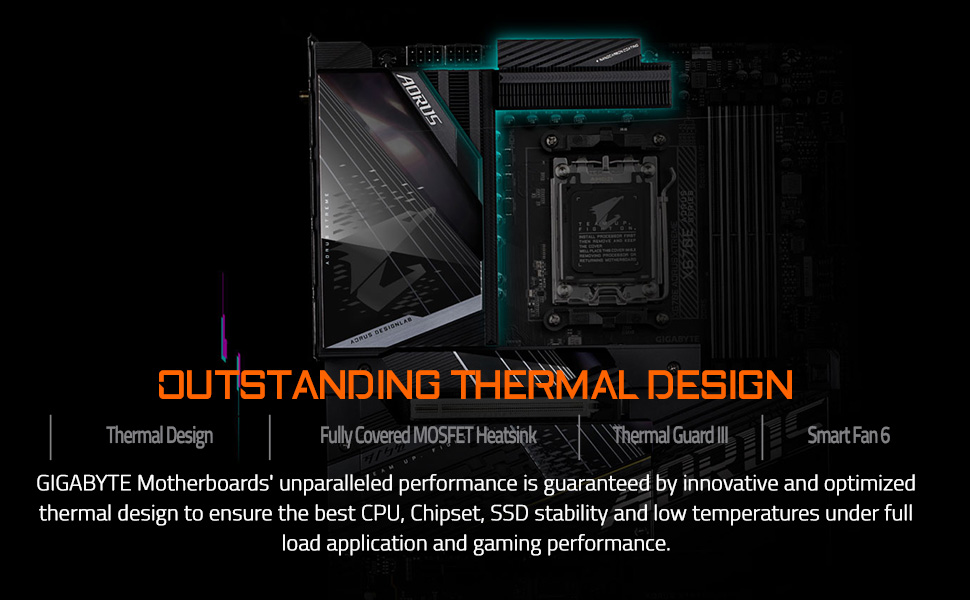
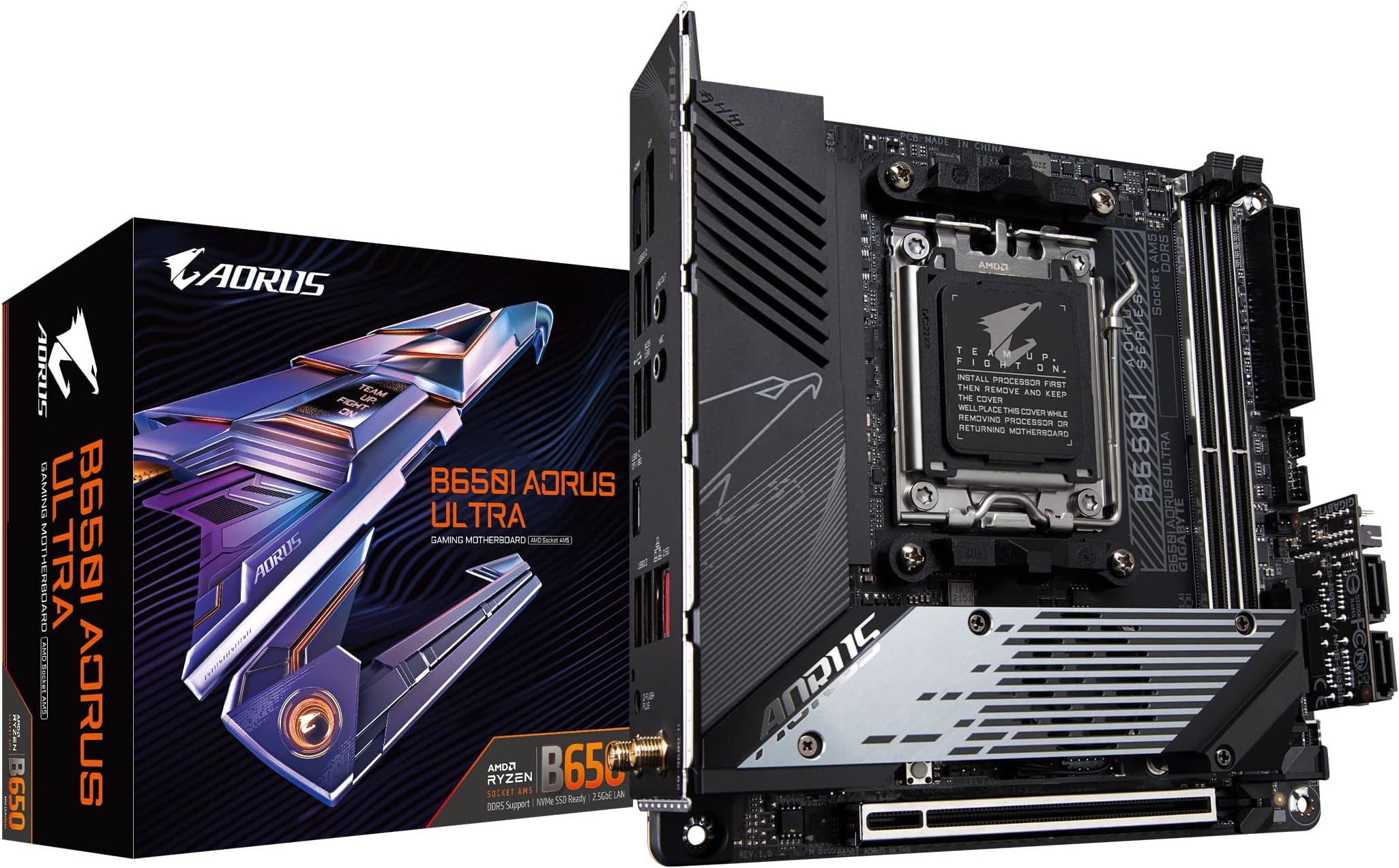
The GIGABYTE B650I AORUS Ultra is a compact Mini-ITX motherboard designed for AMD Ryzen 7000, 8000, and 9000 series processors. It features cutting-edge DDR5 memory support up to 7200 MHz, a robust 8+2+1 phase power design, PCIe 5.0 M.2 slots for ultra-fast storage, and advanced thermal solutions including active M.2 cooling. With WiFi 6E, 2.5GbE LAN, and USB-C 3.2 Gen 2, it offers premium connectivity options tailored for high-performance, space-conscious builds. Ideal for professionals and enthusiasts seeking a powerful, future-proof foundation in a small form factor.


| ASIN | B083R826VW |
| Best Sellers Rank | #2 in Computer Motherboards |
| Brand | GIGABYTE |
| CPU Model | Ryzen 7 |
| CPU Socket | Socket AM5 |
| Chipset Type | AMD B650 |
| Compatible Devices | Personal Computer |
| Compatible Processors | AMD Ryzen 7000 Series , AMD Ryzen 8000 Series, AMD Ryzen 9000 Series |
| Customer Reviews | 3.8 out of 5 stars 212 Reviews |
| Global Trade Identification Number | 04719331850425 |
| Graphics Card Interface | PCI Express |
| Item Dimensions L x W x H | 9.25"L x 3.74"W x 8.94"H |
| Item Weight | 1 Kilograms |
| Main Power Connector Type | 24-Pin |
| Manufacturer | GIGABYTE |
| Memory Clock Speed | 7200 MHz |
| Memory Slots Available | 2 |
| Memory Storage Capacity | 128 GB |
| Mfr Part Number | B650I AORUS ULTRA |
| Model Name | B650I AORUS ULTRA |
| Model Number | B650I AORUS ULTRA |
| Number of Ethernet Ports | 1 |
| Number of Ports | 10 |
| Platform | Windows 10, Windows 11 |
| Processor Socket | Socket AM5 |
| RAM Memory Technology | DDR5 |
| Ram Memory Maximum Size | 128 GB |
| System Bus Standard Supported | SATA 3 |
| Total PCIe Ports | 1 |
| Total SATA Ports | 6 |
| Total Usb Ports | 8 |
| UPC | 889523034392 |
| USB 2.0 | 2 |
| Warranty Description | 5 year (register online) |
S**Y
Impressive Mini-ITX for price
For under $200 is a very impressive MOBO and well thought out for Mini-ITX form factor. First this board has a lot of Heatsink this is necessary for Mini-ITX as all this metal smoothes out the temperature spikes that occur during periods of activity which are common for the desktop user environment, a few seconds of full out followed by 10+ seconds of low activity is typical. This is morte important for ITX as many ITX cases have limited airflow. For the primary NVMe SSD it has again plenty of metal ON BOTH SIDE of SSD and a tiny fan built into the heatsink to ensure it stays cool enough even under a long period of continuous access. The biggest killer of these NVMe SSD's is heat and this kept my high performance 2TB SK Hynix SSD at 67C when being continuously written to for over a minute in a room at 28C ambient. It can also hold a second full length NVMe SSD on the back side if the MOBO but this slot offers little in the way of heatsink and is not very high. I used this in a build with an AMD 8600G that when run full out with FurMark running and a 12 core AVX-512 CPU workload drew 120W with just CPU fan (Noctura low profile) and NO case fans the CPU only reached 77C, not bad. I also like the NO CPU BIOS Q-Flash feature as it allows this MOBO which for the one I received was manufactured in 2024 (18+ months ago) to accomodate the latest AM5 CPU's by being able to flash a recent BIOS that supports one of these never chips with NO CPU installed. The Wifi chip used is compatible with Linux at least Ubuntu 25.10 as is all other MOBO hardware except for the Super IO chip and this is a common issue as the main stream Kernel it87 driver has not seen an update in years. It is possible though that frankcrawford/it87 module on GitHub which supports many never it?? chips will work as it does for most never MOBO's The only gripe I have and this is in part with Amazon is they never show the Motherboard version that you will get! In my case I got a version 1.0 and there are apparently 2 newer versions! Gigabyte does not seem to say on there website what is different but it does make one wonder what am I missing by getting the 1.0 version versus one of the newer versions?
R**.
Perfect
I've had it for nearly half a year and have had zero problems. I had a lot of doubts due to bad reviews for motherboards in general, but—bro—everything gets bad reviews. I have absolutely no complaints about this board; it’s running in a top-tier build I put together. Don't be afraid—it's a solid motherboard.
K**N
Not the unicorn you think it is.
This was... bad. Like, laughably bad. I bought this board with the intent of dual booting while using 3 M.2 drives, and it just went all wrong. I received Rev 1.0 First off, this board has the dreaded Intel I225 Ethernet controller. It also has AMD WiFi. Avoid both of these. AMD WiFi is just rebranded Realtek, and let me tell ya, it's awful. I don't use Wifi much any longer, but I expect it to work when I do need it. Also, the Bluetooth controller just sucks. Keeps dropping off. Was lucky enough to avoid issues with intel Ethernet controller. I'm sure that would've become a problem given time. Power delivery appears fine, board has wonderful build quality, this wouldn't a bad buy for $230. But when I started trying to install Windows and Linux, things just started going wrong. It was like whack-a-mole trying to get the SSDs to appear, and they often errored out when that would happen. I received countless Raidport errors in Wndows and I literally just couldn't boot linux. Awful board. Over-engineered solution for M.2 when I'm completely aware that stackable slots do exist. Just get a B850I or something, this thing really isn't worth its weight in copper. Internet help threads showed this to be a known, rampant issue with the board, so I just cut my losses and returned it for refund. I love gigabyte motherboards, but this was a swing and a miss.
S**N
Working as intended, maybe.
Bought this back in June 2023. Worked right out of the box with a 7600, no update needed. I paired this with G.Skill Flare X5 and a Thermalright AXP120-X67 in a Fractal Terra. No fitment or compatibility issues, and Expo works perfectly fine at CL36 6000. Also have 2 M.2 SSDs, one on the back and one in the main area under the CPU. There is one major thing that is preventing me from giving it a 5 The whole daughterboard/dongle situation. I'd have to use either a splitter from the CPU fan header, an included dongle, or plug in the daughterboard/expansion card in order to plug in another fan. This is also the case if you wanted extra SATA or an actual USB connector since one isn't built in. The second thing is that I am not too sure if the dongle, or my commander pro is broken. The computer will not turn on if the commander pro is plugged in to USB, but does function as a fan hub if just powered by SATA power. I don't have another USB device to test, or another machine I'd test on. Thankfully I don't actually need the commander pro, or extra fans since it is in a Terra, but it's something to note. Building on the motherboard was fine, no complaints. Wifi works fine, even without the antenna, but you do need it if you want a good BT, even if the device is like 2 ft away.
A**N
Excellent board for small form factor.
This board was almost plug and play. I didn't require the SATA daughterboard, so it was just a matter of installing the CPU and memory, mounting the cooler, installing the rear NVME, and mounting to the case. The entire back of this board acts as a heatsink for a PCIe 4.0 NVMe SSD, so make sure to install that first before putting it in your case. Make sure to update your BIOS to the latest version. This can be done at any time, even after installing Windows. Some CPUs run hot until you update, so don't skip it. This board includes a backup bios, so if you somehow screw up you can restore everything and try again. You can download the BIOS from Gigabyte's website, and you can find your board's version number on the box's sticker or silkscreened in the corner of the board itself. I don't understand the complaints about cable management. Mine's messy, but only because I crammed a SFX PSU (SF1000L) into a Fractal Terra and chose to use its included flat cables instead of ordering shorter customs. You'll be fine. If you're building a Mini-ITX PC in a windowed case and are concerned about aesthetics, then you should know that custom PSU cables are common, if not expected. If in doubt, there are plenty of videos featuring this board on Youtube and the manuals can be downloaded from Gigabyte, so you should be able to plan your route in advance. Boot times are about 35-40 seconds with ultra fast boot enabled, which is slower than I'd hoped. I never had the memory training problem with my G.Skill Trident Z5 RGB 64GB 6400MT/s. If you care about enabling XMP/EXPO for your ram, make sure your ram is on the QVL list before you order (Google "B650I AORUS QVL"). This board supports both XMP and EXPO, but better safe than sorry.
C**I
Cheap Board. Horrible Cabling (Dongles!).
Two stars for basic function. But that's about it. Not like it didn't turn on, but there were some real issues that couldn't be ignored and so I had to return it. First up is that this is the MacBook of AM5 ITX boards. Fan headers have dongles. The power/reset even has a dongle... The two riser cards *don't* improve things either (you even have to dongle your power/reset to one of the flimsy risers, oh boy!). What was Gigabyte thinking with this design? While my G.Skill Flare X5 6000/CL32 kit worked out of the box with EXPO and my 7600, if you touch a single thing in the BIOS related to RAM timings you'll end up with a locked out BIOS and/or BSOD in Windows. And this is *after* the board successfully trains for the RAM settings you put in and tests stable to 9000% in Karhu. What? BIOS bug or not (latest as of Oct, 2023), Gigabyte is showing their true colors here when the BIOS update notes say "improved RAM OC performance." Lmao. Also, the choice of Intel WiFi is odd for this 1.0 version board. Windows 11 doesn't have a default driver for this wireless interface and/or Gigabyte and/or Intel just don't give a care either. Makes installing Windows 11 near impossible when one is forced to update Windows during the install and you don't have local Ethernet (you can download the driver exe to a thumb drive on another computer, plug that into a USB port, Win+R and type explorer.exe, and then run the installer to solve this though...). I mentioned version 1.0, which this board was. There is also a 1.1. But more than that, there's now a 1.2 version Gigabyte has released (?!?). Good luck finding either of those as people keep asking about that in major online retailer Q&A sections for this board and keep getting the "I got the 1.0" response. There is probably a lot of 1.0 inventory out there as PC hardware sales have been slack so this may just be a skip unless someone wants some other nasty surprise I'm not even aware of a year plus down the road. Gigabyte needs to get the 1.0's (and possibly 1.1's, too) out of warehouses if they felt the product was this bad. ***EDIT 11/14/2023***: Moving up to 3 stars from 2 because of the discovery that the BIOS used by myself, with AMD's AGESA 1.0.0.7(+) has a bug where the BIOS can/will freeze and/or Windows will BSOD before load/on-load when both Power Down (for RAM) is *disabled* in the BIOS *AND* Memory Context Restore (MCR) is *enabled*. The work around, at this time, is to use a least 1.0.0.7c AGESA based BIOS's (or later for the faster memory training and therefore shorter boot times) with *both* Power Down Mode and Memory Context Restore disabled to be able to successfully maintain any worthwhile RAM overclocking (an advertised feature of this board, for example). At least until a newer AGESA from AMD is released to board manufacturers that alleviates this bug. Still, all of my physical complaints about this board remain like it's silly dongle mess and daughter card disaster of a design. Functionally, the board still works, but is just physically frustrating/delicate to work with. I had, since returning this, moved to an ASRock B650E PG-ITX with PCIe 5.0, a much better design (but minus the BIOS Flashback...), for a mere $30(US) more.
A**S
Excellent motherboard
I have the version 1.1 Feels expensive, the back plate functions as a cooler for a m.2. The layout for the fan and rgb connectors is weird, but nothing too concerning. There is a daughetboard that is tricky to connect the first time but again, you do it just once and you are good to go.
S**S
Unfortunate, has promise but fails A LOt
Bought a B550 Aorus Elite board and enjoyed it a lot in my first custom build. Chose a B650 for one I built for someone else and it's been great. HOWEVER, this ITX board, which is seemingly an often occurring issue with all ITX B650 boards from the reviews online is just 2 steps forward and 1 step back. Though this might be 1 step forward and 2 back. The BIOS is fantastic. Better than any others I've seen so far. The board looks great and has a lot of nice features like 3 M.2 slots and the rear IO is good. The build quality is for the most part great, especially the backplate of the board which acts as the 3rd M.2 heatsink along with helping the board be more solid. Other than that though I would not recommend this to someone looking to build an ITX based PC. Issues with this board include: CPU socket being pushed further to the edge of the board due to the front M.2 stack I assume which limits CPU fan support that can fit in SFF cases. Awful daughterboard addition for connecting front panel connections, SATA, and power pins. It feels like an afterthought with its build quality. If you ever are troubleshooting anything on that card or are just looking to ways to route cables in your small case, pulling this daughterboard in and out repeatedly feels like you are going to ruin something. Not only that, I and from what I've seen online, many others, have issues with the fitment of the front panel connector that plugs into the daughterboard. You have to apply an absurd amount of force to fit it all the way and even then, to get it in place, you end up breaking some of the housing so that's nice for if you ever wanted to RMA the whole board for whatever reason. Also, it just makes cable management such a chore as the other connections around the daughterboard are so crammed together it becomes a mess. No debug ANYTHING on the board makes issues bigger than they should be on something that is $260. Just ridiculous because there is enough free space on the board for something. PERSONALLY: My board barely functioned for about 3 days. My front panel power switch NEVER ONCE worked but was somehow able to turn the system off??? I had to press a screwdriver to the power pins on the board that are where? You guessed it, hiding behind that wretched daughterboard. Even then, when I managed to make contact with them, the board would only eventually start to power on after about the 5-6 time. Every other time it would either not do anything, or would start up for about 2 seconds, then quit. My PSU has been tested and I've needed to use the screwdrive short method in another PC as the front panel of the case actually broke, but i NEVER had such issues with a board in that way. Overall, I would not recommend this board to someone looking to buy. If this was around the price of the B650i Lightning from ASRock. I think that would be fair. Maybe $20-25 more because of the 3 M.2, the backplate, and the rear panel connections, (also their US based customer service is great). Though in all, this board is poorly designed once you get your hands on it and have to deal with it instead of just seeing it in a video, and that's not even including my own personal issue with it dying within 3 days.
A**9
Check which version.
I ordered it and i found out when i received it the version is 1.0 and there's two newer versions which it's 1.1 and 1.2 , and I'm gonna to recommend you if it's possible to check before ordering if it's 1.0 don't buy it specifically if u going to use amd cpu because i ran into cold boot issues that i had to replace my wifi card because it won't work on cold boot and found out in the Internet some people had the same issue and the solution was change the wifi card
D**D
Dd
Dd
T**A
best Mini-Itx am5 motherboard
With so many features, If you're building an AMD rig, this board is a solid pick for sure! Great for overclocking and underclocking to keep the temps in check
M**O
Ótimo produto para setup mini itx
A placa no geral é muito boa. Tem muitas opções para overclock e possui algumas features embutidas como bluetooth e wifi. A única desvantagem foi a demora na entrega por ser um produto importado. Se você não for uma pessoa ansiosa, não terá problema em esperar aproximadamente 20 dias uteis. No geral o vendedor é muito atencioso e apesar da demora o produto chegou bem embalado e tudo certo.
4**S
Great value and feature set
The FPANEL is interesting and requires using the 'chip' to insert and stabilise into the Motherboard. Take care, as they are small fragile components. Take your time. Support for up to 3x NVME drives is amazing. 2 are in the front of the motherboard and have a common heatsink. There is 1 storage location on the back of the motherboard that has a heat pad on the back that connects to the backplate. Overall, very, very impressed and happy with this motherboard. Unfortunately, this motherboard is only considered 'mid-tier' and lacks previously standard features such as a debug LED/light system. For the right price, you'll really enjoy this variation of the motherboard. Note: My Revision version was 1.00. Revision 1.01 had issues - Check online. Revision 1.02 was okay.
Trustpilot
2 months ago
3 weeks ago