Buy anything from 5,000+ international stores. One checkout price. No surprise fees. Join 2M+ shoppers on Desertcart.
Desertcart purchases this item on your behalf and handles shipping, customs, and support to Vanuatu.
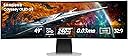
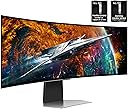
๐ Dominate your digital realm with the ultimate 49" OLED gaming powerhouse!
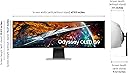
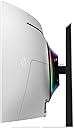
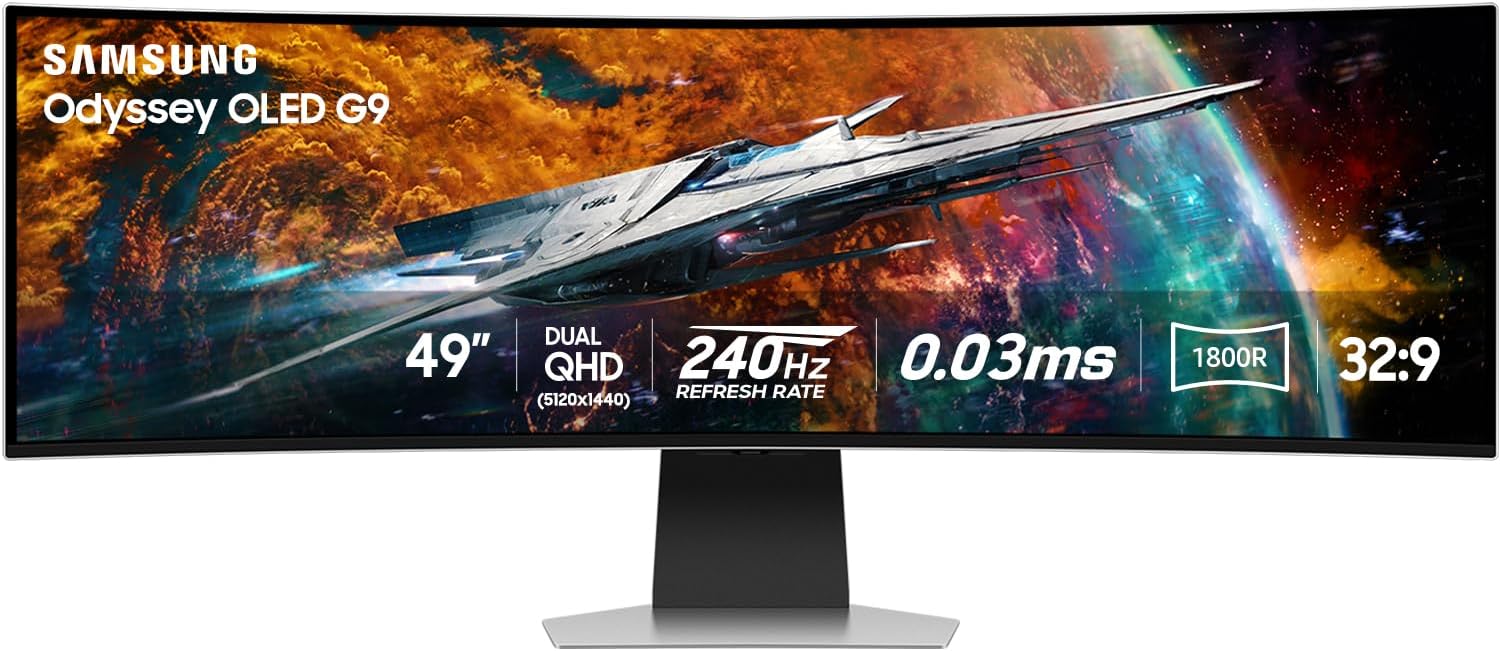
The Samsung Odyssey OLED G9 (G95SC) is a groundbreaking 49-inch curved QD-OLED gaming monitor featuring a 32:9 dual QHD resolution (5120x1440), ultra-fast 0.03ms response time, and a 240Hz refresh rate. Powered by the Neo Quantum Processor Pro, it delivers exceptional color precision and contrast with near-infinite blacks. Adaptive Sync technologies (FreeSync Premium Pro and G-Sync compatibility) ensure lag-free, tear-free gameplay. Additional perks include a Smart TV interface, built-in speakers, and versatile connectivity options, making it a premium choice for immersive, high-performance gaming and multitasking setups.


| ASIN | B0C48D7Q22 |
| Adaptive Sync | FreeSync Premium Pro |
| Additional Features | Eye Care, Flicker-Free, FreeSync Premium Pro, Game Mode, High Dynamic Range |
| Aspect Ratio | 32:9 |
| Best Sellers Rank | #100,294 in Electronics ( See Top 100 in Electronics ) #2,320 in Computer Monitors |
| Brand | Samsung |
| Brightness | 250 Candela per Square Meter |
| Built-In Media | DisplayPort Cable, HDMI Cable, Power Cable, Remote Control |
| Color | Aluminum Silver |
| Color Gamut | 0.99 |
| Compatible Devices | Desktop, Gaming Console, Laptop |
| Connectivity Technology | USB |
| Contrast Ratio | 1,000,000:1 |
| Customer Reviews | 3.6 out of 5 stars 826 Reviews |
| Display Resolution Maximum | 5120x1440 Pixels |
| Display Technology | OLED |
| Display Type | OLED |
| Global Trade Identification Number | 00887276756721 |
| Hardware Connectivity | DisplayPort, HDMI, USB |
| Has Color Screen | Yes |
| Image Contrast Ratio | 1,000,000:1 |
| Is Electric | Yes |
| Item Dimensions D x W x H | 9.33"D x 47.04"W x 20.84"H |
| Item Type Name | Monitor |
| Item Weight | 28.4 Pounds |
| Manufacturer | Samsung |
| Model Name | FBASAMLS49CG954S |
| Model Number | FBASAMLS49CG954S |
| Mounting Type | Wall Mount |
| Native Resolution | 5120x1440 |
| Number of Component Outputs | 2 |
| Picture Quality Enhancement Technology | Neo Quantum Processor Pro |
| Pixel Pitch | 0.23 |
| Power Consumption | 220 Watts |
| Refresh Rate | 240 Hz |
| Resolution | DQHD |
| Response Time | 0.03 Milliseconds |
| Screen Finish | Curved |
| Screen Size | 49 Inches |
| Screen Surface Description | Curved |
| Shape | Curved |
| Specific Uses For Product | Gaming |
| Total Number of HDMI Ports | 2 |
| Total USB 3.0 Ports | 2 |
| Total Usb Ports | 2 |
| UPC | 840262777346 887276756721 |
| Viewing Angle | 178 Degrees |
| Voltage | 240 Volts |
| Warranty Description | 1 Year Manufacturer |
| Warranty Type | 1 Year Manufacturer Warranty |
P**X
Best monitor I've had to date (plus 2 year update)
Update 2 years later: This panel has been going strong since purchasing in October of 2023. Like others, I too have encountered random black screens. And I resolved it by changing out my Display Port cables. Ironically, the 4th one I chose, a standard DP 1.4 Amazon Basics stopped this issue outright. Last time it happened to me was Jan 2024. No burn in issues to report either or dead pixels. I know others haven't been so lucky with Samsung's panels, but it's been good to me. But it is a gamble. You may get lucky like me, you may not. Original review: I was initially hesitant given how middling the CHG90 was (what I had before this G9 OLED). Along with the usual fears of OLED burn in given this is a PC monitor and would be used as such. Not just gaming. But after a few months of usage, I'm still floored every time I use it. The PPI, colors, clarity, response, refresh, contrast are all amazing. However like all OLEDS, it suffers in total peak brightness (though being a Gen 2 QD panel does help). In HDR it produces amazing contrast, and can even hit 1000 nits in 2% windows for some amazing highlights. But overall it's just a 400 nit panel. Not the worst (better than an HDR 400 LCD), but not HDR1000+ mini LED amazing either. Using in a light controlled room is recommended for optimal usage. The added Tizen smart UI is a bit wonky however, and I wish I had opted for the version without it. I don't ever see myself using a single app from it, ever. No need for it to be on a gaming monitor. Overall, this has been the best monitor I've owned. 5120x1440p 240Hz is perfect, having it be OLED is a cherry topper.
J**T
12/24 Update - AVOID this panel
[UPDATE - 12-13-2024] I am updating my review on this panel due to a problem with the VRR support in this panel that I believe showed up at some point after a firmware update that results in the panel just going black randomly, requiring you to forcibly change some settings like resolution to kick it back in gear. Even turning it off and on again doesn't seem to reliably fix it. This seems to happen when opening full screen applications, however it also happens when closing Photoshop. The only workaround appears to be to disable VRR, which also seems to turn off game mode, which prevents access to a lot of handy settings. From what I have read, this does not occur on the less expensive (and preferable, in my opinion) G93SC panel that is functionally identical, minus the spyware smart tv garbage that comes with this version. In conclusion, skip this one, save yourself some money, and go with the G93SC. ------------------------------------------------------------------------------------------------------- I've had this panel for about 2 weeks now. Coming from a pair of 24" 1080p IPS panels from 2016 this was a massive upgrade for me, so I cant really speak for this panel compared to other similar panels. With that in mind, I love this panel. I have been absolutely blown away by the true blackness of this panel, essentially, the black areas look like the thing isn't even turned on in those areas. It's crazy. For productivity it's almost like having a three-wide panel setup, because I can have windows in the center where the bezel would have been on my previous setup. Since I don't maximize windows basically ever unless it's a video, this means I can easily have my main window centered, with other windows on either side. And there is something to be said for being able to stretch a spreadsheet out to the full 32:9 if I'm working with a particularly large dataset. I've even played around with stretching my VS Code window out to make word wrapping a thing of the past. It's glorious. Games that support 32:9 (or can be forced into it using config tweaks or by using Flawless Widescreen to inject support are so much more immersive, though for the heavy hitters, even my 4080 can struggle to output enough frames, and I've found myself turning down some details to keep things around 60 fps. Video playback is great, except in situations where widescreen videos have baked in letterboxing. This has required finding solutions to zoom the video in somewhat so that I can get the full vertical capacity of the screen, but there are solutions out there. Now for the annoyances. I wish I had known about the "lower" spec version of this panel that does not include the "smart tv" stuff. There is nothing that can do that I cannot (and do not) already do with the PC it is connected to. It's a neat feature, knowing that if I wanted to I could simply take this panel, a keyboard, mouse or controller and still get access to gaming and most of the entertainment stuff I would want to have, but realistically, transporting a 32:9 panel anywhere is just not going to happen. If I want to do those things while traveling, I will simply take my laptop, so I could have saved a couple hundred bucks. Additionally, the UI is not the best. Getting to some settings requires you to first bring up the "smart" menu, then select settings, then you can either select the setting, or go to the settings and select the settings in a different way. It would have been so much nicer to just have a direct access button to the settings. Then, when you are done depending on where you are in the UI you can either simply use the back button on the remote, or sometimes that just puts you into a loop of switching between the smart menu and the smart category, and the only way to get out of that is to go to the input list and select the one you already have selected. It just adds extra actions, and again, would have been so much better to have a button that just exits the smart features directly. And then we come to the panel health features. Certainly a gladly accepted function (assuming it actually does what it says on the tin) A feature to help prevent burn in (a real concern with oled, especially when spending this much on a panel). I love the idea of a feature that will help improve the longevity. I HATE that I have zero control over it. Several times, in the middle of working, I've had this thing pop up and tell me that it will need to turn the panel off for 10 minutes. In the middle of my work day, while I'm in a teams meeting, while I'm working on code, whenever. I would REALLY like to have an option to set a specific time for this to happen, or even better, schedule a time when the panel can just shut off for an extended period of time (like when I go to bed at night) without screwing up my monitor settings in Windows, because if I just turn the panel off, suddenly all of my windows shift to other displays on my system (I've got a 24" panel to the right, and a 43" tv above). Samsung! Let me set a schedule for this health improvement feature for the love of god! Then there is the fact that after this completes and the panel turns back on, it insists on telling me that it finished, as if I can't tell because there is an image on screen. And this notification doesn't just show up for a couple seconds, I have to use the remove to tell it okay to make it go away. Does Samsung think I'm a moron? I think they do. One thing I do wish, is that this panel was available with a 1000r curve. Because it is so much larger than my previous pair of 24" panels, I actually find that the extreme sides of the panel aren't as easily readable because they aren't angled toward me as much as I had my two panels angled. The 1800r curve definitely is better than if it were flat, but I kind of feel like a 1000r curve would have made this a complete non-issue, though admittedly as the cost of desk real estate due to the panel being "deeper". This is probably a somewhat niche thing, but probably worth mentioning. I have a Tobii eye tracker. Currently I have only mounted this by using double double sided tape on the bottom of the panel. This works, but isn't the cleanest. Obviously since the panel is curved I can't mount it properly until I print out a curved adaptor for it. This isn't a deal breaker, but probably worth knowing for anyone else who has a tobii. So ultimately, this is an amazing panel that is hindered by how "smart" it isn't. I suspect that if I had gotten the non "smart" version, this would have been a 5 star review. Naturally, I will follow up on this review in the future if it blows up or whatever, or if Samsung decides to hire some actual UX people and improves things in that area.
W**O
WOW
WOW.... 1) I am 95% about production type work (Spreadsheets, Emails, Billing), and "thinking about" doing a little gaming, now that I am only working part time, not that I am in my mid 60's. 2) I hooked my new Samsung 49" Odyssey OLED G9 (G95SC) Series Curved Smart Gaming Monitor up to my HP Probook 450 G6 laptop. 3) I immediately thought I had made a mistake in purchasing this new G95SC monitor. The laptops image DID fill the whole 32:9 Ultrawide screen, but all of the documents, icons, pictures, texts were extremely stretched to fill the screen. It looked awful. My immediate thought was to box it back up and return it. I decided to wait until my new desktop computer arrived in a couple days. 4) I plugged this monitor into a new desktop that had a video card that could 32:9 graphics (RTX 5080 Prime) and "WOW", the monitor popped to life. Distorted icons, documents and pictures were now all perfectly view on this awesome monitor. I can now easily put three documents up on the screen, all at once and just slide my pointer to any of the documents I want (ALL ON ONE SCREEN).... Man, did I say, "This monitor is awesome"!? I can fit four documents on this monitor too, if I want, but I find three documents at one time, is perfect for what I do. 5) At first, I doubted that I did the right thing by buying this. I thought perhaps I should have gone with three monitors turned up vertically, but the issue with that is, small (21" or 24"), do not come with the specs that this G95SC does, and my documents would have physically been on three different screens, with that annoying bezel in the way. 6) No doubt about it... I AM HAPPY WITH MY PURCHASE. It was a little pricey, but it has great specs. looks great and ticks all the boxes I needed for a productive monitor. And oh yeah, #7 It looks awesome as a gaming monitor too! LOL I have only used it for MSFS 20024 so far, but with .03 latency, and all the specs that a great gaming monitor needs, I have no doubt that it will perform flawlessly in and environment I put it in. 8) If you have the money, and the graphics card to run it.... "DO IT"! 9) WOW
F**L
Careful what GPU you have
The Samsung Odyssey OLED G9 is an incredible monitor, but it heavily depends on the GPU you're using. I own an RTX 3070 Ti, and unfortunately, it's not quite powerful enough to handle gaming at this monitor's full capabilities. I've struggled to play in full screen, and even when setting the resolution to 2560x1440, the monitor still struggles to deliver a smooth experience. Using windowed mode doesn't significantly improve performance either. I'll most likely return this monitor and repurchase it when I can upgrade to a more powerful GPU, like the 5080 Ti. If you think many games support this monitor's native resolution effortlessly, think again. It's not the monitor's fault, it's a fantastic piece of hardware that would be wasted on my current setup because I can't use it to its full potential. On the other hand, for productivity, it's absolutely outstanding. With tools like PowerToys, this monitor becomes a must-have in every household for multitasking and productivity. That's why I still gave it 5 stars. The issue lies with my GPU, not with the monitor itself.
T**G
Love this monitor
Ok, so I know 4 stars is doesnโt sound like love, but I do love this monitor. The image looks amazing. Source 1 I have my work laptop. It looks good with my laptop broadcasting at 4 to it. It is almost enough space to not need my other monitor but there is no way to squeeze 3 screens out of this one. This one easily works awesome as 2 screens just not 3. It is amazing to work smartsheets on this a not have to slide left and right all the time. Source 2 is my gaming rig. I broadcast to it in 5k. It is simply spectacular. The sound is nice and crisp and the oled is just visually stunning. It is a nice and smooth picture even when doing fast motion. Why this is not 5 star. The kvm switch is quirky. And so is auto power on. I turn on pc1, if it was on pc1 the monitor starts right up. Not that itโs on if I start Pc2 it swaps. If I shut off pc2 it stays on that source, doesnโt swap back to PC1 that is still on. If shut down PC1 and start if back up with last on pc2 it will the monitor doesnโt come out of sleep. Same thing vice versa. I can hit home and it will come out of sleep, then swap to the pc I want but itโs clunky at best. The stand is solid but the monitor jiggles a bit when my desk it moving up or down which can misalign my monitors or change my webcam view. That is really it.
C**S
Great Monitor for Work and Gaming
I use this as my primary monitor for both personal use and remote work in conjunction with my previous primary monitor (34" Alienware Ultrawide positioned above). Having used this for a few months now, I can say with certainty that this has been my favorite monitor I've ever used. Display: - The picture quality is fantastic - The refresh rate is amazing, LOVE the 240hz even for casual use, everything is buttery smooth - The contrast ratio is great with the OLED panel of course - I use the default mid-level brightness for hopefully best lifespan retention, so there is a slight difference in monitor brightness as a trade off. Noting crazy, and so far my only "complaint" about the display, mostly of my own choice. Interface: - It's easy to swap back and forth between inputs with the included remote. - I don't use any of the smart features of the monitor as I have no need personally, but it's nice that they're included. Sound - The speakers are okay enough for monitor speakers, but you'll almost certainly want to get a decent set of standalone speakers as the difference is very noticeable. Usability: - I do occasionally have problems getting my mac to connect via usb c -> displayport (temporarily only), but it seems to be more due to my aging mac than the monitor itself. - Accessing settings for the monitor with the remote are incredibly easy, definitely beats having to try to use a standard monitor button array or knob. - Some games don't natively support the stretched resolution but a surprising majority do support it. Worth possibly checking if your favorite games would have issues or black bars wasting the extra space.
N**E
I really wanted to love this monitor
Update: February 21, 2025 My monitor has failedโan issue that appears to be affecting many users. A quick search for โSamsung OLED G9 White displayโ or โSamsung OLED White screen of deathโ will reveal that this problem is widespread. Despite knowing about the issue, Samsung only offers a one-year warranty. When I reached out to their Accommodation Team, they offered me either a replacement or a refundโthough their tone made it seem as if they were doing me a favor. Hereโs a summary of the process so far: Warranty Claim Initiation: You start by filing a warranty claim, and youโre informed that an authorized technician will arrive within about a week to assess the monitor. Request for Replacement Display: I indicated that the monitor needed a replacement display, and the technician assured me that the request would be forwarded to the repair facility. Scheduling and Miscommunication: The repair facility contacted me to schedule an appointment. I confirmed the date and specifically asked if the technician would bring a replacement display. They assured me that he would. However, on the scheduled day, the technician arrived without the necessary part. Backorder Complications: As a result, the replacement display had to be orderedโand it turns out the part is currently backordered. When I contacted Samsung, they offered a store credit of $1,200 (despite the monitor costing $1,158), and by that time, I had been without a monitor for nearly two weeks. Extended Warranty Inquiry and Refund Request: Concerned that a new display might suffer from the same issues and wanting to avoid the risk of a similar failure right after my warranty expired, I asked about extending the warranty for an additional four years. This request was declined, so I opted for a refund. Refund Process Overview: 1) Claim Submission: The refund claim must be submitted to another department for review and approval (3โ5 business days). 2) Trucking Coordination: Samsung then contacts a trucking company to arrange a pickup (3โ5 business days). 3) Pickup Scheduling: The trucking company will call to schedule the monitor pickup (time varies). 4) Delivery and Damage Review: Once the monitor is delivered (1โ7 business days, depending on location), it must be reviewed for any damage (3โ5 business days). 5) Bank Processing: After review, the bank is contacted to process the payment (3โ5 business days). 6) Payment Issuance: Finally, the bank issues the refund (3โ5 business days). Iโm now 16 days into this process, still waiting for step 2, with the trucking company now expected to contact me in 7โ10 business days. If every step takes the maximum estimated time, you could be looking at a total of 5โ6 weeks to receive a refund although the bank can transfer a refund immediately through Zelle. In conclusion, the overall experienceโespecially the drawn-out customer service and warranty processโhas been extremely disappointing. Based on this ordeal, I cannot, in good conscience, recommend this monitor to anyone, particularly professionals such as streamers who rely on high-performance & reliable equipment. --------------------------------------------------------------------- Update: 8/22/2024 - So I did end up keeping this monitor and did find some information. In the past, you needed to run a monitor on a Display Port to achieve anything more than 60Hz because HDMI wouldn't allow anything more than that. I was using a Display port cable to connect this monitor to my PC and would only get 120Hz. That said, I have to admit I have not kept up on technology that much and recently found that an HDMI 2.1 allows you to push past previous limits and achieve the 240Hz refresh rate, which is what I'm running now. Like I said in my previous review, this monitor is exceptionally crisp and if you're purchasing it for the 240Hz refresh rate, I would suggest making sure your video card can handle HDMI 2.1 and 240Hz. --------------------------------------------------------------------- Original Review: Previous Review - APR-2024 So what to say about this monitor... Pros: It's a nice size, 49" & 32:9 aspect ratio means you can have multiple items on your screen like you have 2 screens side by side. Picture is exceptionally crisp in most situations, although there are some where blacks are blotched together. Fast refresh rate & 0.03ms Cons: The only way you can get the 240Hz, that I've been able to find, is to switch the aspect ratio from 32:9 to 16:9 so you're only able to use half the screen. It's a little heavy, I had to get a heavy duty mount to mount it on the desk. Not quite as heavy as the ARK, but still very heavy. Black colors are blotched compared to my other screen. Overall, I wish I would have been able to figure out the settings before time started running out to return it. However, it's going back to Amazon... the Cons outweigh the pros here and I can't justify paying $1200 for a monitor that I'm not exceptionally happy with.
J**P
Okay hardware made worse by garbage software
I've had this monitor for just about a year now and the amount of cursing I do at it has only increased. I'm now at a point that I'm shopping for something else and am going to just cut my losses (which at this price point are not small). If you're just looking to use this as a computer/gaming monitor, look elsewhere. As others have reviewed, the software on this monitor is trying to use Samsung's "Smart TV" approach which is already bad, and it encroaches on everything you'd expect a normal monitor to do: - It will arbitrarily start counting down to a software update (say, in the middle of your video call) - It periodically wants to do "calibration" which turns off/on/off/on the monitor at a random time during your use for 5-10 minutes - It doesn't restore to the last setup you had (let's say you're using it as a split of "2 monitors") after it goes to sleep - It very much requires an internet connection, Samsung account, and a tedious setup process just to get it up and running I have to fiddle with the remote on this thing daily trying to get it back to the same thing I want every day. Samsung thinks that TV is where they'll finally be a dominant Operating System player, and it's hot garbage, especially here. The worst part is that I just spent a ton of money on a high-end, brand new computer, hoping to resolve resolution/display issues I thought were related to the computer's age. Now with the new computer, those issues are somehow even worse, I'm seeing flickering, blank screens, and inconsistent display. I don't trust each time I reboot whether this thing will even come on. It's literally making my eye twitch while I type this. All I wanted was a large, high performance monitor. I don't need apps and all of this other stuff on itโ it's hooked up to a computer, if I want those things I can pop open a browser window!! WHY CAN'T THIS THING JUST BE A MONITOR.
M**Y
Just incredible
This is by far the best looking monitor I have ever owned. Allan wake 2 Looks like glass, just spectacular. I have noticed there are some reviewers saying the screen will just turn off to do the pixel refresh, perhaps a new firmware update has fixed this issue because the screen has never just " turned off" while using it. It has however told me that a pixel refresh is due and it will perform the refresh the next time the monitor is turned off. I would recommend using a Spyder to calibrate it as it makes the colors really *pop* and lowers saturation. Just all around an excellent monitor.
G**L
Black Screen , green line
After 2 weeks of use the screen started to black screen randomly for couple second. Not only black screen but also green bar all over the screen for then shutdown and coming back to normal. I am not gonna deals with Samsung warranty from what I heard it is a pain so better returning it with Amazon before itโs to late. Switching to Asus rog a brand that I use for years and never had issues with their oled platform. I was using the monitor for both productivity and sim racing.
K**E
Big beautiful and bright
Only had it for a couple of days so far, but it looks awesome. Don't have any issues with Text at the default display settings. Use it for Work and Home/Gaming. It does come with mini HDMI, but also regular HDMI and DP, but those are a little difficult to get connected due to their lateral location. It also comes with a built in USB-C Hub. Both the upstream and downstream connectors are USB-C. Gaming is beautiful on this monitor. Playing Diablo 4 doesn't use the whole screen, but enough of it that I can see the whole horizontal map, if not the full vertical dimension. Civ VI via Steam will use the whole screen and looks great as well. I thought I had an arm for it, but it turns out it was too weak for the weight of the monitor. Ended up going with a Vivo for $110 Canadian, and that is working great so far. The stand is nice too though and is very heavy duty. So far very happy with my purchase.
J**.
everything perfect BUT
everything perfect with ... but ... when i receive it it was doing something strange... i have multiple screen on my pc and when i got to another input on my other screen ... and return to the pc on my other screen after ... there is a bug in link with the refresh rate and g sync ... if you put the game mode at off you will never see this bug .. buttt what ,s the point to have a 240hz monitor if you can only put it at 60 hz cuz you cant put game mode ... the screen go black .. the only solution i found was to restart pc .... they do optimisation ... update ... a lot often ... one to two time a week .. .and i dont go often on another input this month so i dont really see the probleme anymore ..i hope it will not come back there is another bug ... when i close the monitor and let another one open cause its oled and dont want to burn it threw the night ... they say something about my task bar and cant hide it .... is it win 11 freaking ? but dont act like this to my 2 other monitor .. i just have to click on the message and return in the option reput hide taskbar but each time you close it ... in long term it,s not funny without these two problem ... that a found minor ... this monitor is reallyyyyyy something ... oled is lifeeee wow just wowwwwwww black are black and light are amazing .... the most beautiful monitor i had see in my lfe ... by farrrr 5120x1440 ... you will need something to push this .. a 4090 it s just perfect with this .. i was on 21x9 and was not sure about 32x9 ... in final it s take 2 days and i was in love with .. it s take ressource but at this moment there is no oled 21x9 2160 ... so at least my 4090 it s usefull with this ... a lot of option and a strange menu ... with some channel free of tv on it ... i dont use it but maybe some people will like this option if he dont have tv at home .. it s a + ... in final i gave it 4 star ... im probably lucky to dont have allllll the problem people seem to have and very more armful then the 2 little probleme i ahve with ... i can live with the 2 problem i have .. its not perfect ... but i hope i will not have a dead monitor out of nowhere like other people talk about or something like this that is a game changer .... will see what future is ... samsung monitor seem to have a Quality controle problem ... to bet on a mointor like this one that are not ultra new and not the first batch seem a better idea then go another one really really new and playing with the luck ... but this one at the moment is 3.9 on amazon ... you still take a bet ... i had take it .. and at this moment im happy doing it ... like i said will pray this luck continu .... it s why i give him 4. .. if i can put 4.5 i gave it ... at the moment cuz my furst bug seem disapear by the update .. with the bug still here i was more like 4 or 3,5 but is not there anymore so 4,5 .. cross finger for the future .. i hope i help someone t o know if he take a bet on this monitor or not :)
C**L
Amazing quality
My son purchased this for his computer set up and the quality is unreal. Very satisfied with this purchase
Trustpilot
3 weeks ago
3 days ago