Desertcart purchases this item on your behalf and handles shipping, customs, and support to Vanuatu.
โจ๏ธ Elevate your desk game with the MX Mechanical โ where style meets unstoppable performance.
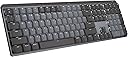
The Logitech MX Mechanical Wireless Keyboard combines premium low-profile mechanical switches with smart backlighting and multi-device Bluetooth connectivity. Designed for professionals, it features a rechargeable 1500mAh battery, durable metal construction, and compatibility across Windows, macOS, Linux, iOS, and Android. Its adaptive illumination and ergonomic design make it the ultimate tool for seamless, all-day productivity.


| ASIN | B09LK1P1RD |
| Antenna Location | Office |
| Brand | Logitech |
| Brand Name | Logitech |
| Button Quantity | 78 |
| Compatible Devices | PC |
| Compatible Operating System Family | Android, Linux, Windows |
| Connectivity Technology | USB |
| Country of Origin | China |
| Customer Reviews | 4.2 out of 5 stars 1,515 Reviews |
| Enclosure Material | Metal Aluminum |
| External Testing Certification | Nรฃo aplicรกvel |
| Global Trade Identification Number | 00097855174659 |
| Hand Orientation | Ambidextrous |
| Is Electric | No |
| Item Weight Unit of Measure | 2.55 Pounds |
| Keyboard Description | Mechanical |
| Keyboard Layout | QWERTY |
| Keyboard Plate Material | Aluminum, Metal |
| Manufacturer Part Number | 920-010547 |
| Model Number | 920-010547 |
| Number of Items | 1 |
| Number of Keys | 104 |
| Number of Packs | 1 |
| Number of Sections | 7 |
| Power Source | Battery Powered |
| Product Features | Rechargeable |
| Recommended Uses For Product | Office |
| Series Number | 920010547 |
| Special Feature | Rechargeable |
| Switch Type | Mechanical |
| UPC | 097855174659 |
| Unit Count | 1 Count |
Y**N
Never thought I'd love a keyboard so much...
It's taking a little getting used to the slightly different arrangement of some keys but man... overall, this keyboard KICKS TAIL!!! I love how it lights up, I'm always working in low light or the dark and my eyes aren't what they used to be so I just can't tell you how much of a difference it makes. I also feel like the key symbols won't/can't wear out because they're backlit. Typical keyboards have letter and words wear off over time, but I don't see how that's possible with this keyboard. It's not a "gamer keyboard" it's just a great basic keyboard with all the functions you need. Keystrokes feel amazing! Not sure how to describe but when you're typing it just feels really nice. A real quality built product and worth every penny. I'm considering buying another before they don't make them anymore... LOL Oh, the battery lasts forever on this thing too. You can turn it OFF when you're done for the day and you can set the keyboard to pair/work with multiple computers (even have keys configured differently if you like). The backlight shuts off when you remove your hands from the keyboard or stop typing for about 5 seconds, but its got this really cool "motion detection" feature that once you put your hands over the keys again or start typing it lights right back up! I'm telling you if you're in the market for a new BLUETOOTH keyboard and are willing to pay a little more for a NICE one... this is the board to have!!! I really love it. I'll give you the 1 thing I didn't like about it as I began using it... The FUNCTION ROW of keys has no space above the NUMBERS or Number pad, etc. So it's super easy to hit the wrong keys sometimes. I'll often go to use the "home" key and end up hitting the key to switch between machines, or the biggest one is the "lock" key the farthest top right key over the number pad's "minus/dash" key. I often go to hit the "minus/dash" key and end up locking my windows (having to sign in again). HOWEVER, using the Logitech software that is used to configure the keyboard I was able to just disable that lock key. I don't need a KEY for that anyway. When I want to lock my Windows session (log out) without shutting down, I'll just do it the normal way with my mouse (Start > Power > Lock). No big, been doing that forever anyway. Anyway, this keyboard is awesome. Especially, once you get used to it. Most times I get a new keyboard and have to get used to the key arrangements and different spacing anyway. Might as well do it with a great keyboard. ๐๐๐ป P.S. I have always been a Microsoft keyboard/mouse kinda guy. I didn't think much of Logitech until I got the MX Master 2 Mouse, which is now also my favorite ever. This keyboard goes with that mouse it's sold in bundles they're of the same product set.
P**H
Lovely Product - but US layout not clear in product description
Product is excellent, but be aware this is a US layout keyboard. If you want a UK layout (or European) you need to look for this specifically on Amazon.
G**Y
Best office keyboard to date
This keyboard is pretty amazing. I own a HHKB, and a Pok3r. I build and customize my own keyboards. I bought this mainly because of the Logitech Flow feature. But first, I wanted to talk about the keyboard itself and why I think this is the best office keyboard to date. The build quality is amazing. It's sturdy, and the internals are very tight, which means, no rattling, no added noise or reverbiation. As a result, this is a very quiet mechanical keyboard (I can only speak for the brown switch version). The keycaps are made out of recycled plastic, but they don't feel cheap. They are quite smooth and easy to type with. The typing experience is very consistent and smooth (see type test photo). My typing speed is consistent with my other keyboards, but for me, it's definitely feels much better to type with tactile silent switches compared to my other keyboards. Even though this keyboard is a low profile keyboard, there are flip up feet at the bottom of the keyboard to lift it up a little more to get a better angle if that's what you prefer. The lights are nice, but what makes this keyboard really stand out is when it doesn't use the lights at all. Without the backlights on, this keyboard can do 10 months on 1 charge, which is completely unheard of for a mechanical full size wireless keyboard. I've had this keyboard for a couple of days on the whole time, and by now, my other wireless 60% would have died and required a recharge. There is only one issue with this keyboard which is customization. For Macros, only some of the keys (F Keys and Cursor Targeting Group) can be customized vs what I am used to, which is being able to customize every single key. For customizing the physical look itself such as changing the switches or the keycaps, this keyboard cannot be customized like that. The spacebar doesn't use standard stabilizer stem widths. You can replace every key cap except for the spacebar. You also cannot change the switches unless you know some soldering which is not recommended. As for the reason why I bough the keyboard. I absolutely love it! The logitech flow option allows me to move from my multiple computer setups with only one keyboard and mouse. I often multitask, I have a computer running 24/7 as my "smart tv" as well as my personal laptop, and my work computer. Considering how I can flow through all those computers from one set of mouse and keyboard without having to physically switch the mouse to use that specific computer is absolutely game changing. I feel like I am using one computer, even though they are all completely seperated. Whenever a product can make someone's life easier, is when you know you have something truly revolutionary. For work and every day use, this is absolutely the best office keyboard to date.
V**U
Satisfying typing experience
I love this keyboard. I use the same monitor for my gaming PC and for my work Surface Pro. I had a wired keyboard which I had to unplug from the gaming PC and plug into the docking station every morning and then do the reverse after my work hours. It became tedious after a while, so I decided to upgrade to a wireless keyboard that can switch between multiple devices without having me crawl under my desk to do so. This one seemed not too expensive, had full width, and reviews were decent. I'm very pleased. Switching between devices is handled with 3 dedicated buttons for this specific purpose, no crawling required. I used the dongle to pair it with the gaming PC, and Bluetooth to pair it with my work computer. Now I can work from the kitchen or the yard if I want to. It's slightly louder than I expected, but is by no means clickety like some others I've used. Typing is now completely satisfying. The texture of the buttons is soft and the feedback is addictive and makes me want to type forever. As an unexpected bonus, I was able to connect the keyboard to my phone and type in mobile apps with a full keyboard!! What a novel and refreshing experience. The only complaint from my daughter is that it doesn't have colored backlight. It's just plain white.
A**R
An Excellent Successor to the Venerable K800 Wired/Wireless Keyboard - Different but AWESOME!!
I really like this keyboard!!! In fact, I would say that this is a good/reasonable successor to the magical, venerable K800 Wireless and Wired I (like most) have an old wired K800 (attached to my work laptop), and was sooooo sad to see that I couldn't get another one. I took the leap and purchased the K800 wireless as a backup (what I writing this on..) for my personal laptop, and it truly is such a wonderful easy feeling keyboard. Again, logitech has discontinued the wireless one - enter to MX Keys (full size) I think that this one has that old school IBM-style feel, yet waay more robust, heavy (surprisingly), and modular (regarding key caps and triggers) I think, if past is prologue (as it invulnerably i..) this product to will either disappear, or get worse - I will by a 1 or 2 for safe keeping
Trustpilot
2 months ago
3 days ago