๐ Elevate your workspace with color-rich 4K brilliance โ donโt just see it, live it!
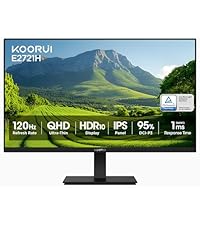
The KOORUI 27 Inch 4K Monitor features a stunning UHD 3840x2160 IPS display with 99% sRGB and 95% DCI-P3 color gamut coverage, delivering 1.07 billion vibrant colors. Designed for professionals and entertainment enthusiasts alike, it offers flicker-free, low blue light technology for eye comfort, plus Adaptive Sync FreeSync and G-Sync support for smooth visuals. Connectivity includes DisplayPort and dual HDMI ports, with ergonomic tilt and VESA mount options for versatile setups.


| ASIN | B0C6T7Y81Q |
| Adaptive Sync | FreeSync, G-Sync |
| Additional Features | Frameless |
| Aspect Ratio | 16:9 |
| Best Sellers Rank | #107,478 in Electronics ( See Top 100 in Electronics ) #2,484 in Computer Monitors |
| Brand | KOORUI |
| Brightness | 300 cd/ยฒ |
| Color | Black |
| Compatible Devices | Desktop |
| Connectivity Technology | DisplayPort |
| Contrast Ratio | 1000:1 |
| Customer Reviews | 3.8 out of 5 stars 363 Reviews |
| Display Resolution Maximum | 3840 x 2160 Pixels |
| Display Technology | LCD |
| Display Type | LCD |
| Hardware Connectivity | DisplayPort, HDMI |
| Has Color Screen | Yes |
| Image Contrast Ratio | 1000:1 |
| Item Dimensions D x W x H | 8.08"D x 24.15"W x 18.07"H |
| Item Weight | 5.5 Kilograms |
| Manufacturer | KOORUI |
| Model Name | N07 |
| Model Number | N07 |
| Mounting Type | Wall Mount |
| Native Resolution | 3840x2160 |
| Number of Component Outputs | 2 |
| Picture Quality Enhancement Technology | HDR10 |
| Refresh Rate | 60 Hz |
| Resolution | 4K UHD 2160p |
| Response Time | 4 Milliseconds |
| Screen Finish | Matte |
| Screen Size | 27 Inches |
| Screen Surface Description | Matte |
| Series Number | 7 |
| Specific Uses For Product | Business |
| Total Number of HDMI Ports | 2 |
| Viewing Angle | 178 Degrees |
| Voltage | 19 Volts |
| Warranty Description | 2 year manufacturer |
A**B
It REALLY is a 4K monitor.
Today I set up my dual KOORUI 27" model N07 monitors. I was somewhat worried by multiple reviewers reporting that this model isn't really a 4K screen. So while I don't usually write reviews, I'm here to assure you the N07 is in fact a 4K screen with resolution of 3840x2160 and refresh rate of 60hz. And I know why some people got this wrong. When I unplugged my old 1920x1080 monitors and tried to use the same HDMI cables, Windows identified the monitor as having a 1920x1080 native resolution. But my cables were very old. I plugged both my new monitors in using DisplayPort cables and they were instantly reporting 3840x2160. My monitors did not come with DP cables, just new HDMI cables. But my office had extra DP cables laying around. If you're still having trouble getting 4K on one of these, be wary of adapters, such as DP-to-HDMI, DVI-to-HDMI, etc. Also try shorter or newer cables. You CAN get 4K out of HDMI cables, but remember that HDMI has been around since 2002 and that standard has gone through many versions with new capabilities over the years. As for reviewing the other aspect of these monitors... they look great to me! Neither of mine had dead or stuck pixels. the colors look good and image is sharp. I'm not a professional monitor reviewer, but these seem like perfectly good office monitors for a fantastic price compared to big brand names. I took a chance on some of their smaller screens several months back and was blown away at the quality and low price. I'm glad this higher end model hasn't let me down! UPDATE: My original review was written 10/13/2023 and now it's 5/16/2025. I have never had a single issue with these monitors in the 1 year 7 months I've been using them. In fact I stumbled across my own review after looking to purchase a 3rd matching one... because a triple-monitor setup with these bad boys would be awesome! By the way, I use them on a dual-monitor desk mount. I love that they have VESA mounting holes so they can be used on wall or desk arms/mounts.
C**N
4K?
As a standard monitor, it was fine...but it would not kick in the 4K/HDR. Also, there was no way to change the settings. The resolution was locked, as was HDR since it was set to "OFF" with no option to change it. I plugged it directly into my PC with no change, then directly to my XBox which was unable to recognize it as 4K capable. My cables are all perfectly fine, since 4K was able to work with the same hardware when I plugged everything into one of my 4K TV's. Maybe I just received a defective monitor, but there was no help available to resolve it. Took a shot on this Brand. Didn't work out for me...not an indictment of them as a whole, but not a great first impression. I'll spend a little more on a brand I know.
J**N
Affordable 4K HDR monitor for Mac
I was originally going to grab another 4K monitor around this price with similar specifications and decided to give this brand a try. I'm replacing a 4K De*l monitor that has served me well--- but is not HDR capable. That old monitor cost twice as much in 2017. It's really lightweight plasticky, but overall I'm impressed. It's good out of the box with the default settings. Do turn off "Allow wall paper tinting in windows" in Mac OS to keep video playback from brightening and darkening. It is as good as the old panel and the HDR display on YouTube and Final Cut Pro is good enough for what I need. The provided stand only provides tilt adjustment. I decided to mount the panel on a vesa ergotron arm. I really like the understated design. I really hated the old De*l logo in front of my face. The Koorui logo is much more tasteful. Well worth the money! I hope in the future that manufacturers can bring 5K panel at an affordable price point.
D**I
Great price
Great price and a really good 4k monitor. We just bought our second one to replace the one I had.
J**S
Great price point work monitor/ gaming monitor
Overall quality of the monitor is nice, easy to assemble. The only gripe is that the screen color is slightly red (over saturated). Not a problem if using it for work and emails or gaming, but using it for video and photo editing is not recommended. You can only adjust brightness and contrast.
W**N
I love this monitor
This monitor is bright and shows a lot of detail. It's my first 4K monitor and I'm shocked at how much sharper everything (including text) is. I can't speak to the monitor stand as I use a VESA mount for the screen. Setup was easy and my Windows 11 Pro PC immediately set it at 4K and enabled HDR10. I'm using the HDMI cable that came with the monitor One other thing I like about this monitor - most monitors Iโve had have an annoying power light in the front (usually bright blue). This one has a fairly dim white light underneath the monitor that points down at the desk so itโs almost unnoticeable. I would buy this again in a heartbeat. A couple of things... The VESA mount is a little odd because the top two holes are raised but the bottom two or not. This meant that my screws for the lower holes were too long so I had to find a washer to fill up the extra space. Seems like a weird design choice. Also, the monitor manual isn't all that accurate. It mentions the VESA holes being 75mm but they're actually 100mm. Note: Some people keep mentioning that it's not a 4K monitor because their device isn't showing it as 4K. I can vouch that this is absolutely a 4K native panel. If the device doesn't recognize it as that, my guess is that they're using the wrong cable or their device is set incorrectly (or maybe they have a defective monitor).
A**I
Decent Screen, Insufferable LED
Update: The idle LED on this thing is impossible to turn off. Flashes like crazy when the computer is asleep. Can't even block the LED with tape, because the light bleeds through every opening of the computer. The LED is pure white and bright enough that it makes me dizzy if I'm sleeping in the same room with the monitor. Letting the computer fall asleep by itself at night is no longer an option because of how bright the idle LED on this monitor is. If I forget to turn the monitor off before sleeping my sleep quality is decimated. A true tragedy that there's no way to disable it. --- I was looking for a cheap 4k screen that would pair well with my primary 1440p display so I could have an extra browser window on the side. Shopping around on Amazon, it seemed like most products were in the $220 to $260 range. Then I saw the specs and features on this thing (HDR10, AdaptiveSync) and the fact that it was only going for $190 and just had to try it. It arrived today and I can safely say it is a 4k monitor, with adaptive sync, with HDR10, for only $190. I'm not sure how accurate the color accuracy claims are or the ghosting claims are, but for my usecase of media consumption / extra browser window, this thing is working perfectly. Installation of the monitor was really straightforward, basically consisting of plugging the stand onto the baseplate and the monitor onto the stand. However, the stand itself was a little lacking, as you can't really adjust the height, only the tilt, but a few hardbooks or a custom mount solves the problem completely. Overall would highly recommend giving this monitor a try if you're looking for a cheap 4k display with some really nice features.
P**J
You pay for what you get.
Maybe it's just me, but this monitor is cheap. After five months, it started flickering during use. Now, whenever it is turned on, it flickers non-stop. When it is finally "working" correctly, the screen will go black every 45 seconds and will not resume to normal functioning until it is on for 5 minutes or soโand that's if I am lucky. I am noticing that flickering will stop if i press on the screen a little, so I think it's a wiring issue with the LEDs. And customer support has been unhelpful, so I have had to consider this monitor a loss. I do not recommend this monitor.
D**D
Crisp, bright colors, high PPI, good build quality. Worth the price!
Everything looks great. What an upgrade from a 1080p display. The PPI difference is significant, and opting for a 27" instead of a 32" was the right choice for me. I don't have a lot of space on my desk so it was more than big enough. Additionally, you get a higher pixel density with this size over a 32". Build quality seems decent for the price, screen is fully functional with clear bright colors. The contrast and brightness are set pretty high from the factory but can easily be adjusted to personal preference. My only complaint is there is a sleep/standby light that flashes when it's powered but not actively displaying anything so if you have the monitor in your bedroom at night you'll have to deal with that.
M**O
Perfect 27โ 4K Display
Had this monitor for a few days and Iโm already in love. This is my second screen, my first one is a Gigabyte 27โ 2K that I use for gaming (165hz) and I wanted a second screen to watch shows and movies at 4K. Colors are bright, looks super clean and is worth the price (if not more). Completely recommend this monitor if you are on a budget, it doesnโt feel cheap at all and it gives you the sensation of having something expensive and from good quality.
R**Y
Sharp, Crisp Picture!
As an old IT guy with low vision, I needed to upgrade from my 3-year-old 24" 1920 x 1080 resolution monitor. It was suggested that several brand name monitors in the $700 range would be ideal. However, that was way beyond what I could afford. So, I began comparing specs, looking for a 27" 3840 x 2160 monitor with an IPS panel. This monitor turned up. It was easy to set up, although the monitor stand assembly instructions are not clear, and written in -20 sized font! A YouTube video showing how to unbox and set up this monitor saved the day! The actual connection with my computer and power was straightforward. The monitor produces a crisp, sharp picture that is very easy on my eyes. Excellent value!
M**N
Black bars on both sides
The bezel on the monitor is very thin which makes the monitor look really slim and nice -- But when you actually turn the monitor on, there are very noticable black bars that run along the interior of the screen (confirmed the monitor is running at 3840 x 2160 @ 60hz, see screenshot). The black bars on each side are about 0.5 cm (1/5 of an inch) and the top/bottom bars are about 0.2cm. If you use multiple monitors this is extremely noticable when navigating between screens and completely defeats the purpose of having a thin bezel in the first place. Even with 1 screen, once you notice it you can't stop seeing it all the time. This issue might not bother everyone, but I can't recommend to anyone a monitor that has 0.5cm black bars on both sides.
M**E
Koorui 27inch 4K UHD Monitor
Great monitor, thank you
Trustpilot
4 days ago
1 day ago