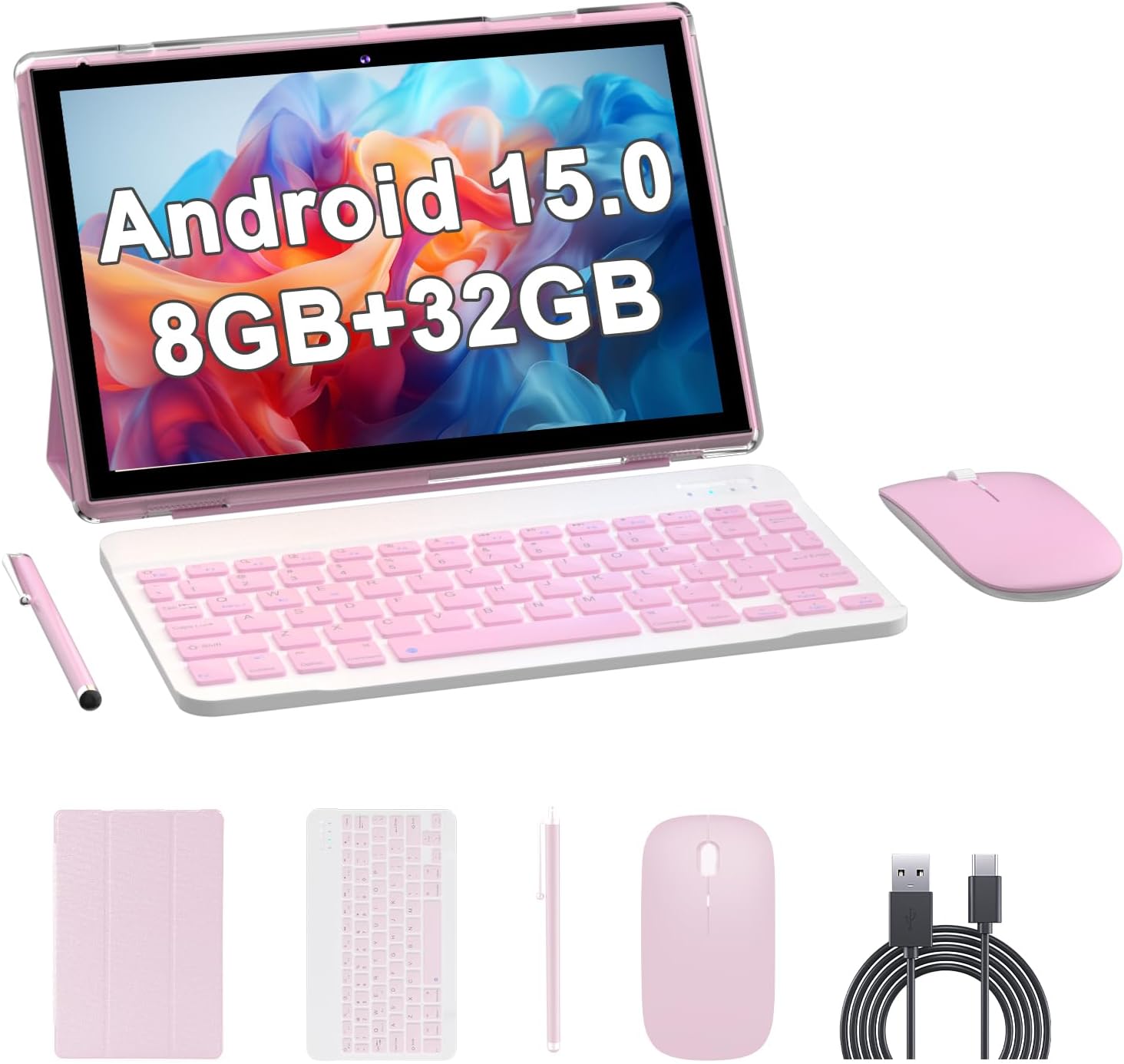
🚀 Elevate your mobile workspace with style and power!
The RUIQIAI Android 14 2-in-1 Tablet features a 10.1-inch HD display, quad-core processor, and flexible storage up to 1TB. Designed for millennial professionals, it combines tablet portability with laptop productivity via a Bluetooth keyboard and mouse. With up to 8 hours of battery life and a sleek pink design, it’s perfect for work, play, and everything in between.


| ASIN | B0BZS5KDNC |
| Are Batteries Included | Yes |
| Average Battery Life (in hours) | 5 Hours |
| Batteries | 1 Lithium Ion batteries required. (included) |
| Brand | RUIQIAI |
| Color | Pink. |
| Computer Memory Type | SDRAM |
| Connectivity Type | Wi-Fi |
| Customer Reviews | 3.9 3.9 out of 5 stars (221) |
| Date First Available | 20 June 2023 |
| Front Webcam Resolution | 2 MP |
| Graphics Card Description | Integrated |
| Graphics Chipset Brand | ARM |
| Item Weight | 1.22 Kilograms |
| Item model number | RUIQIAI CP20J |
| Lithium Battery Energy Content | 6000 Watt Hours |
| Lithium Battery Packaging | Batteries packed with equipment |
| Lithium Battery Weight | 22 Grams |
| Manufacturer | RUIQIAI |
| Number Of Lithium Ion Cells | 1 |
| Operating System | Android |
| Power Source | Battery Powered |
| Processor Brand | RUIQIAI |
| Product Dimensions | 24.31 x 16.23 x 0.76 cm; 1.22 kg |
| Resolution | 1280*600 Pixels |
| Screen Resolution | 1280 x 800 pixels |
| Series | AI-YQ10S |
| Standing screen display size | 10.1 Inches |
| Wireless Type | 802.11ax |
A**R
Buen producto lo recomiendo 100% me gustó mucho
A**N
I LOVE IT EVERYTHING WORKS FANTASTIC THE SOUND IS LOUD IM VERY WELL PLEASED WITH MY PURCHASE
G**S
Idk if it's just mine or if it's the model/brand but the mouse that comes with it is pure CRAP! If you don't use it while reading on the tablet it will just go off by itself, BUT THEN I have to completely unpair/forget the mouse and then re-pair it to the tablet. It's just getting frustrating! The battery on the tablet is, meh ok. It could be better. The keyboard is a little better but still the same way, meh. It goes into sleep mode also but I don't have to go through the pairing process again. I'd still buy it BUT I'd buy a different mouse, maybe a better one.
J**Z
Waoooo está hermoso supero mi espectativa
A**R
I absolutely love my tablet. Just took me a minute to figure out how to pair the keyboard to the tablet. But one I did I fell in love with it. For those that is having issues with connecting their keyboard to their tablet. It will connect. All you have to do is hold the fn(function) key and the C(connect) key together for 5 seconds for the Bluetooth light on the keyboard to flash. Once the light is flashing you are able to pair with your tablet. It took me a while to figure it out. But once I figured it out I was able to use my keyboard with my tablet. Again fn(function)+C(connect) for 5 seconds for Bluetooth light to flash on keyboard, then pair on your Bluetooth settings to pair. Hope this info helps every one that has the issue with connecting their keyboard.
Trustpilot
2 weeks ago
2 months ago