Buy anything from 5,000+ international stores. One checkout price. No surprise fees. Join 2M+ shoppers on Desertcart.
Desertcart purchases this item on your behalf and handles shipping, customs, and support to Vanuatu.
❄️ Stay Cool, Stay Ahead — The Ultimate Silent Beast for Your CPU
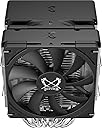
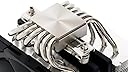
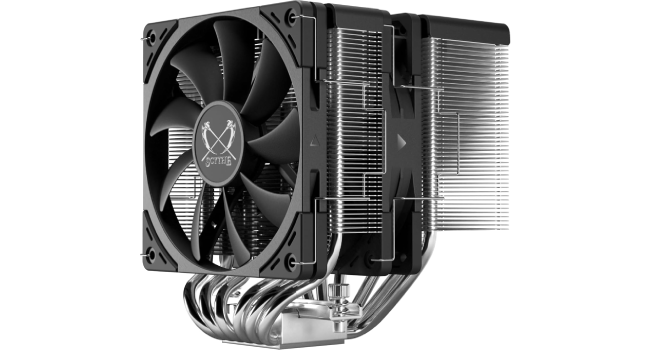
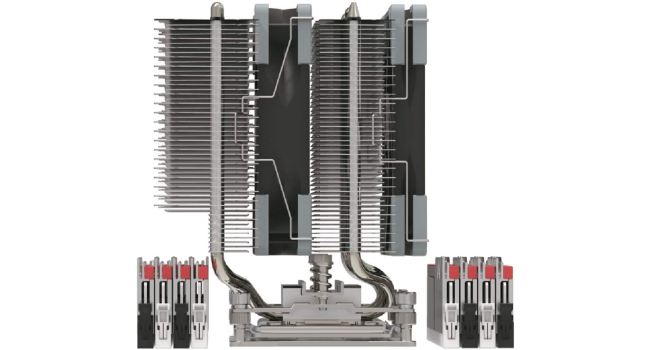
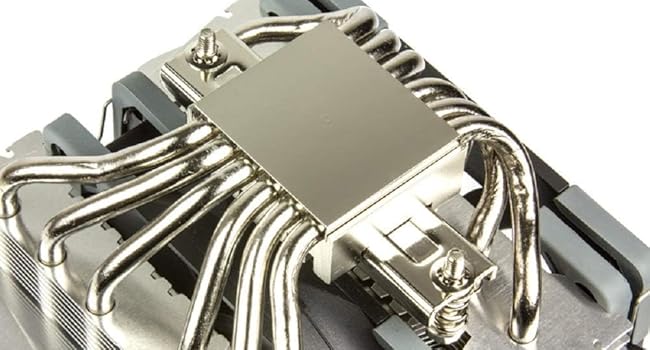
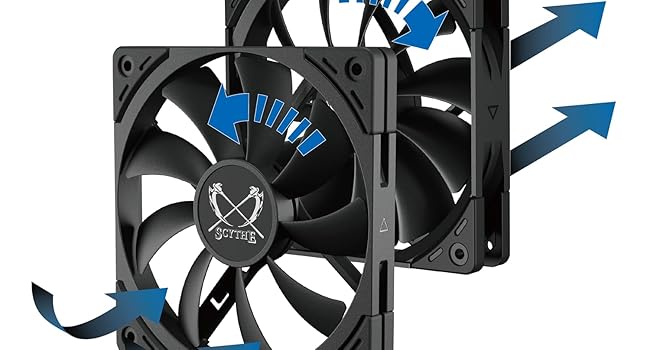
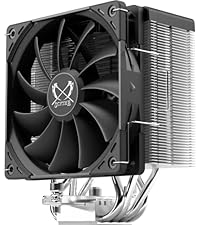
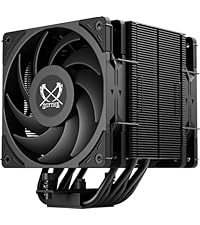
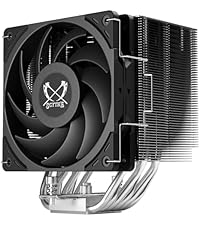
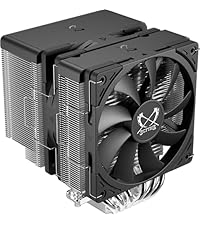
The Scythe Fuma 3 is a high-performance dual-tower CPU air cooler featuring six 6mm copper heat pipes, dual PWM fans with opposite rotation for enhanced airflow, and a compact 154mm height that fits most Mini ITX and mainstream motherboards. Designed for Intel LGA1700 and AMD AM5 sockets, it offers superior cooling efficiency with whisper-quiet operation and excellent RAM clearance, making it ideal for gamers and professionals demanding reliable thermal management.


| ASIN | B0C9PXRK1C |
| Air Flow Capacity | 3000 Cubic Feet Per Minute |
| Best Sellers Rank | #171 in Computer CPU Cooling Fans |
| Brand | SCYTHE |
| Brand Name | SCYTHE |
| Compatible Devices | Desktop |
| Cooling Method | Fan |
| Customer Reviews | 4.7 out of 5 stars 3,316 Reviews |
| Item Dimensions L x W x H | 8"L x 7"W x 6"H |
| Item Weight | 1.63 Kilograms |
| Manufacturer | SCYTHE |
| Material Type | Aluminum, Copper |
| Maximum Rotational Speed | 1500 RPM |
| Model | SCFM-3000 |
| Noise Level | 14 Decibels |
| Number of Items | 1 |
| Part Number | SCFM-3000 |
| Power Connector Type | 4-Pin |
| Product Dimensions | 8"L x 7"W x 6"H |
| UPC | 812623021993 |
| Unit Count | 1.0 Count |
| Voltage | 12 Volts |
| Warranty Description | 2 years |
| Wattage | 2.88 Watt-hours |
A**R
Best mid-tier CPU fan for the Price!*
For complete transparency, I ordered this CPU cooler twice, after a porch pirate stole the first one while I was at work. So shoutout to Amazon for helping me get another cooler to replace the stolen one. *So ya probably wondering what that asterisk on this review's headline is for. Simple: I am NOT a computer expert. I am not constantly finding the ins and outs of how to build the next super computer for our future robot overlords. I'm just a gamer/video editor who Google'd "How to build a PC on a budget" one day and eventually came here. If you're looking for the right cooler for your PC build, take what I say with a grain of salt and do your own research like I did. That being said, I bought this fan half a year ago on a budget and wanted to test it out before I wrote this review. My PC specs are as followed: Motherboard: ROG Strix Gaming B550-F CPU: AMD Ryzen 7 3700X. Cooling: Scythe Fuma 2 + two additional 120mm fans in the PC case. RAM: 32 GB GPU: AMD Radeon RX 5700 XT Here are my findings: APPEARANCE: This is definitely one of the better looking CPU fans on the market. A nice sleek design with the company's logo etched into the fans and top of the radiators, with various what look like rivets on top to give it even more of an edgy look. A very cool (no pun intended) design that doesn't stand out. One obvious lack of a feature is the RGB. If that's what you care about, stay away. If you do not (like me) then this is a bonus. NOISE: This cooler, despite having two fans attached to it, is surprisingly quiet. I stream and record videos as a hobby and the old CPU fans I used could be picked up on my mic, despite placing my Pcs in various locations. It was annoying. With this cooler, no longer a problem. Its not completely quiet, if ya listen hard enough you'll hear it easily but its so minimal so who cares...if you're a casual PC user. If you are someone who overclocks your PC (we'll get more into that later), ya gonna need this fan to pick up speed, and that's where the sound goes from an afterthought to noticeable, and it's still not as bad as my old CPU coolers running on minimal speeds. PERFORMANCE: Ok now for what's really important: Does it work? Short answer: Yes. Long answer: If you are someone who does not overclock your PC, this fan works wonders. Ive tested its performance by leaving my PC on for a while, casually watching videos, playing video games ranging from League of Legends to Apex Legends, using various programs for times ranging from a few hrs to all nighters and I can feel the fan constantly blowing cold air out of my PC. That part I was never worried about. Overclocking is a slightly different story. From an eye and feel test, I can tell it does the job well. I looked up some actual specs and while the Fuma 2 does keep an overclocking CPU in a reasonable safe zone, ya gotta remember we are talking about overclocking here. You are pushing your CPU beyond its normal limits and you run the risk of permanent damage to your PC if your cooler isn't up to the task. Sometimes reasonable isn't good enough. Now the Scythe Fuma 2 is build so you can add a 3rd fan to help out at the cost of noise, so it does have flexibility. However if you're willing to spend extra on a fan, ya might as well save up for a higher end CPU cooler. But on its own, it gets the job done and that added flexibility of a 3rd fan can still be useful down the road if ya don't need it upon initial buying but don't want to spend extra on a new cooler. Side note: I bought the Scythe Fuma 2 around late October and I live in the Southwest United States. I have yet to see how this CPU will perform with the summer heat. That will be the true test. I will update this review around October for the results. VERDICT: I categorize the Scythe Fuma 2 CPU Cooler as a mid-tier option with a lot of upside. Its miles ahead of any low-tier options but not quite as high as the more higher-end fans out there like Noctua or any custom water cooling system. That being said, if you look up the specs, it does occasionally rub shoulders with the big boys so on paper, its a great CPU cooler and personal experience so far can back that up as well. And at $60 USD (at this time) that is an insane value! If you are on a budget for building a PC for gaming, editing, drawing, etc. but you know how important a good CPU cooler is for what you are gonna do, the Scythe Fuma 2 is an absolute steal, with its performance, noise and flexibility! I highly recommend it!
J**N
Great mid-price cooler with high-end performance!
This is a terrific midrange cooler with high-end performance! This thing will hang with a Noctua NH-D15. The only spot the Noctua may best the Fuma is at very high fan speeds. If your CPU ever reaches 80-90 degrees, (which it shouldn't be) the Noctua will probably net you 2-3 degrees lower. And even that will be highly dependent on the airflow in your case. Simply put, I don't think there are, currently, many air coolers that can compete with the price to performance offered by the Fuma 2. It's very quiet, though you will hear it a little bit at the highest of RPM, which is most coolers. The included fans are great and run very well, although, I swapped mine out with an even quieter model for the middle fan and an LL series fan from Corsair to match the rest of my build. Keep in mind that the slim fan will likely fit on the front of the cooler and not interfere with any of your four RAM slots, however, if you want to use a normal size fan on the front, such as an RGB fan, it'll likely block your first ram slot, unless you mount the fan higher on the cooler and closer to your case's side panel which will make the cooler not look as flush and streamline. I had four 8GB sticks of RAM and ended up removing two and just going with two 8GB sticks so I could keep the fan flush and perfectly inline with the cooler. My LL Corsair fan blocks the first RAM slot. This cooler is very large but looks so aggressive and imposing, once in your build. Other than that, mounting was as easy as it could be for a large air cooler. All mounting hardware is included as well as instructions. I'm currently running an Intel 8700k overclocked to 4.8ghz on all cores and when running an AIDA64 CPU stress test, my temps never go above 70°. I'm also using a thermal pad and not paste and it works amazing. If you're someone who prefers paste, you could probably bring your temps even lower than mine with some nice Thermal Grizzly Kryonaut or something similar. At the end of the day, this is one of the best bang for your buck coolers avail, with great performance and a terrific look. Highly recommend!
T**T
Quiet, reliable, and very good for the price.
The quietest fan I've had. The only thing I hear in my case anymore is the old CD reader. Came with everything I needed, and included a screwdriver that I've desperately needed for all other parts as well. Fit well in my XL case, keeps it cool, thus far performs its job absolutely well, and isn't bright and flashy in color unlike many of the ones I looked at. May not fit inside smaller cases though, that's for sure.
S**S
Excellent CPU cooler. Well worth the money.
Great so far. The PC community calls this a high performing budget option but it doesn’t look and feel nor function like a budget cooler. It looks nice, performs even nicer, super quiet in my opinion. I use it for a Ryzen 7 7800X3D CPU, a very popular one for gaming and it cools great. I had an older PC by about 6 years that I used to replace the stock cooler, before I got my 7800X3D and temps went from around low 80s to mid 60s. This was an i7 9700F. For the 7800X3D at stock clocks/voltages and CPU fan curves, it would hover around the low 70s during gaming and upper 70s maybe even low 80s, I don’t recall exactly, during stress testing. I’ve since put a mild-moderate undervolt and set the fan speed to 100 percent at all times because why not, and gaming temps are consistently at 60 degrees with sometimes hitting 65 and stress testing doesn’t go above like 71. So all in all a great cooler.
G**5
get this over noctua
I've owned a Noctua D15 (dual fan version) for awhile now and when I finally saw that Scythe released a version 2 of the fuma I was curious and decided to get it and test it out. It's been years since I last used a Scythe cooler. Before installing the Fuma 2 I ran a thermal benchmark using an absolute worst case unrealistic, brutal load and for that, Prime95 AVX with "Small FFTs" option was the obvious choice. My processor is a Intel I9 9900K with a P1 TDP manually set to 140 watts and a P2 of 175 Watts manually set in the bios. For monitoring I used HWINFO64 and let the test run for 20 minutes. After 20 minutes these where the results: Noctua D15 (dual fan version): Core Max temp: 79C CPU Package temp: 77C Motherboard CPU temp: 67C After installing the Fuma 2 I ran the same benchmark again with the Fuma 2 stock configuration which is having the 15MM slim fan in the front as intake with the 25MM in the center for pull. Here are the results after 20 minutes: Fuma 2 (stock config): Core Max temp: 82C CPU Package temp: 80C Motherboard CPU temp: 70C So the difference between a stock config D15 dual fan version and a stock config Fuma 2 is about 3 - 4C. Which falls in line with the difference between a D15 dual fan version and a D15S with its single fan. That's actually incredibly impressive for the Fuma 2 matching a D15S considering it has a lower surface area heatsink compared to the D15/D15S. The D15 heatsink without fans is: 160MM height 150MM width 135MM depth While the Fuma 2 without fans is: 154MM height 130MM width 131MM depth And its even more impressive that it was only 3 - 4C difference compared to the D15 dual fan version considering the D15 has more surface area along with bigger, stronger fans compared to the Fuma 2. The Fuma 2 fans only offer 0.9 (15mm) and 1.05 (25mm) mmH2O static pressure vs the 1.5 mmH2O of the Noctua NF-A15 PWM fans. That means the Fuma 2 heatsink is incredibly efficient at removing heat. So after initial testing I decided to see how much better the heatsink would be if I swapped the front 15MM fan with a full size 25MM fan. Since I have an extra Noctua NF-A12x25 from my previous project I had as shown in an older pic attached to this review to show my previous D15, I opted to use it. The A12 has a static pressure rating of 2.34 mmH2O so its a nice increase over the 15MM 0.9 mmH2O. I was really curious to see how well it performs with just one on the Fuma 2 because in the past I tried two of the A12's on my D15 and it barely a made difference. Only a 1-2C drop. After another 20 minute test these were the results: Fuma 2 (A12 push, Kaze Flex 25mm pull): Core Max temp: 78C CPU Package temp: 76C Motherboard CPU temp: 65C So with a simple swap of the front 15MM fan with the A12 I saw a nice 3 - 4C drop across the board. Just slightly 1C lower than the D15. So close its within margin of error. This really shows the Fuma 2 actually benefits from having stronger static pressure fans vs the D15. The heat fin system Scythe has going on really does work and isn't a gimmick. So I had another idea to see how well I can push it and decided to take advantage of the extra fan clips Scythe includes by mounting the 15MM fan on the back of the heatsink for a triple fan setup. These were my results: Fuma 2 (Triple fan): Core Max temp: 75C CPU Package temp: 75C Motherboard CPU temp: 63C Pretty impressive but for my daily driving I decided to just keep the dual fan config with the A12 in the front and the Kaze Flex 25mm in the center. It's a much cleaner look. In terms of build quality the Fuma 2 is identical to Noctua. High quality materials, nickleplated copper, 6 heatpipes, amazing heat fin innovation that really does help increase static pressure, and a mounting system nearly identical to Noctua's. I actually prefer Scythes clone of Noctua's mounting system because its mounting hardware feels more durable than Noctua's. Its pressure bar is a lot thicker and heavier and the mounting bar system is thicker and heavier as well. I also like how Scythe added rubber padding underneath the mounting spacers. Noctua doesn't do this so you just have bare, hard plastic pushing against the PCB while the Scythe has the nice rubber to prevent any chance of causing scrapes or scratches against the motherboards PCB. Scythe also includes a much nicer screw driver as well. Its nearly identical to the nice one BeQuiet ships with its coolers. An actual, fully function screw driver. In terms of "defects" I didn't notice any with my Fuma 2. Nothing was bent. Nothing has dents, chips, "black stuff" or anything like that. I know one user here left a review complaining of having a bent heat fin and "black" stuff left over from the Nickle plating process, but mine didn't come like that. Funny thing is, he praised Noctua for "not having that" while my very own D15 actually has that same black stuff on the side of its base plate that was left over from the Nickle plating process, came with bent fins that I could never bent back perfectly, and "chips" on its base plate. Which is nothing major and that's the purpose of thermal paste. To fill in those imperfections. I never dinged that against Noctua because that stuff is normal. None of it affects thermal performance. My $80 Morpheus GPU cooler I have sitting next to me on my desk in its box has the same problems as my D15. Even my ancient Noctua D14 came with bent heat fins and even its heatpipes where bent enough to push the forward heatsink inwards a bit. Overall I'm extremely impressed and happy with the Fuma 2. It has officially replaced my old D15 for me. It's more compact by being smaller, weighs less, doesn't block the first PCI-Express slot, has excellent ram clearance, identical build quality to Noctua, and looks great. Scythe did a fantastic job with it. For $60 you cannot beat this cooler. Stock configuration it competes with a D15S in performance but for $25-$30 less and comes within the ballpark of a D15 dual fan version for $25-$30 less as well. If you have any spare 120x25MM fans laying around and don't populate all 4 ram slots you can replace the 15MM fan with that spare and get practically identical D15 dual fan version performance but for far less. As of right now, I cannot recommend the D15 anymore. The Fuma 2 is the way the go.
L**I
Quality & Competitive Air Cooler!
I came here from the Hardware Canucks youtube review of this cooler and agree with a lot of what they said. This is a very nice twin-tower air cooler that does not cover your RAM, so if you have RGB RAM it will shine through in all its glory. Installation was super simple on AM5 with very detailed and easy-to-follow instructions. My favorite part of installing it was being able to fully assemble the fans onto the heatsink BEFORE I mounted it to my motherboard. This is key if your motherboard is already installed in the case since my case is not super big and trying to get my hands in there to mount the fans would be a little difficult. In one of my pics you can see the super long magnetic screwdriver that is included fits in the tiny little exposed sections of the cooler to screw down the cooler to its mounting base. Such a nice touch!! Ryzen 7 typically runs warm so my 7700x is currently undervolted with a -30 voltage curve, 105w ppt, and 85c max temp limit. I usually idle in the mid 40c and gaming hovers around the 75c mark, sometimes getting up to 80c (in Starfield which is known to tax your CPU). The fans are quiet even at 70% speed. Running Cinebench R23 with the settings above my 7700x gets a ~19100 score with a max temp of 71c with ambient being 22c. When my room gets warmer during the summer writing this review, I've seen a score as low as 18900 but with a max CPU temp of 74c and ambient of 28c. So ambient temps will affect cpu temps a bit. TLDR: this is a super nice quality cooler that performs within a few degrees of a Thermalright Phantom Spirit for ~$10 more (Fuma 3 is currently $50 USD as of Sept 2023), but feels much nicer and has very nice quality fans for relatively low noise and very good cooling. Installation is super simple, and well thought out, and its one of the few twin-tower coolers that will not cover your RAM. I say buy it!
V**N
Significant 30c Difference vs Stock Cooler! A high-tier air cooler for a great price
First off, the machine I built has a Ryzen 5600X as the CPU, and the case is a Lian Li LANCOOL II-X, so there is some decent cooling available. I started off with the stock cooler since I’ve been told I may not immediately need an aftermarket cooler since it’ll handle playing games good, which it did. However, which I was checking idle temps, it was around 67c-73c without anything open, which I thought was real warm for it. When playing games it would hit the 80s and sometimes 90 degree Celsius range. Now, the 5600X has been rated to run at these high temps, with 95c being seen as a safe operating temperature. When I did some stress testing and other benchmarking to see what was going on since I started to have problems after a GPU upgrade, I saw that it would stay in the high 95-97c range, and at one point it hit 100C and my machine would crash. I played around with options, turned some things off in the BIOS such as XMP and Core Performance Boost, but still had high temps around the 65c-70c range while idle. At least my machine was not crashing, but it was underperforming at similar higher temps, and even around 83c while gaming if not a high 88c. I looked at a reviewer of tech on a video website as suggested by a friend, and this was one of the highly recommended coolers out there that was solid performer and was not a Noctua (don’t get me wrong, those are fine too). So I ordered one, followed the instructions on mounting it, which is pretty straightforward, and in a literal sense, there is a part where you have to screw in the heat sink to the mount you install on the AM4 motherboard, and you will literally have to evenly screw in both sides to ensure it can be installed correctly. After doing this, I turned my machine on, ran HW Monitor, and wow, a whole 30c difference. My CPU at idle was at 37c-39c. It was unreal. My machine sense then hasn’t run as warm as it used to, and when turning back on Core Performance Boost, it does not hit higher than 75c while gaming on more CPU-intense titles. Ran the stability test in Prime 95, my machine ran through without any errors or crashes, this was looking good. I gotta say, this is one of my favorite chunks of metal I’ve installed in a PC ever, and its way well worth the price. It even includes a screw driver to install the mount for the heat sink to the motherboard. Highly recommend the Fuma 2 CPU cooler as I try to use either air or water cooled heat sinks, I may try their water cooler option someday when the time is right.
T**R
Great Cooler!
I decided to give this cpu cooler a try because the AIO I thought I wanted was out of stock. I was having trouble finding parts to fit my build (most was already purchased) and this was compatible with the parts I had. I am SO HAPPY with this cooler that I decided to stick with it! It's great quality, whisper quiet, and keeps my cpu cool. Here's my build: - Fractal Pop Mini Air (medium form factor case) - MSI mag b650m (mATX) - Ryzen 7 7800X3D - T Force 32GB GDDR5 6000MHz (tall ram!) - EVGA 3080ti ftw (undervolted, runs hot) Case clearance was tough due to the tall ram and smaller case, but this cpu cooler fit easily and was easy to install. It was clearly boxed with care and came with a great screw driver with a magnetic tip, too. I had more fun unboxing this than anything else. Installation was easy and straightforward, the instructions were good, and it worked right away. When I stress tested my cpu, this was the quietest air cooler I've ever had and far exceeded my expectations for cooling, too. I've been using it for months and am still happy! I can't say enough how impressed I am with it and pleased with my purchase, scythe did a great job. I'd absolutely buy this again and highly recommend it.
H**K
Great buy!
A great cooler, good fans as well. Its exactly what I needed. Even comes with extra fan brackets and the corners are rubberized to reduce any vibrations you might have. Gave me a solid 10-20c reduction on average.
K**N
Works perfect
Works perfect on my 5800x. My CPU runs about 5 Celsius hotter during prime 95 load than my friends 5800x which has an Nochtua NDH15. During normal load like gaming the difference is less. So a very Good cooler
G**2
El mejor
Me veo obligado a escribir una review positiva de este disipador, lo tiene todo: super fresco para Ryzen Zen 2 (con caja cerrada unos 40 grados), no se oye nada (han mejorado con los años). En idle los ventiladores estan a unas 500rpm sin problemas. Pesa un poco más que otros modelos pero para los Ryzen Zen 2 yo no compraria nada inferior. El contenido de la caja esta muy bien, te viene de todo: pasta térmica, clips para 3 ventiladores, cable en Y de ventilador PWM y hasta un destornillador largo y muy util para uso general. El disipador no cubre nada de los modulos RAM de una placa standard ATX, así que se pueden usar los 4 slots de RAM sin problema (otros de este tamaño no lo permiten o hay que desmontar el disipador para cambiar modulos). El precio es fantastico para lo que ofrece, no se puede pedir mas. La calidad en general es fantástica, los tornillos de sujeción vienen con muelles y solo se puede colocar en una posición, por lo que una vez instalado mantiene perfectamente su posición original sin rotar. Los 2 ventiladores llegan a unas 1200 rpm. Muy satisfecho.
M**O
El mejor disipador por aire en el mercado actualmente.
La marca Scythe, poco conocida a comparación de Noctua o BeQuiet, ha hecho un excelente trabajo con su línea de disipadores de alta gama por aire. Enlisto los pros y contras después de un par de meses usándolo: Pros: -Cabe en casi cualquier gabinete, debido a su altura bastante contenida (154mm) -Muy eficiente en su función. Mantiene temperaturas más que buenas dado el tamaño relativamente compacto. Ahora lo tengo funcionando en un Ryzen 9 5900x, con OC a 4.75ghz, usando loops de 30 minutos en cinebench R20 llega a 75°C (usando pasta térmica CM mastergel maker de 11 W/m*K) . -Silencioso en su operación. El ruido a la máxima velocidad es realmente reducido. -Facilísimo de instalar. Puedes montar los ventiladores antes de ponerlo en tu motherboard, lo que facilita mucho el proceso. Es incluso más sencillo de instalar que un Noctua D15 (y eso que los noctua ya son bastante fáciles de instalar de por sí) -No obstruye ninguna ram, por su offset mas su ventilador compacto al frente no tendrás problemas con memorias RAM altas. -Incluye bastantes accesrios: los brackets para poner un 3er ventilador, destornillador magnético, todos los accesorios para cualquier socket excepto threadripper, así como pasta térmica de calidad bastante aceptable suficiente para 2-3 aplicaciones. -Los ventiladores incluidos son excelentes. Contras: - Las aletas son bastante afiladas, así que hay que manipularlo con precaución para evitar cortes. - El splitter incluido para los ventiladores es un poco corto, así que hay que revisar bien la posición de los ventiladores para asegurarse que el cable hacia el puerto sí llegue. -Si pones un ventilador normal al frente, pierdes la compatibilidad de la altura de las memorias RAM. Como conclusión: El Scythe Fuma 2 lo tiene todo: bueno, bonito y a precio contenido. Puede refrigerar CPUs sin problema incluso con una buena dosis de Overclock, con niveles de ruidos increíblemente bajosos y estética bastante agradable en cualquier tipo de ensamble, además de un precio bastante menor a un noctua o be quiet de similar rendimiento. Recomendado al 100%.
Y**V
Top Kühler! Kompatibilität ist besser als Noctua.
Fuma 2 ist einfach der Hammer! English Version below. Fuma 2 iat definitiv der bester Kühler von Scythe. Von Qualität und Leistung her kommen nur große Twin-Tower Noctua nah. Fuma 2 ist aber viel kompakter als D15, kompatibel mit vielen Gehäuse und MB und ist einfacher zu montieren. Hier sind die Vorteile: - Kompakt: passt in NR200p, Tower ist nur 158mm hoch und 120mm breit. - Leistungsfähig: kühlt fast wie ein Noctua D15. Twin-Tower Design ist super. - Leise: Kaze Flex Lüfter funktionieren erstaunlich gut. Mehr über die Lüfter unten. - Einfach zu montieren: Tower lässt sich sehr einfach mit 2 schrauben an die Backplate befestigen. Geil ist das die Lüfter kann man danach oder davor montieren. - Kompatibel: Alle RAM Slots können ohne Einschränkungen benutzt werden. Das ist sehr beeindruckend für ein großes Tower Kühler. Ich habe mITX MB und es passt ohne Probleme. Fuma 2 kommt mit 2 Kaze Flex Lüfter. Es ist erstaunlich wie gut die sind. Kaze Flex sind sehr gute Gehäuse Lüfter, aber in alle Heatsink und Radiator Tests sind sie immer weit hinten. Aber auf Fuma 2 sind die Ergebnisse anders. Ich habe es erst auf Hardware Canucks gelesen und nicht geglaubt. Ich habe es selbst mit Noctua nf-a12x25 getestet und festgestellt, dass Kaze Flex sind genauso gut und leise wie Noctua nf-a12x25. Fazit: für kompakte Systeme einfach unschlagbar. Für große PCs könnte man sich Noctua D15 überlegen, aber Fuma 2 ist auch ein gutes Kandidat. English: Fuma 2 is a great CPU cooler. Nothing comes close to it in terms of cooling and sound besides a much bigger Noctua D15. Fuma 2 is much more compact, cheaper and easier to mount. Compact: can be used in nr200p and generally with mITX MB Powerful: cools as a Twin-Tower should. Silent: very quiet even at full load. Montage: one of the best mounting systems, fans can be attached before or after mounting the heatsink Compatible: all RAM Slots can be used and it works with mITX Surprisingly Kaze Flex fans are great for this heatsink. I could not believe what the review from Hardware Canucks was saying about these, so I tested myself and can confirm that these fans are as good as Noctua nf-a12x25 on this heatsink. Conclusion: for compact systems this is simply be the best cooler.
Trustpilot
2 weeks ago
3 days ago