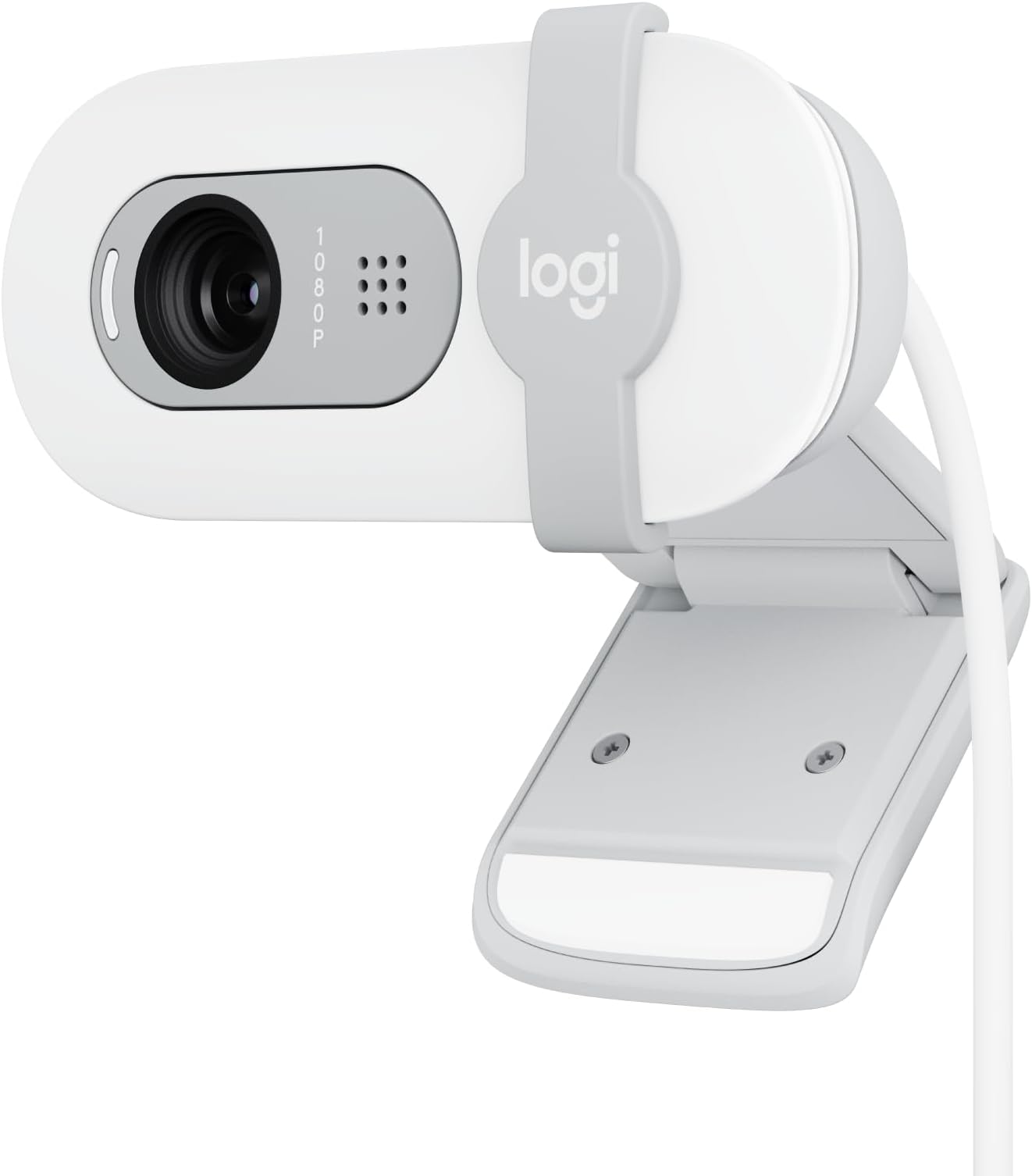
🎥 Elevate your video game—because your image deserves the spotlight!
The Logitech Brio 100 is a versatile Full HD 1080p webcam designed for professionals and streamers seeking crisp video quality and effortless setup. Featuring RightLight technology for enhanced brightness, a built-in privacy shutter, and broad platform compatibility—including Zoom, Microsoft Teams, and Nintendo Switch 2’s GameChat mode—this eco-conscious device combines performance with style, made from 34% recycled plastic. Perfect for remote work, streaming, and gaming, it ensures you always look your best while protecting your privacy.


| ASIN | B0BXGCRRLW |
| Best Sellers Rank | #32 in Webcams |
| Brand | Logitech |
| Color | Off White |
| Customer Reviews | 4.3 4.3 out of 5 stars (654) |
| Date First Available | September 19, 2023 |
| Item Dimensions LxWxH | 2.62 x 2.87 x 1.26 inches |
| Item Weight | 2.65 ounces |
| Item model number | 960-001616 |
| Manufacturer | Logitech |
| Max Screen Resolution | FHD |
| Operating System | Windows, macOS, ChromeOS |
| Product Dimensions | 2.62 x 2.87 x 1.26 inches |
| Rear Webcam Resolution | 1080 MP |
| Series | BRIO 100 |
| Standing screen display size | 2.7 Inches |
S**Z
Works great! Easy setup - just plug it in!
I have several Logitech track balls that are over 10 years old and still work fine so I thought I'd try this Logitech webcam since it was on sale and I've had good experience with Logitech products. I had been using the builtin camera in my old Dell laptop but now was using a larger monitor so when I looked at the monitor I wasn't looking at the laptop camera and it seemed odd with my head always turned. I was a bit concerned about how I would hook the web cam up but fortunately it was a simple plug and play. I just plugged it into my laptop and it worked fine. The picture quality is much better than my 2017 old laptop camera. I zoom once a week with old friends who have moved away and have been using it for several months now without a problem. I do have 2 complaints: 1. The instruction booklet that came with it has such tiny font that I couldn't read it. Fortunately, just plugging it in worked (I do have a Logitech software that works with my Logitech trackman so I don't know if that helped or not). LOGITECH SHOULD USE 12 font size in their instruction booklets. REMEMBER - baby boomers and people with vision issues also use computers and buy webcams! 2. My new LG 32 inch HDMI monitor is very thin so the camera doesn't attach securely to the top of the monitor. It will sit there, but occasionally it seems to drop down a bit and then I have to re-adjust it to aim on where I'm sitting. They should make the bracket that attaches smaller so it is more secure with newer thin monitors. I still gave it 5 stars because of the camera quality and the easy plug in setup.
A**R
Great bang for your buck!
Honestly was great quality and the picture is really good especially for the budget pricing. Didn't expect it to be as good as it was but truly is worth the price and highly suggest to purchase. Note that it is not studio perfect quality but good enough quality to stream, record or do work with. Perfect for Zoom, OBS and Camera applications. Really worth it and highly recommend to anyone on a budget.
L**N
Great Value/Outstanding Webcam
The Logitech Brio 100 is a fantastic webcam that delivers outstanding quality for both meetings and streaming. The Full HD 1080p resolution is crystal clear, and the auto-light balance feature ensures great video quality, even in low-light conditions. It’s perfect for professional video calls or content creation. The built-in microphone picks up sound clearly, eliminating the need for an external mic during casual meetings. I also appreciate the privacy shutter, which adds an extra layer of security when the webcam isn’t in use. The setup was a breeze—just plug it into a USB-A port, and it’s ready to go. It’s compatible with all major platforms like Microsoft Teams, Google Meet, and Zoom, making it super versatile. The off-white design looks sleek and modern on my desk. If you’re looking for a reliable, high-quality webcam, the Logitech Brio 100 is an excellent choice. Highly recommend!
J**Y
Good Enough For Basic Use
The Logitech Brio 100 is one of the best budget webcams you can buy, especially if you want a reliable camera for video calls without spending a lot. It’s got a lot of things going for it — but a few limitations including limited view and focus.
H**A
My daughter loves it!
I bought this webcam for my daughter to use while gaming, and she is very happy with it! The 1080p picture is clear, and the off-white color looks great. It was very easy to set up for her games and the new Switch 2 chat mode. The built-in privacy shutter is also a great feature for kids. Simple, stylish, and works perfectly.
H**U
Mediocre at Best, Lacks Standard Features.
Screenshot is from my Twitch channel. Blue border is just an OBS plugin. Overall quality is pretty accurate. I have to use a LUT to make the colors pop as they're otherwise fairly flat. Ease of use is plug & play but you lose features compared to other Logitech cams, video quality is acceptable but not good, microphone sounds like tinny garbage. Also no 1/4" mount? REALLY?! Only plus is the little silicone privacy cover. Other than that janky cheap camera is a janky cheap camera. If you intend to use it as a tiny window camera for bird watching streams it's fine but I wouldn't use this thing for much else. For context I've been streaming for over a decade & would legit consider myself an authority on webcams and specifically Logitech cams. This thing isn't C270 or C310 bad in regards to the video quality but at least those had full controls to try to do something with the hot mess coming off the sensor. I would say give this thing a hard pass and just spend a little more on something better or get something with more controls. Only reason I give it a 3 is the resolution and overall video quality are actually fairly decent for a $40 webcam, even if you can't do much with that image without 3rd party software you could always just use OBS filters and pipe it out of OBS into Zoom and other software as a virtual camera. TL;DR: Mediocre at best, hard pass -(guy who has bought a LOT of Logitech cams over the last 15 years)
M**O
Highly recommend
Works very well and replaced the low quality camera on my laptop.
K**Y
Pretty good!
Great beginning streamer cam! It’s not bad but you have to understand it’s not 4K. It’s also not a wide lense so it can be very close to your face depending on your set up. Sound quality is awful but for gaming you don’t use that. I just had issues with the color and brightness. Couldn’t get it to understand whites
C**U
fonctionne parfaitement
A**R
Le cadeau que mon fils avait demandé était tel que désiré
M**S
I was really impressed with this lil bad boy. It does a great job for the price it is. It has a fixed lens, so no zooming in and out, but outside of that no complaints. You can download Logi Tune for your computer to adjust general settings on it, too. It has an adjustable neck with limited mobility. I currently use mine for streaming, so it’s connected to OBS for video display only. I have not tested the mic on it, so I can’t say whether or not it’s any good. The camera is plug-and-play and has a privacy shutter. It was very simple to set up (and Logi Tune was also very simple to use). In terms of the actual video capture, it’s pretty smooth, and does well when live streaming and recording, and it’s 1080p. I’ll be using this until it finally craps the bed. Definitely recommend for office use or for streamers/vodding on a budget :)
G**O
Un bon produit, la qualité est fidèle et le système d'intimité bien conçu. Petit bémol cependant sur l'ajustement sur l'écran qui ne permet pas de corriger facilement la position de la caméra avec précision.
K**R
Worked fine
Trustpilot
2 months ago
1 week ago