Buy anything from 5,000+ international stores. One checkout price. No surprise fees. Join 2M+ shoppers on Desertcart.
Desertcart purchases this item on your behalf and handles shipping, customs, and support to Vanuatu.
🖼️ Keep your loved ones close, even when miles apart!
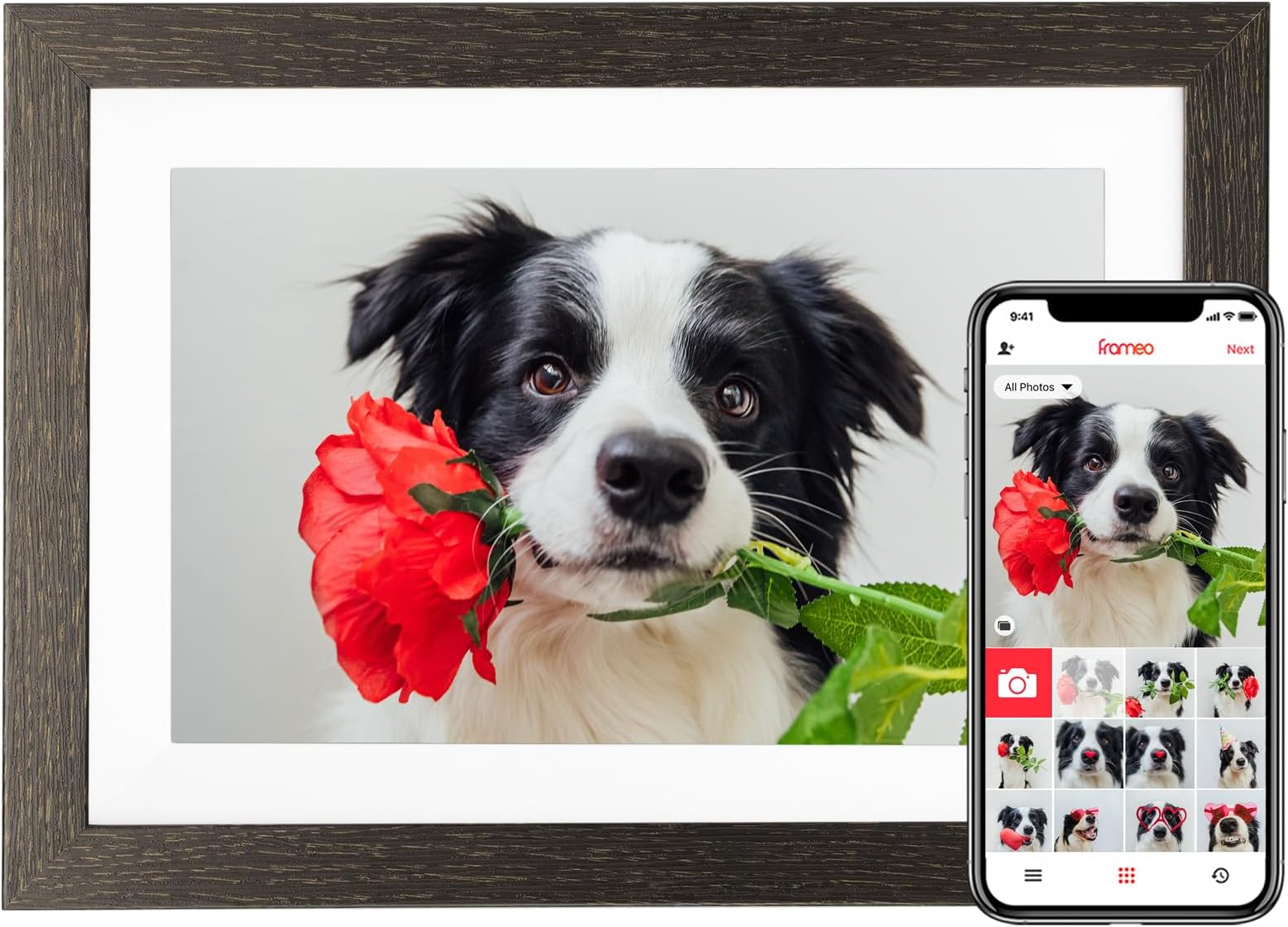
The BIHIWOIA 10.1'' Frameo Digital Picture Frame combines a vibrant 1280x800 IPS touchscreen with 32GB storage and WiFi connectivity to deliver instant photo and video sharing via the free Frameo app. Designed for effortless family connection, it features auto-rotate, slideshow, weather display, and interactive reactions—all with zero subscription fees and robust privacy compliance.


| ASIN | B0C9MZYR5B |
| Aspect Ratio | 1.60:1 |
| Best Sellers Rank | #81 in Digital Picture Frames |
| Brand | BIHIWOIA |
| Color | Black |
| Compatible Devices | Android, IOS |
| Connectivity Technology | Wi-Fi |
| Control Method | Touch |
| Customer Reviews | 4.6 out of 5 stars 2,111 Reviews |
| Display Size | 10.1 Inches |
| Frame Material | Wood |
| Item Dimensions L x W | 10.43"L x 7.24"W |
| Manufacturer | BIHIWOIA |
| Manufacturer Part Number | 1228bud-2498 |
| Memory Storage Capacity | 32 GB |
| Model Number | Diamonds-168-32gb |
| Power Source | Corded Electric |
| Resolution | WXGA |
| Screen Size | 10.1 Inches |
| Touchscreen | Touchscreen |
| Unit Count | 1.0 Count |
| Warranty Description | 1 year manufacturer |
B**.
An excellent product
I love this digital frame. It is easy to use and set up and it’s wonderful that other people can download pictures directly to it. I would recommend it to anyone who is looking for a good product at a fair price.
T**H
Great grandparents / parent gift
Bought this for my parents for Christmas! They love this! Set up was easy and fast! High quality photos and videos ( with sound ) decant size! Love that we can all have the app on our phone and upload pictures from anywhere! Great gift for grandparents!
L**N
One frame, 100s of pictures!!
It's been so much fun uploading my pictures onto this digital picture frame. I invited my daughter to upload pictures as well. It's nice to sit in my living room and see the pictures shuffle throughout, taking me back to those wonderful memories. Perfect Mother's Day gift!!! Quality is great. You may need to play with the settings to familiarize yourself with the functions, but otherwise, it's a great product. Would totally buy again for myself or as a gift.
S**F
Easy to use!
My husband surprised me with this digital frame and we both love it! Initially I honestly didn't think I would like it even though I love pictures. Once I realized how easy it is to use we both have really enjoyed it. I will be honest, I was dreading setting it up but that took less than half an hour. We love uploading new photos of our grandkids and family events to it and it's super easy. It looks nice in our living room. This absolutely is a wonderful gift option and very easy to use! It also allows the owner of the frame to give access to other family or friends through an app to upload photos as well. I'm planning to give one to my mother who is turning 80 this year! We'll help her set it up but after that I know she can take it from there - it's that easy to use.
M**R
Beautiful digital photo frame
Easy to upload photos to. Sharp imaging and color. Has a Monday of its own when programming.
T**S
Worth it
This has been a great gift for my mother in law. I have been able to seamlessly add pictures whenever I would like. She can add pictures too. It’s so easy and has held up for several years!
C**H
GREAT GIFT IDEA
Easy to set up and use/import pics… Great gift idea for parents/grandparents
5**E
Excellent quality; easy to use
Perhaps remarkable to some people, this is my first photo frame for personal use. I was looking for a frame that wasn't ridiculously expensive, and bought this at a steep discount before Christmas. The guided setup menu after the device was fist plugged in made it super easy and fast to configure the device with a WiFi connection, to download the Frameo app, and to start loading photos. Really easy. I work around technology all day, and I was slightly afraid I'd get bogged down in a poorly-written instruction manual, but the instruction manual wasn't even necessary. The reason I'm writing a review (rare for me) is because I came here to see if anyone knew how to turn off the clock and weather display. I don't know why anyone would want that in a photo frame. The clock and weather display settings are perhaps not where you'd think to find them. They're embedded in the "Slideshow" settings. Clock, weather, and caption settings can all be independently turned on or off. For now, the only downside appears to be shortcomings in the Frameo app to transfer photos - only 10 photos at a time can be transferred, and complete Google photo albums (where I've curated photos) can't be accessed in the Frameo interface. I can understand why that might be, and anyway, I've already found a workaround: Photos selected in Google Photos can be shared to the Frameo app, which them steps users into the familiar Frameo dialog for transferring photos (again, however, only 10 at a time). There may be other faster ways to transfer photos off of a USB cable or SD card which I haven't yet explored (I vaguely recall seeing that in the manual). Overall, two thumbs up on this photo frame. It delivers on good looks, ease of use, and affordability.
Trustpilot
3 days ago
1 month ago