Buy anything from 5,000+ international stores. One checkout price. No surprise fees. Join 2M+ shoppers on Desertcart.
Desertcart purchases this item on your behalf and handles shipping, customs, and support to Vanuatu.
✨ Light up your world, your way! 🌈
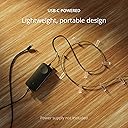
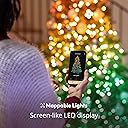
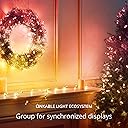
The Strings USB-C Candle 200 LED is a 12-meter, candle-shaped RGB LED light string featuring 200 mappable LEDs with over 16 million colors. Powered via USB-C for continuous use without batteries, it integrates seamlessly with Alexa, Google Home, and popular gaming apps like Razer Chroma and OMEN Light Studio. Perfect for ambient home lighting, festive decor, and immersive gaming setups.


| ASIN | B0BV2KTK31 |
| Best Sellers Rank | 52,706 in Lighting ( See Top 100 in Lighting ) 3,871 in Indoor Decorative String Lights |
| Brand Name | Twinkly |
| Bulb Base | GU10 |
| Bulb Shape Size | R37 |
| Colour | Green Cable |
| Connectivity Protocol | Bluetooth |
| Connectivity Technology | USB |
| Control Method | Voice |
| Controller Type | Voice Control |
| Country Of Origin | China |
| Customer Reviews | 4.3 4.3 out of 5 stars (177) |
| Fixture Features | Corded |
| Form Factor | String Lights |
| Included Components | TWKC200RGB-G |
| Indoor Outdoor Usage | Indoor |
| Item Dimensions | 20 x 20 x 7000 millimetres |
| Item Length | 16.4 Feet |
| Light Color | Green |
| Manufacturer Part Number | TWKC200RGB-G |
| Material | Plastic |
| Model Number | TWKC200RGB |
| Number of Items | 1 |
| Number of Lights | 200 |
| Occasion | Christmas |
| Power and Plug Description | Corded Electric |
| Product Style | Modern |
| Seasons | Christmas |
| Theme | Space |
| Type of Bulb | LED |
| Unit Count | 1.0 count |
| Voltage | 15 Volts |
| Water Resistance Level | Not Water Resistant |
| Wattage | 15 watts |
| Wireless Communication Technology | Bluetooth |
M**N
Amazing lights.
These are amazing. Very bright. Great looking colours. Easy to connect. Expensive in comparison to others but well worth it. No need to use the app, but it is a major selling point adding extra functionality like new patterns, downloadable patters and making your own custom patterns. They were easy to connect to the app via wifi and it was easy to connect to Amazon Alexa. Alexa functions are: Off / on, Brightness, and change colour, you cannot however change the effect or pattern of the lights only change them to a solid colour. Many of the review on the skill are not happy about this, and I too feel that it is something Twinkly should address, it would be great to be able to change effect by name.
A**R
Beautiful twinkly lights on a budget
These lights are just as effective with the app as my main Twinkly Strings sets are. As I've said before with the Pearl version of these lights, I would have really preferred Twinkly to make them with a USB connection as I now have to charge them with my phone or tablet because most chargers are usually USB of course. I have to use an additional Micro C to USB adapter so that I can plug them into my charging sockets/portable chargers and hope Twinkly consider this issue in the future.
J**N
Well featured quality item but expensive
These well-made lights come with an excellent app that allows you to set individual colours and light patterns. You can design them yourself or download them from the app. They are powered via a mains adapter. I used these lights on a Christmas tree and then had to set them up on the app. Getting all the individual lights recognised on the app was challenging. You have to take multiple pictures via the app until all the lights are identified, but I found this incredibly difficult on a 3D object like a tree, and I couldn't get them to look anywhere near the adverts. Perhaps, over time, I will get better at setting them up. They are very expensive compared to other lights of a similar length, but it does look like they are well made and should last,
A**M
No power supply, no advice, unhelpful website
Fitted with a USB C plug. No power supply provided. If you trawl through their badly laid out website, they do sell a horrendously overpriced USB C power supply that costs £25. Plus another £2 for a UK face plate! Can I use any USB C adaptor? Does it need to be one rated for a particular output? Is it risky to use a non brand adaptor? Badly marketed with zero help. God only knows how hard the rest of the setup process will be.
E**M
Great product but DO NOT buy from PATTERN EUROPE
I have been a Twinkly fan for years and have many of their products. I ordered the candles which arrived today. The item received was a returned item by another customer. I received an open box with the light strings just shoved inside. I would not trust this seller plus they are charging me to return the item. Edit - to be fair to Pattern Europe, they’ve offered a full refund and said not to return the item!
A**R
NO PLUG INCLUDED.
It would have been nice to be told that they don’t include a plug to plug them in !!!!!!
H**R
Works as described but item received looked well used as box looked damaged from being opened and closed several times. Will be returning for a refund.
A**2
Ottima serie luminosa con alimentazione USB, funziona anche con una powerbank, ovviamente di capacità adeguata (una 10000mAh dura per diverse ore). Per il resto, solita alta qualità Twinkly
I**9
Son 6 metros y 100 luces que alumbran muy bien, tiene modelos predefinidos y mapear las luces es muy fácil. Conectar la wifi es sencillo y para mi árbol 🌲 pequeño le han quedado justos los 6 metros. Muy contenta.
J**8
Il n'y a pas de notice explicative dans la boite ! Encore un délire d'ingénieur. Il faut alors de se débrouiller seul avec l'aide d'internet, pour installer et configurer correctement la (les) guirlandes ... Ce qui fonctionne chez moi en prenant bien le soin de suivre pas à pas : Etape 1 : Téléchargez l'appli Twinkly sur votre téléphone. Etape 2 : Connecter son appli Twinkly à la guirlande 1/ brancher la guirlande sur une prise de courant 2/ depuis son téléphone se connecter sur le réseau "Twinkly_xxxx" et entrer "Twinkly2019" (sans les "") comme mot de passe (mot de passe universel pour les guirlandes Twinkly) 3/ une fois connecté à "Twinkly_xxxx", lancer l'appli Twinkly. Elle va normalement trouver la guirlande 4/ il est possible que le firmware de la guirlande se mette à jour 5/ l'appli Twinkly va vous demander de saisir votre propre mot de passe de guirlande afin de remplacer Twinkly2019 6/ une fois fait, il faut le plus souvent relancer l'application 7/ sur son téléphone se reconnecter sur "Twinkly_xxxx" et entrer le mot de passe que vous venez de définir 8/ l'appli va à nouveau trouver et se connecter à la guirlande et vous proposer de la renommer NB : A un moment il vous sera demandé de finir la configuration en prenant en photo la guirlande (pour bien positionner les leds). NB : si l'appli plante, notamment après le changement de mots de passe, ne pas hésiter à la relancer A ce stade votre guirlande fonctionne mais n'est pas connecté à votre réseau personnel, pour cela Etape 3 : Connecter la guirlande à votre réseau domestique 1/ relancer l'application Twinkly sur le téléphone 2/ aller dans l'option "appareils" de l'appli, choisir la guirlande, sélectionner la roue dentée 3/ cliquer sur Réseau et se connecter à votre réseau domestique avec le mot de passe de votre réseau domestique. Etape 4 : Connecter plusieurs guirlandes (optionnel forcément !) Si vous avez plusieurs guirlandes, il faut refaire pas à pas la même opération avec chaque guirlande. Normalement en fin de course, chaque guirlande est bien connectée à votre réseau domestique Vous pouvez décider de grouper plusieurs guirlandes : 1/ aller dans l'option "appareils" de l'appli, 2/ choisir le "+" en haut à droite et créer un groupe auquel vous donnez un nom. 3/ il vous sera demandé de finir la configuration en prenant en photo le groupe (pour bien positionner les leds) Etape 5 : Activer la skill Twinkly sous Alexa Une fois tout cela réalisé, et seulement une fois tout cela réalisé, vous pouvez activer la skill Alexa qui reconnaitra le groupe créé. EN CAS DE MODIFICATION Si vous modifiez quoi que se soit (suppression du groupe, ajouts d'une guirlande, ...), il faut désactiver la skill Alexa, reconfigurer dans l'appli Twinkly, et la réactiver la skill Alexa à la fin de la reconfiguration des guirlandes, sinon Alexa ne comprends plus qui s'appelle comment Bon voyage illuminé :o)
N**S
Wer auf programmierbare Lichterketten bzw. Weihnachtsdeko steht, der sollte sich diese Lichterkette zulegen.... wenn man mehrere Fenster hat und es einheitlich mag, kann die Lichterketten zu einer Gruppe zusammengefassen. Mit der App sehr einfach zu lösen.
Trustpilot
2 weeks ago
2 months ago