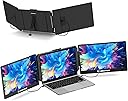
🚀 Triple your screen, triple your impact.
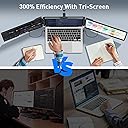
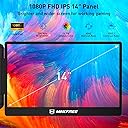
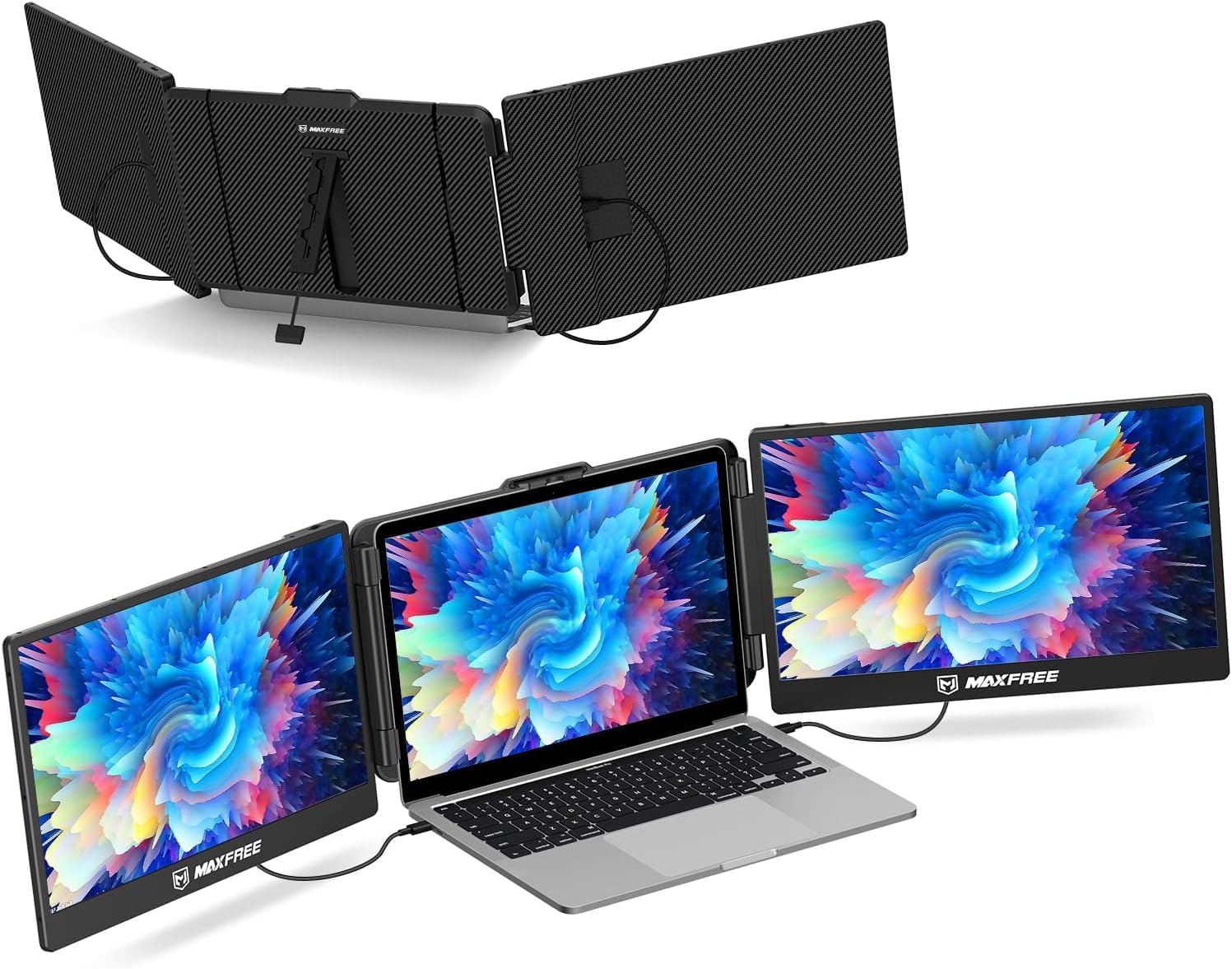
The Maxfree S2 is a portable 14-inch triple monitor extender delivering stunning 1080P FHD visuals with a 300-nit IPS display. Designed for professionals and multitaskers, it offers plug & play convenience with broad compatibility across laptops, gaming consoles, and mobile devices. Lightweight and travel-friendly, it boosts productivity by up to 300%, making it an essential tool for remote work, trading, programming, and gaming on the go.


| ASIN | B0CG9XBTRX |
| Adaptive Sync | FreeSync |
| Additional Features | FHD, Portable, Ultrawide Screen |
| Aspect Ratio | 16:9 |
| Best Sellers Rank | #33,363 in Computers ( See Top 100 in Computers ) #962 in Computer Monitors |
| Brand | Maxfree |
| Brightness | 300 |
| Color | Black |
| Compatible Devices | Laptops, Type-C Phones, PS4, Xbox, Switch, Tablets, Desktops, Gaming Consoles, Speakers, Cameras |
| Connectivity Technology | Type-C, Mini HDMI |
| Contrast Ratio | 1000:1 |
| Customer Reviews | 4.1 4.1 out of 5 stars (567) |
| Display Resolution Maximum | 1920 x 1080 Lines Per Inch |
| Display Technology | LCD |
| Display Type | LCD |
| Hardware Connectivity | USB, mini HDMI |
| Has Color Screen | Yes |
| Is Electric | Yes |
| Item Dimensions D x W x H | 20.7D x 48W x 3.9H centimeters |
| Item Weight | 3.5 Pounds |
| Manufacturer | Maxfree |
| Model Name | S2 |
| Model Number | S2 |
| Mounting Type | Desk Mount |
| Native Resolution | 1920x1080 |
| Number of Component Outputs | 3 |
| Picture Quality Enhancement Technology | Blue Light Protection, FreeSync |
| Pixel Pitch | 0.144 |
| Refresh Rate | 60 Hz |
| Resolution | FHD 1080p |
| Response Time | 1 Milliseconds |
| Screen Finish | Glossy |
| Screen Size | 14 Inches |
| Shape | Rectangular |
| Specific Uses For Product | Business |
| Total Number of HDMI Ports | 2 |
| Total Thunderbolt Ports | 2 |
| Unit Count | 1 Count |
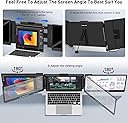
| Viewing Angle | 180 Degrees |
G**.
Easy to install, works beautifully.
A**A
Tiene buena resolución y ayuda a ser más hábil durante tu día laboral
J**H
TLDR: Great product for multiple screens while traveling or out of the office. You may need extra cables depending on your laptop like I did, but the seller has great customer service and shipped them to me quickly for free. I researched several similar products and was between this Maxfree S2 and the Xebec Snap for use while traveling. The Xebec Snap is $999, which drove my decision to the much more affordable Maxfree S2. Initial Impression: • The Maxfree S2 comes with most of the cables you'll need (but seller will send more if needed for free), as well as a convenient carrying case. It fits on my laptop perfectly and I don't think there will be any issues of it holding long-term. The stand in the back is a little flimsy, but it works fine and definitely can't complain for the product's price point. Troubleshooting: • I had the same issue others had where only one screen would work at a time with the cables provided. The issue was my USB-C port does not support video, and I only have one HDMI port on my laptop. • To resolve this, I contacted the seller and they sent a second HDMI to USB-C cable to me. Note, I initially purchased a HDMI to USB-C cable from another seller on Amazon, but it did not work despite looking like the same cable (I assume this cable is proprietary to Maxfree). I contacted the Maxfree through Amazon, explained the issue, and they immediately sent another cable to me for free. • I did need to purchase a USB to HDMI adapter (standard USB, not USB-C) to plug the cable in that Maxfree mailed me, so note that you'll likely need to do the same if you experienced the same issue I did. This is the one I purchased: https://www.amazon.com/gp/product/B07THJGZ9Z/ref=ppx_y Left Screen Connection: • USB to USB-C (USB plugged into external outlet, USB-C plugged into middle port on monitor) • HDMI to USB-C (USB-C plugged into bottom port on monitor, HDMI plugged into adapter [the USB to HDMI adapter mentioned above] which is plugged into a USB port on my laptop Right Screen Connection: • USB to USB-C (USB plugged into laptop, USB-C plugged into middle port on monitor) • HDMI to USB-C (HDMI plugged into laptop, USB-C plugged into bottom port on monitor) Final Thoughts: • I'll update this review after I've had more time with the monitors. Overall, my initial impressions of both the product and the seller's customer service is 5 stars. I had been looking for something exactly like this and I'm glad I gave the Maxfree S2 a try!
L**.
I purchased this Maxfree monitor extender last year to use with my laptop for work and leisure purposes. So far it has been a very good purchase and the extra screen real estate has proven to be a blessing for my workflow, as I often need to have multiple different documents and or applications up at once. This product avoids the need to tab back and forth between them on a single screen. It has a solid build quality, and the materials don't feel in any way cheap. The extension mechanism for opening the product out to attach it to the laptop display works smoothly and applies adequate clamping force to hold the extra screens in place, without being too tight and risking damage to the laptop display itself. Connectivity for the displays is interesting. There are two standard USB-C ports on the back of each monitor which support displayport video signals and can supply power to the monitors. There is also a third port labelled as "HDMI". This port is somewhat unique. Despite being labelled as an "HDMI" port, it is actually physically another USB-C connection, however it doesn't seem to carry displayport video signalling. Instead, this port seems custom designed to connect (via an included proprietary HDMI -> USB-C cable) to an HDMI output on the source device and carry an HDMI signal to the additional displays which I suspect is then converted inside the display itself. Its an interesting solution to allow for an HDMI connection. The displays reach a decent level of brightness, being usable in well lit rooms, although I will note that the colour gamut coverage of the displays is fairly basic and wouldn't be useful for anything requiring high levels of colour accuracy. Each display does include an onboard speaker output, but the level of volume achievable through these speakers is very low, and wouldn't be all that useful in most circumstances. The small kick stand provided is a little less robust than the remainder of the unit, it serves its purpose, but I have found it is only adequate to reach the desk and provide support if my laptop is set up as flat on the desk. If I have raised the laptop in any way to allow for better screen positioning or better airflow, then the stand no longer reaches the table. Despite this, my laptop screen seems like it has sufficient stiffness to support the additional monitors without need for the stand, so this hasn't been a problem for me. Maxfree has also been more than willing to engage and respond to my questions relating to the product, which is something I appreciate, as post sales assistance isn't always something that is forthcoming. On the whole, I can recommend this product for anyone with a similar use case to mine as the additional screen real estate is invaluable and enables a portable workstation setup that is very useful.
P**S
The monitors work well for me. The setup was super easy. I did have to reach to customer service via email regarding one of my Type-C cables that stopped working and Nancy was very responsive and sent me a new cable.
Trustpilot
1 month ago
2 months ago