โก Elevate Your Game, Own the Moment!
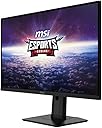
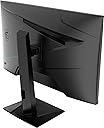
The MSI G274PF is a 27-inch Full HD Rapid IPS gaming monitor featuring a blazing 180Hz refresh rate and 1ms response time. Designed for professionals and gamers alike, it offers NVIDIA G-Sync compatibility and Adaptive Sync technology to eliminate screen tearing. With versatile connectivity options including DisplayPort and HDMI, plus ergonomic adjustments and built-in speakers, itโs a powerhouse display that blends performance with comfort.


| ASIN | B0CKGY3WG8 |
| Adaptive Sync | FreeSync |
| Additional Features | Frameless |
| Aspect Ratio | 16:9 |
| Best Sellers Rank | #82,502 in Electronics ( See Top 100 in Electronics ) #1,880 in Computer Monitors |
| Brand | msi |
| Color | Black |
| Compatible Devices | 2022-05-10T00:00:00.000Z |
| Connectivity Technology | HDMI |
| Contrast Ratio | 1000:1 |
| Customer Reviews | 4.3 4.3 out of 5 stars (32) |
| Display Resolution Maximum | 1920 x 1080 |
| Display Technology | VA |
| Display Type | IPS |
| Hardware Connectivity | HDMI |
| Has Color Screen | Yes |
| Item Dimensions D x W x H | 9.8"D x 28"W x 20"H |
| Manufacturer | MSI |
| Model Name | Optix G274PF |
| Model Number | Optix G274PF |
| Mounting Type | Wall Mount |
| Native Resolution | 1920x1080 |
| Number of Component Outputs | 3 |
| Picture Quality Enhancement Technology | True Color |
| Processor Count | 1 |
| Refresh Rate | 180 Hz |
| Resolution | FHD 1080p |
| Response Time | 1 Milliseconds |
| Screen Finish | Matte |
| Screen Size | 27 Inches |
| Shape | rectangular |
| Specific Uses For Product | Gaming |
| Total Number of HDMI Ports | 2 |
| UPC | 824142327715 |
| Viewing Angle | 178 Degrees |
| Warranty Description | 2 year manufacturer |
| Warranty Type | 2 Years Manufacturer Warranty |
R**Y
Great Monitor!
I bought this monitor because I already had a previous MSi monitor. I intended to use it as a vertical monitor and that currently is my setup right now. Right out of the package, it was very easy to set up, no real issue there. Cables were packaged nicely and worked as intended (Though I did need to use different ones because I use display port, not HDMI). During use, no issues are noted. All pixels are colorful and nice, refresh rate is perfection, and it appeases my discord activities. Only unusual thing is the power button. The power button is the same button to change the monitor settings. So you have to be precise when turning it on and off. To turn it on, you simply need to press the button once. To turn it off however, you need to press and hold in the middle. God forbid you accidentally move your finger and open up the settings, you have to exit out of the settings and try again. Not much of a gripe though, it's subtly teaching me to steady my hand.
R**0
Great monitor
Great monitor with great picture resolution and quality. Worth every penny
P**N
Decent and really good customer support
The first one I got came defective, contacted Amazon and they sent me a replacement. Overall, this monitor is great if you don't mind too much about picture quality and just want the 180hz refresh rate. In case you are wondering 180hz appears on both DisplayPort and HDMI but only HDMI came in the box.
L**S
Amazing graphics and fast response time
Very well made product
M**H
Starting to Fail
Worked well for about 2 to 3 years, now I have lines that show up across the bottom of my screen constantly. It is like trying to view the world from the other side of some very thin blinds on the window.
D**L
Screen messed up
Had the product for not even 10 minutes, got it all plugged in and the screen was messed up. Cant tell if the product was damaged in delivery or just an issue with the monitor itself.
J**S
Perfect addition to my setup
This is the monitor I needed for my setup. Fits perfectly for what I wanted.
P**P
Can't turn off unless the PC is turned off
Purchased this monitor as I have one a few years older and liked it (now wanted two monitors). This monitor does not have the same quality of picture that the older monitor has AND it does not have a power button (although the manual seems to indicate there should be one just like the older monitor). Called the manufacturer and confirmed there is NO on/off button. The only way to turn off the monitor is to turn off your computer. So silly... I don't turn off my PC every day as I've been told that lessens the PC's useful life (turning off/on all the time) - so I just lock or sign off daily for security purposes. My IT team comes online during the night to do security updates when needed, so the laptop needs to be on for that. Nice way to lessen the lifetime of the monitor so you cannot turn it off when desired. Had I known no off/on button, I would have purchased a different monitor. Didn't notice until it was installed on my monitor "arms" so don't want to hassle with a return.
Trustpilot
3 weeks ago
2 weeks ago