Buy anything from 5,000+ international stores. One checkout price. No surprise fees. Join 2M+ shoppers on Desertcart.
Desertcart purchases this item on your behalf and handles shipping, customs, and support to Vanuatu.
โก Power Your Network at the Speed of Now
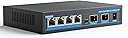
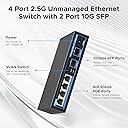
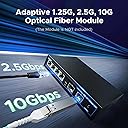
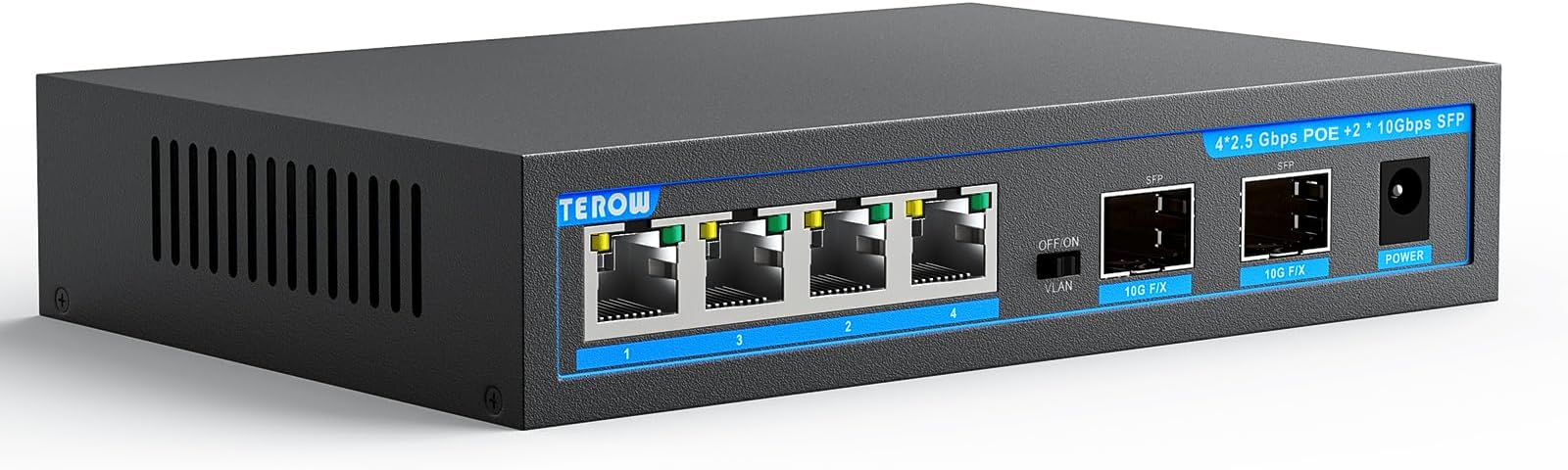
The TEROW 6-Port switch combines 4x 2.5Gbps PoE+ ports delivering up to 65W total power with 2x 10Gb SFP+ uplinks, offering a robust 60Gbps switching capacity. Designed for seamless plug-and-play use, it supports IEEE802.3af/at standards and features a one-key VLAN mode for enhanced security. Its durable metal case, fanless design, and wide temperature tolerance make it ideal for home, gaming, and office environments seeking high-speed, reliable connectivity.


| ASIN | B0CGDCBBV3 |
| Best Sellers Rank | #311 in Computer Networking Switches |
| Brand | TEROW |
| Built-In Media | Blu-ray |
| Case Material Type | Metal |
| Color | black |
| Compatible Devices | Desktop, Laptop |
| Current Rating | 1.25 Amps |
| Customer Reviews | 4.0 4.0 out of 5 stars (51) |
| Data Transfer Rate | 2.5 Gigabits Per Second |
| Interface | RJ45, SFP+ |
| Item Dimensions L x W x H | 9.6"L x 5.1"W x 2"H |
| Item Weight | 1.8 Pounds |
| Manufacturer | TEROW |
| Maximum Power | 65 Watts |
| Mfr Part Number | TEROW-HG0402XG-P |
| Model Number | 6-Port |4 x 2.5G Poe+2 x 10G SFP |
| Number of Layers | 2 |
| Number of Ports | 6 |
| Platform | Not Machine Specific |
| Switch Type | Push Button |
| Upper Temperature Rating | 55 Degrees Celsius |
| Voltage | 52 Volts |
| Warranty Description | NO |
W**L
Canโt go wrong for the price.
It works and is able to push 2.5gbs to all ports while fiber connected to my 10gb switch. Didnโt want to buy another more expensive unifi switch to replace my aging 1gbs Poe switch. So I got this temporarily to run some 2.5gb wifi7 aps. It just works so I think itโs likely to stay. I ended up moving all 4 Poe aps to it and shutting down the UniFi Poe switch.
J**N
Great specs and future planning for my network
Saw this on a Youtube video and it happened to be a lot cheaper. Put it in between my Fiber box and my base station router. We only have 1 Gig but I noticed I'm getting closer to the 1 Gig limit now with this. More consistent 950 and 960 Mbps. So that's worth something. Doubt I'll go to SFP but with this I have the option. Only downside, the lights are bright. So if this in a public space, grab some black tape the dim the light.
A**L
Great product and price
Let me start by saying this solved a problem. Iโm in IT and was doing a copper to fiber to copper conversion and was having difficulty with the converters I had in place. I needed a quick way to test and temporarily solve the problem. This switch did the trick. (I actually bought 2, one for each side) I wanted the ability for 10gb on the fiber side and the 2.5gb on the copper makes this switch valuable in other applications. The switches have been in place for a few weeks with no issues.
M**N
Can't handle a total of 53W of PoE for my APs, or it's just flakey
I got this to replace a larger 2.5G PoE switch so I could use it elsewhere and when installed initially it appeared to work fine. After it warmed up (I assume) it started dropping the APs in and out, or at least stopped communicating to them. This caused lots of errors and emails to me that my APs were dropping. I'm only using 2x EAP660HD (21W/ea) and an EAP225 Outdoor (~11W). This switch is supposedly rated to 65W and up to 30W/port so it should handle it fine, but it clearly does not. If the issue isn't PoE, then it just can't handle being connected to the 4x 2.5G ports. I'm not even using the 10G ports. As for ease of use, it's a simple unmanaged switch, it should be plug and play. There is a VLAN on/off switch, but it doesn't enable/disable VLANs, it really just isolates the ports to only talk to the uplink port.
P**N
POE+ feature requires ALL 2.5g devices be POE or NONE are.
When plugging in a single POE+ device to an RJ45/2.5g port, it powers up the device and connects the network. UNTIL - you also plug in a non-poe device, such as an upstream switch. Any non-POE device in any other RJ45 port turns off POE on ALL FOUR ports. With a total power budget of 65 watts, that's only enough for two POE+ devices. I didn't try it, but it *might* work if the SPF port connects to the upstream switch, and all RJ45 connections were to POE devices. Considering I'd have to buy compatible 10GB SPF adapters for both ends of the run, and can only connect two devices max, it's not cost effective for me. Returned for a refund.
M**O
Excellent Switch
I am very happy about buying this switch
T**A
Connects at 2.5Gbps
My Eero 6 Pro routers and my OpenWRT router set up as a NAS (using a USB3 2.5Gbps ethernet dongle) are all connected with Cat 6 cable (45ft longest) and all achieve a 2.5Gbps connection. Unfortunately I don't really have a reliable way to test the speed at a full 2.5Gbps (I'd have to purchase another USB dongle) and I haven't tested the SFP ports either since I have nothing that can utilize 10Gbps yet. I am able to get a 1.01GB file to copy in 10s, however, that is over a 800-960Mbps wifi connection. Will update this review if/when I have a way to test the speed.
C**H
PoE doesn't power APs out of the box
The switch is provided with a 52V power supply, and unfortunately doesn't seem capable of reducing the voltage it then sends out over PoE. I bought the NOYAFA NF-488 PoE tester specifically to troubleshoot this issue, and I found that the switch is indeed sending 52V over a PoE Mode A pinout. For comparison, my Mikrotik RB5009UPr+S+IN uses Mode B. Not sure if that's significant, but the voltage definitely is. I fixed the problem by switching out the power supply with the 48V one that came with my aforementioned router (I'm using a DC UPS with a 48V step-up converter instead), and this allowed the AP I attached to the switch to fully power on and be usable. The PoE tester still registers the switch's output as "non-standard," but it doesn't appear to be a problem. Other than these things, the switch works fine with my Ipolex 10GbE SFP+ modules. It gets toasty, though, so I suggest sticking rubber feet on it to keep it off any surfaces that can be damaged by heat. Might also want to think about giving it some airflow if it's used heavily. All in all, I might have had some problems but for ~$50 I am quite happy. I would have paid more for a managed version, though.
Trustpilot
5 days ago
1 day ago