🚪🔒 Unlock smarter security with myQ — your garage’s new best friend!
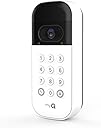
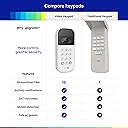
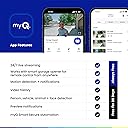
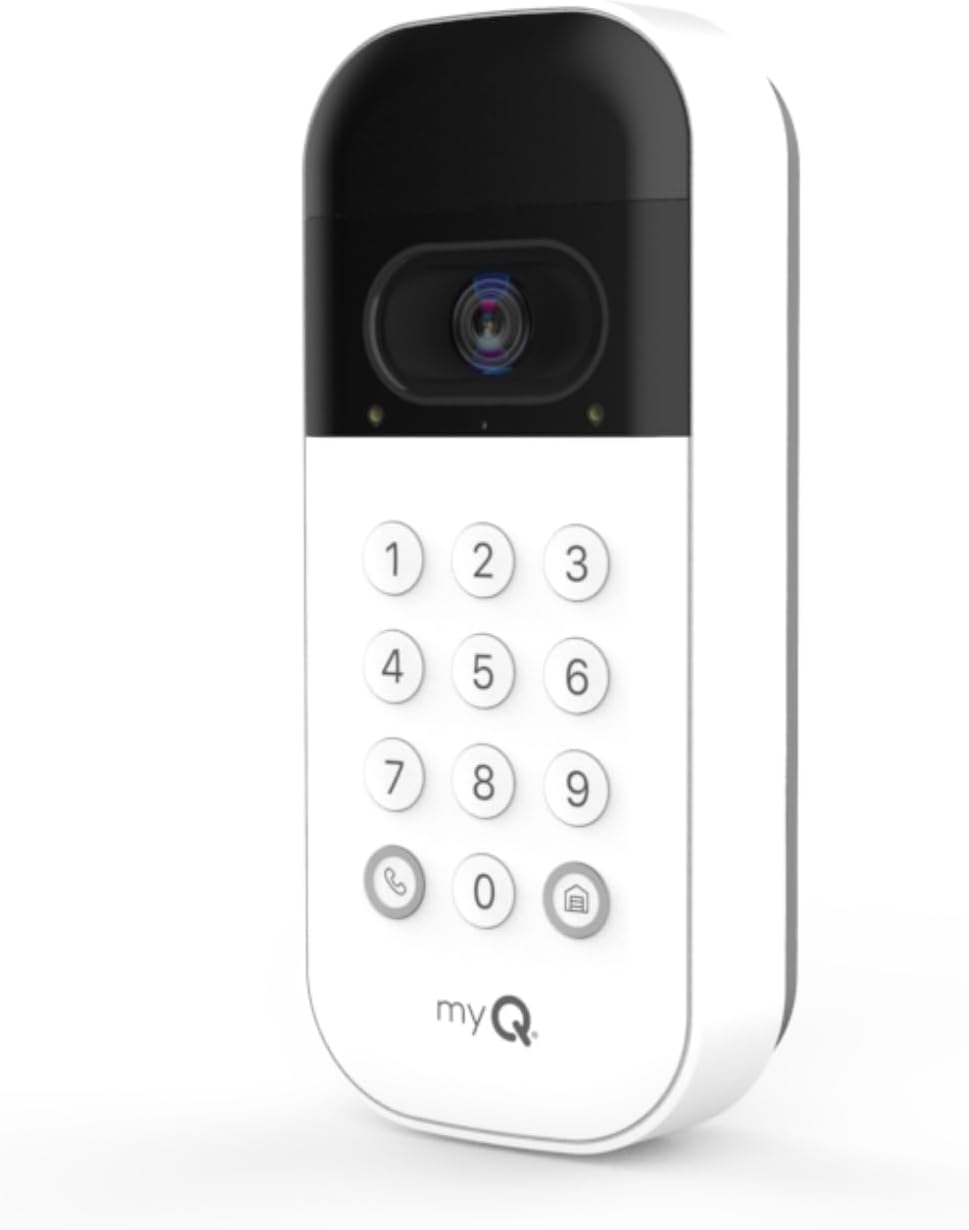
The myQ Smart Garage Door Video Keypad combines a 160° HD camera, advanced motion detection, and customizable PIN access to revolutionize your garage security. Compatible with Chamberlain, LiftMaster, and Craftsman openers, it offers real-time smartphone alerts, two-way audio, and night vision, empowering you to control and monitor your garage remotely with ease.


| ASIN | B0C386N52S |
| Batteries | 1 Lithium Ion batteries required. (included) |
| Batteries Required? | Yes |
| Batteries included? | Yes |
| Battery Cell Type | Lithium Ion |
| Best Sellers Rank | 1,300,706 in DIY & Tools ( See Top 100 in DIY & Tools ) 2,939 in Home Alarm Systems |
| Colour | White |
| Compatible devices | Smartphone |
| Connectivity protocol | Wi-Fi |
| Controller type | Push Button |
| Coverage | Field of View: 160° Diagonal |
| Customer Reviews | 3.8 3.8 out of 5 stars (5,864) |
| Date First Available | 23 May 2023 |
| Delivery information | We cannot deliver certain products outside mainland UK ( Details ). We will only be able to confirm if this product can be delivered to your chosen address when you enter your delivery address at checkout. |
| Included components | Battery Pack, Mounting Kit, Video Keypad |
| Indoor/Outdoor usage | Outdoor |
| Installation type | Screw In |
| Item Package Quantity | 1 |
| Item Weight | 608 g |
| Item dimensions L x W x H | 6.9 x 3.5 x 16 centimetres |
| Item model number | VKP1-MYQ |
| Manufacturer | Chamberlain Group |
| Mounting type | Wall Mount |
| Number of channels | 2 |
| Number of items | 1 |
| Part Number | VKP1-MYQ |
| Power source | Battery Powered |
| Product Dimensions | 6.88 x 3.45 x 16 cm; 608 g |
| Special Features | 2 Way Audio, Built In Light, HD Resolution, Motion Sensor, Night Vision |
| Style | myQ Video Keypad |
| Type of Bulb | Infrared |
| Video capture resolution | 1080p |
| Water resistance level | Water Resistant |
| Wireless communication technology | Wi-Fi |
N**T
Avoid
Doesn’t work with any 3rd party anymore, app full of adds, must buy garbage subscription. Awful
A**R
No funciona bien no manda la señal bien al motor
K**Y
Loving this garage door keypad with camera. It was easy to install and connect with our garage door opener/myQ app, no issues with compatibility. Works just as described. The camera picture is clear and has a wider angle than expected. The battery life seems very good so far. The price was very good. I am very happy with this purchase.
R**L
UPDATE II: After months of waiting for Chamberlain to fix the video delete function, they finally did it! I’m now VERY happy with ALL of my Chamberlain/MyQ devices and rate them 5 stars. I only hope the app developers learned a valuable lesson…IF IT AIN’T BROKE, DON’T FIX IT! UPDATE: my original post stands, and now for the reason I changed the rating to 2 stars: The software engineers and/or App developers put out a change to the already-working-just-fine MyQ App which removes the ability to BULK DELETE videos. You can only delete videos one-by-one, which, if you have 50, 100 or in my latest experience, well over a hundred recorded videos, you’ll spend 30-45 minutes or more, clearing videos from your storage account. The only other option is to delete them every single day, which is another pain in the burro. And here’s the kicker…Chamberlain has known for several months that this is a HUGE issue for users of their camera products, but has failed to fix the App in spite of too-numerous-to-count complaints on the App Store reviews. Chamberlain told me two months ago that they were aware of this problem and were working to resolve it. BULL! Two months later and it still isn’t fixed. All they had to do was issue another update, turning back the clock to the previous version. They aren’t fixing anything because, hey, they got their money for the cameras, so why fix anything? PREVIOUS REVIEW: This video keypad is fantastic in all respects but one, which I will address later in this review. Video quality is great, audio is crystal clear and easy to communicate with delivery people, etc. I’m glad I opted to upgrade from the basic keypad I’ve had for years. Setup was easy as well. Now for the shortcoming: although the battery lasts quite a long time (mine has been going for over 3 months before needing charging), it takes 10+ hours to recharge. That means no keypad or surveillance available all day (or night if you’re charging at night). And, to my knowledge and experience, the only way you’ll know the battery needs charging is a notification on your phone that the keypad is off line. To solve this issue, one must buy a second battery, keep it charged up, and swap batteries when the active one goes dead. That’s a $30 expense that I would rather have not had, but the alternative of no video surveillance and no keypad leaves no choice. And that’s why I gave this otherwise stellar device 4 stars instead of 5.
B**E
I have and have used myQ products with great success for a very long time, so my exceptions are already set based on my previous experiences. I needed to replace my simple garage key pad - and treated myself to this "splurge" over the basic model. However: What disappointment, MyQ you can do much better! My MyQ Video Keypad ($60) Out of the box it looks and feels like a quality piece, seems perfect for my hot Florida temperatures and RAIN it's huge and not in a good way battery takes for ever to charge - 4,5,6 hours idk I plugged it in right away and checked in the morning and it was finally green the fact that it uses a rechargeable battery ONLY, without an included wired option - bonkers if you do buy this thing , buy the accessory wired product along with it ($15) I already had MyQ hub installed and highly recommend it - however without the hub - just because you have a this fancy new keypad don't expect to be able to open and close your garage door remotely - you can't - you'll still need the HUB ($30) set up process - DO THIS B4 YOU INSTALL - 2-3 failed attempts then was like, forget it, send it back - tried one more time and wallah - don't what I did but it connected immediately, code door - open , door - closed - perfect on to the installation place it where you want attach the angle mount - can't hang it without the angle mount - don't like the angle - buy a different mount - another added cost drill a hole to run the not included wire install the not included wire and route it properly connect the keypad to the mount and tighten the thumbscrew - THUMBSCREW not a keyed latch or any other secure method. the angle is the angle and the field of view is the field of view you can, in the app, adjust the area of motion detection - and even that is somewhat lacking. it's big it's ugly it's battery powered and will require charging or a second battery for back up to swap long charging time does NOT include a wired option picture is fair - no better than a blink camera no option to turn off the motion LEDs unable to open and close the garage door with your app WITHOUT a hub! ANNUAL SUBSCRIPTION IS $150 FOR MULTIPLE CAMS AND $80 FOR JUST 1 !!! WOW so yes - I have it installed - it is what it is - it works - alerts on motion - and can see video REAL TIME ONLY - it's shiny, it's new , and will hopefully serve it's purpose and it's white on white so it will blend in a good as it can. Maybe A better option worth considering: Just buy the basic remote keypad ($15-$20) Add the Smart Garage Control - Wireless Garage Hub and Sensor ($30) - NO ANNUAL FEE Additional programming and mine will close at specific times of the day if open, will close if i leave the area, will open when I return etc etc can open and close remotely, like 1000's of miles away remotely If you have to have video: add a Blink Camera - oh guess what - these are battery powered too, but the batteries last for month, I have some over 2 years with the same AA batteries installed. and optional wired or solar power available. Single outdoor cam and sync module - $45 (must have at least one sync module) Camera doorbell with sync module start around $35 other kits are more Blink subscription is $100 annually. MyQ: video KeyPad, Wire kit, Hub - $105 - plus subscription (one cam $80, multiple cams $150) = $185-$255 Blink Option: Basic Keypad, MyQ Hub, Blink Cam - $90 plus subscription (any # of cams $100) = $190+ **Wired video cameras will always be superior to wireless**
S**Y
I’m going to review this in order of impressions, from unboxing to final installation. The packaging is functional and protective, but 100% utilitarian. You’re not going to confuse this for an Apple or Samsung product. The only instructions in the box consists of a QR code on a sheet of paper that links you to an online PDF. I’m old school enough that I like having a sheet I can hold, but it’s obviously not a deal breaker. The online doc is clear, and answers any question you might have—if at first you don’t think it’s on there, read through again since you probably missed it (like I did). The main unit is nice and solid, and feels like a quality piece of electronics. It’s comes with a protective plastic film on the camera, so make sure to take that off. The battery is both good and bad—I like that it has a USB jack right on the battery, so you don’t need to keep track of a random charging cradle that will inevitably get lost. I do NOT like that it’s an old-style USB-Mini jack instead of USB-C. I’m trying to purge my house of all Mini electronics, and was disappointed to have a new reason to keep my Mini cables around for the foreseeable future. Before mounting the pad, I set it up on my phone. I already had the MyQ app set up for my garage door opener, so I didn’t have to go through the process of setting up an account. Adding the keypad to my account turned out to be more of a headache than I expected. For some reason rather than just sending the WiFi credentials to the pad via Bluetooth (you pair with your phone during setup anyway) you have to enter in your password. I have a pretty long password, and apparently screwed up the first time, because it wouldn’t connect to WiFi no matter what I tried. I tried resetting WiFi via the reset button, and reentering the credentials, but that didn’t work either. I wound up having to factory-reset the pad and go from scratch on the setup. The factory reset process is in the instructions, but not where you’d expect it to be—it’s at the top of the section describing the LED colors and patterns. Once it was able to pair with WiFi I thought it had hung, and I almost tried resetting it again. It sat there slow-blinking a green light, which means it’s “connecting to the video cloud” according to the instructions, for close to five minutes before finally going to a solid green light and having it show up on my app. Over all, I’d give the whole setup experience like a 2/5 star review—it could have been more frustrating, but certainly not much more. What should have taken five minutes wound up taking most of an hour. While setting it up with the app I was in my office, about 4’ from my WiFi router, so it wasn’t a “weak signal” issue. I have Blink cameras around my house, in addition to other smart home appliances, and generally it’s easier to set up and pair than this was. For instance, with a Blink camera you just put the battery in, hit the “+” button in the app, you take a snapshot of the QR code printed on the device itself with the app, and it handles the rest. There’s no reason this couldn’t be just as easy, there’s even a QR code on the back that you never even use. At this point I mounted the keypad, which was the easiest part of the whole thing. There was only one spot I could reasonably mount it because of the design of my door and its frame, and it took all of five minutes. I held the mount up to where I wanted it with a small level next to it, and jabbed an awl into the wood through the screw holes in the mount. I drilled small pilot holes where I had jabbed with the awl, then put the mount back up and screwed it in with the included screws. I had gotten the adjustable mount as well as the fixed one, and wound up just using the fixed mount because it looked cleaner and I didn’t need the adjustability. The adjustable mount doesn’t look any harder to mount. As for the functionality of the device itself, it works like a charm. One specific use case has been great: I hate going for a walk with jangling keys in my pocket. I have a Ford Expedition that has a keypad on its door, so my go-to method when taking the dog for a walk would be to leave through the garage, unlock the truck with its keypad, close the garage with the opener in there, and relock the door. Then when the walk was over, repeat the steps in reverse. Now, I can click one button on the garage door keypad to close the door, and type in my code to open it back up. Easy. As I said, I have Blink cameras all around my house, so the camera on the keypad was not a selling point to me. It’s a $3/month subscription to MyQ to make it “save” videos, and I have no intention to set that up. The live video through the app is very clear and smooth, even though I only have 3/4 bars of signal to the keypad where it’s situated. I don’t believe there’s a way to fully disable the camera to extend battery life, but I have sensitivity turned all the way down. Over all I like this thing, because it makes one specific part of my life slightly easier. But, if you have MyQ-compatible garage door opener, and you’ve been wanting to get some security cameras around your house, this is certainly a viable option. Though, this keypad is still top notch especially for the initial price as the install is a breeze, the app makes setup and use extremely easy, and the breadth of features cover everything you could ask for. For those reasons I would recommend this to nearly everyone and if you don`t have an issue paying the annual subscription fee then it is a must buy.
Trustpilot
3 weeks ago
2 days ago