Buy anything from 5,000+ international stores. One checkout price. No surprise fees. Join 2M+ shoppers on Desertcart.
Desertcart purchases this item on your behalf and handles shipping, customs, and support to Vanuatu.
🚀 Upgrade your workflow & gameplay with Crucial T500 — speed, space, and creative power in one sleek SSD!
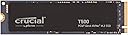
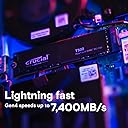
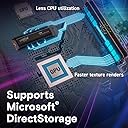
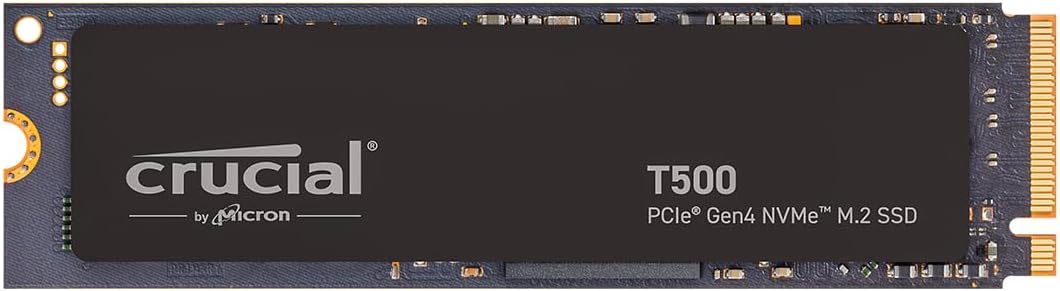
The Crucial T500 2TB PCIe Gen4 NVMe SSD delivers ultra-fast read speeds up to 7,400MB/s and write speeds up to 7,000MB/s, powered by TLC NAND technology. Designed for professionals and gamers, it offers massive 2TB storage in a compact M.2 form factor compatible with laptops and desktops. Featuring Microsoft DirectStorage support, it accelerates game loading and creative workflows. Includes a 1-month Adobe Creative Cloud subscription and Acronis cloning software, backed by a 5-year warranty for reliable, high-performance storage.


| ASIN | B0CK2TC9XQ |
| Additional Features | Compact |
| Best Sellers Rank | #61 in Internal Solid State Drives #354 in Computer Internal Components |
| Brand | Crucial |
| Built-In Media | Internal SSD, Quick start guide |
| Cache Memory Installed Size | 2 |
| Color | Black |
| Compatible Devices | Laptop,Gaming Console,Desktop |
| Compatible Video Game Console Models | Sony PlayStation 5 |
| Connectivity Technology | NVMe |
| Customer Package Type | Standard Packaging |
| Customer Reviews | 4.8 out of 5 stars 5,369 Reviews |
| Data Transfer Rate | 7400 Megabytes Per Second |
| Digital Storage Capacity | 2 TB |
| Enclosure Material | 4Th Generation Nvme Flash Memory |
| Form Factor | M.2 |
| Global Trade Identification Number | 00649528939234 |
| Hard Disk Description | Solid State Drive |
| Hard Disk Interface | PCIE x 4 |
| Hard-Drive Size | 2 TB |
| Hardware Connectivity | PCI Express x8 |
| Hardware Platform | Crucial |
| Installation Type | Internal Hard Drive |
| Item Dimensions L x W x Thickness | 5.8"L x 3.7"W x 0.9"Th |
| Item Weight | 10 Grams |
| Manufacturer | Crucial |
| Media Speed | 7000 Megabits Per Second |
| Mfr Part Number | CT2000T500SSD8 |
| Model Name | T500 Internal SSD |
| Model Number | CT2000T500SSD8 |
| Number of Items | 1 |
| Read Speed | 7400 Megabytes Per Second |
| Special Feature | Compact |
| Specific Uses For Product | Business, Gaming, Personal |
| UPC | 649528939234 |
| Unit Count | 1.0 Count |
| Warranty Description | 5-year limited warranty |
C**S
Blazing Fast & Tons of Storage!
The Crucial T500 4TB Gen4 NVMe SSD is an absolute beast. Installation was super easy, and the speed difference was noticeable right away — games load in seconds and large files transfer lightning fast. The massive 4TB capacity means I never worry about running out of space, and it’s been running cool and stable in my gaming rig. If you’re looking for a high-performance SSD with plenty of room for games, videos, and projects, this is a fantastic upgrade. Highly recommended!
A**Y
Reliable and speedy!
i installed the crucial t500 2tb gen4 nvme ssd in my pc and it’s been a solid upgrade for speed and storage. the drive comes in a sleek single-sided m.2 2280 form factor, which made installation straightforward—no clearance issues in my laptop or desktop m.2 slot. it’s rated for blazing fast sequential read speeds up to 7400 mb/s and writes up to 7000 mb/s, which definitely translates to snappy boot times, fast game loads, and quick file transfers in everyday use. after using it for several weeks, my system feels noticeably more responsive compared to my old ssd, especially when moving large files or launching multiple programs. the drive stays cool under typical loads and comes with a 5-year warranty plus a 1200 tbw endurance rating, so i feel confident it’ll last a good long while without slowing down. the included software from crucial helped me keep an eye on the health and performance of the drive, and i liked the easy firmware update process they provide. it’s also compatible with ps5 if you’re looking to expand your gaming console storage, fitting nicely with no issues. while it’s not the absolute fastest gen4 ssd out there (some competitors do edge it out by a bit), it’s a great balance of speed, reliability, and price. overall, the crucial t500 2tb has been a dependable workhorse in my setup offering fast, consistent gen4 nvme performance and enough capacity for all my games, media, and work files. if you want solid speed without breaking the bank on a gen5 model, this is definitely worth considering.
K**O
Tremendous speed boost for old HP Laptop.
Had a 6+ y/o HP 15-DA0047NR laptop that was OEM with 8 GB Ram, Core i5-1350U CPU, 1 TB 5400 rpm SATA HD, and Win10 Home. MS allowed upgrade to WIn11, but became a sloth with both boot times, ie over 30 seconds just to go from black HP boot screen to Windows Log In, then another 4 minutes to complete the boot process to where the hard drive light went out! Installed the 8 GB Ram Chip in extra slot, and this SSD fit right into the extra PCIe slot next to the battery, allowing the SATA to remain, and replaced the swollen battery that the HP Bios had been warning about! The Crucial website had a diagnostic app that checked out my system, but also provided them with the model # of the laptop for compatibility, wasn't sure if mine could use one prior to doing this step. First booted back to SATA HD, then downloaded/installed and ran the FREE Acronis True Image cloning software selecting default settings for cloning existing HD/OS for booting to new SSD, took a bit over an hour. Had previously backed up the Docs/photos files to a USB Flashh drive. Then rebooted computer again, accessing the BIOS to select/change the UEFI boot devices, it found the new SSD, and reordered it putting it first in boot order, and then completed the boot. Took only maybe 10 seconds to go from HP screen to Log In, and then only 20 seconds to complete the Windows OS boot and all other programs, ie Defender, AVAST, BlueTooth, sound card apps. Now only takes a few seconds to load a program like a browser, or my Outlook email program, etc.! So, I am very happy with the performance, speed of this SSD, it has make a quantum difference in how my old laptop performs. I don't do any gaming on it, so I can't provide a review of it's performance in that category, but I'm sure it will perform well there, too. My old HD was only using about 150 GB for the OS and files, so I'm not using much space(less than 20% of the 1 TB) with this SSD, but read about it's best to have a lot of head room/space to help it not wear out as fast, as well as the number of writes done to it. So you'll want to keep that in mind if you'll be buying one for a gaming machine. Hope this helps you make a decision about getting an SSD for your system, and using Crucial's units.
S**N
You pay for quality, this drive will give you quality.
To start with, as we all know you get what you pay for. For the most part most NVME PCI-E GEN 4 drives are usually going to be good, but to get quality and a good TLC drive with an actual DRAM buffer costs extra. I got this during Prime Day. As of this review it's still on sale, but being an Amazon Prime member during Prime Day I got an extra bonus cash back on my Amazon Prime credit card so it took the price down a little more. The problem is 4tb NVME drives aren't cheap and the good ones with a DRAM buffer cost extra because they last longer and generally give better results for extended write periods. This drive like any other NVME GEN 4 drive is fast and it's great for video editing. It's also great for gaming, but IMO I feel this drive is too expensive for that purpose alone. The only drawback is this drive isn't the best for read/writes with smaller files. Since I'm using this as a video edit drive I feel it's a good investment. So far it seems very snappy and has plenty of room. Once I get my RAM upgrade I should be set. My current setup, Ryzen 7 9800X3D. MSI MAG B850 TOMAHAWK MAX WIFI motherboard. PNY RTX 5090 EPIC-X RGB OC GPU. WD Black SN850X as a boot drive. 2 other 2tb NVME GEN 4 drives for applications and games. 1 Seagate Barracuda 8tb for archive storage. 1 WD Blue HDD 4tb for general purpose storage. 1 Crucial BX500 2tb SSD and 1 Crucial MX500 2tb SSD for fast storage and games. A Western Digital Blue 2tb HDD I use in an external bay for backup programs, pictures and financial files. A firmware unlocked LG 16x Bluray Burner put in an external enclosure for backing up my bought and paid for Bluray movies so I don't scratch them up. Currently 64gb(2x32gb kit) of Klevv DDR5 6000 cl30. I do a lot of video editing with my movies to upscale them and repair image quality on some of my older DVDs and BLU-RAY movies. I use automatic programs like UniFAB and VideoProc CONVERTER AI which a good quality NVME drive is a must to get the most our of these programs.
D**A
Fast, Cool | Easy Cloning |Very Snappy Performance
So far, so good. It's what I expected from a Crucial product. I've been using them for over 20 years. I've included only two quick test result images from Crystal Disk Mark using the default profile (one[green] at 1GiB/one[red] at 8GiB) with Momentum Cache enabled via Crucial's Storage Executive app. I'm not including tests done using Crystal Disk Mark 'Real World' profile because the results can appear to be unrealistic. The IOPS results using 64MiB return about 240,000 MB/s and 1GiB about 180,000 MB/s. Sounds and looks ridiculous until it is taken into account how Momentum Cache works. It is using RAM for these smaller operations and the NAND is not even being hit. Installation and cloning was fast and easy after I realized that I hadn't properly seated the drive in the NVMe slot. I have two slots so I cloned from C; to the new Crucial, swapped them out and the first boot took maybe a minute or so. So in conclusion, the drive is providing very snappy performance and best of all is the temps stay nice and low at about 34C piddling about and only 39C when doing some 8GB or larger writes. The cloning of about 400GB only took about 10 minutes. That was also from a drive with very good stats. Always remember, as with any SSD, the max results shown in the manufacturers tests and what you'll actually get when writing a say a large folder with a mixed bag of file sizes and formats will vary greatly. Usually expect about half in real world file work. I hope to get the same long life as I have from other Crucial products in the past.
P**L
Crucial T500 works on Dell XPS 8950
Dell XPS 8950 desktop (Costco 2022 build) i7 Intel-12700, 32GB DDR5 RAM, AMD RX 6700 XT, PCIe M.2 Gen 4. Replaced the C: Drive with a larger and faster 1TB Crucial T500 PCIe Gen 4 NVMe M.2 by cloning with a Sabrent Model EC:SNVE USB TYPE C Tool Free Enclosure with no issues. Macrium Reflect Home X, the trail version, was used following an article from XDA-Developers.com “How to set up an SSD as boot drive for your new or existing computer”. I also referred to a older You Tube video by Access Random – “UPDATE: Using Macrium Reflect Free to Clone Windows to a Bootable M.2 SSD” to create a USB Rescue Media . The clone time was about 30 minutes using the Type C port (20 Gbps) on the rear of the computer. Removed the old drive and replaced it with the new T500. I did nothing to the BIOS and left the original settings as Boot [UEFI] and Boot Option one as [Windows Boot Manager] and SATA/NVMe Operation as [RAID ON]. The XPS booted up and ran fine with the exception of Norton having to have the KEY reentered to work. The T500 was recognized by the CrystalDiskMarkInfo program and the old Kioxia NVMe was not listed. With all the problem comments on RAID and UEFI settings in the BIOS, I was at my knowledge limits. Using the winsat disk command in the Terminal Admin mode the Sequential Read was 5980 and Write was 4993. The Crucial Spec Sheet lists their 1TB at 7300/6800. I did not turn on the Momentum Cache in the Crucial Storage Executive software. The current Firmware Version is P8CR003 and would not update to P8CR004 using the Crucial Storage Executive – there was a warning of “no drives were found in the system. This may be because your drives are allocated in a RAID configuration. You may proceed with a manual firmware update”. I will try Crucial Support for the answer. Overall, I am happy the way it turned out – thanks to the XDA-Developers and Access Random articles/video for Macrium Reflect. Update 12/31/2024 Called Crucial Support and the agent confirmed that in order to update/add the P8CR004 latest Firmware with Crucial Storage Executive I could not do this with a RAID configuration on the Dell XPS as it would affect other drives (HHD and SATA SSD) as well. This was why I was receiving the Warning or error. The agent also cautioned using Momentum Cache for the same reason – RAID being on in the BIOS. With my limited computer skills and knowledge, I chose to leave the T500 as is – after all it is twice as fast as the original Kioxia NVMe. Crucial has two FAQ’s to better explain the subject – The first, Storage Executive Fails to Update the Firmware on My SSD states, “Ensure that you are not using RAID mode in the system BIOS settings. RAID will often prevent many of the features in Storage Executive from working with your drive, AHCI is the preferred mode. Refer to your system manufacture for any help with this setting.” The second, Basics of RAID – “In terms of day-to-day use, RAID works similarly to a single disk, but diagnostic tools read data from a RAID configuration differently than they do a single SSD or hard drive. For example, Crucial Storage Executive is not fully compatible with some RAID controllers and configurations, and specific functions such as SMART reporting or firmware updates may not work at all in these unsupported environments, requiring the RAID to be temporarily disassembled for updates or troubleshooting of individual drives. Also, while modern operating systems and RAID drivers allow trim commands to run on SSDs in RAID, legacy operating systems and drivers may not properly support them, meaning functions such as Garbage Collection become more important for maintaining the highest performance from connected SSDs.”
B**Y
Fast
This drive is awesome and very fast. made windows and everything load faster also runs cool. it sucks that Micron is leaving the consumer market they make great stuff ram and ssds
S**K
T500 - Great for most people
Got this at 2tb for $101, and, judging by how the prices have shifted around since then, that might be the cheapest anybody will be able to find a comparable NVME drive for quite a while. For my personal home server and gaming applications this has been a flawless secondary drive. Now on paper this is a top performing drive and in the majority of benchmarks (and my usage) it does perform exactly as promised, but there are slight issues with random and sustained writes that have been reported on by enthusiast sites like storagereview. Do your research on how relevant that may be to your use case before using this as a boot drive for a workstation or putting it in an expensive ZFS array. But as a drive where I keep media files like books and some program/game installations, I haven't had a single problem or noticeably bad spike in latency in a month of use. Pros: -Good price and warranty -Very fast secondary drive for games and virtual machine storage (with DRAM which is rare in 7k+ MB/s read drives) -Power efficient -Issues mentioned may be fixed by driver updates (and are next to irrelevant to what I use it for) Cons: -... Issues may not be fixed by driver updates and there just might be a reason Crucial discounted this first wave of these so quickly that isn't it being the holiday season
S**D
Reaching theoretical maximum for the PCIe-4, 7.0 GB/s for read/writes!!
Works as expected reaching theoretical maximum for the PCIe-4, 7.0 GB/s for read/writes due to controller and protocol overhead. What else can you ask. P.S. Sadly, Crucial has closed its consumer NAND storage division. So these are the last remaining stock that consumers can still buy. I have a 4TB SSD.
M**N
Great purchase
Great product really fast speeds and came in great condition
D**L
Excelente calidad
Muy buena velocidad y parece que de buena calidadz lastima que la marca va a desaparecer.
O**A
Crucial c'est royal👍
Que dire? Incroyable performance, les moindres transferts et téléchargements sont ultra rapides. Plug and Play, j'ai pas eut besoin de le formaté, le nvme, est reconnu immédiatement, et prêt à l'emploi. Les températures sont très bonnes, le nvme n'est jamais aller dans des zone à forte chaleur, malgré plusieurs tâches intensif, ansi que de multiples TB de transferts fréquemment. J'ai testé une multitude de nvme de plusieurs marques, gamme, et pays. Je fait un grand nombres des benchmark, et Crucial fait partie des meilleurs résultats. (Samsung n'a qu'à bien ce tenir). Je n'est jamais été déçu des nvme chez Crucial, vous pouvez vous lancer les yeux fermés.
S**Y
Best in the Competition
The best in market. In this price range there is no better option. Go for it without second thoughts. I have compared it with Samsung, ADATA,Ant, WD, Kingston and major competitiors, it's the best. The speed is very good, highest in the competition. It's compatible with Gen3 and 4 and fits perfectly in your existing system easily. Easy to install, just 1 minutes and very light.
Trustpilot
2 weeks ago
1 day ago