Buy anything from 5,000+ international stores. One checkout price. No surprise fees. Join 2M+ shoppers on Desertcart.
Desertcart purchases this item on your behalf and handles shipping, customs, and support to Vanuatu.
๐ง Preserve your past, power your playlist!
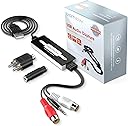
The DIGITNOW USB Audio Capture Card Grabber effortlessly converts analog audio from vinyl records and cassette tapes into digital MP3 or WAV files. Featuring plug-and-play USB connectivity, it supports both Mac and Windows platforms and includes professional-grade Audacity software for seamless recording and editing. Compact and easy to use, itโs the ultimate tool for millennials looking to digitize nostalgic audio collections with crystal-clear sound quality.


| ASIN | B079CBGDST |
| Best Sellers Rank | #22 in Internal TV Tuner & Video Capture Cards #3,171 in MP3 & MP4 Player Accessories |
| Brand | DIGITNOW |
| Built-In Media | Capture Card |
| Color | black" or "white |
| Compatible Devices | MP3 Player |
| Connector Type | USB |
| Customer Reviews | 4.2 out of 5 stars 1,135 Reviews |
| Finish | Vinyl |
| Item Dimensions | 2.01 x 6.5 x 5.6 inches |
| Item Weight | 2.56 ounces |
| Item dimensions L x W x H | 2.01 x 6.5 x 5.6 inches |
| Manufacturer | DIGITNOW |
| Mfr Part Number | BR605-US |
| Model Number | BR605 |
| Number of Items | 1 |
| Number of Ports | 1 |
| Package Quantity | 1 |
| Power Plug Type | No Plug |
| Smart Home Compatibility | Not Smart Home Compatible |
| Specific Uses For Product | Car |
| UPC | 190835705611 190835705529 |
| Unit Count | 1.0 Count |
| Warranty Description | 3YEARS |
C**H
Good and it works.
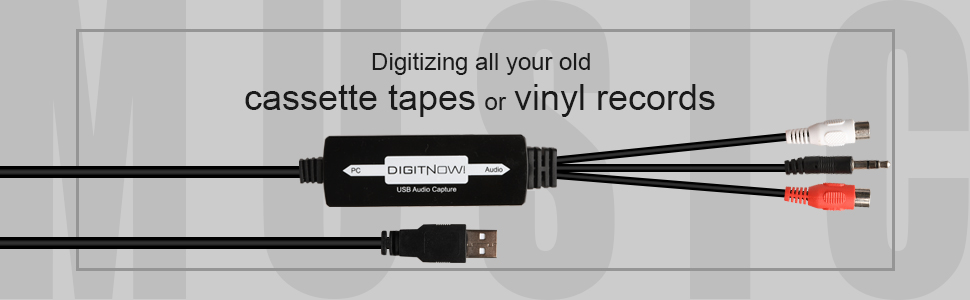
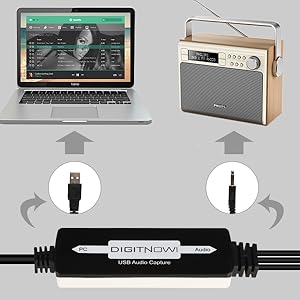
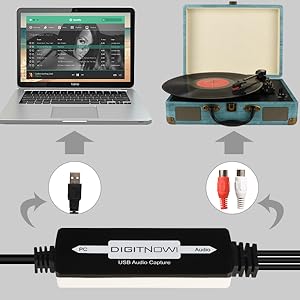
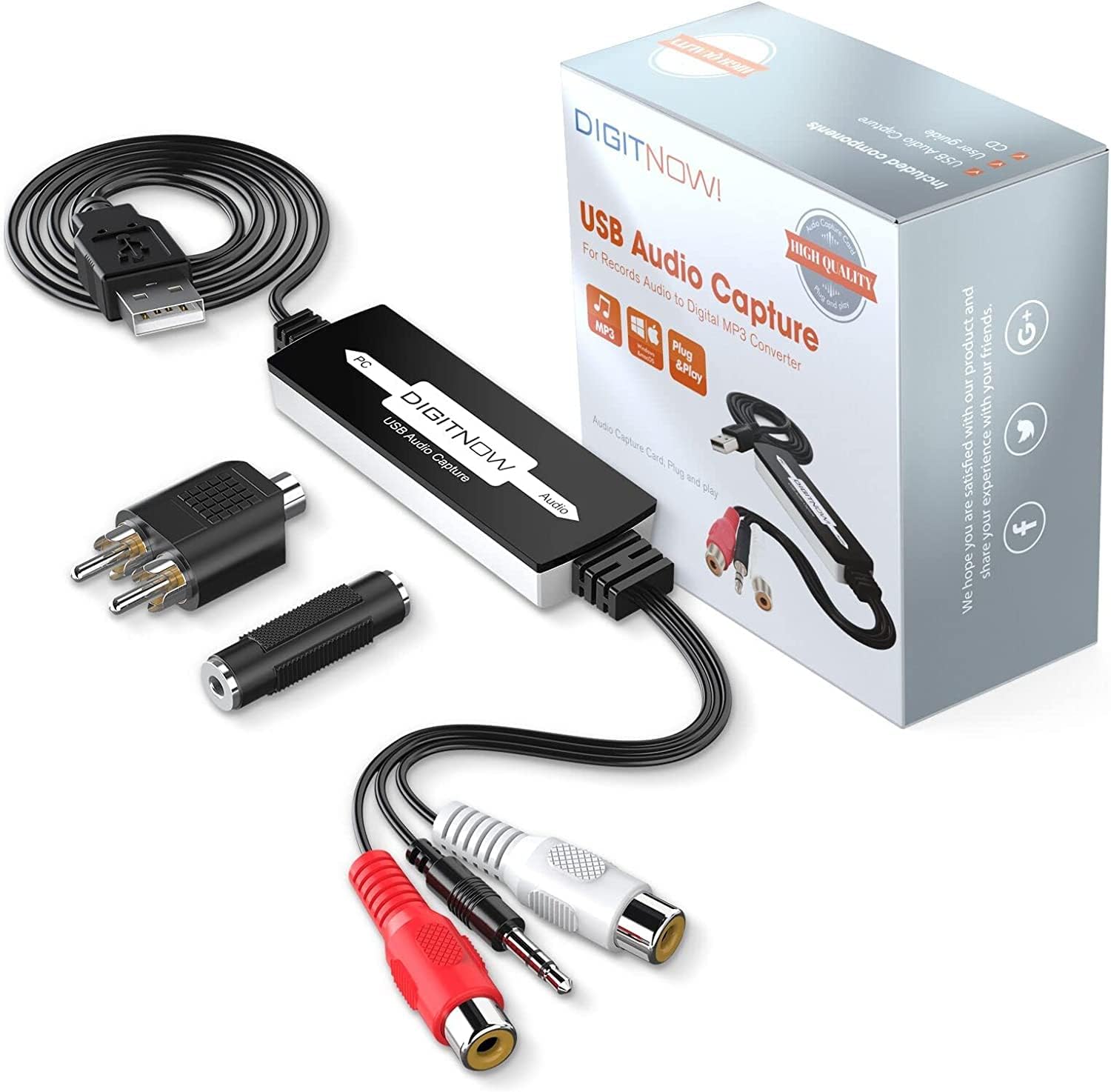
Received yesterday as listed. In the box is the Audio to USB converter, audio accessories (3.5mm female to female audio connector and 3.5mm female to 2 RCA male audio connector), software on small CD (3") and printed instruction manual with contact information (Email and phone numbers). The audio end cable is about 5" long and has the standard red and white RCA audio and a 3.5mm male audio jack. The PC end cable is about 30" long with a USB A port (1.0 or 1.1). The converter itself is about 3" long, 1" wide and 1/2" thick. It is true PNP on Windows 11 Pro. I plugged the USB end into a front USB 2.0 port on my desktop, and it immediately shows up as "USB microphone" in device manager (It has a built in LED power light). I put the small 3" CD in my DVD R/RW drive and just follow the instructions (Make sure to pick Windows or MAC OS in Audacity folder). If you do not have an optical drive, you can go to "Audacityteam.org" for a free download. The included manual, though not necessarily in the best English, is very helpful and fairly straightforward. I had no need for the included audio accessories, but nice to have depending on someone else's particular set up (Will need separate 3.5mm audio cable). I put it to the test with an old turntable and vinyl LP record and the 3 songs I picked worked fine and played as MP3 on my computer. I am planning to transfer some songs from old 33 vinyl records (Eventually burn them to CD's) before I get rid of all my vinyl albums and turntable to declutter my space. I was planning to do the same with old cassettes, but my ancient full size Studio Fisher tape deck kicked the bucket, and I threw it in the trash with all my 40 years+ old cassette collections (Not sure if they still work and didn't feel like buying a cheap small battery-operated handheld cassette player). So yes, this little gadget actually works and no issue on initial use. Good first impression and recommend. Thank you.
B**A
Mission Accomplished
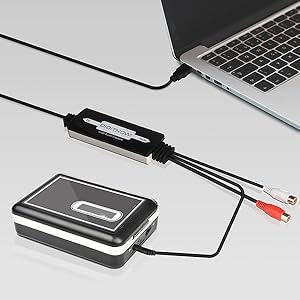
So easy to use! I downloaded free software for transferring cassettes to digital. I plugged one cable into the cassette player and one into my laptop. All worked well as I transferred 15 sentimental cassette tapes to digital. The cables are well-made. The sound quality is excellent. Thankful to have these handy audio tools.
H**L
Works fine, with a few caveats
I was able to use this to transfer an audio cassette to an mp3 on my computer, but a few caveats: 1.) the Audacity software that comes with this product is an ancient version ("compatible with Windows 98"). Download your own current version - it's free. 2.) You will need an male-male audio cable if you are transferring from a component cassette deck. This is the Red/White cable you use to connect components to an amplifier. 3.) This unit works as a USB microphone, from the point of view of your computer. You'll need to change your computer settings to use this microphone instead of your built-in mike. This is easy.
L**D
It works well and is easy to use
I bought this to digitize old LPs so I could play them in the car. It works perfectly. My computer doesn't have a DVD drive, so I couldn't use the included software disc, but I just downloaded the software. I probably would have done that anyway, just to make sure I had the latest version. It's really easy to use. Plug the USB end into the computer, run RCA cables from the "Tape Out" plugs on the amplifier, plug those cables into the female RCA plugs on this adapter, start the software, and play the LP. The learning curve is maybe two minutes, adjusting the gain to eliminate distortion, and you're good to go. The sound quality is excellent, far better than needed in a car, even one with a good stereo. The unit appears reasonably well-constructed, though it's unlikely to be put under any stress, so it's unlikely to break from use. Overall, for the price, and considering that I'm just an ordinary consumer, not a sound engineer, this device does everything I need, at a bargain price.
D**R
Works Just as Advertised
Worked great, just as advertised. Plug & play. I have already been using Audacity for years, so it was even easier for me than for most. I digitized some very rare analog recordings thus saving them from oblivion. Money well spent
T**C
First One Junk, Second One Worked
The first one of these I ordered never worked. I wasted a couple of hours tinkering with settings on my PC and Audacity, trying different settngs, connections, etc. with no success. My Win11 PC never properly recognized it as a USB audio input device and what little audio it would pick up on occasion was garbled beyond recognition. I finally gave up in frustation and returned it to Amazon for replacement. The replacement unit arrived a couple of days later in a shipment damaged box but seems to work OK after a couple of test recordings. My PC recognized it right away after plugging it in the USB port and while I did need to make some changes to internal settings it was up and running pretty quick. I'm only giving this item 3 stars due to the wasted time and hassle with the first one, which makes me question build quailty and long term durability.
J**J
SUPER EASY to use... even with zero installation of software!
Once you know how this little device works, there's really no need to install the included software, unless you don't already have something on your computer that will work fine with it. I'm very accustomed to AUDACITY software on my Linux box, which is where I'm using this device. I see that Audacity is also available for other OS's... or, can be installed from that included in the box. At core, the software supports this cable being used as a direct audio feed OUTBOUND from a tape device (or other audio source, if desired)... into which you plug in this CABLE, and then plug the other end into the PC, where its INBOUND digital signal is captured by the software package. The main thing that can cause some headaches with this process of digital conversion, is if your cable's US B connection doesn't show up in the software. That's usually a result of opening the software before the cable is in place. Or sometimes, there are multiple SOURCE devices, and you've got the wrong one selected as INPUT. BTW, one thing I personally find useful when using this digitizer with 3.5mm audio plug is an audio splitter with dual outputs and volume controls such as: [https://www.amazon.com/gp/product/B06VXZSBZ2] With this, I can plug in an earplug to monitor what the digitizer is hearing, esp in cases where my software has a different OUTPUT channel. It also allows me to more finely tune the input level from the digitizer, with a separate volume controller than the one I have on the earpiece. This little splitter/vol control is of course totally optional, and extra and isn't required to do the recording. All in all, I find this device a SUPER useful tool in my audio toolbelt! Very handy!
H**S
Apparently non-functional Out of the Box
I sold my vintage cassette tape deck and while prepping it for delivery, I found some old family recordings I wanted to digitize. I was able to delay delivery a couple of days and got this device via next day delivery - problem solved! I spent 5+ hours trying to get the device to talk to my standard Windows 10 computer. I followed the install directions for the HW and loaded the ancient version of Audacity. Audacity appeared to find the device (USB microphone) without any problem and showed that the output would be sent to a file on the computer, just like it was supposed to. I verified that signal was present on the tape deck output and amplitude was good. Audacity displayed no incoming audio stream and produced errors when I tried to record - basically it said there was no source. I did the usual Windows routine - check the drivers, delete the drivers and then reinstall - still no audio stream. I tried switching USB ports, etc. without any improvement. I downloaded the latest version of Audacity and installed it. Still, all I got were error messages when attempting to record. Checked the Audacity "Help" and didn't find any hints other than to confirm that the errors indicated no input. Time was up, so I made the recordings by playing the tapes through a speaker and using a cell phone microphone and app. I hated giving this device a one star rating, but it does appear to be defective. I noted that few other reviewers reported such problems. Unfortunately, I can't comment on the recording quality. I have no other use for the device, so am returning it.
Trustpilot
3 weeks ago
3 weeks ago