

Buy anything from 5,000+ international stores. One checkout price. No surprise fees. Join 2M+ shoppers on Desertcart.
Desertcart purchases this item on your behalf and handles shipping, customs, and support to Vanuatu.
🚀 Elevate your home network to pro-level speed and coverage — don’t get left buffering!
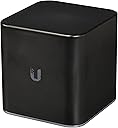
The Ubiquiti airCube-AC is a compact, dual-band 802.11ac wireless access point delivering up to 1.14 Gbit/s throughput. Featuring 24V PoE passthrough, four Gigabit Ethernet ports, and an innovative Super Antenna, it provides wide-area coverage ideal for home or small office use. Controlled via the intuitive UNMS mobile app, it offers professional-grade features like real-time bandwidth monitoring and adjustable power output, making it a powerful upgrade over standard consumer routers.
| ASIN | B07761J3XY |
| Antenna Location | Home |
| Antenna Type | Internal |
| Best Sellers Rank | #317 in Computer Networking Wireless Access Points |
| Brand | Ubiquiti Networks |
| Built-In Media | router |
| Color | black |
| Compatible Devices | Personal Computer |
| Connectivity Protocol | Wi-Fi |
| Connectivity Technology | Wireless |
| Control Method | App |
| Controller Type | Android, iOS |
| Coverage | Wide-area coverage |
| Customer Reviews | 4.1 4.1 out of 5 stars (106) |
| Data Transfer Rate | 867 Megabits Per Second |
| Frequency | 5 GHz |
| Frequency Band Class | Dual-Band |
| Has Internet Connectivity | Yes |
| Has Security Updates | Yes |
| Is Modem Compatible | No |
| Item Weight | 9.9 Ounces |
| LAN Port Bandwidth | 1000 Mbps |
| Manufacturer | UBIQUITI - US |
| Maximum Upstream Data Transfer Rate | 867 Megabits Per Second |
| Mfr Part Number | ACB-AC-US |
| Model Name | ACB-AC |
| Model Number | ACB-AC-US |
| Number of Antennas | 1 |
| Number of Ports | 4 |
| Operating System | [Custom OS] |
| Other Special Features of the Product | Access Point Mode, WPS |
| Router Firewall Security Level | basic |
| Router Network Type | True |
| Security Protocol | WPA2-PSK |
| UPC | 810354026638 |
| Unit Count | 1.0 Count |
| Voltage | 24 Volts |
| Warranty Description | limited |
| Wireless Compability | 802.11a, 802.11ac |
M**E
Mighty Mite: power in a small form factor
After researching I bought one of these to meet my specific need: adding reliable, strong wireless to my established home network. It replaces a pair of Linksys EA3500 router/wifi/switches, which did a good job for a long time. The AirCube did not disappoint. Disclaimer: I'm a career IT pro currently working as a Systems Admin for a large organization and bought this partly based on previous Ubiquiti experience (all good). My experience my therefore not pair up with someone who does do networking for a living. That said, the instructions are clear cut, setup can be done using the app via Bluetooth, and is very easy. I chose to do setup via wired connection. As a wireless access point (WAP) the Aircube while provides four Gigabit Ethernet ports. After feeding it Internet using one port, you're effectively left with three out. What I like: • This isn't a "kitchen sink" consumer-grade device. It does wireless, routing/switching, and has a DHCP server. It can be used replace/extend the wireless features on your ISP's router and provides better performance. • You can control the power output in the GUI. • The GUI provides real-time display of bandwidth, not only for the device itself but for each client connection. • Wireless coverage is excellent. This single unit replaced two WAPs and provides better coverage. • Data rates are excellent. Inside my home, which is old and full of plaster walls and ceilings, we went from 10MBps to 50MBPs on 2.4Ghz wireless and even higher on 5GHz. • It can be powered by POE and pass through POE to other devices - so you could easily add another WAP or external antenna. • Build quality is excellent - and the status light can be turned off completely or on a schedule, if you find it annoying. What I dislike: • You can't hide the SSID. The option simply isn't there. Ubiquiti knows about it and may add it in a future AirOS release (https://community.ubnt.com/t5/airOS-Software-Configuration/Hide-SSID-option-gone/m-p/2593188#M51170). Regarding the inability to hide the SSID, it's annoying but not a game-changer (unless you have that as a requirement). Hiding a wireless network is only an inconvenience to a determined hacker, but the reality is that there aren't a ton of people hacking home networks. Setting a strong password is really what you should worry about. However, this is a basic feature on nearly all wireless gear, so it's surprising to find it missing here. I would definitely buy this again, and I'd recommend this to anyone looking for strong wireless performance with basic networking skills. It's a tiny wireless powerhouse with a polished look, excellent GUI and strong performance.
C**N
Decent product
It works. Definitely a step up from what I had before.
A**T
SLOW, and bad range
I bought one to fix the problem with my range (speed is great with my existing router). The range on this though is WAY less than my ISP provided free router, also checkout the speed test images. You can see the side by side of this ubiquti router being about 1/4 the speed of my ISP router.
J**E
Easy setup
I’m not sure why some reviewers are saying this is hard to setup. Here’s what I did. 1. I read the directions 2. I plugged the cat 5 from my modem into the WAN port. 3. I plugged in power. 4. I installed the iOS app on my phone. 5. I ran the app, clicked the QR icon in the app and scanned the bottom of the cube. 6. I set a new SSID and password. 7. I reset the web admin password even though I’ve heard they are unique for each cube. 8. I updated the firmware using the app. 1 click. Done. Whole house WiFi works great.
D**.
Great product, but configuration wasn't too smooth
Great product, but I am dinging it one star because of the app to configure it. In the included printed setup manual, it says to go and download the "UNMS app" on your device. Great, except that app has been apparently superseded by a new app called "UISP." It took a little hunting in the Play Store to come up with that as there are a few Ubiquiti apps available and they don't all configure the airCube. Once downloaded and installed I quickly discovered that this UISP app has completely different screens from what the paper guide has for the UNMS app. Then for whatever reason it took several attempts in the setup process to open the app, scan the QR code on the airCube and get to where I could actually configure it. After all that I just wanted to plug it into my home network and use the browser interface to configure it, except the default IP address of the airCube is the same as my Fios router. Once I was finally able to get to the configuration screens for the airCube through the app, it was fairly easy to make the needed setup changes to make this an AP on my network. Placed in service it has worked seamlessly and flawlessly as another AP on my home network. I bought this unit to fill in a WiFi hole at one end of my house and since I set it up I haven't had to do anything with it. I had a bad run of APs that needed nearly daily (or more) restarts, or just wouldn't work as another AP on my network and this Ubiquiti has done everything promised. It just works. But then, that is why I got a Ubiquiti, I am familiar with some of their other products and knew they can make good equipment. The airCube is no exception.
J**N
The best AC access point for ISPs
Great product. I've had several in production for customers for over 4 years and have zero complaints. They seem to be good for speeds up to 150mbps on WiFi. I hope they make an AX and/or wifi 7 aircube. Being able to power it with PoE and have passthrough for the outdoor radio is awesome, simplifies wiring and only takes up one plug.
A**R
JUNK
SLOW! this is an old device from 2019 and even with the update its still slow. they also changed the name of the app which was annoying i had to google it. my linksys router smokes this thing.
M**S
A little expensive but worth it
It's a tad expensive for what you're getting as just an AC AP. However you're paying for Ubiquiti's excellent physical design/durability as well as the fairly detailed AP management. My ISP's modem/router combo has always had a WAN component that quite sucked and only added extra instability to our wireless. This removed that specific issue entirely, although of course it can only stabilize an unreliable ISP conmection so much. Either way I'm still very happy with it.
I**Z
Es muy estético y me hubiera encantado quedármelo. No soy técnico pero nunca había devuelto algo por no poderlo echar a andar.... tal vez no funcionó el mío, pero por lo que cuesta esperaba fuera cuando menos fácil de configurar.... intenté desde 3 iPhones y jamas pude lograr acceso. Busqué en internet y no encontré forma de conectarme vía pc o mac... también intenté ambas...
Trustpilot
3 weeks ago
1 month ago