Buy anything from 5,000+ international stores. One checkout price. No surprise fees. Join 2M+ shoppers on Desertcart.
Desertcart purchases this item on your behalf and handles shipping, customs, and support to Vanuatu.
🚀 Own your cloud, ditch subscriptions, and sync like a pro!
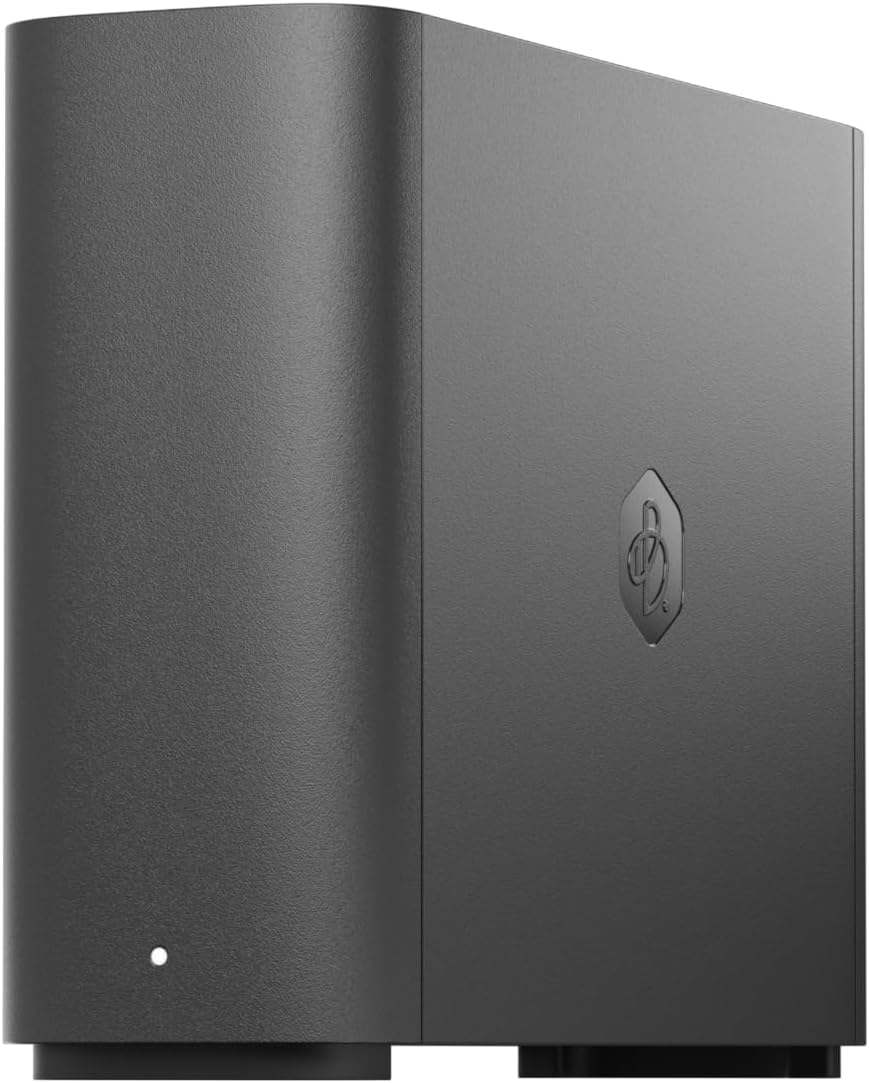
The BeeStation 4TB Personal Cloud Storage Device by Synology offers a powerful, user-friendly solution for storing, syncing, and sharing personal files across multiple devices. With plug-and-play setup via QR code, it centralizes backups from popular cloud services and external drives, providing a subscription-free, private cloud experience tailored for busy professionals and families alike.


| ASIN | B0CSSR38F1 |
| Additional Features | Scan a QR code to begin-no storage or network expertise required |
| Best Sellers Rank | #39 in Computer Network Attached Storage |
| Brand | Synology |
| Built-In Media | Synology BeeStation BST150-4T 4TB Personal Cloud Storage Device |
| Color | Black |
| Compatible Devices | Laptop, Smartphone, Tablet |
| Connectivity Technology | Wired |
| Customer Reviews | 3.8 out of 5 stars 267 Reviews |
| Data Transfer Rate | 600 Megabytes Per Second |
| Digital Storage Capacity | 4 TB |
| Enclosure Material | Metal |
| Form Factor | 2.5-inch |
| Hard Disk Description | Synology BeeStation BST150-4T 4TB Personal Cloud Storage Device |
| Hard Disk Form Factor | 3.5 Inches |
| Hard-Drive Size | 4 TB |
| Hardware Connectivity | Ethernet |
| Installation Type | Not Specified |
| Manufacturer | Synology |
| Media Speed | 559 megabits_per_second |
| Mfr Part Number | BST150-4T |
| Model Number | BST150-4T |
| Number of Items | 1 |
| Special Feature | Scan a QR code to begin-no storage or network expertise required |
| Specific Uses For Product | Multi-Purpose |
| UPC | 846504005314 |
| Unit Count | 1.0 Count |
| Warranty Description | 3 years |
A**R
Great Cloud Storage Device
This is a great backup device for simplicity. The instructions are extremely clear into how to set everything up with scanning a QR code. Everyone complaining that they can't get the device to work is likely just impatient from the slightly long initial startup time. This additionally works with Mas OS Sequoia. Everything was seamless during the update. If someone says it doesn't work with an OS update, they likely did something else to cause their issue. The BeePhotos and BeeFiles app are great. BeeFiles is similar to google drive, where it can sync to a folder on your device. BeePhotos is basically a toned down version of google photos. There is unfortunately no dark mode on these apps. It is extremely easy to share files and albums between users. My one complaint is the link will open up the album in the web, versus in the beephotos or beestation app. Hopefully this will get addressed, but it is not a huge issue. Time Machine works great, which is the primary reason I got this machine. While this doesn't work with a Plex Server, you can view the files locally on a device and a tool, such as VLC and such. This is useful for viewing home videos and photos. The one downside to this device is that it only runs off 1 drive, where many NAS drives will have 2-bays. I recently purchased an external drive to act as a backup device so I don't solely rely on the beestation and the one drive. I will try and update my review after I report how my solution works.
C**D
Use advance settings for local access and toggle on SMB Service for Time Machine backups.
It's easy to set up to replace our Time Capsule. Getting the BeeSation tuned on and updated takes a bit, I used my iPhone. Just wait a while, and the flashing white light will turn orange. Afterwards, the update takes a while, but you will see the progress on the app on your phone. I had to do a couple of searches to find out why the settings for Time Machine settings could not find the BeeStation. Here is the guide to set it up. After you create your BeeStation Portal log in. (I used the Apple Account choice) On your Mac log into your account in the browser. Hover over your BeeStation, click the icon at the upper-right corner, and select System Settings. Advanced Settings > Local Access. Enable Local Account. After you have set up a local account, toggle to enable SMB Service located below the Local Account section. Restart your Mac, and afterward, in the Time Machine settings, you can locate your BeeStation for backup. It backs up much faster on the BeeStation than on the Time Capsule. Attaching an external USB drive to the BeeStation is just plugging the drive into the USB port. Storage is great for two MacBook Airs. Set up is easy once you know how to have your Mac see the BeeStation. The App and the web browser settings are pretty simple. The BeeStation is much smaller than the Time Capsule with a lot more storage.
J**S
Connection setup to my computer network is terrible
To first preface this I should say I am not a certified IT professional. However, I am highly technical in nature and have had a lot of experience with day-to-day dealings with computers and their interface due to the line of our work. Specifically as it relates here I have used WDCloud devices over the years and their setup was easily done. Their problem is that they have been phasing out their NAS product line. I needed something this time to host family photos and videos. I needed something that was just a 2TB to 4TB setup to be used locally here in the home to access family media through the local home network. Synology lists their product as easily setup. I beg to differ what they define as "setup". Upon opening the box you see a tiny setup card which simply guides you on how to physically setup the device with two methods to "Start Using BeeStation". One was Scan QR code and the other through their online portal. I used the online portal. The device easily and quickly connected to their network and all they did at that time is to declare that the device was "ready to use". Went all downhill from there. I could see from the online portal the drive and could transfer files via the Internet. However, I wanted a drive that was mapped to my computer for more of a direct connection rather than relying on the cloud. No mention was made anywhere from this process that other utilities should be used to effect this connection such as "Synology Assistant" and "BeeStation for Desktop". I had to find these via AI searches troubleshooting mapping the drive to my computer network. I get what they are trying to do as an end result but getting to that point is terrible and I was willing to work to see this through and work within their parameters. However getting this to connect to my network proved to be totally unsuccessful. No matter what I did I could not make a connection. I could see the drive in my system but could not see let alone access any of the folders to transfer files. The drive had been setup with credentials for online access and other credentials for local access. No matter what I did I could not gain local access despite 6+ hours of troubleshooting and using the two previously identified utilities from Synology. I rarely have returns to Amazon but this one is being returned today. I total waste of my time this weekend. I cannot imaging what a nontechnical person goes through in this setup unless all they do is rely on access via the cloud. I need local access as the first option. Terrible. P.S. I would give it a 0 star rating if I could but I had to select at least 1 star to submit.
R**K
Slower than I want, but good performance...
For years, I have been using a cloud based system for backing up my photos. It has worked well but the monthly costs are outrageous and I know they will increase every so often. So I decided to create my own cloud with BeeStation. I wish set up was a bit easier. It took me awhile to get the station up and running properly. Then I had to load a few dozen photos and videos. That took about a week and then it took a couple of days for the station to organize it all properly so I can view them sufficiently. Now that I have everything set up I enjoy it. I wish it was a little faster but all in all I am happy with it.
S**.
Love this thing!
I was looking for a simple, reliable, affordable personal cloud storage option. This thing checks all the boxes. Plug and play, you don't have to be an IT geek to get it up and going. To be fair my only hiccup was during the initial setup it kept failing to complete the install, after over an hour of frustration I finally found a page on the Synology website that informed me that the site was temporarily down for maintenance and updating. Tried it again the next morning an voila, easy peasy! Wish they would have made it a little easier to know that little detail. Even with that, it deserves 5 stars, this thing is just what I was looking for. Love it!
J**S
Hardware is great but software isn’t.
This was chosen for its size, price, and brand reputation. The backup and syncing software is not reliable so I use my own software. I will use the storage for a long time for my personal data backup.
S**R
BeeStation 4TB Personal Cloud
Beestation has worked flawlessly under W10 and W11 so far. My main critique is the documentation is a little hard to follow. Beestation has the following modes of operation: 1. Desktop -- this mode establishes a cloud drive as part of your file system. The default is on the C-drive, though you can move it to any attached drive. This is very convenient for a single user. It is a poor way to go if you are sharing the same files across multiple PC's (IMHO.) The reason is if you change a file (or do a backup) on one PC, all the other PC's have to update their cloud images and this makes for a lot of network traffic. 2. As a mapped network drive. This mode works well if you are sharing the same information across multiple PC's. 3. As a file server. You access the files via a web browser. This is convenient if you are temporarily accessing (upload or download) files from a PC that has not mapped the Beestation's folder(s.) 4. Sharing the Beestation with other users. Each user has their own account and can access the drive via the ways mentioned. Thus Beestation is quite flexible and should operate as fast as your network allows. Though I have not tested how well it works when being accessed by multiple PC's concurrently.
M**V
Not A Home Consumer Device. For those of us spoiled by "It Just Works" it's like a punch in the gut.
This is the only product I've found that can sort of do what Apple Time Capsule does, but holy moly, it is a nightmare. I wouldn't make this statement if they hadn't promoted the Beestation as their first consumer home product. It has taken me more than a week to get it set up and working. Time Capsule was a router, an over-the-air backup for Macs, and had Airport Utility. One click and I could see a diagram of all my connected devices. Beestation is inscrutable. Synology has an AI for support, but it can't do something like "Give me step-by-step instructions to set up Beestation." Apparently the AI assistant has only been fed their support documents which are gobbledygook for a non-tech user. And I'm not totally backwards. Been using computers for 40 years, and have never had to hire anyone to set up a connected device. I'm pretty angry that Apple killed Time Capsule and its backup protocols with no substitute ready. They suggested other brands of routers in 2018 when they stopped making them. I really hoped the HomePod would morph into something like it. Never could I imagine they would just tell us, "Get an external hard drive. That's like taking my refrigerator away and telling me to go to a convenience store and buy a 20 lbs of ice every day to keep my food fresh. A dongle on a portable computer (MacBook Air) is Stone Age. Connect, reconnect. Those are some of the cons. The pro is that it allows me to cut my subscription to iCloud to less than 2TB, and I have a sort of private cloud at home that is accessible from anywhere. It does not extend th network for more coverage of the house and deck, AirPort Extreme, the other device killed by Apple did that so easily. Tech is no longer making life smoother. In fact, I'm not wholly sure it's making fully backups as it is supposed to. It isn't accessible or simple, and certainly not intuitive. Since Apple has dug in about making something even better than Time Capsule, they should have just upgraded the one they had, like they do with iPhones, Macs and AirPods. I have until April 20 to return it. If it doesn't click into place and "just work" by the 19th, it goes back. Oh, and believe it or not it has spinning drives! If I'm in the same room, I can hear it. Sounds like a growling bear.
L**G
Synology Beestation
Exactly same as described in Amazon. Super easy to setup and worth buying for those who are new to network attached storage (NAS) product.
M**D
Perfect for individuals and small families
Not a super fast NAS but it gets the job done with super easy setup. Of course there is limitation when it comes to configuration but for the price it’s worth it
M**Y
No UK 3pin Mains adaptor
Warning - This produce comes from the US, without a UK 3pin Mains adaptor
A**R
Great way to store photos on your own cloud!
Extremely easy to set up... Up and running in less than 10 minutes. The actual storage capacity is 3.5 TB... I bought one over a month ago for my wife and I and liked it so much, just bought another one for my two teenage kids who take lots of photos. The Beestation Photos app is like using Google Photos with out the yearly subscription costs. I figure this will pay for itself in three years.
M**.
Genialer iCloud Ersatz
Sehr zu empfehlen. Habe dieses Gerät angeschafft um Downloaden für iCloud zu minimieren. Und es funktioniert hervorragend. Ob Fotos oder Dateien, alles ist via App vom Smartphone oder über den PC zu handhaben. Ein absoluter Cloud Ersatz.
Trustpilot
2 weeks ago
2 months ago