Stream Smart, Live Bright! 🌟
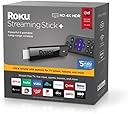
The Roku Streaming Stick+ is a powerful, renewed streaming device that supports HD, 4K, and HDR content. With an advanced wireless receiver for extended range and a voice remote for easy navigation, it’s designed for seamless entertainment anywhere in your home.


B**2
Mine has been great
I bought this because the built in WebOS Smart TV function on my LG TV has very few apps, and it's pretty laggy. I tried to live with it for a while, but I just got sick of it. We are Sling customers and the Sling app on LG is horribly buggy with the cloud DVR function. One day I'd just finally had enough so I bought this Roku stick on a whim. I hesitated a little because of the middling reviews on the Streaming Stick + but I finally just said "oh what the heck" and pressed the buy button.Out of the box did have some initial problems with pairing the remote, it didn't want to join the Roku stick. Rebooting the stick cured it, the remote immediately joined upon reboot. Once it was paired everything was golden. The stick immediately upgraded the firmware upon connecting to WiFi, I would personally recommend not skipping this step considering some of the bugs that people have reported that could have been fixed already with a later firmware.The response in the menus is very fast compared to some of my older Roku sticks on my other TVs. All the apps work as expected/normal. The picture quality is an improvement over the built in LG smart TV function, we actually get HDR content on YouTube now, for example.The remote does struggle to turn the TV on at times, I have to hold it down for a few seconds sometimes, or make a 2nd attempt. I guess this is due to a weak IR function, maybe. It always works eventually though and I'm getting more used to this quirk so I'm able to get it to turn on faster now that I know what to expect. I make sure to hold down the power button and point it right at the TV's IR receiver and it comes on.The device has a strong 5G 802.11AC WiFi connection, shows connection rate of 172Mbit in my network management software. This rate should be strong enough to stream anything out there at max quality. I have 300Mbit AT&T Fiber internet connection. I use ceiling mounted business class access points in my house, Ubitquiti AP-AC-Pro(s). I suspect that people who have problems with the connection, probably have crappy WiFi routers, but they don't know any better. Get something decent if this describes you. If you don't want to get into the business class gear get an Orbi or Google WiFi, or one of the other whole-home WiFi setups.I tried the voice recognition, it took a couple of tries to understand me correctly but then I was able to get the correct phrase on the screen. I don't know how often I would use this feature but I'll try it again another time when I'm looking for content. None of my other Roku devices have it so I will need to get used to using it.Overall I would recommend this device. I'm happy that you can get 4K HDR in stick form, I did not want to purchase one of the devices that would not be completely hidden from view like the Ultra or Premiere. My wife has a no-cord edict that I have to comply with, the TV is mounted in native stone above the fireplace in the living room.I did pick up the extended warranty because of it being a refresh/refurb/return/whatever. I don't remember what that cost but it didn't seem very expensive. I have some other Roku sticks that are more than 5 years old so I do tend to keep them for a while.
B**E
The Best Streaming Video Player In 2018
The Roku Streaming Stick+ is fantastic. I'm surprised I didn't get one sooner. I am a loyal Chromecast user, and that's a fine device for sharing your Chrome browser contents on the TV, or playing a YouTube or Google Music playlist. But it lacks the ability to stream on its own. Roku has the edge by providing a stand-alone streaming device, paired with a simple, physical remote control, and the ability to download apps and channels. You can install the major apps like HBO Go, FX Now, NBC Sports Gold, YouTube, Amazon Video and Netflix. But you also get some wild Roku exclusives like B-Movie TV (movies so bad they're good - a great channel for horror and sleaze fans). If you only have room to add one streaming player, and you're deciding between a Chromecast, a Roku or an Apple TV, the choice can be made fairly simply. The Apple TV is for those who are committed to the Apple platform. If you get your music and movies from Apple, then stick with Apple. But if your choice is between a Chromecast and a Roku, go with the Roku. It can do more. The Stick+ has newer Wi-Fi compatibility for superior speed and streaming stability. And the physical remote control is just better than using your phone or laptop as the controller. And you can "cast" YouTube videos to it using a Chrome browser. And starting in November 2018, you can link it to the 'Google Home' app, and manage it via the Home app, or via voice commands through Google Assistant.The Stick+ is the one to get for a few reasons. First, the Wi-Fi antenna and compatibility (802.11ac) is the best Roku makes at the moment. Second, the stick can plug into your HDMI receiver or directly into a TV HDMI port (and that method will control the volume of the TV if you have a newer model with HDMI control). And third, the remote control connects via bluetooth, so there's no need to set up any line-of-sight between the remote and the stick. The Stick+ runs a little hot, but that's OK so long as it's in a cool spot. Simply get the Amazon Basics HDMI extension cable, and the stick will keep cool away from your other heat-generating devices. Roku has always been the best value in streaming players. And now it provides more HD content, with a faster network connection, in a tiny form factor.
D**S
Funciona perfectp
Excelente
B**Y
Much better than Firestick
The main reason for getting this remote is that the Firestick I was using kept dropping connection with my Wi fi even though I have a strong signal. Another reason is that my TV doesn't have CEC and so I had to use two remotes to control the Firestick and the TV. Big pain.I got this Roku refurbished, so I got a bit of a discount. It came nicely packaged, though not in the retail box, but a generic brown box. All cables and manuals were there, including a set of Duracell batteries. The Roku set up very easily. I just plugged it into my TV (HDMI and USB) and viola, it worked. I didn't have to use the wall plug which was an added bonus.I like the Roku interface even though it is a bit dated. The ads in my opinion are much less intrusive than the Firestick's and the navigation is much snappier. The Roku remote also controls my TV's power and volume perfectly, allowing me to put the TV's remote in a drawer. The only thing I don't care for are the Quick buttons. I use two of them (Netflix and Hulu) but I don't subscribe to Sling or use Vudu, so the buttons are useless.One side bonus is that HDHomerun has a beta app for Roku now and I like it much better than the Firestick version. On reason I didn't switch to Roku earlier was that HDHomerun didn't have a Roku app. In order to get HDHomerun to work though, I did have to manually set the Roku audio to "Digital" instead of automatic.Overall, I am totally happy with the remote and would recommend it to others.
Trustpilot
1 month ago
2 weeks ago