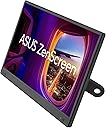
๐ Elevate your mobile workspace with ASUS ZenScreen โ clarity, comfort, and convenience on the go!
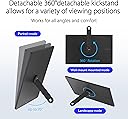
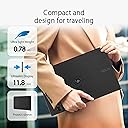
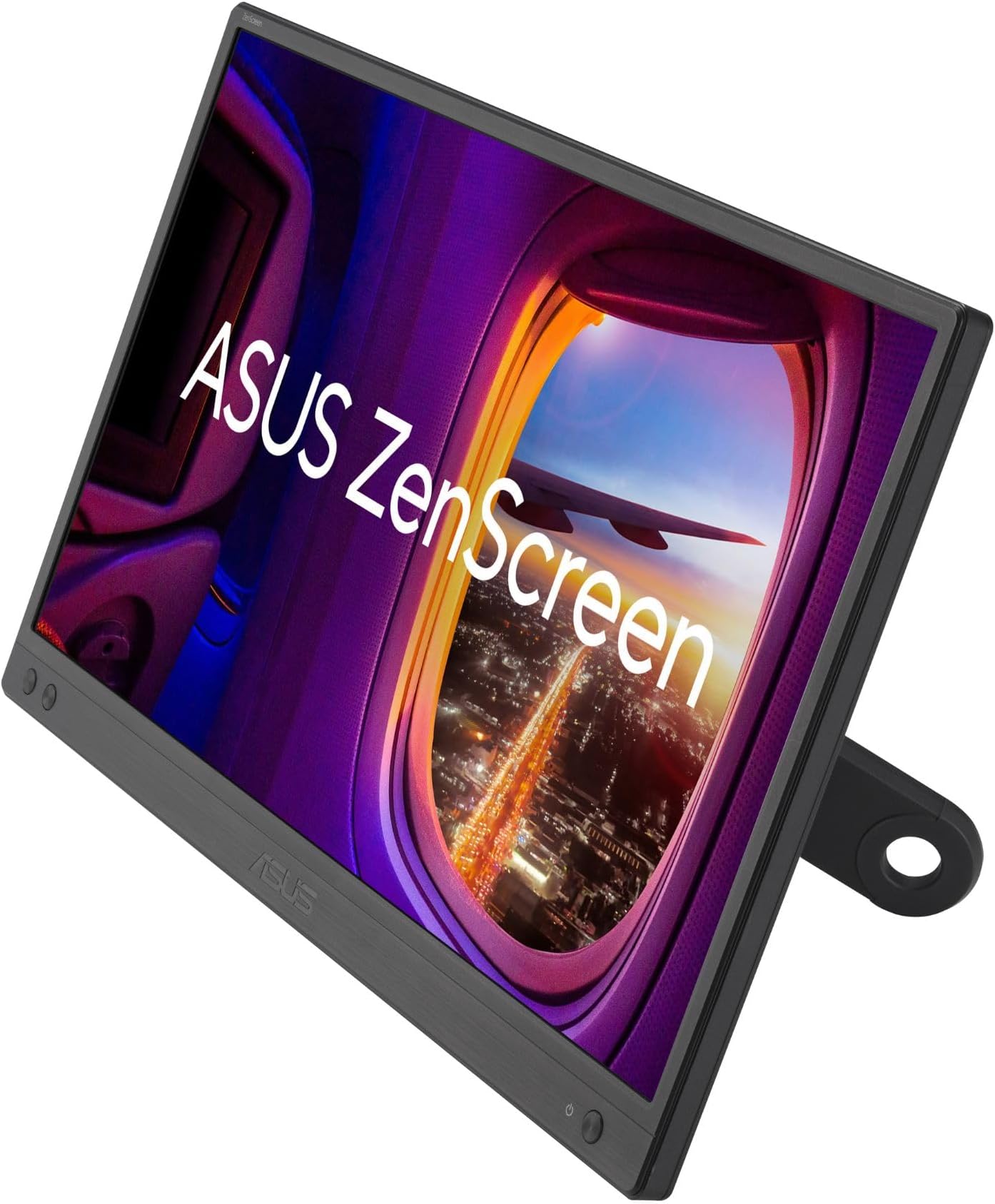
The ASUS ZenScreen MB166CR is a 15.6-inch Full HD portable monitor featuring an ultra-slim IPS display with anti-glare coating. It uses a single USB Type-C connection for both power and video, reducing cable clutter. TรV Rheinland-certified flicker-free and low blue light technologies ensure eye comfort during extended use. The 360ยฐ kickstand and embedded tripod socket offer flexible viewing angles in both portrait and landscape modes. Comes with a protective sleeve, 3-year warranty, and a complimentary 3-month Adobe Creative Cloud subscription.


| ASIN | B0CV23K739 |
| Adaptive Sync | G-Sync Compatible |
| Additional Features | Blue Light Filter, Eye Care, Flicker-Free, Portable |
| Aspect Ratio | 16:9 |
| Best Sellers Rank | #1,501 in Electronics ( See Top 100 in Electronics ) #48 in Computer Monitors |
| Brand | ASUS |
| Brightness | 250 cd/mยฒ |
| Built-In Media | 360ยฐ kickstand, Quick start guide, MB166CR Portable monitor, USB-C cable, Warranty Card, ZenScreen sleeve |
| Color | BLACK |
| Color Gamut | 100.0 |
| Compatible Devices | Laptop, Monitor |
| Connectivity Technology | HDMI |
| Contrast Ratio | 800:1 |
| Customer Reviews | 4.5 4.5 out of 5 stars (2,782) |
| Display Resolution Maximum | 1920 x 1080 |
| Display Technology | LCD |
| Display Type | LED |
| Hardware Connectivity | USB Type C |
| Has Color Screen | Yes |
| Item Dimensions D x W x H | 21"D x 38"W x 49"H |
| Item Weight | 1.7 Pounds |
| Manufacturer | ASUS |
| Model Name | MB166CR |
| Model Number | MB166CR |
| Mounting Type | Desk Mount |
| Native Resolution | 1920x1080 |
| Picture Quality Enhancement Technology | Flicker-free, Low Blue Light, SPLENDID Technology |
| Processor Count | 1 |
| Refresh Rate | 60 Hz |
| Resolution | FHD 1080p |
| Response Time | 1 Milliseconds |
| Screen Finish | Matte |
| Screen Size | 16 Inches |
| Shape | Flat |
| Specific Uses For Product | Business, Travel, Gaming, Photo Video Editing |
| UPC | 197105387720 |
| Unit Count | 1.0 Count |
| Viewing Angle | 178 Degrees |
| Voltage | 100 Volts |
| Warranty Description | 3 years |
| Warranty Type | 3 year warranty |
P**0
Best portable monitor in its price range - versatile stand & great quality
I tried two other portable monitors from competitors in a similar price range, and this ASUS ZenScreen is hands down the best one. The stand is excellent - it allows for different viewing angles and is very versatile for various setups. The brightness is decent and works well for my needs. I use it daily with my MacBook Pro and honestly don't feel much difference from the built-in display - the picture quality is great. My only wish is that it came in 4K, but I understand that would likely increase the price significantly. I really appreciate that it comes with a protective cover - great for portability. Though I wish the cover was built-in rather than separate, it still does the job well. Overall, highly recommended for anyone looking for a reliable portable monitor!
T**T
Inexpensive and impressive option for a "pop-up" office
About a year ago, a customer support rep from a company I work with was raving about the "portable monitors" her team had acquired. I remember being intrigued by the concept but I'd yet to encounter an application for such a thing -- both my home and on-site offices were already equipped with full-sized, dual screens. However, since then, my wife and I acquired a travel trailer, out of which I plan to work remotely on occasion. I started thinking about using the trailer's onboard HD TV as a second monitor but it's really too far away from my workspace to serve as a 2nd monitor. I then thought of hauling and extra, full-sized monitor along but the work to set it up, tear it down and find storage space seemed to outweigh the benefit. Then I remembered that conversation last year about portable monitors .... The ZenScreen seemed to garner good reviews, and I've been happy with other Asus products I've purchased in the past. Mine arrived yesterday and I gotta' say that I'm rightly impressed. I'm not sure why you'd want to consider the larger models as those seem to fly in the face of portability. But the 16" model (15.6" viewable) is lightweight and small enough to coexist with a laptop in most computer bags. Setup is fast and easy โ a quick-connect kickstand allows you to place the display right next to your laptop at the perfect angle. Power and video are simultaneously delivered via a single USB C connection. And brightness, contrast and image quality really exceeded my expectations. My local Target store has a similar Asus 16" ZenScreen for twice the price. The performance specs seem identical to this one. The only difference seems to be that it has an integrated folding stand verses the screw-on "kickstand." While the integrated stand seemed a bit more convenient, it didn't look as sturdy (especially when propping up the display in portrait mode) and I couldn't justify twice the price. Obviously, I have not yet had enough time to speak to the long-term reliability of this product. I'll be sure to edit this review in the future if I encounter any issues. However, this Asus backs the ZenScreen with a 3-year warranty and, as I said, the company has a good reputation for quality. So far, I enthusiastically recommend the ZenDesk portable display for those who travel with a laptop and have the need for dual displays.
S**S
Portable Productivity Powerhouse for Remote Work
As someone who travels frequently for work and values a dual monitor setup, this ASUS ZenScreen has become an indispensable tool. The ability to have a second screen anywhere transforms laptop productivity from cramped and limiting to spacious and efficient. The 16-inch size is the perfect balance between portability and usability. Large enough to actually work on comfortably, small enough to slip into a laptop bag without adding significant bulk or weight. The slim profile and light weight make it genuinely portable, not just technically movable like some "portable" monitors. The IPS display quality is excellent. Colors are accurate and vibrant, viewing angles are wide, and the Full HD resolution provides crisp text and clear images. This is not a compromise display you tolerate for portability. This is a legitimate quality monitor that happens to be portable. Reading documents, editing spreadsheets, and viewing presentations all look great. The USB-C connectivity is brilliantly simple. One cable provides both power and video signal. Plug it into your laptop and it just works. No separate power adapter to carry, no multiple cables to manage. The simplicity cannot be overstated. For travel, reducing cable clutter is a massive benefit. The dual USB-C ports provide flexibility. You can use either port for connectivity, and the extra port can charge your phone or connect other devices. The inclusion of Mini-HDMI means you can also use this with devices that do not support USB-C video output. Versatility matters for real-world use. Setup is literally plug and play. No drivers to install, no configuration needed. Connect the cable and the monitor works immediately. Windows recognizes it instantly and you can start using the extended display right away. The simplicity makes it accessible even for less technical users. The auto-rotate feature and portrait mode work well. For reading documents or coding, portrait orientation is fantastic. The monitor detects orientation and adjusts automatically. Small touches like this show thoughtful design. Eye care features including flicker-free technology and blue light filter make extended use more comfortable. When you are working on the road all day, reducing eye strain matters. These features actually make a difference during long work sessions. Build quality feels premium. The materials are solid, the stand works smoothly, and everything feels well-engineered. This is not a flimsy gadget. It is a serious productivity tool built to withstand regular travel and daily use. For remote workers, digital nomads, consultants, or anyone who works from different locations regularly, this monitor is transformative. Turn any coffee shop, hotel room, or client site into a productive dual-monitor workstation. The productivity gains easily justify the investment. Highly recommend for mobile professionals.
S**I
Great Display and Portability, but Feels a Bit Fragile
The screen quality is crisp and bright, and the portability makes it perfect for travel or dual-screen work on the go. Setup with USB-C is simple and reliable. However, the build feels a bit delicate, so you need to handle it carefully. Overall, a useful portable monitor with a slightly fragile feel.
J**A
It works good and looks good cable is decent. nice monitor menu for ui.
J**.
Work seamlessly. Just plug-in and go.
A**B
The monitor has good build quality. Plug and play, no issues in connectivity using Type C cable. Works equally well with USB A cable when drivers are installed. Very portable being lightweight. The color reproduction is not great but good enough for general use as an extended display.
N**7
I purchased this product as I travel a lot and needed a second monitor when using my laptop. The dual mode input is a great advantage as it increases the compatibility to include all laptops with a USB port, without requiring the additional input. The size and weight make it great for travelling, fitting easily into my existing laptop case. I would definitely buy again, and am considering a second to provide me with a third screen option.
N**N
If you're sitting on the fence on whether to pay the premium for an ASUS zenscreen or save a few bucks and settle for one of those cheaper OEM alternatives, I'd highly recommend you to just get the ASUS. I too, went for the cheaper ones, and ended up hating the quality and returning them. This model from ASUS works as advertised - build quality is fantastic, screen quality and color are also much better compared to the cheaper OEM models.
Trustpilot
5 days ago
4 days ago