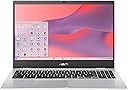
๐ Elevate your mobile productivity with power, style, and unbeatable endurance!
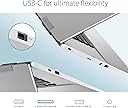
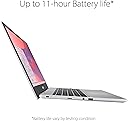
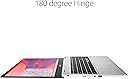
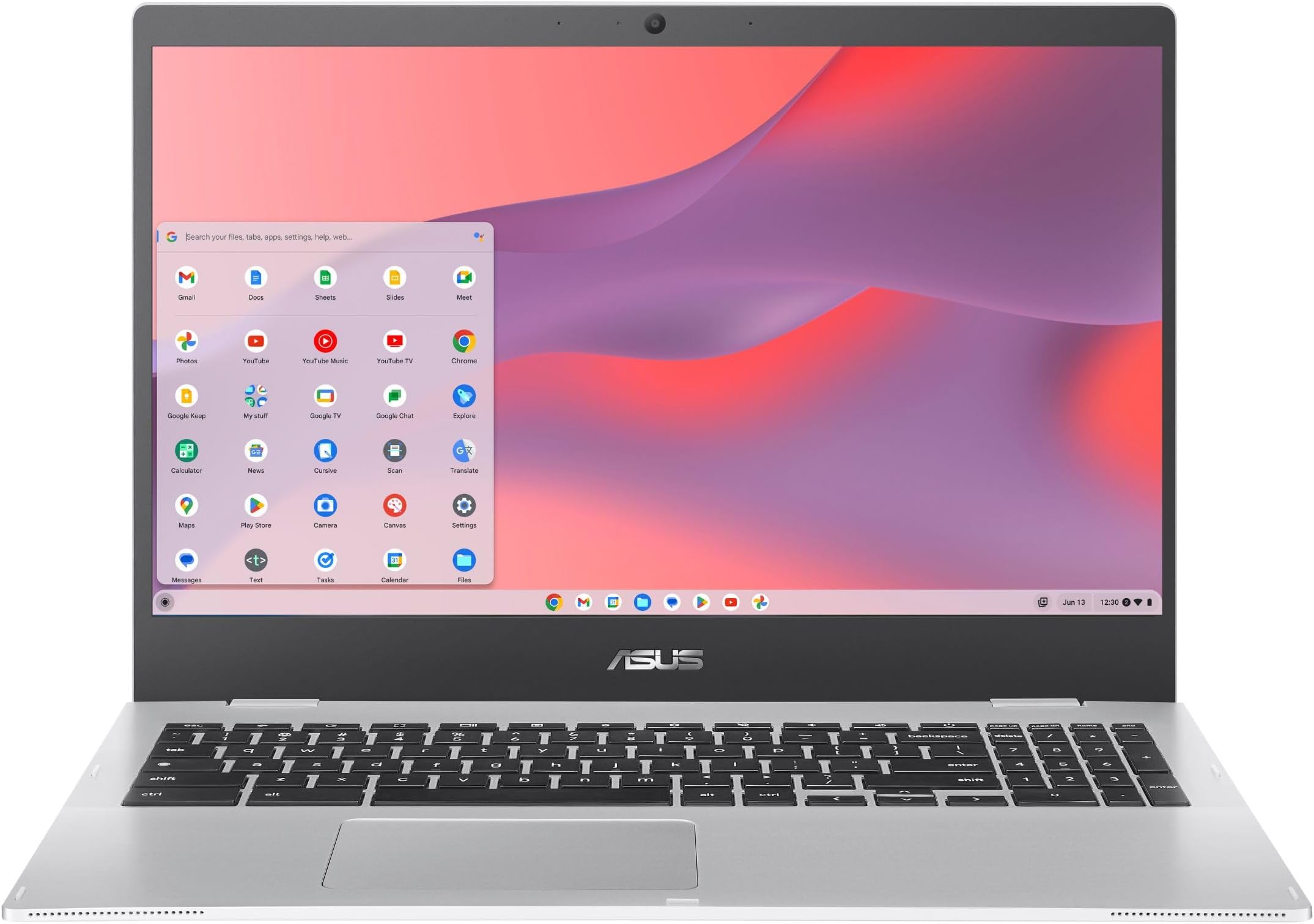
The ASUS Chromebook CX1 combines a powerful Intel Celeron N4500 processor with 8GB RAM and 64GB eMMC storage, delivering smooth performance for professional multitasking. Its 15.6-inch Full HD NanoEdge display offers immersive visuals in a slim, military-grade durable chassis weighing under 4 lbs. Featuring up to 11 hours of battery life, Wi-Fi 6, Bluetooth 5.2, and a full ergonomic keyboard with numeric keypad, itโs optimized for on-the-go productivity. Plus, enjoy 3 months of Google One AI Premium with Gemini Advanced and 2TB cloud storage, making it a smart choice for millennial professionals seeking speed, security, and seamless Google ecosystem integration.


| ASIN | B0CRD43GY6 |
| Audio Output Type | Speakers |
| Audio Recording | Yes |
| Audio features | Basic audio output with speakers |
| Automatic Backup Software Included | Google Drive, Microsoft Office 365 |
| Battery Cell Type | Lithium Ion |
| Battery Life | 11 Hours |
| Best Sellers Rank | #305 in Computers & Accessories ( See Top 100 in Computers & Accessories ) #23 in Traditional Laptop Computers |
| Bluetooth Version | 5.0 |
| Bluetooth support? | Yes |
| Brand | ASUS |
| Built-In Media | CX1500CKA-AS84F, Powercord and Adapter, User Guide |
| CPU Codename | Gemini Lake |
| CPU Model | Celeron |
| CPU Model Generation | 10 |
| CPU Model Number | N4500 |
| Chipset Type | Gemini Lake Refresh |
| Color | Transparent Silver |
| Compatible Devices | Headphone,Speaker,Mouse |
| Connectivity Technology | Bluetooth |
| Control Method | App |
| Customer Reviews | 4.4 out of 5 stars 639 Reviews |
| Display Resolution Maximum | 1920x1080 pixels |
| Display Technology | LED |
| Display Type | LED |
| Form Factor | Netbook |
| Graphics Card Ram | 8 GB |
| Graphics Description | Integrated |
| Graphics Ram Type | DDR4 SDRAM |
| Hard Disk Description | 64GB eMMC |
| Hard Disk Interface | Serial ATA |
| Hard Disk Size | 64 GB |
| Hard-Drive Size | 64 GB |
| Hardware Interface | Bluetooth, MicroSD, USB |
| Has Color Screen | Yes |
| Human-Interface Input | Keyboard, Numeric Keypad |
| Item Dimensions L x W x Thickness | 14.22"L x 0.74"W x 9.84"Th |
| Item Weight | 3.97 Pounds |
| Keyboard Description | Ergonomic |
| Keyboard Layout | QWERTY |
| Lithium-Battery Energy Content | 42 Watt Hours |
| Manufacturer | ASUS |
| Memory Slots Available | 1 |
| Microphone Form Factor | boundary microphone |
| Model Name | Chromebook CX1 |
| Model Number | CX1500CKA-AS84F |
| Model Year | 2024 |
| Native Resolution | 1366 x 768 pixels |
| Notebook Pointing Device Description | touchpad |
| Number of Ports | 6 |
| Operating System | Chrome OS |
| Optical Storage Device | No Drive |
| Other Special Features of the Product | Numeric Keypad |
| Power Device | Rechargeable Lithium-Ion Battery |
| Processor Brand | Intel |
| Processor Count | 2 |
| Processor Series | Celeron |
| Processor Speed | 2.8 GHz |
| RAM Memory Installed | 8 GB |
| RAM Memory Slot Total Count | 1 |
| RAM Memory Technology | LPDDR4X |
| RAM Type | DDR4 SDRAM |
| Ram Memory Maximum Size | 8 GB |
| Resolution | 1080p |
| Screen Finish | Matte |
| Screen Size | 15.6 Inches |
| Speaker Description | Built-in speakers |
| Specific Uses For Product | Personal |
| Supported Monitor Maximum Quantity | 1 |
| Total Usb Ports | 4 |
| Touch Screen Type | No Touchscreen |
| Touchpad Feature | Yes |
| UPC | 197105416444 |
| Video Output | HDMI |
| Video Processor | Intel |
| Virtual Reality Ready | No |
| Voltage | 12 Volts |
| Warranty Description | 1 Year Limited |
| Warranty Type | Limited |
| Webcam Capability | Yes |
| Wi-Fi Generation | Wifi 6 |
| Wireless Compability | Bluetooth |
| Wireless Technology | Bluetooth |
G**A
A Quality Engineering Chromebook
If you are looking for a good Chromebook in Engineering, and are connecting to a dual or triple monitor setup. This Chromebook does the job very well for Engineering Tasks, but not necessarily in a Windows Environment. Linux works really well for Fusion 360, Solidworks, and Virtual Studio Code. Couple these tools with Autocad Web, and you have pretty stout Engineering Workflow. I also use an App named Asana to organize my work. I am a Freelance CAD Designer on Freelance dot com. I not only do Engineering tasks, but I also have a need to create freehand sketches on a Wacom Drawing Board. This Chromebook works very nice with CorelDraw Design and Sketchbook. Chrome Canvas is a good drawing App also for this Chromebook. Google Sheets, Google Docs, Microsoft 365 Online, all work really well using a web browser and this Chromebook. The battery life is excellent, it is also very lightweight compared to a laptop. Team this up with Chrome Remote Desktop, and you can connect to a powerful Desktop and work off of it. It is lightning fast at 8GB RAM and 128GB SSD. Screen is decent quality but improves with the correct monitor setup. WiFi is fast and had no connectivity issues. Power of this Chromebook is quite impressive for a Power User. It will require some research though, to be as productive as a laptop, but it can be done if you document your workflow and ask GROK to list out a workflow for you. I highly recommend this Chromebook for Design, Engineering, Art Documents, and General Office Duties. I take it everywhere I go. Speaking of that, be sure to utilize the App named NoteLM. It is a game changer for professional careers. Does really well at Programming Drones also, use BetaFlight & HeliDrone.
A**H
Awesome product
Bought as a gift. Works awesome and fast.
M**C
ASUS Chromebook
I love this Chrome Book. This is my second one. It is easy to use, Very good price, I like the size and the battery is perfect, if you continue to make sure it is plugged in and always charged. I will say this is the reason for the second one, as I let the battery go, and when the machine gets older and you have had it awhile ,t he battery needs to be charging all the time, plugged in, if not and it goes to low, well too bad, it is toast. Time to buy a new one. It is not a touch screen, design is perfect for my needs, pretty durable for a cheaper priced laptop.
D**E
Very nice Chromebook!!!
Wanted an inexpensive laptop that booted up fast and was portable. This laptop fit the bill perfectly. Great for basic uses, e.g. email and simple google searches. Very pleased thus far.
J**Z
Quality build
I have had two ASUS Chromebooks now and this one is better than the one it replaced. It feels substantial with a texture to the plastic that makes it easy to grab and hold onto. While I have only had it barely a month, I have had zero issues so far. It looks like a quality build. The battery life is good. It seems to charge pretty quickly from nearly empty. One thing I really appreciate that the older ASUS didn't do was to give notice prior to simply shutting off when the battery is dead. I like being able to plug it in rather than boom! lose whatever you were doing. I thought Acer was a better brand and first bought one of those. It was garbage that cost more than this. I returned it and got about forty bucks back. This is an easy to use model which includes additional keys on the keyboard to do number based data entry, adding functionality. The battery life is long. I think it lasts nearly 6-8 hours on a charge. It is a nice looking model. The wifi connectivity was easy to do. Storage is generous enough at 128. It has a good build which moves along nicely regarding pace going from site to site or job to job. Would highly recommend so far and would order again.
O**G
Great Chromebook for the price!
At $189, this Chromebook is surprisingly well designed. Keyboard feels cheap and the screen is mediocre but itโs only $189. I only use it for web browsing, streaming movies. It runs well. From a distance, it looks like a $800 laptop lol. Itโs perfect for light use and easy on your wallet.
J**L
BAIT AND SWITCH
2 STARS JUST RECEIVED THE PRODUCT AND THE OUTSIDE PACKAGE LOOKED FINE BUT THE PRODUCT BOX LOOKS USED. ASUS TAPE HAS BEEN RETAPED WITH CLEAR SHIPPING TAPE. SHIPPING LABEL COVERED. I HAVE NOT OPENED THE BOX AND SERIOUSLY CONSIDERING RETURNING THIS ITEM JUST BASED OF THE CONDITION OF THE BOXES. THIS ITEM IS SOLD AS NEW NOT USED. COMPLETELY SUSPICIOUS ORDERED 2 OF THESE ITEMS. THEY SHOULD BE 100% IDENTICAL. PACCKAGING, PRODUCT POSITION , SAME MATERIALS USED.... NOTHING ABOUT THESE TWO ITEMS ARE THE SAME. DIFFERENT WRAPPING MATERIAL ON THE CHROMEBOOK AND THE POWER SUPPLY IS IN DIFFERENT LOCATIONS FROM BOTH BOXES. THIS IS COMPLETELY FALSE ADVERTISING - PLAN AND SIMPLE. I WILL TEST THE PRODUCT TO DETERMINE FUNCTION BUT I AM DONE WITH ASUS.
S**E
Decent but Speakers and Mouse Controls are an Issue for Me
Meh. Good and bad. It's fast, cheap, and has a decent battery life. So far, no issues with functionality or wifi connectivity. Decent screen resolution. But there are 2 huge drawbacks for me: 1- the speakers are awful. Even on max volume, the sound is what my old laptop puts out at medium. I don't know why ASUS thought putting speakers on the bottom was a good idea but that's where all the sound comes out on mine. Maybe it's a bad unit. 2- the mouse settings are irritating. I had to search to find the settings/adjustments that I were needed and despite tweaking them several times, it still doesn't feel right. Also, I've tried a few different mice and used the built in pad and it just isn't very smooth. It's glitchy and jumps.
A**R
Great but no UK plug
Shipped from the US so it didn't have a UK plug or an adapter, but otherwise great. Also note, US keyboard layout
Trustpilot
3 weeks ago
2 days ago