We remain fully operational. Our teams are working around the clock to ensure your deliveries continue safely.

DOWNLOAD THE APP


Copyright © 2025 Desertcart Holdings Limited
DOWNLOAD THE APP


Buy anything from 5,000+ international stores. One checkout price. No surprise fees. Join 2M+ shoppers on Desertcart.
Desertcart purchases this item on your behalf and handles shipping, customs, and support to Vanuatu.
🚗 Upgrade Your Mazda to Wireless Smart Driving—Because Wired is So Yesterday!
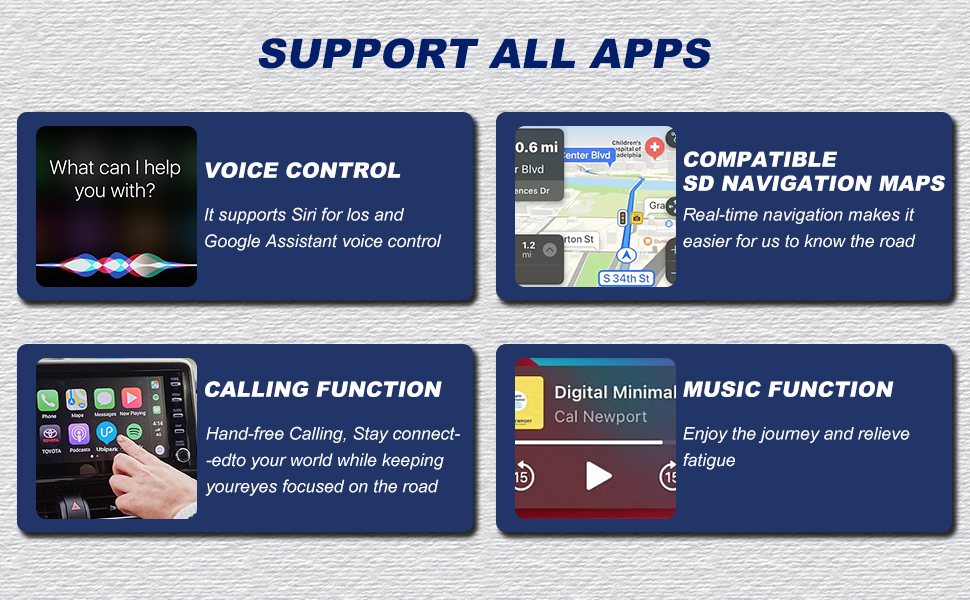
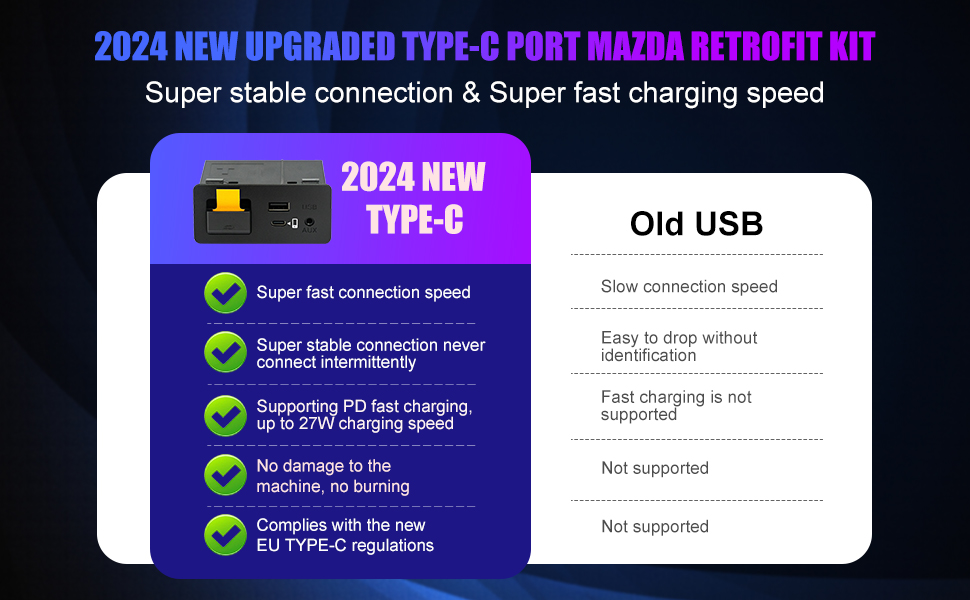
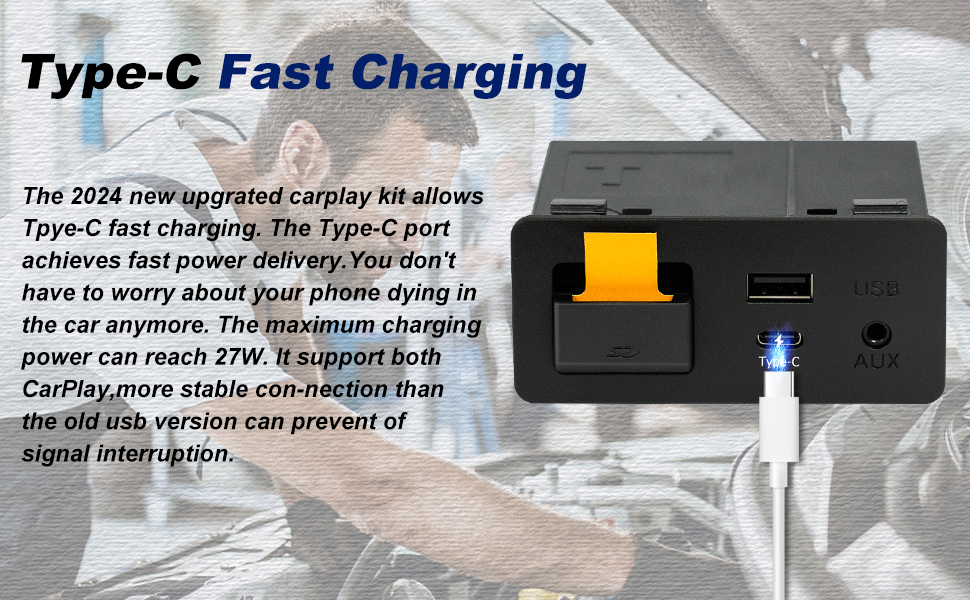
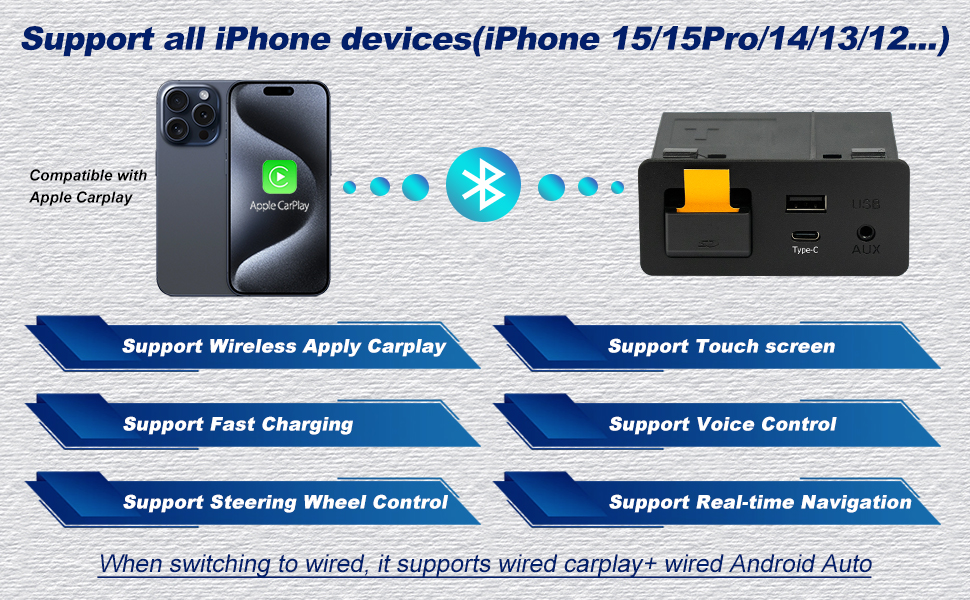
The Mazda Type-C Wireless CarPlay Retrofit Kit (TK78-66-9U0C) is a premium OEM media hub upgrade that transforms compatible Mazda models (2015-2020) with seamless wireless Apple CarPlay connectivity. Featuring a fast 25W USB-C charging port, flawless integration with Mazda Connect systems, and retention of all original vehicle controls, this kit delivers a clutter-free, smarter driving experience backed by 24 months warranty and professional support.



| ASIN | B0D25GKH2Y |
| Additional Features | Wireless Carplay |
| Best Sellers Rank | #20,098 in Electronics ( See Top 100 in Electronics ) #169 in Car Audio Receivers |
| Brand | HMYC |
| Color | TYPE-C Wireless Carplay |
| Compatible Devices | Mazda CX-3 All models 2016 to 2019 CX-5 All models 2016 to 2017 CX-9 All models 2016 to 2020 Mazda3 4-Door All models 2014 to 2018 Mazda3 5-Door All models 2014 to 2018 Mazda6 All models 2016 to 2020 MX-5 Miata Club / Grand Touring 2016 to 2020 MX-5 Miata RF Sport 2018 to 2019 MX-5 Miata Sport 2018 to 2020 |
| Customer Reviews | 4.3 4.3 out of 5 stars (396) |
| Data Transfer Rate | 5 Gigabits Per Second |
| Enclosure Material | Plastic |
| Hardware Interface | USB 3.0 Type C |
| Item Weight | 0.9 Pounds |
| Manufacturer | huazhi technology |
| Mfr Part Number | TK78-66-9U0C |
| Model Number | TK78-66-9U0C |
| Number of Ports | 2 |
| Operating System | iOS |
| Total Usb Ports | 2 |
| UPC | 724320932574 |
| Warranty Description | 24 month warranty |
J**Y
All good - easy upgrade
The gadget works as intended in my 2017 CX-9 GT. It was plug and play. Build quality is excellent from my POV. The device came with the necessary cables and foam stickers with which to wrap them. The instructions are clear. Removing the trim in the car is a tricky and at times delicate affair, but there are plenty of tutorials online. It bears repeating: update your infotainment system firmware BEFORE you install the new hub! The built-in wireless module boots up instantly and CarPlay is running within 15 or so seconds of starting the vehicle. Could have gone for wired but I pike a clean center console. It’s been a game changer (but I can’t give this hub credit specifically for the ability to install CarPlay - credit is to Mazda). Where this shines is the builtin wireless card and the Type-C port. I haven’t tried that but understand if the wireless card is selected (the little switch hidden under the SD cover), then the Type-C port only serves to charge your device. For those who care: note this is a p3.1 hub. I went with this because, based on my research, although the following iteration (p3.2) includes wireless Android Auto (only wired on p3.1), it does this through some chip baked into the hub with Android OS on it — which boots on ignition and then emulates CarPlay. On the forums, people have described this software implementation as slow and unreliable. tl;dr if you are on the fence, don’t think just buy. The price is fair for this aftermarket replacement with extra bells and whistles.
P**F
A little painful to install, but an awesome upgrade
Installation was a chore - strongly recommend looking up the youtube videos, having a set of plastic shims for taking apart a dashboard, and going slowly (took me more than an hour to route the cabling and install the new unit.) Make sure you also upgrade to the right firmware first! But the final upgrade was well worth it Android Auto works great and puts the map right on the display - no more phone clips or looking down at the phone in the cupholders.
A**I
2014 Mazda 3 iGT upgraded!
I went to the Mazda Dealership to upgrade the firmware, since my car's firmware was 54.0 something at that time, and the dealership said that they had to upgrade the firmware at 3 different stages to make sure that the firmware does not get fried. Later, I attached this kit in my cart. There are many tutorials out there, one thing that initially confused me was that the green and blue wires are supposed to connect side by side, which was not clear from those videos. Just something you know by trying. Also, I had to downgrade and upgrade Android auto in my mobile phone because it kept disconnecting at first. Once I restarted android auto (both in the car and in the mobile phone) a couple of times, it connected and has been connecting flawlessly ever since. I also attached a bluetooth android auto wireless device, so now I can connect with it any time I want without the wire. Also, the back camera and everything works, the knob also works. The touch screen does not work with Android auto, but that's okay. The touchscreen of Mazda 3 2014 is known to be sensitive, so it should not be used that much anyway. Overall, great product!
M**G
Great Product So Far! Read this to for everything you’ll need to know to install and set up!
My car: 2016 Mazda 3 2.0L sport manual 4-door How to install! Before you do anything, go into your cars settings and in the about section check for the version. It needs to be at least v70.0…. Or it will not work. Next, google how to update Mazda firmware and look for the YouTube video that provides links for the files. These include extremely clear step by step instructions and warnings that the email you get from this company doesn’t have. It also has newer firmware versions. Read the instructions carefully before doing anything. They are very specific to avoid ruining your vehicles computer. Also, don’t get too impatient. The update will take a longgggg time. Mine took close to right at an hr from the point where I pressed begin install to the point that it finished. So if you think it’s frozen it’s not. Once you have updated your firmware, now is the slightly tricky part. This will be for my Gen Mazda3s only bc idk any other models. Watch YouTube videos on how to take out the trim pieces. The clips are strong so don’t just yank on it or you’ll break it. But you still need to use force. Pull where the clips are, not on the ends. Then remove the infotainment screen. You’ll need a 10mm socket with a long extension to reach it. Then remove the old USB hub. I actually found this way easier than anyone else was saying it is. You don’t need to remove any center counsel pieces. But you do need some hook tools. They look like screw drivers with dentist cleaning ends. Pull down the SD slot cover and insert a hook in the middle most small hole and gently yank off the face plate. Then use the straight pointy tool to pick at the clips (starting on the bottom) holding them in until you can lift it high enough to get a flat head screw driver wedged in there. With the screw driver holding the bottom clip, use the straight pointy tool to compress the clip directly above. While holding that down, use the hook tool to grab the side of the wall and pull, carefully so it doesn’t slip and gouge. Once you’re able to pull it a couple mm s out enough so the clips are no longer locked in, do the same for the other side. Takes some dexterity but this is much easier than taking everything apart and also better than drilling into it. The next hardest part was fishing the wiring through. If you know someone with small dexterous hands, get their help for this. Good luck! I was able to first time everything (including update) just over 2 hrs. So happy with how integrated it feels. Four stars because it doesn’t include any detailed instructions except what to do once you have it installed. Which was by far the simplest part. I will update this if I notice any future issues.
K**.
This purchase was fantastic
This purchase was fantastic; it has been very useful in my daily life. It was easy to install and works perfectly in my vehicle. I give it 5 stars. In addition, my order arrived on time.
G**S
wasn't diffcuilt to install once car's firmware was updated, i do loose connection sometimes but restores shortly after. Other then that it works well
I**4
Det fungerar jättebra. Smidig och snabb gränssnitt. Omständig installation som krävde ca 45 minuter men till slut blev det bra.
V**C
Das Nachrüstkit hat meine Erwartungen voll erfüllt. Der Einbau war unkompliziert und gut machbar, da es sich um ein OEM-kompatibles Modul handelt, das perfekt mit dem Mazda MZD-Connect-System harmoniert. Alles passte ohne Basteln oder zusätzliche Anpassungen. Wireless CarPlay verbindet sich schnell und zuverlässig, ohne Verbindungsabbrüche oder Verzögerungen. Die Bedienung läuft flüssig, genauso wie bei einer ab Werk verbauten Lösung. Besonders angenehm ist, dass kein Kabel mehr nötig ist – ein echter Komfortgewinn im Alltag. Insgesamt eine sehr hochwertige Lösung mit tollem Funktionsumfang. Für alle Mazda-Fahrer, die Wireless CarPlay nachrüsten möchten, eine klare Kaufempfehlung und verdiente 5 Sterne! 🚗📱✨
J**A
instale en una Mazda cx3 2018 que no tenia la actualización de sistema, por lo que tuve que actualizar la computadora del sistema de entretenimiento manualmente antes de instalar el producto, 8/10 en el nivel de dificultad, se necesitan habilidades de computación para crear el USB con la actualización y se necesita herramienta para la instalación Física del modulo en la camioneta, "" si tienes la habilidad de cambiar el aceite de una camioneta, adelante, si no sabes checar el aceite de tu camioneta, que alguien mas lo instale por ti""
M**.
Funktioniert bei meinem Mazda CX-5, Baujahr 2015, bis auf die Bedienung per Touchscreen einwandfrei. In einigen Foren habe ich aber gelesen, dass der Touchscreen bei den Nachrüstsets dann meistens nicht funktioniert. Das stört mich aber nicht, da es per Dreh-Drück-Knopf und Sprachsteuerung einwandfrei funktioniert. Bei Anschluss des Handys dauer es nur wenige Sekunden. Der Einbau ansich, ist dank Youtube-Videos auch nicht schwer. Das schwierigste ist, den alten USB-Hub raus zu bekommen. Ich habe mich nach einer halben Stunde Fummelarbeit dazu entschieden, einen kleinen Teil der Seitenverkleidung abzumachen und die Halteklippse mit einem langen Schlitzscheaubendreher abzubrechen. Dann konnte ich den alten Hub rausziehen und habe ihn dann sowieso entsorgt. Alles in allem spart man hier, gegenüber dem "Original" Mazda Teil, knapp 200 Euro und bekommt genau dasselbe. Sollte es nötig sein, werde ich die Bewertung aktualisieren. Bisher klappt aber alles reibungslos.
Trustpilot
4 days ago
2 weeks ago