Buy anything from 5,000+ international stores. One checkout price. No surprise fees. Join 2M+ shoppers on Desertcart.
Desertcart purchases this item on your behalf and handles shipping, customs, and support to Vanuatu.
🚀 Elevate your home network—fast, wide, and secure WiFi for the connected generation!
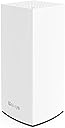
The Linksys LN1301 is a tri-band WiFi 6 router delivering up to 4.2 Gbps speeds and coverage for up to 2700 sq. ft., supporting 40+ devices simultaneously. Designed for easy plug-n-play setup via the Linksys App, it offers robust security features including automatic firmware updates, parental controls, and guest networks. Ideal for millennials seeking a minimalist, reliable router that balances performance and simplicity at an exceptional value.
| ASIN | B0D742T4LW |
| Antenna Location | Gaming |
| Antenna Type | Internal |
| Best Sellers Rank | #95,359 in Electronics ( See Top 100 in Electronics ) #659 in Computer Routers |
| Brand | Linksys |
| Built-In Media | router |
| Color | White |
| Compatible Devices | Gaming Console, Tablet, Security Camera, Printer, Personal Computer, Smartphone, Smart Television, Thermostat Compatible Devices Gaming Console, Tablet, Security Camera, Printer, Personal Computer, Smartphone, Smart Television, Thermostat See more |
| Connectivity Protocol | WiFi |
| Control Method | App |
| Controller Type | App Control |
| Coverage | up to 2,700 sq ft |
| Customer Reviews | 4.5 out of 5 stars 181 Reviews |
| Data Transfer Rate | 4.2 Gigabits Per Second |
| Frequency Band Class | Tri-Band |
| Is Modem Compatible | No |
| Item Dimensions L x W x H | 4.5"L x 4.5"W x 9.57"H |
| LAN Port Bandwidth | 1000 Mbps |
| Manufacturer | Linksys |
| Maximum Upstream Data Transfer Rate | 4.2 Gigabits Per Second |
| Mfr Part Number | LN1301 / MX4300 |
| Model Name | LN1301 |
| Model Number | LN1301 / MX4300 |
| Number of Antennas | 3 |
| Number of Ports | 4 |
| Operating System | RouterOS |
| Other Special Features of the Product | Tri-Band |
| Router Network Type | tri-band |
| Security Protocol | WPA2 |
| Smart Home Compatibility | Smart Home Compatible |
| Special Feature | Tri-Band |
| UPC | 745883881321 |
| Wireless Communication Standard | 802.11ax |
| Wireless Compability | 802.11ax |
R**E
So far so good. Relatively Easy setup, handles all my smart devices. Too simple.
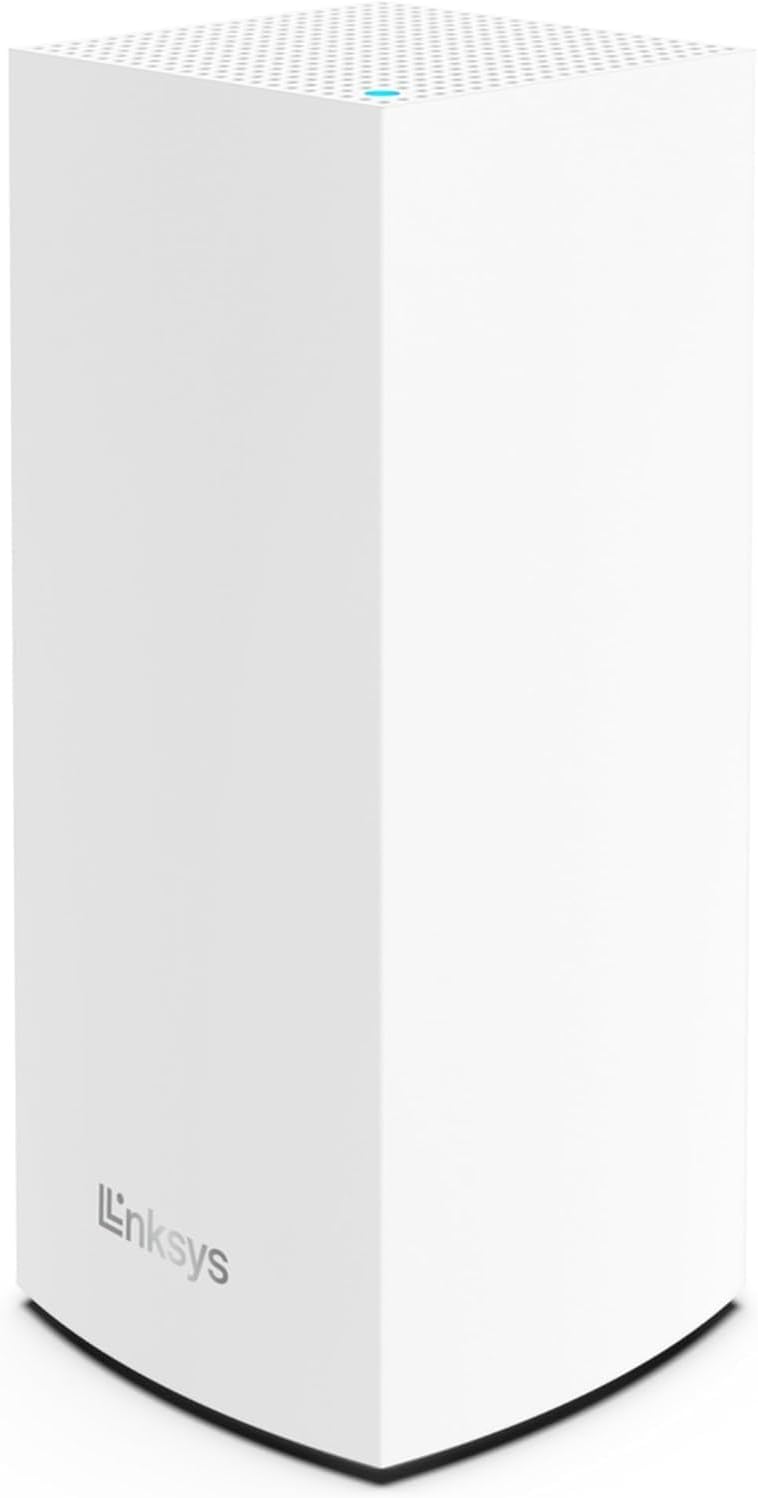
1-week Update: so far so good, no failure or drop out. Coverage inside the house is decent; coverage outside (or at exterior walls / extreme corners) not so good. I tried a couple of range extenders but they are still slow. Router signal to exterior garage is still not great. But good router in all other respects, so I will keep in service. At $25 each I’m tempted to buy a 2nd to try as à wireless node at the extreme end/corner of the house. I have been using the TP-Link routers for the past several years. They work fine but when I saw this special deal ($25 !!!) I decided to give it a try. Wasn’t 2-day delivery but it arrived the day before my trip. I was going to wait but I just couldn’t. 😄 The instructions are very sparse, just a 2-page pamphlet. There’s a QR code at the bottom that takes you to the Linksys Smart WiFi webpage to manage the router. This required me to enter my name and email and other information that should not have been needed. Then for some reason it didn’t even work properly. So instead I downloaded the iOS app, entered the router’s password (on the bottom), and that seemed to work much better. It picked up the Internets from the cable modem ok, and after 2 tries it let me set my SSID and WiFi password to the same as that of my old router. That way all of the devices would reconnect. Only a couple did not right away, and one still does not for some reason. (Upon further reflection this might not be the fault of the router.) As far as information for diagnosis, the router has a single colored LED on top, nothing else. I have my router set high on the top shelf in my closet to provide the best coverage; the LED on top is therefore not directly visible. I can sort of see its reflection on the ceiling, but not so much in bright sunlight. I wish there were more LED’s like other routers, and on the front or side. It’s basically a single minimalist tower, with no external antennae. It gives just a little higher speed than my old one. It’s supposed to be WiFi 6 capable but it seems to assign the same channel as the old 5 GHz signal. What I care about more is network signal reach and strength/stability. Inside the house seems to be ok but I was hoping the signal would do better reaching out to my detached garage. The door opener hub didn’t quite work at first; but I was able to unplug it and plug it back in which seemed to correct it. My outside camera also had a hard time connecting until I restored my range extender. The app has a lot more options for configuration and status than that of my old router. I haven’t tried the webpage on my PC yet to see if there are more (signal strength, VPN, DNS, etc.). It’s not clear if this has mesh capabilities to provide more coverage. It lists itself as a “node”, implying that other “nodes” could be added. Whether this is true, or how they get added, is not clear. If I were to get a second one of these, would it need a physical Ethernet connection, or would it connect via WiFi? I think even the product information on Linksys’ website implies this is not mesh-capable. (I would bet a lot of people initially bought this thinking it was, only to be disappointed, hence the clearance price.) Overall meh. For $25 it’s a really good value if you need a new router and want an easy setup. Also nice if you want something simple , elegant, and minimalist. For somewhat more advanced users I’m not sure if this fits the bill. But the options for those users are FAR more expensive. Really this is not much better than my old router, if at all.
J**G
Solid router at an extremely affordable price
I was initially hesitant about ordering this router, but I decided to bite the bullet, trusting Amazon's wonderful return policy. To my surprise, this router turned out to be one of my best purchases! It may only offer basic functionalities, but it excels in what it does. The support for WiFi 6 is fantastic, and I can finally enjoy the full speed of my internet connection over WiFi. The coverage is also impressive, the best I've experienced with budget routers. (Of course, if you're already using a flagship router, you won't probably be reading my review.) There are a couple of downsides worth mentioning: - The power adapter is enormous, requiring at least 4 inches of space for installation. I'm considering finding or buying a compact adapter with compatible specs (12V, 3.0A). - The feature set is pretty basic. I knew going in that it didn't support mesh networking or fast roaming, but I do wish it had per-device usage statistics. I've seen online that there's a good chance OpenWRT will be ported to this router, which could address some of the feature limitations. Overall, I'm very satisfied with my purchase and would definitely recommend this router to anyone looking for a reliable budget option.
F**U
Good 'Budget' wifi-6 router.
I swapped-out an Asus RT-AX58U for this and My 'Bufferbloat' score went up from B to A, Probably because of the Quad-core and the 'Qualcomm NSS'. The firmware is very 'Plain-Linksys', not very tweakable. The router set the internet itself up automatically. Some says that there'll be no firmware updates from Linksys but I'm hoping for an 'openwrt'. Excellent range and throughput for a 'budget router'. Linksys-app and remote-access works. Update : Installed dd-wrt. The range doesn't match the rt-ax58u although the Wifi throughput on 80MHz is better at close range. I'd choose the routers with 'external antennas' for 'standalone setups' for longer range but for mesh this should do fine.
S**I
Excellent Performance with OpenWRT—Maximizing ISP Speeds
I purchased the Linksys LN1301 WiFi Router and decided to install OpenWRT firmware on it—and it was absolutely worth it. After the upgrade, the router now delivers full ISP speeds without any throttling or bottlenecks. The tri-band WiFi setup ensures strong, stable connections across all my devices, and the added flexibility from OpenWRT lets me fine-tune my network just the way I want it. The hardware handles the custom firmware like a champ, providing smooth and consistent performance. If you’re comfortable with installing third-party firmware, this router has great potential. Pros: - Compatible with OpenWRT for full customization - Achieves full ISP speed with no slowdowns - Strong, stable tri-band WiFi coverage - Great hardware performance at an affordable price Cons: - Requires technical knowledge to install OpenWRT
L**S
Ease of use and power Five Stars
This is a WiFi 6 router. I thought I had a good router and was letting my son use my signal at his house next door but he got drop outs and weak signal. The moment I plugged this one in the signal strength went way up and the speed went way up at his house and a 10% gain even at my house. No problem set up, plugged in, plugged in my internet connection and BOOM! on the air and working. I have purchased two more, one for a friend and one to set up in Mesh networking which this router does even if the directions are very, very, hard to find. Great router or I would not have purchased three.
L**S
Excellent WiFi Router
Purchased this WiFi router (two of them from Amazon and two from another vendor) as supposedly you can do a mesh with two of these. Even without the mesh, this router blows out my prior NetGear Nighthawk, which I paid over $100+. I did the speed test and it doubled the download speed what I was getting from the Nighthawk. As for the mesh, I wasn't even sure if it was done correctly. The best way to know is to download the app, which tells you if the two routers are online or not. For the price point, this produce is super great, so great that I purchase these for my brother and parents. Overall awesome purchase. Hope you can get it for the price I paid (around $25.00).
J**H
Contrary to many postings, it does support MESH.
This router was originally branded as a partnership between both Linksys and Fortinet back in 2021 and priced at a whopping $760! They were created for Work-at-Home use and by 2021 people were returning to work, so for the asking price, these routers did not sell well. Jump forward to March '24. Linksys still had a warehouse full of these things and repackaged them with new firmware, dropping all the Fortinet additions and sold them to third parties at pennies on the dollar, which is why they are such a bargain right now. The specs are pretty incredible but lacking in the advertising here. - Wifi6 w/AX support (This not Wifi6E) - Quad Core CPU that can be overclocked to 2.2ghz and supports NSS cores - Unsupported USB3 Port *(see below) - 1GB Flash and 2GB RAM (The original Fortinet firmware required all this RAM, but the Linksys firmware only uses a fraction of it) - Tri-Band 2x 5ghz and 1x 2.4ghz - This is essentially the same router as the MX4200 but with an additional gigabyte of RAM and 512MB more flash. - Dual boot partitions While the stock firmware DOES indeed support MESH, it is hidden under the CA menu. But the stock firmware is pretty crappy and thrown together quickly to get these things out of the warehouse. The good news is this router is now supported by BOTH OpenWRT and DD-WRT, therefore unlocking ALL the features of this hardware including the *USB3 Support and NSS cores! All in all, this is an incredible bang for the buck, especially with DD-WRT and/or OpenWRT installed instead of the stock Linksys firmware.
A**G
Working fine once I worked out the kinks
My rating for the Linksys LN1301 is really a 3.5 (or even possibly a 4 due to the cheap price) rather than a 3 once I fixed the issues. I'm a techie so I'm no stranger to technology and computers. The initial setup was fine, even though the router UI was lacking the more advanced fine-tune settings that I'm used to. However, after setup, I started noticing that some apps or devices would not connect (or lack Internet connection) initially at opening or startup, but it would gain internet connection after about 10 seconds and it would work fine as long as I continued using it. Then after I stopped using it for some time and then went back to the device or app, the same issue would come back. There isn't alot of information on the Internet for this router so it was difficult to find out how to fix it. After researching other similar Linksys routers, I find out that there was an issue with its IPv6. Took me a bit of time to find out where the IPv6 setting was, but upon disabling it, all the issues went away. I use it for a small studio, so coverage doesn't matter as much. I didn't clock the speed either; all my devices worked fine after the fix.
N**.
No funciona
No es lo que esperaba, tiene q estar conectado con el cable al modem, no se puede poner inalámbrico y no transmite lo que promete
Trustpilot
1 month ago
2 weeks ago