Buy anything from 5,000+ international stores. One checkout price. No surprise fees. Join 2M+ shoppers on Desertcart.
Desertcart purchases this item on your behalf and handles shipping, customs, and support to Vanuatu.
🚀 Elevate your everyday hustle with sleek power and stunning clarity!
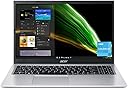
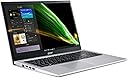
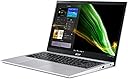
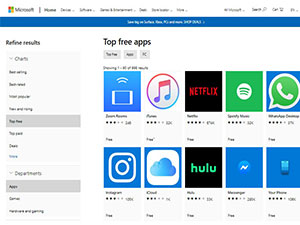
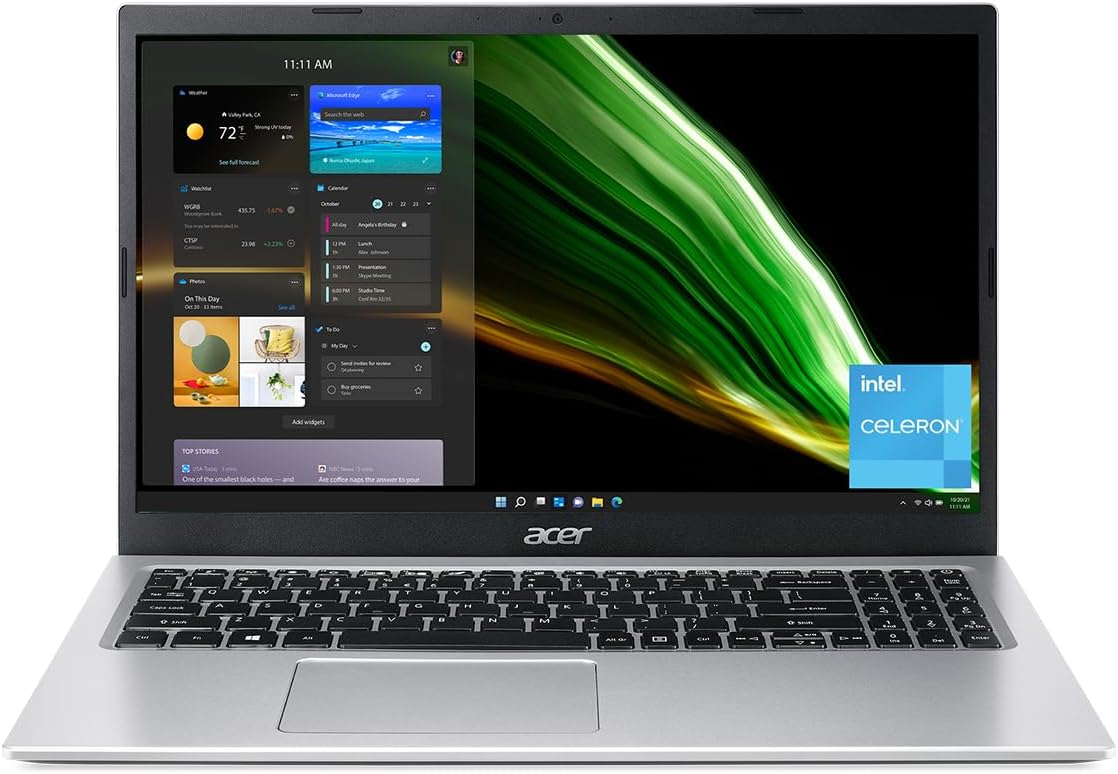
The Acer Aspire 1 A115-32-C96U is a lightweight, stylish 15.6" Full HD laptop powered by an Intel Celeron N4500 dual-core processor and 4GB DDR4 RAM. It features 128GB eMMC storage, WiFi 5 connectivity, and runs Windows 11 in S mode, bundled with a 1-year Microsoft 365 Personal subscription. Designed for professionals and students seeking reliable, portable performance for everyday tasks like writing, browsing, and streaming, it balances affordability with essential productivity features.


| ASIN | B0BL35XNF5 |
| Audio Output Type | Headphones, Speakers |
| Audio Recording | Yes |
| Available M2 Slot Count | 1 |
| Battery Average Life Standby | 6 Hours |
| Battery Cell Type | Lithium Ion |
| Battery Life | 8 Hours |
| Bluetooth Version | 5.0 |
| Bluetooth support? | Yes |
| Brand | acer |
| Built-In Media | AC Adapter, Laptop, Power Cord |
| CPU Codename | N4500 |
| CPU L2 Cache | 1 MB |
| CPU Model Generation | 11 |
| CPU Model Number | Celeron N4500 |
| CPU Model Speed Maximum | 4.1 GHz |
| Camera Description | Front |
| Chipset Type | Intel Pentium Silver N5000 series |
| Color | Silver |
| Compatible Devices | USB devices, External displays via HDMI, Wireless devices via Bluetooth or Wi-Fi |
| Connectivity Technology | wired, wireless |
| Customer Reviews | 4.1 4.1 out of 5 stars (882) |
| Display Resolution Maximum | 1920x1080 Pixels |
| Display Technology | LCD |
| Display Type | LCD |
| Form Factor | Ultra-Portable |
| Graphics Card Ram | 8 GB |
| Graphics Coprocessor | Intel UHD Graphics |
| Graphics Description | Integrated |
| Graphics Ram Type | Shared |
| Hard Disk Description | Emmc |
| Hard Disk Interface | USB 2.0/3.0 |
| Hard-Drive Size | 128 GB |
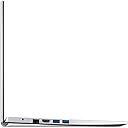
| Hardware Interface | Bluetooth 5, HDMI, USB 3.2 Gen 1, USB Type C |
| Has Color Screen | Yes |
| Human-Interface Input | Keyboard, Microphone |
| Item Dimensions L x W x Thickness | 36.3L x 2W x 23.9Th centimeters |
| Item Weight | 3.64 Pounds |
| Keyboard Description | Backlit |
| Keyboard Layout | QWERTY |
| LAN Port Bandwidth | 1 Gbps |
| Lithium-Battery Energy Content | 26 Watt Hours |
| Manufacturer | Acer |
| Memory Clock Speed | 3 GHz |
| Memory Speed | 2666 MHz |
| Microphone Form Factor | Integrated |
| Model Name | A115-32-C96U |
| Model Number | NX.A6WAA.00H |
| Model Year | 2023 |
| Native Resolution | 1920 x 1080 pixels |
| Notebook Pointing Device Description | TouchPad |
| Number of Ethernet Ports | 1 |
| Number of Ports | 7 |
| Operating System | Windows 11 S |
| Optical Storage Device | No Optical Drive |
| Other Special Features of the Product | Backlit Keyboard |
| Power Device | AC adapter |
| Processor Brand | Intel |
| Processor Count | 2 |
| Processor Series | Celeron N |
| Processor Speed | 1.1 GHz |
| RAM Memory Installed | 8 GB |
| RAM Memory Technology | DDR4 |
| RAM Type | DDR4 SDRAM |
| Ram Memory Maximum Size | 16 GB |
| Refresh Rate | 60 Hz |
| Resolution | 1080p |
| Screen Size | 15.6 Inches |
| Speaker Description | 2 Speakers |
| Specific Uses For Product | Multimedia, Personal, Student |
| Supported Monitor Maximum Quantity | 1 |
| Total Number of HDMI Ports | 1 |
| Total PCIe Ports | 3 |
| Total Usb Ports | 3 |
| Touchpad Feature | Multi-touch Gesture |
| UPC | 195133192729 |
| Video Output | HDMI |
| Video Processor | Intel |
| Virtual Reality Ready | No |
| Voltage | 240 Volts |
| Warranty Type | Limited |
| Webcam Capability | Yes |
| Wireless Compability | 801.11ac |
| Wireless Technology | Bluetooth |
D**Y
I bought this laptop for writing and taking online classes primarily, and it's just perfect. Keyboard is nice to use. Screen is bright and crisp. Laptop is lightweight. This is NOT a laptop for gaming, video editing, demanding graphics work, and you're probably going to get frustrated if you are a busy, multi-tasker with multiple software and dozens of browser tabs open at the same time. That being said, for basic computing needs (word processing, watching Netflix, web browsing, blogging, writing a novel, taking classes, etc...), this laptop is near perfect and budget-friendly. Couple Notes: - The processor is 1.1 ghz, not 2.8 as listed in description, but really, you wouldn't be doing anything on this that should ever require that much processor speed. - Memory is upgradeable, which is nice, but I've found that 4gb is fine for what I'm using it for right now. - Laptop looks stylish, but lacks that "high-end" feel - but it's a $200 laptop. Still, I like it and keyboard feels good for typing at length. - Screen is sharp. Colors are decent. Not the best screen out there, of course, but certainly not bad at all. Not a touch screen...slight bummer but not a big deal to me. - Sound coming from speakers is nice and loud. No, not premium sound, but sufficient to watch movies/video classes and hear it just fine. I'm happy with it, but no audiophile. Use headphones or a Bluetooth speaker if you want better sound. - Performance has been fast and I've been satisfied. - Easy to switch from Windows S to full Windows Home, which is my preference and why I opted for this over a Chromebook. - 81gb of available storage space after OS and apps take up a bit of the 128 gb drive. To me, that's totally fine since I'm not saving anything on this - it all goes in the cloud. - I don't think the battery will actually last 9 hours with normal settings, but I get a solid 5 or so hours out of it between charges. RE: Slowness/Lagginess: A couple negative reviews mentioned this and when it happened to me, I thought that maybe there WAS something off about this computer. Turns out when I logged into my Microsoft account, it started syncing my existing desktop computer with this laptop, and with only 4gb of memory and slower processor, it just bogged it right down for about 20 minutes or so as it synced apps, desktop icons, etc.... Once everything synced up, it was fine and has been ever since. So if you experience slow, laggy performance when you first get this, and you've logged into your Microsoft account, set it down and let it sync for 20 minutes or so, or better yet, adjust the sync settings to be more selective. All in all, it's a great, inexpensive laptop that is super lightweight, super portable, looks nice, performs great, and is perfect for basic computing, an older child/teen, college courses, etc...
T**N
Rápida, no se calienta, muy práctica y funcional !! Es muy buen producto en relación precio-calidad
A**R
I am the IT person in my office and my co-workers computer was not working properly. Turns out he had never shut down Windows before turning off his laptop for 3 years. The OS was so corrupted that it was easier just to get a new laptop rather than spend hours defragging and cleaning up the OS. My time is worth more than the price of this laptop.
T**A
La publicación dice que es una aspire 3 17" core i3 8gb de ram y en realidad llego una aspire 1 intel celeron 4gb ram y 15" nada que ver con lo que dice así que mucho ojo mejor ni se metan si esta en oferta mejor la devolví.
K**Y
UPDATED REVIEW AFTER 2 MONTHS - the battery life SUCKS. it lasts about 45 mins. i always have to keep the laptop plugged in. the laptop still takes forever to turn on when you hold the power button too. but besides all of that, roblox still runs great. which was my main use for the laptop. so if you want a affordable laptop just to use roblox, i recommend. just keep in mind you’d have to keep the laptop plugged in all the time, which can be annoying. i bought this laptop mainly for browsing, netflix, youtube, and roblox. this laptop runs roblox GREAT. no lag, no freezing, & the app loads up quickly. i’m so happy. — the PROS of this laptop: it works perfectly fine. i bought it used to save some money, and this laptop works like its brand new. the setup process was pretty easy, and its not slow loading up websites n apps. i was afraid that this laptop being in S mode would give me a problem, but i turned it off with a click of one button and that was it. S mode was turned off instantly and now i can download or search whatever website i want. — the CONS of this laptop: the sound quality isn’t the best.. and the screen quality isn’t the best either. is it doable? yes. have i seen better? also yes. also, this laptop takes a while to turn on, i have to hold the power button for 20 secs for it to turn on. - but anyways, i would recommend to anyone looking for a laptop on a budget! how did i turn S mode off? i wanted a new browser to use, so i chose google chrome. i went to download it, and it said something like “google chrome cannot be downloaded because this PC is in S mode” and it literally told me how to turn it off, it took less than 5 secs to turn it off. some other review said that they went through a lot to turn S mode off, so that’s why i was hesitant to buy this laptop, but everything ended up working out perfectly. i’m satisfied with this purchase tbh. i think it’s worth the money 100%.
Trustpilot
2 weeks ago
3 days ago