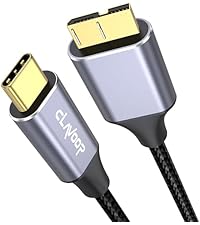
🚀 Unlock your data’s full potential with speed, space, and style!
The CLAVOOP 3.5 Hard Drive Enclosure is a robust, lay-flat dock station designed for 3.5" and 2.5" SATA HDDs and SSDs up to 20TB. Featuring USB 3.0 with UASP protocol, it delivers transfer speeds up to 5 Gbps (tested up to 336 MB/s). Its shock-proof sponges, large ventilation holes, and non-slip pads ensure stable, cool operation. Compatible with multiple OS and gaming consoles, it offers plug-and-play convenience with included power adapter and USB cable, making it an ideal choice for professionals seeking reliable, high-capacity external storage.


| ASIN | B0D6RH6JBH |
| Best Sellers Rank | #25 in Enclosures |
| Brand | CLAVOOP |
| Built-In Media | USB Cable |
| Color | Black |
| Compatible Devices | 2.5" SSD/HDD, 3.5" HDD, Desktop, Laptop |
| Customer Reviews | 4.4 4.4 out of 5 stars (371) |
| Data Transfer Rate | 5 Gigabits Per Second |
| Enclosure Material | Acrylonitrile Butadiene Styrene (ABS) |
| Hard Disk Form Factor | 3.5 Inches |
| Hardware Interface | SATA 1.5 Gb/s, SATA 3.0 Gb/s, SATA 6.0 Gb/s, USB 3.0 |
| Hardware Platform | Windows |
| Item Dimensions L x W x H | 7.7"L x 1.5"W x 1.3"H |
| Item Weight | 0.44 Kilograms |
| Manufacturer | CLAVOOP |
| Memory Storage Capacity | 20 TB |
| Supported Devices Quantity | 1 |
| Warranty Description | Not |
S**S
Decent product for the cost. Going 2 years strong.
Best value external drive container I've ever had. This is lightweight, but durable. Though it lacks a fan, which would make it best overall for both HD types, it does well enough. I have a HD disk in it now. It's been there sitting on top of my tower for over a year. No disk heat stress detected, and I use it primarily for graphic heavy games. Overall: It is compatible with both hard drive types, but best for SSD. The installation is plug-and-play, which is hard to mess up, but I'm positive someone will. The design is mediocre, but the power light may be disturbing for some, so I would suggest covering that with a cloth (just the button), or placing the enclosure out of sight, but with decent ventilation.
U**P
Perfect solution to perform secure erasures of my old NAS drives
I bought this enclosure to erase two NAS drives that I am retiring and preparing to sell. I could do the erasure inside my NAS unit, but for $18 or so, why risk it? It took minutes to set up, with the hardest part being figuring out how to open the plastic case. Popped my drive in and it worked immediately with my Mac. The unit came with 2 foam strips that were not explained in the included instruction sheet. I'm guessing they are for the hard drive. The bottom of the enclosure has 4 rubber feet. The included USB cable is nice, but they should consider throwing in a USB-C adapter. The power adapter works fine as well just note it's a wider wall wart so I had to make some room on my power strip for it.
D**E
Reasonably Priced HDD Enclosure that works great/
The HDD Enclosures arrived on time and in perfect New condition. They were easy to set up and are working perfectly.
J**I
Works as expected
Works well when everything is connected and sitting in a stable environment. However, when moving with the drive to my second computer, the case opens easily, making it easier to drop all the contents.
H**E
Easy to use
Easy to use set up only took a few minutes plugged it into the computer there it was an off. It went fantastic. I wish other things work this well and we’re this easy to use.
C**B
Plug an Play Is A Reality With This Enclosure
Worked out of the box.
R**.
Good enclosure for HDD
I bought an 8 TB HDD (spinning drive) for long-term storage and needed an enclosure for it. This one was well-reviewed and I have been pleased with it so far. Installation and operation are easy.
W**E
CAUTION - the the connection is not stable
At first this looked like a nice component to save my HDD that had years of data on it and let me access the data while I considered getting a new desktop computer and use my laptop for a while. The transmission rate was reasonable and it was easy to figure out how to place my ard drive inside the case. After putting the assembly together with my hard drive inside I plugged in the supplied cables (usb 3.0 cable) and (DC5.5 mm plug with cable) into the case. Then I connected the cable to the laptop port and plugged in the power adapter to a 110V outlet. Lastly I turned on the device with the Power Switch on the case. Everything seemed to work well. Then a few days later I got a screen message of hard drive failure. I removed the powere adapter and unplugged the usb cable and tried it on another laptop. I got the same message. So after diconnecting power again I opened the case. It seems like the design of the case can allow the hard drive to slide away from the connector partially. In my opinion this caused a power interuption. I DO NOT RECOMMEND using this case. A case that is vertical so that by at least gravity the connection is maintained would be better, such as a StarTech or Inland docking station would be better. Alternatively if the case could be made so that the HDD could be secured from sliding in the case, that might solve the problem. I think I have lost the data - do not use this.
Trustpilot
1 week ago
5 days ago