🚀 Elevate your mobile workspace with dual-screen brilliance!
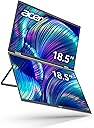
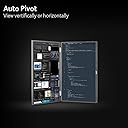
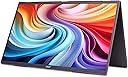
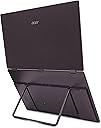
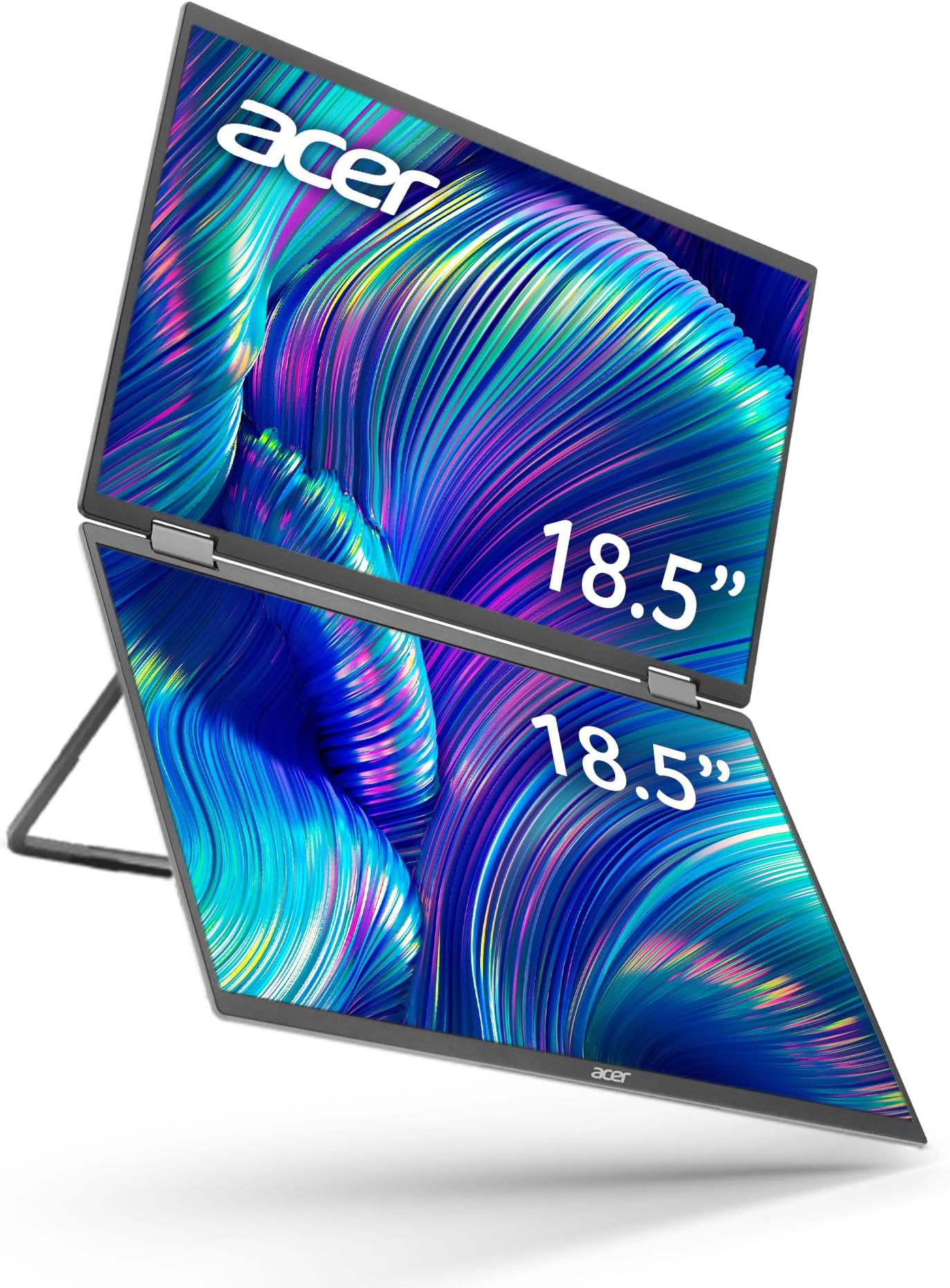
The Acer PD193Q is an 18.5” foldable dual-screen portable monitor featuring Full HD IPS displays with Adaptive Sync support. Designed for professionals on the move, it offers ultra-slim portability (0.96" thin, 5.13 lbs), versatile auto pivot viewing, and clutter-free connectivity via 2 USB-C ports and a Mini HDMI. Ideal for multitasking, presentations, and enhanced productivity, it includes built-in speakers and supports VESA mounting for flexible setups.


| ASIN | B0D1W19NN6 |
| Adaptive Sync | FreeSync |
| Additional Features | Adaptive Sync, Built-In Speakers, Portable, Tilt Adjustment |
| Aspect Ratio | 16:9 |
| Best Sellers Rank | #96,095 in Electronics ( See Top 100 in Electronics ) #2,159 in Computer Monitors |
| Brand | acer |
| Built-In Media | AC Adapter, Display, Mini HDMI Cable, Power Cord, USB Type-C Cable |
| Color | Black |
| Compatible Devices | Laptop, Smartphone, Tablet |
| Connectivity Technology | Mini HDMI, USB Type C |
| Contrast Ratio | 2000:1 |
| Customer Reviews | 2.8 2.8 out of 5 stars (15) |
| Display Resolution Maximum | 1920 x 1080 |
| Display Technology | LCD |
| Display Type | LCD |
| Hardware Connectivity | DisplayPort, USB Type C, mini HDMI |
| Has Color Screen | Yes |
| Item Dimensions D x W x H | 0.96"D x 16.7"W x 10.1"H |
| Item Weight | 5.1 Pounds |
| Manufacturer | Acer |
| Model Name | Acer PD193Q ymiuux |
| Model Number | UM.XP3AA.001 |
| Mounting Type | Wall Mount |
| Native Resolution | 1920x1080 |
| Number of Component Outputs | 1 |
| Picture Quality Enhancement Technology | Adaptive Sync |
| Refresh Rate | 60 Hz |
| Resolution | FHD 1080p |
| Response Time | 4 Milliseconds |
| Screen Finish | Matte |
| Screen Size | 18.5 Inches |
| Specific Uses For Product | Business, Desktop, Personal |
| Total Number of HDMI Ports | 1 |
| Total USB 3.0 Ports | 2 |
| Total Usb Ports | 2 |
| UPC | 195133247269 |
| Viewing Angle | 90 Degrees |
| Warranty Description | 3 year parts and labor |
A**O
Not Compatible with Mac: A Costly Mistake
I purchased the Acer PD193Q monitor and was initially impressed with the packaging and build quality. However, the positive aspects ended there. The monitor came with a quick connection guide and a warranty booklet but lacked a comprehensive user manual. Like many others who purchased this monitor, I was unable to get it to work with my Mac M4 running macOS Sequoia 15.4. After some searching, I found the manual on the Acer Global website. It mentioned drivers for macOS that needed to be installed. Despite installing these drivers, the monitor only worked at a low resolution when connected via USB-C. When using the HDMI cable, it powered only the lower screen. When both the USB-C and HDMI cables were connected simultaneously, my Mac system incorrectly detected three monitors, although only two screens worked, and both displayed at low resolution with USB-C. After hours of troubleshooting, I contacted Amazon tech support, but they were unable to assist me even after nearly two hours. I then reached out to Acer tech support, which was similarly unhelpful. After over an hour, I was informed that this monitor is designed exclusively for Windows. If that is the case, why does it include macOS drivers? Both tech support staff appeared to follow generic scripts without providing meaningful assistance. Their repeated instructions to unplug cables and power adapters felt simplistic and ineffective, resembling an instruction manual that might suggest touching one's head and belly simultaneously while spinning around three times. With a master's degree in computer science and over 20 years of professional experience, I could easily recognize when I was being fed unhelpful or misleading information. Ultimately, Amazon and Acer tech support wasted my time. After spending 4–5 frustrating hours trying to make this monitor work, I decided to return it. My experience as a macOS user was extremely disappointing. The time I spent troubleshooting far exceeded the cost of the monitor, leaving me feeling that this purchase was a financial and practical loss. Zero stars
R**N
I figured out how to get the second monitor to turn on.
Godspeed to you if you decide to get this monitor. It is not for the faint of heart, and may drag you down into the tech abyss. However, if you should prevail, you will experience a level of on-the-road productivity that few mortals will ever know in the course of their lifetime. Like everyone else here, my top monitor didn't work when it first arrived. After banging my head against the monitor for hours, here's what I figured out: 1) Plug your monitor in to your computer using the usb-c to usb-c cable. 2) Go to the file explorer on your computer, and access the monitor as an additional drive (like you would access the files on a USB drive). I think this is what Acer is trying to communicate in step six of the provided instructions. 2a) It may be difficult to get the monitor to display as another drive. You may need to unplug/plug the monitor multiple times, or restart your computer until it can "see" the monitor. 3) When you enter the "monitor drive", you will see a few files. One of them is labeled something like Win USB Display.exe. (The computer now sees it as a monitor instead of a drive, so I'm going off of memory here.) 4) Double click it to run the executable. This will install software on your computer that will allow it to use the top monitor. 5) You may need to unplug/plug the monitor in after you install the software. At least Acer is a Taiwanese (not Chinese) company so hopefully they're not using the software to spy on us! I give it four stars because once you install the software, the monitor works pretty great! (and, because this monitor needs some love after its first two reviews being one-star!) Every once in a while, you need to unplug/plug in the monitor to get the computer to use the top monitor. Nevertheless, it is the best portable monitor I've travelled with and I love it. I am a software developer, so I need as much screen space as possible, and this monitor delivers. I feel like I'm at the same level of productivity on the road as I am in my home office now. And, I can just throw it in a backpack and go. I love dragging one window to fill both screens so I get the ultra tall view!
P**S
Lo mejor q compre en este año
S**S
Great idea but poor execution
This monitor is big.. really big - that can be good but it is not thin and a bit heavy. The real issue is that in order to run both monitors you must install a special driver - that is not plug and play - and if you happen to have a work laptop and a company that refused to load outside software/drivers on then you are out of luck. The other issue is that the laptop cannot run off of a simple plug-n-play usb-c cable. You have to plug it in usb-c in order to connect that screens and THEN also plug it in to an electrical outlet.. so two cords needed as well as a power brick. That makes this monitor clunky and not truly portable. Coming from Acer I expect more, much more - do better Acer - especially for the money you required me to pay for this. P.S. mine did NOT come with instructions…. And when I contacted Acer support, they did not even know they sold this monitor and could find NO documentation on it. Again, do better Acer!!
Trustpilot
3 days ago
2 weeks ago