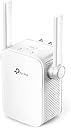
🚀 Elevate Your Wi-Fi Game — Never Miss a Beat or a Byte!
The TP-Link RE650 AC2600 is a high-performance dual-band Wi-Fi range extender featuring 4 external antennas and 4×4 MU-MIMO technology. It delivers combined speeds up to 2600Mbps (800Mbps on 2.4GHz + 1733Mbps on 5GHz) and includes a Gigabit Ethernet port for ultra-fast wired connections. With intelligent signal indicators and a built-in access point mode, it’s designed for easy setup and superior coverage, making it ideal for professionals seeking reliable, high-speed connectivity across multiple devices.


| ASIN | B06Y1SXP44 |
| Are Batteries Included | No |
| Batteries | 1 Lithium Ion batteries required. |
| Best Sellers Rank | #41,881 in Computers & Accessories ( See Top 100 in Computers & Accessories ) #125 in Repeaters & Extenders |
| Brand | TP-Link |
| Colour | White |
| Computer Memory Type | DDR4 SDRAM |
| Customer Reviews | 4.0 4.0 out of 5 stars (7,528) |
| Date First Available | 5 April 2017 |
| Generic Name | Range Extender |
| Imported By | TP-LINK India Private Limited,Green Industrial Park, Dongri Pada, Poman, Kaman-Bhiwandi Road, Vasai East, Palghar, Maharashtra – 401208 |
| Importer | TP-LINK India Private Limited,Green Industrial Park, Dongri Pada, Poman, Kaman-Bhiwandi Road, Vasai East, Palghar, Maharashtra – 401208 |
| Included Components | AC2600 Wi-Fi Range Extender RE650,Quick Installation Guide |
| Item Dimensions LxWxH | 16.3 x 8.6 x 4 Centimeters |
| Item Height | 4 Centimeters |
| Item Weight | 500 g |
| Item Width | 8.6 Centimeters |
| Item model number | RE650 |
| Lithium Battery Weight | 0.19 Grams |
| Manufacturer | TP-LINK |
| Net Quantity | 1 Count |
| Number of Lithium Ion Cells | 1 |
| Number of Lithium Metal Cells | 1 |
| Packer | TP-Link Technologies Co., Ltd, South Building, No.5 Keyuan Road, Central Zone, Science & Technology Park, Nanshan, Shenzhen, P.R. China |
| Processor Count | 1 |
| Product Dimensions | 16.3 x 8.6 x 4 cm; 500 g |
| Series | TP-Link AC Series |
| Voltage | 5 Volts |
| Wattage | 3600 |
| Wireless Type | 801.11ac |
V**U
True Work Horse, But Read This Before you Buy! - I bought this for 8000 INR | Worth it?
Bought this in 2020, still working fine (February 2023) I got the TP-Link RE650 HW - V1. My main Wi-Fi router is on the first floor. I wasn't getting enough coverage for my TV and other devices on the ground floor. I tested the 5GHz band as a backhaul to the 5GHz band on the main router, and the results were 200 to 300 Mbps speed from the main router. Then I tested the 2.4GHz band as a backhaul to the main router, and the results were much better, close to 450 Mbps up and 550 Mbps down. When I tested this device as an AP, I got 900+ Mbps down on 5GHz. This is a really solid device. You can put all your Smart Home/IoT devices on the 2.4GHz channel and use it as backhaul to the main router, or use it as a powerful AP with a wired connection. If you live in an apartment where multiple Wi-Fi channels are competing for air space, get a Wi-Fi 6/6E device. This is a very good Wi-Fi 5 device. You can buy it at a very discounted price now. (I paid 8000 INR in 2020.) How to install: Check the device firmware and update it. The latest version is available on the TP-Link website. Always check the hardware version before downloading and updating the firmware. Use a Wi-Fi analyzer app on Android (open source). Find a less congested 2.4GHz channel and use that channel for backhaul. Find and use a less congested 5GHz channel for the 5GHz band. Use OpenSpeedTest-Server to test your local network. Choose the best-performing location and channel after testing multiple combinations for maximum performance. Use the 5GHz band for most devices, except for IoT devices. I hope this is helpful! Let me know if you have any other questions..
P**P
Expensive WiFi extender but with good coverage
The TP-Link RE650 is pretty expensive for what it does. Been using it for a week. **IMPORTANT TO NOTE THAT THE HARDWARE VERSION IS v1.0 AND DOES NOT HAVE ANY MESH WIFI FEATURES.** Here are my observations: 1. Easy to install and configure. The Web UI is easy to use but pretty dumbed down. 2. It is quite heavy. 3. Range is quite decent. Has a 'boost' mode which is not well documented. In 'boost' mode, you connect to 2.4Ghz and extend on the 5Ghz band. Check the TP link online KB articles for this. That is how I am using it. 4. Can set it to have its own DHCP Server and static IP. 5. When not using a DHCP, it can take a long time to provide an IP address to a device which connects to it. This issue could also be due to the range. All in all, the TP-Link RE650 is easy to use and does what it is supposed to but I feel it is terribly expensive. I also own a Mi Router 4A High-Speed Dual Band AC1200 Router on which I have installed OpenWRT. I can configure it to give me the same features as the TP-Link RE650 and more. But if you are not a power user and just want to buy a plug-and-play device, this is good.
V**Y
Using it as a Wireless Access Point
bought it to be used as a range extender. However, was unable get it to connect to a stable 5Ghz connection to my primary router despite very close distance, but through 12in concrete walls. I use Archer C7 as my primary router. I was able to get 2.4 Ghz to connect though. However, this results in a compromised speed. I have a 200 MBPS connection and with the 2.4G band, I get hardly 14MBS on the first floor. Note that the router is on the ground floor. I then ran a lan cable between my primary router to the RE 650 and never looked back. I would not be able to cmment on the Mesh routers, but I think this was an expensive buy for the use. I am happy with the results of the installation though. Enjoy 200 MBPS on both floors of my house. Able to get 15MBS stable connection on my terrace which is one floor above. No plans to create another WAP for the 3rd floor as it is rarely used. Pl. take all claims of distance connectivity with a pinch of salt as Indian buildings have 12 in concrete walls and the wifi signal is unable to penetrate this. Buy only if you have alternative installation plans as a WAP as a possibility
R**A
Excellent for 2ghz, bad for 5ghz with channel more than 140.
Does not work on 5ghz. Especially Jio 5ghz if channel is greater than 140.
K**K
Extremely average product with premium price tag
Extremely pathetic product. Initial setup was not smooth as compared to dlink or netgear. Furthermore tp link have firmware issues in terms of WPA security issue. No firmware update for it so far. Read through the tp link forum for better understanding. WiFi signal is just average and degrades with no of walls. So far I have not faced any disconnection with my primary router - Airtel Huawei router. Speeds is not at par with mentioned or advertised speed. Speeds fluctuations happens more in 2.4 ghz when compared to 5 ghz. Note: If you have more than 100 mbps Internet connection look for better product or mesh network. Also Airtel 5 ghz work on higher channel more than 100 (137 to 142 range). This device cannot/wouldn't recognize beyond 100 range. Check your primary router channel for 5 Ghz band. Product does get warm on touch but nothing alarming. Ohh product looks awesome in looks department and its huge in size. Premium pricing but very sub par product specs in real world testing. My suggestion is to look for better device or mesh product.
R**Z
Does not work on Airtel Xstream Fiber Broadband 5ghz band, channel greater than 100
Setting up TP-Link WiFi Extender is an easy process, signal range is decent but the download and upload speed is halved by less than half bandwidth you get on your base router. You can configure 2.4Ghz and 5Ghz connection with the same name and password from the primary router for both connections but as you move along in the house the connection will drop for a moment as this extender creates an additional SSID I started facing problem recently while connecting on Airtel Xstream Fiber broadband 5Ghz band, as the channel moved to 149 and this extender not support this channel. I was unable to modify the channel on the primary router provided by Airtel hence had to stop using this extender and purchased Netgear NightHawk X6 E7700 WiFi Extender which is an expensive investment but worth the price
M**V
This extender is excellent and has brought wifi to our dead zones in the lower rooms of the house. We have a double brick, multiple spilt level home, I recommend this product, over wifi booster if you have wifi dead zones and connection and set up to router was easy.
M**E
Der TP-Link RE650 AC2600 Dualband Gigabit WLAN Repeater hat einige beeindruckende Spezifikationen und bietet viele Funktionen, die auf dem Papier sehr ansprechend wirken. Leider konnte das Gerät in der Praxis meine Erwartungen nicht erfüllen. Vorteile: 4x4 MU-MIMO-Technologie: Diese Technologie ermöglicht eine höhere Datenübertragungsrate und verbessert die Performance bei mehreren Geräten. In der Theorie sollte dies für eine stabile und schnelle Verbindung sorgen. Beamforming: Diese Funktion konzentriert das WLAN-Signal direkt auf die verbundenen Geräte, anstatt es in alle Richtungen zu streuen. Dies sollte die Reichweite und Signalstärke verbessern. Dualband-Unterstützung: Der RE650 kann gleichzeitig auf den 2,4GHz- und 5GHz-Frequenzen arbeiten, was für eine flexible Verbindung sorgt und Engpässe im Netzwerk vermeidet. Signalstärkeanzeige: Eine praktische Funktion, um den besten Platz für den Repeater zu finden. Nachteile: Keine Mesh-Funktionalität: In einer Zeit, in der Mesh-Netzwerke immer beliebter werden, ist das Fehlen dieser Funktion ein erheblicher Nachteil. Mesh-Netzwerke bieten eine nahtlose WLAN-Abdeckung und sind besonders in größeren Häusern oder Wohnungen sehr nützlich. Der RE650 kann nicht nahtlos zwischen verschiedenen Zugangspunkten wechseln, was die Benutzerfreundlichkeit beeinträchtigt. Ständige WLAN-Unterbrechungen: Trotz der fortschrittlichen Technologien, die der RE650 bietet, hatte ich regelmäßig mit Verbindungsabbrüchen zu kämpfen. Diese Ausfälle traten sowohl im 2,4GHz- als auch im 5GHz-Band auf und waren sehr frustrierend, insbesondere bei Streaming und Online-Gaming. Einrichtung und Bedienung: Obwohl die Installation im Allgemeinen einfach ist, fand ich die Benutzeroberfläche des Verwaltungsportals nicht sehr intuitiv. Es dauerte länger als erwartet, alle Einstellungen korrekt zu konfigurieren und zu verstehen. Fazit: Der TP-Link RE650 AC2600 WLAN Repeater hat viel Potenzial und einige nützliche Funktionen, jedoch enttäuscht er in der Praxis durch fehlende Mesh-Funktionalität und häufige Verbindungsabbrüche. Für den Preis hätte ich eine zuverlässigere und benutzerfreundlichere Lösung erwartet. Wenn Sie auf der Suche nach einem stabilen und nahtlosen WLAN-Erlebnis sind, könnten andere Modelle, insbesondere solche mit Mesh-Unterstützung, eine bessere Wahl sein.
M**S
Plugue de tomado no padrão europeu, equipamento devolvido.
C**O
Very happy with my purchase
K**L
I find the product very useful and good
Trustpilot
2 months ago
5 days ago