🎮 Dominate the game with ASUS ROG Swift – where speed meets stunning clarity!
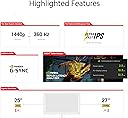
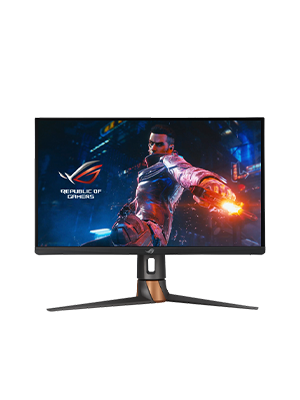
The ASUS ROG Swift PG27AQN is a 27-inch QHD gaming monitor engineered for esports pros, featuring an ultra-fast 360Hz refresh rate, 1ms response time, and NVIDIA G-SYNC Ultimate for tear-free, ultra-smooth gameplay. Its wide color gamut and HDR600 compliance deliver vibrant, lifelike visuals, while advanced connectivity options and a complimentary Adobe Creative Cloud subscription make it a powerhouse for both gaming and creative professionals.


| ASIN | B0BHK7LLZD |
| Adaptive Sync | G-Sync |
| Aspect Ratio | 16:9 |
| Best Sellers Rank | 402,563 in Computers & Accessories ( See Top 100 in Computers & Accessories ) 5,909 in Monitors |
| Box Contents | LCD MONITOR |
| Brand Name | ASUS |
| Colour | BLACK |
| Compatible Devices | Desktop, Gaming Console, Laptop |
| Contrast Ratio | 1000:1 |
| Customer Reviews | 4.0 4.0 out of 5 stars (314) |
| Display Technology | LCD |
| Display Type | IPS |
| EU Spare Part Availability Duration | 3 Years |
| Global Trade Identification Number | 00195553580625 |
| Hardware Connectivity | DisplayPort, HDMI, USB |
| Has Color Screen | Yes |
| Image Brightness | 400 |
| Item Dimensions D x W x H | 61.4D x 25.5W x 40.8H centimetres |
| Item Type Name | Computer Monitor |
| Item Weight | 18.51 Pounds |
| Manufacturer | Asus |
| Maximum Display Resolution | 2560 x 1440 Pixels |
| Model Name | PG27AQN |
| Model Number | PG27AQN |
| Mounting Type | Wall Mount |
| Native Resolution | 2560x1440 |
| Network Connectivity Technology | wired |
| Picture Quality Enhancement Technology | True |
| Pixel Pitch | 0.233 |
| Power Consumption Size | 42 Watts |
| Product Features | High Dynamic Range |
| Refresh Rate | 360 Hz |
| Resolution | QHD Wide 1440p |
| Response Time | 1 Milliseconds |
| Screen Finish Type | Glossy |
| Screen Size | 27 Inches |
| Specific Uses For Product | Gaming |
| Total HDMI Port | 3 |
| Total USB 3.0 Ports | 1 |
| Total USB Ports | 1 |
| Total Video Out Ports | 4 |
| UPC | 195553580625 |
| Unit Count | 1.0 count |
| Viewing Angle | 170 Degrees |
| Voltage | 240 Volts |
A**R
I game most days bought this cause of refresh rates and hz not realizing the screen was lcd as it’s not posted anywhere… screen is fast but definitely blurry for the price lcd is the past this is the price of some oled as I figured it was.
T**J
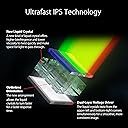
AMAZON FUMBLED THE BAG CAUSE I STOLE THIS FOR $750. I was so shocked and skeptical why it was listed as that price but props to the one who actually secured the bag. I heard reviews of quality control being poor such as dead pixels, and broken back plates, but luckily my unit was not affected at all. I honestly don't know where to start. I've tested multiple monitors such as Neo G8, Alienware QD-Oled (DW Version), BenQ Xowie XL2566k, LG Oled 27gr95qe-b, AW2723DF, and so on but I have the perfect monitor for me that I finally settle on. This monitor can play any title of what you want but is purely for competitive games. This is the fastest panel I've played on with very good picture quality. Out-of-the-box settings when you first boot it up are factory calibrated in sRGB mode with accurate colors. Although it was very dim without messing with the settings since there is no way to adjust the brightness in that mode. The monitor is definitely bright, brighter than an OLED display in general which I find lacking in that department in what I owned previously before. It may not have the infinite contrast ratio or so-called good blacks level because it's an IPS display but let's be real, when you are playing games in general such as competitive, you do not need to have that. I can't stress enough why people are so obsessed with OLED when burn-ins are a problem. I mostly game and have static images such as UI and productivity work that I would worry so much about it constantly, with it being an LED, I don't have to worry as much. It has a G-SYNC module built but you don't really need to enable it if your hardware can run 360hz. Somewhat my 7700x/RTX 4090 was capped at around 323 fps such as OW2, or Valorant so I disabled it and it hit above that FPS count. At a high refresh rate, you won't notice image tearing at all. You do want to run the Overdrive mode to normal since anything above such as esports and extreme mode will increase the amount of inverse ghosting, but overall it's clear as day with a good response time for an IPS panel. There is backlight bleeding but to a minimum where I don't notice it all. You definitely are not going to use HDR at all which is a gimmick on a panel like this without a local dimming zone such as FALD. It uses Edge-lit dimming like the G7 but you might as well turned off because it's only meant for HDR as I stated above it's a gimmick and just worth turning off. Most of the content you play or even watch is in SDR, just mess with the settings on this monitor and you have the most fantastic picture quality. The settings I use for a vivid color-like image and gaming are: GameVisual: Racing Mode Brightness: Whichever you prefer, I setting mine atleast very high nit of brightness (for example like 85%) Variable Backlight: Off (that was the gimmick I was mentioning about) OD: Normal Display Color Space: Wide Gamut (THIS MAKES THE COLOR POP MORE) All the other settings I didn't list such as blue light, color temp, dark boost, gamma and such didn't touch because that's all user preference. In conclusion, this monitor is very good for absolute competitive gaming and watching content. It's an IPS display with the fastest response time of any IPS (cause of ultrafast crystal and dual voltage driver) out there with little to no input lag (360hz) whatsoever. It's worth picking it up for hardcore gamers if it ever comes back in stock.
B**L
Wow amazing
I**Z
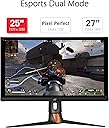
Aunque el monitor es de 25 pulgadas tiene buen tamaño o el neserario para disfrutar de juegos competitivos yo quería el 27 pulgadas pero este tamaño es el mejor que puedo tener para el espacio que tengo además con mi gráfica que es una RTX 3080ti si soporta los 380hz en todos los juegos que probé está recomendado
T**L
Monitor has been incredible for these couple of weeks I've had it. I've read a lot of horror stories online about random black screens, some white screens from enabling UMLB, dead pixels and even the panel just becoming damaged for no reason. Mine has not suffered from any of this yet (and hopefully never). Some precautions I did take before connecting the monitor from research online: setting prefer maximum performance for my gpu power usage and disabling g-sync in the nVidia settings menu. Granted I don't play a game yet that comes close to maxing my monitor, I bought this solely to have my PC hardware eventually do so in the years to come. I get around 235 fps in CoD, and it's been ultra smooth on the action. Also, for a TN panel, my first at that, it is exceptionally great with colors; not on the level of my current OLED, but def as good or better than VA and IPS monitors I've had in the past!
Trustpilot
2 weeks ago
4 days ago