⚡ Unlock your creative potential with the ultimate dual-bay NVMe powerhouse!
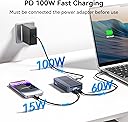
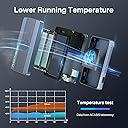
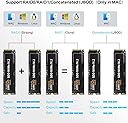
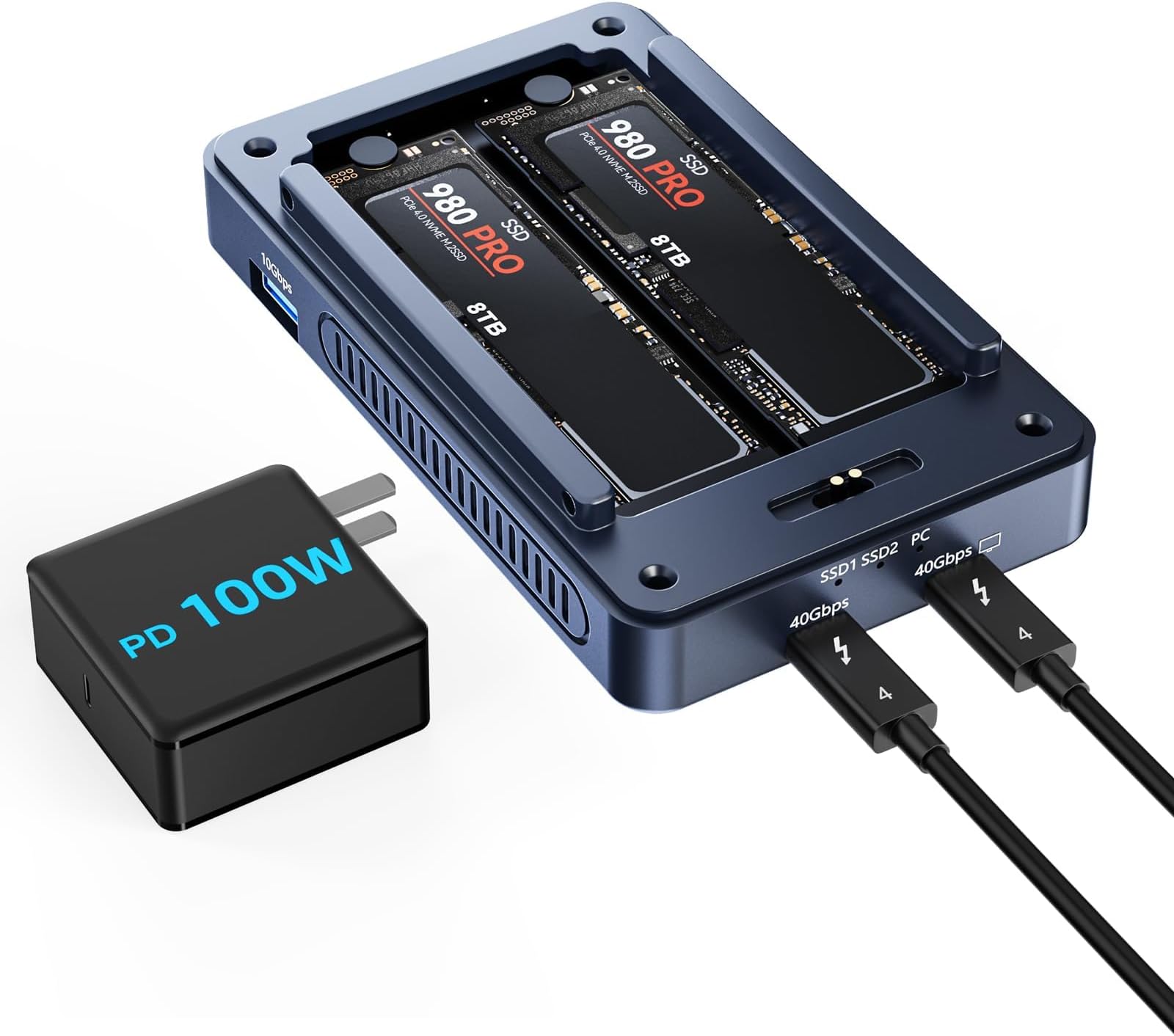
The ACASIS TBU405PRO MAX is a premium 6-in-1 dual-bay M.2 NVMe SSD enclosure delivering ultra-fast 40Gbps data transfer speeds. It supports Thunderbolt 3/4 and USB4, dual-monitor output up to 8K, and flexible software RAID configurations for enhanced performance and data security. Featuring an aluminum body with active cooling, it ensures reliable operation during intensive workloads, making it ideal for professionals seeking high-capacity, high-speed storage expansion.


| ASIN | B0D9Y2TVV9 |
| Best Sellers Rank | #725 in Enclosures |
| Compatible Devices | Desktop, Laptop |
| Customer Reviews | 3.5 3.5 out of 5 stars (59) |
| Data Transfer Rate | 40 Gigabits Per Second |
| Date First Available | July 23, 2024 |
| Item Weight | 1.57 pounds |
| Item model number | TBU405 PRO MAX |
| Manufacturer | FREEGENE |
| Max Number of Supported Devices | 2 |
| Memory Storage Capacity | 16 TB |
| Package Dimensions | 6.22 x 4.61 x 3.39 inches |
| UPC | 781108279610 |
B**N
TB4 speed. Excellent cooling. Use RAID-0 for max speed. Daisy chaining works.
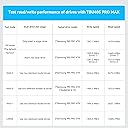
I am using a pair of these SSD enclosures to provide 4TB (main data storage) and 8TB (TimeMachine backups). I have these guys configured as RAID-0 storage for speed. Speed is > 2GB/sec and < 3GB/sec for large sequential file copying. I wanted to keep costs down, so instead of getting TB5 enclosures and TB5 rated SSD chips, I got the less expensive TB4 versions. Plenty fast enough for my purposes. When push comes to shove, TB4 is just as good as TB5 for random access I/O - which is what 90% of my workload consists of. Make sure to turn on the fans (there is a button). When I ran my first TimeMachine backup, the 8TB enclosure got hit. The fan cooled it off VERY nicely. These enclosures can be daisy chained. I have the 8TB connected after the 4TB. Very nice. Dead quiet. Have been using these guys for about 2 months with no issues. Value for $$$ is excellent. I recommend for anyone serious about using SSD for their main data storage and first level backups. I have used these guys on a 27” iMac and am currently using them on a Mac Studio.
G**G
CATASTROPHIC FAILURE
I've used these before on different productions. I work in tv/film and shuttling large files as fast as possible is key. I bought one of my own after seeing success with 2 others from various production houses. Sadly, mine failed day 2 and fried 2x 8TB WDSN850X M.2 drives with it. I transferred 15.5TB on it and had complete catastrophic failure after 1 day of use. The enclosure while idling got EXCESSIVELY hot. Like BEYOND acceptable, warm or hot to the touch doesn't even come close to how dangerously hot this thing got just idling. The drives were no longer mountable, ssd2 slot was cranking out heat... Disk utility told me 1 of the drive bays was not readable. Then sure enough eventually SSD1 slot failed. Sad. What was bizzare to me as well was this thing would not be recognized by ANY windows machines, only Mac. Something else I'll have to look in to. I'm hoping this failed unit was a fluke. Bought another and will be testing it out. So far, not a great look. Mixed feelings as I've used 2 others without problems.
L**7
Lightroom backup
Has been working great so far. Very fast and does exactly what I wanted and that was backup my Lightroom files. Would recommend to anyone who has Thunderbolt 3 or 4. The fan work great and does help keep the hot running Samsung Pros cooler.
T**E
Amazing enclosure — simply the best
This is, quite simply, one of the best investments I've ever made. And I mean that. I'd been looking for AGES for a dual NVMe SSD stick enclosure that is small, utilizes Thunderbolt connectivity, and — most importantly — runs COOL. Well, this one checks EVERY box. This enclosure is incredibly simple to set up… and it INCLUDES thermal paste strips which you can place on top of your SSD sticks! It has a small fan (you can optionally turn "on" or "off") which is INCREDIBLY quiet (you can barely hear it a couple feet away) but powerful! I've run the most demanding tasks on the SSD NVMe sticks which I installed inside… and the entire time, the enclosure remains cool. And I mean quite literally COOL to the touch. I will be recommending this to all my friends and fellow feature film editors. Bravo, guys.
E**.
As far as I can tell all it does is light up the LEDs when plugged in.
I have 6 m.2 ssds I want to pull data off of, then use 2 as extra space for work. I inserted two of my m.2 drives to start pulling data off of them, and... This doesn't do anything when plugged in, I used 4 different computers, two macs, one windows, and a linux computer. I initially plugged it into my mac pro, no response, no devices detected, nothing. Red power light came on with the included power supply, when plugged into the mac pro, the two blue ssd lights come on, but nothing was seen by the mac pro. I then plugged it into my windows laptop. I unplugged the power, and put the power back in. Red light on, blue lights on, no reaction from windows. I opened up the device manager, unplugged, plugged it back in. Blue lights come on, but no reaction from the device manager. Repeated this with another windows computer, and my ubuntu laptop. No devices I plugged it into gave any indication that it was connecting, as if the cable just existed to light up the blue leds. I plugged a device into the secondary plug, and it charged it. I plugged a monitor in, nothing as well. Basically, as far as I can tell, the device just lights up the LEDs and acts as a power pass through, and does nothing else. I tried each m.2 drive separately after trying the first two, the first two were 970 evo's, the other for were 990 pro's. They were all working immediately before I pulled them from the computer 20 minutes before trying them in this enclosure. None of the drives worked, the device was never detected by any of my computers, and I returned it because it's expensive junk as far as I'm concerned.
Z**S
Perfect solution and works great!
SUPER SIMPLE installation. Truly a plug and play. Took me 3 minutes to install 2 4TB Crucial NVME sticks and then it was instant plug and play into my mac m1max. Recognized the devices, but said unreadable (normal beacuse they need formatting). Formatted them using disk utility and then BOOM off to the races. I'm not running raid on my, using JBOD instead. Getting 3000 MB/s which is more than fine for 4k video editing. Highly recommend! When I get more finances, I will get to 8TB sticks for a total of 16GB storage and then grab another one of these enclosures for my 4TB stick and have 24TB total at ridiculous speeds!
R**O
Caixa de envio com o produto foi jogado no jardim do prédio (péssimo sistema de entrega). Embalagem não veio lacrada e o cabo USB-C/USB-C de força (para o PD-100W) veio trocado como cabo USB-C/USB-A, conforme mostrado na foto. Já reclamei com o vendedor e pedi para enviar o cabo correto para o PD-100W (cabo USB-C/USB-C). Aguardando resposta do vendedor. O cabo Thunderbolt 4 veio OK.Ainda estou testando o "case" com 2 x M.2 NVMe SAMSUNG 980 Pro de 2TB cada, e o sistema de ventilação parece funcionar muito bem, não aquecendo o "case".. Ainda não testei as 2 saídas dos Hub (T4 e USB-A).
Trustpilot
2 months ago
1 month ago