Buy anything from 5,000+ international stores. One checkout price. No surprise fees. Join 2M+ shoppers on Desertcart.
Desertcart purchases this item on your behalf and handles shipping, customs, and support to Vanuatu.
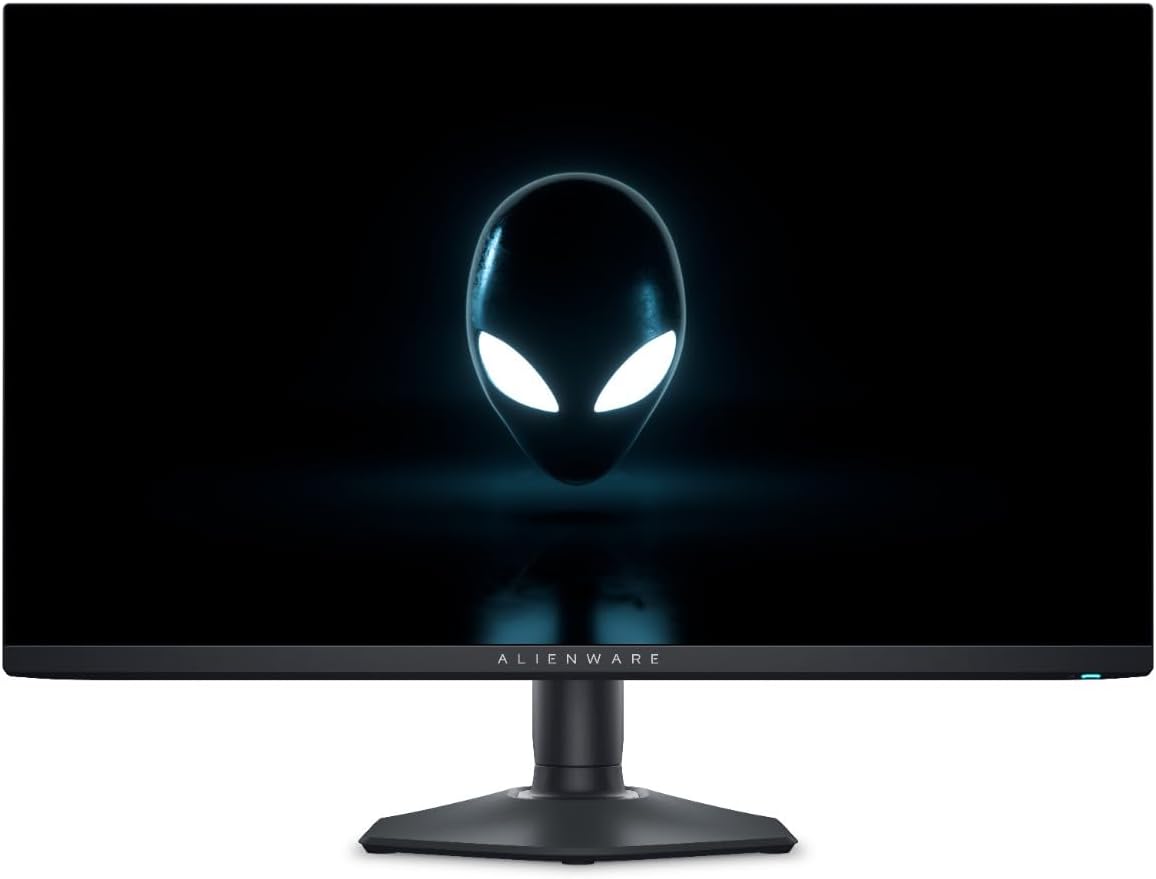
👾 Dominate your digital realm with Alienware’s fastest QD-OLED powerhouse!
The Alienware AW2725DF is a 27-inch QHD gaming monitor featuring cutting-edge Quantum Dot OLED technology for exceptional color purity and contrast. With a blistering 360Hz refresh rate and ultra-low 0.03ms response time, it delivers ultra-smooth, blur-free visuals ideal for competitive gaming. It covers 99.3% of the DCI-P3 color space and supports HDR400 for vibrant, true-to-life imagery. AMD FreeSync Premium Pro and VESA AdaptiveSync ensure tear-free gameplay, while ComfortView Plus technology reduces eye strain during extended sessions. Connectivity includes USB-C, dual DisplayPort, HDMI with eARC, and four USB ports, backed by a 3-year warranty for peace of mind.
| ASIN | B0CVN8HWG7 |
| Adaptive Sync | FreeSync |
| Additional Features | alto refresh rate, QD-OLED |
| Aspect Ratio | 16:9 |
| Aspect ratio | 16:9 |
| Best Sellers Rank | #3,814 in Computers ( See Top 100 in Computers ) #134 in Computer Monitors |
| Brand | Alienware |
| Brightness | 250 |
| Built-In Media | 1 x DisplayPort to DisplayPort 1.4 cable (1.80 meters), 1 x USB 3.2 Gen1(5 Gbps) upstream cable (1.80 meters), 1 x USB-C to DisplayPort 1.4 cable (1.0 meters), HDMI cable, I/O cover, Microfiber Cloth, Monitor panel, Power cable (varies by country), Quick setup guide, Safety/Environmental/Regulatory Information, Stand (riser and base) |
| Color | [Wide Color Range] |
| Color Gamut | 125 |
| Connectivity Technology | DisplayPort, HDMI, USB |
| Contrast Ratio | 1,500,000:1 |
| Customer Reviews | 4.3 out of 5 stars 261 Reviews |
| Display Resolution Maximum | 2560 x 1440 |
| Display Technology | QD-OLED |
| Display Type | OLED |
| EU Spare Part Availability Duration | 60 Months |
| Global Trade Identification Number | 05397184821596 |
| Hardware Connectivity | DisplayPort, HDMI, USB 3.2 Gen 1 |
| Has Color Screen | Yes |
| Image contrast ratio | 1,500,000:1 |
| Item Dimensions D x W x H | 60.9D x 24.4W x 51.6H centimeters |
| Item Weight | 4.3 Kilograms |
| Manufacturer | Dell |
| Model Name | Alienware 27 |
| Model Number | AW2725DF |
| Mounting Type | Desk Mount |
| Native Resolution | 2560x1440 |
| Number of Component Outputs | 3 |
| Picture Quality Enhancement Technology | Quantum Dot (QD) and High Dynamic Range (HDR) |
| Pixel Pitch | 0.22 |
| Power Consumption | 27.6 Watts |
| Processor Count | 1 |
| Refresh Rate | 360 Hz |
| Resolution | QHD Wide 1440p |
| Response Time | 0.03 Milliseconds |
| Screen Finish | Matte |
| Screen Size | 26.7 Inches |
| Screen size | 26.7 Inches |
| Screen surface description | Matte |
| Shape | widescreen |
| Specific Uses For Product | Gaming |
| Total Number of HDMI Ports | 1 |
| Total USB 3.0 Ports | 2 |
| Total Usb Ports | 5 |
| Viewing Angle | 178 Degrees |
| Voltage | 240 Volts (AC) |
A**R
Very nice and crisp. Heavy green tint though
This monitor excels at so much its unbelievable. But let me start this review talking about one of the things that is most negatively talked about OLED outside of burn in, which is text readability. This is easily one of the most overinflated issues I've seen talked about OLED. When doing my research I thought it would be a real problem when I got this monitor but that is so far from the truth it's almost comedic. In fact, reading text on this monitor is way better than any 1080p IPS monitor I've ever looked at. I literally have to stick my nose to the monitor to see those text fringing issues. Also I've had this monitor 4 months and not a single drop of burn in with extensive productivity use. I edit a lot of video on adobe premiere and still haven't got any UI elements burning in. In fact the most shocking this is learning how poorly calibrated this monitor is despite all the reviewers saying its good right out of the box. This thing has the heaviest green tint I've ever seen in a monitor to date. It almost looks like a CRT monitor from the 90s. Of course a bit of tweaking fixes this but HOW is this not the immediate focus of this monitors weaknesses?? Anyway, If you can get it on offer like I did, this is an amazing display. The 360Hz is great but most of my games run at lower so it technically never reaches that full 360Hz so in a sense it doesn't feel much better than my previous Acer Nitro 250Hz VA panel. A little bit better motion clarity but it doesn't hit you like a truck if you used a monitor at 240Hz or more.
L**S
Melhor Oled
Sensacional o monitor! Oled é outro nível!
B**E
The monitor to get
This is the monitor to get if you want to upgrade to 1440p or to oled or to a higher refresh rate, it has amazing motion clarity a beautiful HDR OLED panel. For the price it is an easy buy.
G**R
Top OLED-Monitor – überragendes Bild, starke Technik, sinnvoll für bewusste Systemeinstellungen
Ich habe den Alienware OLED-Monitor heute erhalten und bin sehr zufrieden. Das Panel liefert ein extrem scharfes Bild, perfekte Schwarzwerte und kräftige Farben, die klar über klassischen IPS-Monitoren liegen. Verarbeitung und Standfuß sind hochwertig, die Einrichtung ist unkompliziert. Wichtig zur Einordnung: Ich nutze einen leistungsstarken High-End-PC, arbeite aber grundsätzlich mit einem festen FPS-Limit von 60 und einem 120-Hz-Panel-Setting. Das ist meine bewusste Strategie, um die Hardware langfristig zu schonen und ein leises, stabiles System zu fahren. Der Monitor passt dafür ideal – sauberes Bild, keine Schlieren, sofortige Reaktion, und OLED profitiert zusätzlich davon, wenn man keine unnötigen Lastspitzen erzeugt. Für Gaming ist das Gesamtpaket stark: hervorragender Kontrast, schnelle Reaktionszeiten und ein insgesamt sehr ruhiges, angenehmes Bild. Schutzfunktionen gegen OLED-Einbrennen sind vorhanden und gut umgesetzt. Unterm Strich ein überzeugendes Gerät mit klarer Kaufempfehlung – sowohl für High-End-Nutzer als auch für alle, die ihr System bewusst effizient und schonend betreiben wollen.
R**D
WOW
Simply amazing this is my first oled monitor and I’m blown away at how amazing it looks, if you currently own an ips panel and are thinking of upgrading to something like this you will not regret it, I’ve included two photos one from my ips monitor the other is the oled and I feel like I don’t even need to specify which is which. I’ve been using the hdr peak 1000 mode which looks amazing in games and still looks great in viewing content that doesn’t support hdr, the customisable rgb on the back are a nice addition. Cleaning it isn’t hard as long as you use a micro fiber cloth and distilled water just two sprays onto the cloth and VERY gently clean it in circular motions the first few times I cleaned it I was worried I had messed up the coating but following the steps above you will no doubt get any marks or streaks off the monitor. My only real complaint so far is the Amd freesync causes screen flickering on Steam and Chrome I originally just decided to only have freesync enabled for gaming but some games would still flicker so I just keep freesync completely turned off which has gotten rid of the flickering, I haven’t noticed any differences with freesync turned off other than the flickering stopping. The last thing i have to say which isn’t a problem for me at all but this monitor and I imagine most oled monitors greatly benefit from being in dark spaces the glossy finish is very visible if you’ve got the light on this isn’t a problem for me since it’s often dark when I’m using it but it may be different case for someone else. Overall a fantastic monitor and if this is your first oled you will absolutely love it
F**Y
Zowieden daha iyi
Eskisi kadar cs oynamadığım için Zowie 2546k dan bu monitöre geçtim. Dyac vs yok ama zowie kadar akıcı bir görüntüsü var. Film yada YouTube da herhangi bisey izlerken zowie ile arasında çok net kalite farkı var. Benim gibi yıllarca zowie kullanmış arkadaşlar hiç tereddüt etmeden geçebilirler. Bana göre iki sıkıntısı var onları da söyleyeyim. Birincisi parlaklığı. İlk açtığım anlarda monitör parlaklığı düşük geliyor gözüme ama çok kısa sürede alışıyorum. İkincisi panel health kısmı çok çabuk kötüleşiyor. Bu yüzden monitörü 5-10dk kapalı tutmak gerekiyorki pikseller kendini yenilesin ve yanma olmasın. Cs de 2-3 maç sonra bunu yapmak gerekiyor. Zorunlu bişey değil ama uzun ömürlü olması için yapmak gerekiyor.
Trustpilot
3 weeks ago
5 days ago