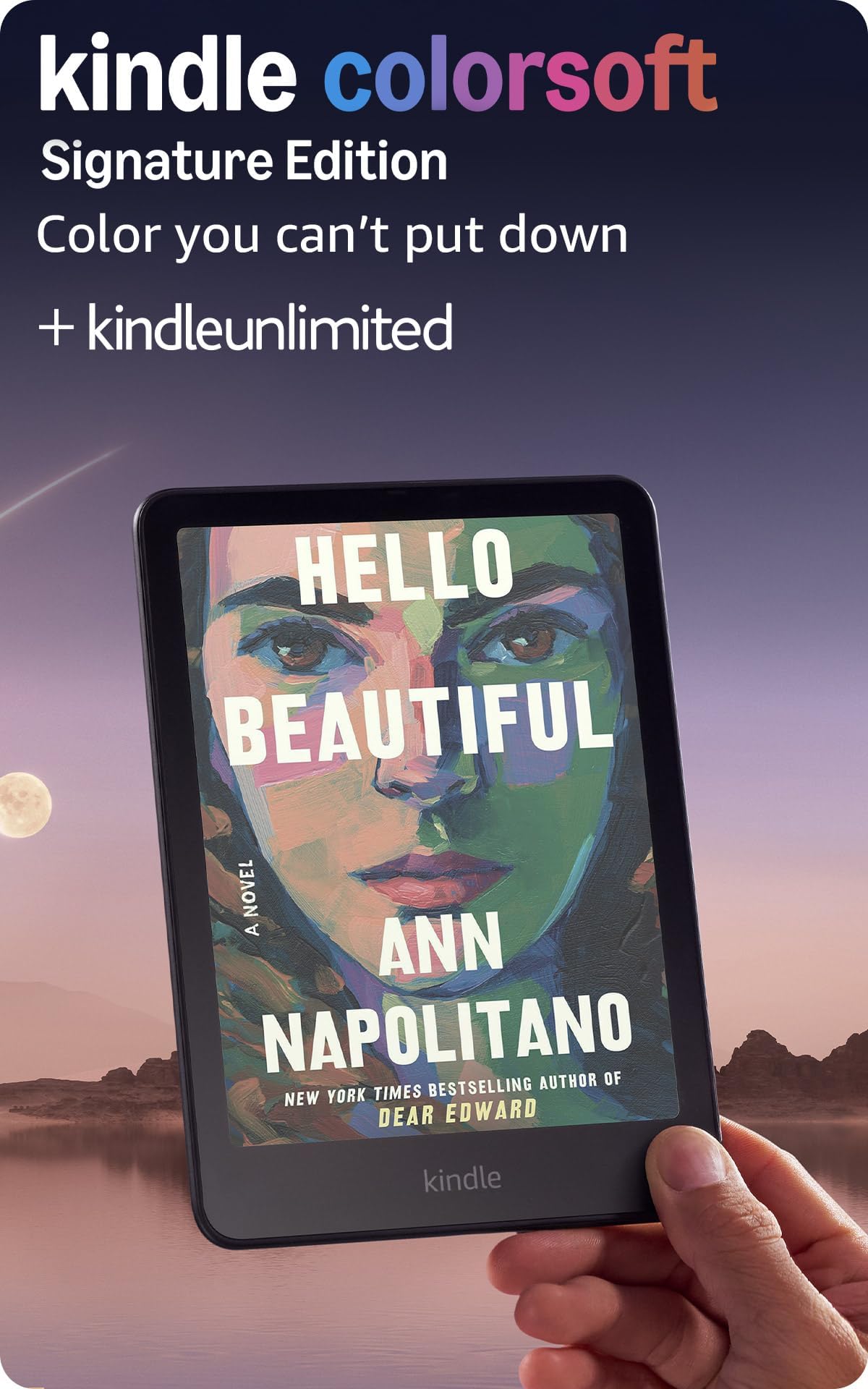
📚 Elevate your reading game with color, convenience, and endless stories.
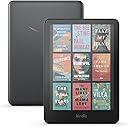
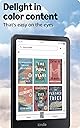
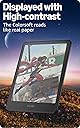
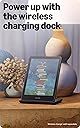
The Amazon Kindle Colorsoft Signature Edition 32GB (2024) redefines e-reading with its innovative 7-inch Colorsoft display offering vibrant, eye-friendly color at 300 ppi B&W and 150 ppi color resolution. Designed for marathon readers, it boasts up to 8 weeks of battery life on a single charge and supports wireless charging for ultimate convenience. Its IPX8 waterproof rating ensures durability in any environment, while 32GB storage holds thousands of titles. With adaptive front light technology and access to over 15 million Kindle Store titles plus 3 months of Kindle Unlimited, this device is the perfect blend of cutting-edge tech and immersive reading experience for the modern professional.
| Display | Amazon’s 7” Colorsoft display technology with built-in light, 300 ppi B&W, 150 ppi color, optimized font technology, 16-level gray scale. Due to the addition of a color filter layer that creates the easy on the eyes color reading experience, you may notice that the texture or brightness of the Kindle Colorsoft display looks different than the Kindle Paperwhite display. |
| Size | 5 x 7 x 0.3” (127.6 x 176.7 x 7.8 mm) |
| Weight | 7.7oz (219g). Actual size and weight may vary by configuration and manufacturing process. |
| System Requirements | None; fully wireless and doesn't require a computer to download content. |
| On-Device Storage | 32 GB; holds thousands of books. |
| Cloud Storage | Free cloud storage for all Amazon content. |
| Battery Life | A single charge lasts up to eight (8) weeks, based on a half hour of reading per day with wireless off and the light setting at 13. Battery life may vary depending on use. Audible audiobook streaming over Bluetooth will reduce battery life. |
| Charge Time | Fully charges in less than 2.5 hours with a 9W USB power adapter. |
| Wi-Fi Connectivity | Supports 2.4 GHz and 5.0 GHz networks with support for WEP, WPA, WPA2, WPA3 and OWE security using password authentication or Wi-Fi Protected Setup (WPS). Does not support connecting to ad-hoc (or peer-to-peer) wifi networks. |
| Accessibility Features | VoiceView screen reader, available over Bluetooth audio, provides spoken feedback allowing you to navigate your device and read books with text-to-speech (available in English only). Learn more about Accessibility for Kindle. |
| Content Formats Supported | Kindle Format 8 (AZW3), Kindle (AZW), TXT, PDF, unprotected MOBI, PRC natively; PDF, DOCX, DOC, HTML, EPUB, TXT, RTF, JPEG, GIF, PNG, BMP through conversion; Audible audio format (AAX). Learn more about supported file types for personal documents. |
| Documentation | Learn more about Kindle devices with our Quick Start Guide and Kindle User Guide. |
| Warranty and Service | 1-year limited warranty and service included. Optional 1-year, 2-year or 3-year Extended Warranty available for U.S customers sold separately. Use of Kindle is subject to the terms found here. |
| Included in the Box | Kindle Colorsoft Signature Edition, USB-C charging cable and Quick Start Guide. |
| Waterproofing | Waterproof (IPX8), tested to withstand immersion in 2 meters of fresh water for 60 minutes. Learn more about the waterpoof Kindle Colorsoft. |
| Available Colors | Metallic Black |
| Generation | Kindle Colorsoft Signature Edition (1st Generation) – 2024 release |
| Software Security Updates | Learn more about these software security updates. If you already own a Kindle, visit Manage Your Content and Devices for information specific to your device. |
B**T
Colorsoft color experience is what I wanted
I purchased the Amazon Kindle Colorsoft so I could have color images and graphics on many textbooks in my collection, as well as the ability to highlight in different colors, a feature I used a lot on my Android Kindle app but couldn't with my 2021 Paperwhite. The book covers are nice in color, too, bringing a level of dimension to my library that I enjoy a lot. I am giving this five stars as it satisfies my main objectives: The color is good, color highlighting excellent, and the speed of page turns and library browsing is excellent (noticeably faster than my 2021 Paperwhite). The only thing missing is a satisfying "dark mode," as it only affects the book pages and not the whole interface as with the Paperwhite. Perhaps this will change in a future update, but it isn't a big issue for me and the white text on a black background is still excellent for night reading, especially with the amber glow turned to the max. Color highlighting in this mode is also excellent. I do have some caveats, however: The battery drains a lot quicker than the Paperwhite, and the 32GB storage fills up a lot quicker. Also, the "Vivid" color setting seems to switch back to "Standard" sporadically, even if it still says "Vivid" is selected (this might be happening after I select a Restart). These are not serious issues as I just need to charge more frequently and will refrain from downloading my whole library as space fills up, and a reset to "Vivid" handles the color issue until a software fix is available (assuming this isn't just my imagination). In addition, the price is very high for what it offers, so unless color is very important to someone (to view comics, highlighting in color, etc.), the new 2024 Paperwhite might be the better option. UPDATE: An unfortunate issue a lot of reviews have mentioned is a yellow band at the bottom of the screen. At first, I didn't think my Colorsoft had this issue, but now I see a very faint band at the bottom of the screen when reading with black text on a white background. To be fair, I might not have noticed this without the issue being pointed out, and it is a lot less noticeable than some photos I've seen (I have the warmth setting set to 10 normally, which might camouflage the band a little). It looks to me like an issue of the calibration of the LEDs as it doesn't appear when the backlight is off. It is also undetectable with images and using the white test on a black background. Still, it is there, and I am requesting a replacement for when the issue is resolved. I'm keeping my review 5-stars because Amazon has been very responsive regarding this yellow banding issue. Contacting customer service via a chat was a simple process and a replacement request was quickly queued up (replacements, alas, aren't available yet while the underlying issue is being investigated and resolved), and I can keep using my current Colorsoft in the meantime (while noticeable, the yellow band isn't distracting while I read). One of the reasons I keep coming to Amazon is their fantastic customer service, and this is a good example of them doing what they can for an unfortunate situation. UPDATE #2: I received my replacement Kindle Colorsoft and the yellow banding issue is resolved. Again, I feel the customer service response to this issue was excellent and it is a primary reason I continue to use Amazon.
S**.
Looks like paper!
This is my first kindle. I had seen them in the wild and always scoffed at the idea of an reader. I have always been the type to buy the book and either add it to my bookshelf or donate it when done. But recently I started reading in the Kindle app on my phone. Not sure why, maybe it was my mom retiring and using her kindle Paperwhite. But as I started reading books on my phone I decided getting a kindle was that next step. I weighed the Paperwhite against the color soft and the price difference left me leaning to the color soft. The black and white doesn't look much different than my mom's Paperwhite but the color is very soft in tone as the name implies. I was not surprised at that as there is many reviews online that show the color. So why color? Well if you like to read the occasional comic or graphic novel or just like to see some color covers or color highlights then the color soft is for you. If color is not the issue then go with the Paperwhite. As for memory, I am glad I got the 32gb model. After the Kindle pre installed software and such you are left with 25 gb. Black and White text books are only a few mega bites but a graphic novel is easily 250 megabytes. Of course you can always remove your books while still seeing them in your library. I did take Amazon up on the Kindle unlimited trial. Not sure I will renew as between work and my kids I can only read 3 or 4 books a month. Buying your books has the benefit of reading them at any time without a subscription and books are only 3 to 5 dollars. If you read several books a week then Kindle unlimited is for you. The colosoft is very sharp and clear. Text is customizable by size and font. Works good in sunlight and I like that it's waterproof. Not that I am taking it to the pool but if I split my drink I would know I am ok. I know there is a lot of reviews that mention the yellow bar but my Kindle has none of that so I assume that has been resolved. My only minor issue with the Kindle is there is a faint white halo around the border where you can kind of see the backlight shining through but is barely noticable once you start reading and is less of a defect than it is how it is designed. The screen is a nice glare free matt finish and the Kindle case is easily installed and a nice accessory. The battery life is sufficient but I feel like the way the battery life is advertised is a bit false. They say 8 weeks but apparently that's based on 30 minutes a day of reading. Who reads 30 minutes a day. I am a light reader and even I read more than 30 minutes a day. I would say you get about 24 hours of reading. Which is still pretty decent. Overall I would give it 4.5 out of 5 stars. I really like my Kindle and it feels like I am reading from a paper book.
M**E
UPDATE: Four months later, my REPLACEMENT device yellowed!
2nd UPDATE (March 12, 2025): The 2024 Kindle Paperwhite that I purchased to replace my yellowed Kindle Colorsoft in November arrived with EVEN WORSE YELLOWING. I could NOT believe it. So instead, I sent THAT Kindle back, and requested Amazon send a replacement Kindle Colorsoft instead. The replacement Colorsoft arrived in December and I sent back my original, yellowed Colorsoft. Then over the past three months, that replacement Colorsoft BEGAN YELLOWING TOO. It's ABSOLUTELY clear Amazon did not change their production process. No matter what 2024 Kindle device you buy, its display will eventually turn yellow due to the faulty display adhesive they switched to in 2024. DON'T BOTHER. Just DON'T BOTHER. If I could give my Kindle Colorsoft--for which I'll never get my money back--ZERO STARS, I would. Same with the 2024 Paperwhite. I just use my iPad now to read Kindle books. But I will NEVER, EVER buy another Kindle device. Neither should you. ____ UPDATE: After 10 days of owning my new Kindle ColorSoft, I changed my 5-star review to a 1-star review. My original review is below, and all of it still stands. But the weird, prominent yellow bar across the bottom of the display--almost like someone wrote across the display with a yellow hi-liter, is a real thing. The only way not to see it, or be distracted by it, is to pump your display warmth up so that the yellow from the warmth blends in with the bottom stripe. It's ridiculous that Amazon went to market with this display flaw. Were they hoping no one would notice? Now reviewers are saying there won't even be a hardware fix--there may instead be a "software fix". Which means either making your whole display yellow or putting a black bar across the bottom of the screen. Either way, hard nope. If you request a call from Amazon Product Services, you have options to return or exchange your dingy Colorsoft. If you return it, you'll wait 2 to 4 weeks for your funds to be processed back to you. If you exchange it, you can only do so for a new, hopefully corrected Colorsoft, and they're not shipping for "3 to 5 weeks". Until then, you get to keep on using your faulty one. If you want to exchange for a different new Kindle model, Amazon will NOT process that for you in one transaction. Instead, you have to initiate a return--triggering that 2 to 4 week wait for your refund--and purchase a different new Kindle SEPARATELY. Which means, until your refund arrives, you're essentially lending Amazon your money for a month for free. Making things EVEN MORE complicated, if you used your old Kindle for trade-in value, Amazon WILL NOT give you that value back, giving you zero options for a clean return. The Product Services representative will, however, give you a 20% discount code to purchase a new Kindle. But you still have to do the return and new purchase separately. (And wait that month for Amazon to give you back your original purchase price.) All in all, the handling of this complete launch misfire has been unacceptably customer-unfriendly. Amazon could make it SO MUCH EASIER for the people who placed advanced orders, traded in their old Kindles, and early adopted the Colorsoft to get their money back and get new devices. You would think they'd want to do that after all the hard promotion the Kindle management team did with tech media and influencers in mid-October. Instead, the nearly complete lack of proactive customer service for what is Amazon's 100% own goal and no one else's fault has turned their product ambassadors into naysayers. That's a lot of marketing money thrown in the toilet. I decided to return my Colorsoft, and use the 20% discount code to order a new Paperwhite. Amazon charged me A DOLLAR to send me a shipping label, and I have to BUY MY OWN BOX at UPS. (At this point, are you surprised? Whatever you do, DO NOT BUY THIS DEVICE. This launch has been an unmitigated disaster. If I want color book covers, I'll use the Kindle app on my iPad. You should, too. ____ ORIGINAL REVIEW: Like reading a newspaper with full-color photos. Not tablet-like photos, not meant to be. Absolutely joyful. A breath of fresh air to be able to easily browse the covers in your library, your wish list, and the Kindle Store. The Vivid mode makes the colors pop better. Auto-brightness and scheduled warmth make the device less fiddly. The alleged fuzzy look of reading B&W text due to the color layer is a nothing burger—the layer is barely noticeable at all. The layer allegedly making things darker is also mildly ridiculous. That’s what your brightness control is for—including when auto-brightness is on. Just choose your preferences once and you’re all set. And does anyone really care the battery now lasts for two MONTHS instead of three? Unless you were an Oasis owner, this will be the best Kindle you’ve ever owned. Take advantage of current generous trade-in offers and treat yourself.
S**D
Impressive first version of a color Kindle - remember this is NEW technology built for the Kindle
I may be among the minority here, but I am in love with this new color Kindle. I can only assume my expectations were different. By pre-ordering this device I KNEW I was paying a premium to be an early adopter of a new technology, and new technologies ALWAYS have flaws that were not going to be discovered until there is a much larger testing pool from a full release. I expected those and knew the expensive purchase was a gamble, but to me it was a successful gamble. Despite its flaws, I think it is absolutely amazing and honestly only one of those flaws is a possible deal breaker for me and the reason I gave it 4 stars. I’m hopeful that one deal breaking flaw is fixable by software, and as soon as it’s fixed I’ll be changing this to 5 stars. This device has gorgeous color. It’s faster at pretty much everything than my Oasis and provides the experience I’m accustomed to from Kindles. Pretty much the only thing I would whine about being missing are page turn buttons (because I’m one of the people who STRONGLY prefer them to touch screen). Let me go through my experience with the flaws getting this device a bad reputation: - The yellow bar at the bottom of the screen: Yes, I DO have the yellow bar at the bottom of the screen. It does not bother me AT ALL. I doubt I’d have noticed it if I hadn’t known to look. I only notice it when I’m on the home screen and it is basically a closed in box. It is 100% gone if you put the screen on a black background. I’ve also spent hours reading regular books on a white background just to test if this would annoy me and while I know it’s there I never really noticed it. - Grainy/darker screen: Yes, they all have this and will all continue to have this. This falls under the category of understanding the technology you are early adopting and what the realistic expectations are. The color functionality is overlaid on top of the black and white e-ink screen. When you put something on top of a screen, it’s always going to have a permanent effect, it was never going to be fully transparent. I know some people dislike that they have to turn the screen up brighter than they do on their Paperwhites and some find it difficult to read through the screen door effect all color e-ink devices have with current technology. I personally don’t care if I have to set my brightness a little higher, I have it on auto-brightness anyway. And the softening screen door effect that is an issue for a lot of people, I actually find I prefer to read on. It makes it feel more like it’s on a piece of paper than a screen to me. - Shorter battery life: Honestly I’ve yet to come even close to running low on battery so I don’t think this is a problem for me. It still holds a charge FAR longer than my beloved Oasis. - No true dark mode: I understand where the anger on this is coming from, as someone who reads exclusively in dark mode. It does feel a little weird how much of the lighting on the sides and underneath comes through when the page is black compared to dark mode on my other Kindles. And it’s not ideal that the menus are still in white. I’m hoping this will be fixed with a software update because I DO strongly prefer the traditional dark mode, but the black screen background on this device isn’t bad enough that I can’t use it and I still prefer it to the white background. - Ghosting: Now THIS is an issue that may be a deal breaker for me. For me I’ve only had it happen when I’m using the black page and have been reading on it for an hour or so straight. As I strongly prefer to read with a black background this is an issue I keep coming up against. It goes away if I exit the book or turn the device off and back on again, but it is VERY disruptive to my reading. Hopefully they can fix this with software or with a replacement device that has it addressed in the hardware available to those of us who early adopted. Honestly it would probably be fixed if I could turn on the page refresh toggle, but while I can do that in comics I don’t seem to be able to do it in regular books with the black background. Overall I’ve spent many hours using this device and enjoying it. While I’m still likely to lean towards my Oasis for marathon reading sessions of regular black and white books because of the dark mode, I’ve really enjoyed reading graphic novels on the Colorsoft and will likely also enjoy cookbooks and knitting pattern books on there in the future as well. I’m hoping they can fix the ghosting issue, either with software or a hardware fix for a future replacement, but I’m definitely not ready to give up on this device yet as it’s still bringing me joy.
W**Y
Big but beautiful
I've had the kindle a week now. I've charged it to 100% when I first receive it. After daily and moderate usage, it is now at 47%. Most of my kindles don't drop that low of battery until the third or fourth week. The pages of the book look more dimmed and grayed as opposed to the paperwhites or basic kindle models. I do understand it is the also the color eink design that causes this. I do think it is worth it for my want of seeing covers in color. It is ammendable by increasing my brightness and warmth, and I can get to appear like a paperwhite or under direct sunlight is the prefered method. I prefer the big bezels and 6 inch screens of older models, and I do find that the Colorsoft is too big and heavy. With a simple accessory it makes it more comfortable to read. I keep this to read at home and use my 2018 paperwhite or basic kindle to take out with me. But overall, it satisfies my need for a color design and it helps motivate me to read due to it.
K**R
Kindle colorsoft
I absolutely love my Kindle so much. You’re actually able to highlight in five different colors with this Kindle not only can you see the covers of your books in color which I do love to do but I also enjoy having different colors to be able to highlight it also, this is the only Kindle that allows you to change from scrolling to a tapping option. It automatically comes with no ads, but you are able to turn on the feature where it will show you the book you’re currently reading when it’s locked which I really enjoy. It’s slightly dark so you can’t always see the color very well, but that’s because it’s not on when you have the book open. It’s great. I always adjust my size to being pretty big. You have different options. I enjoy how it’s kind of more warm tone, but you can always make it cooler or warmer. ! If it’s perfectly in the front of my lounge fly bag and I love that that pocket doesn’t work for like anything so I figured it would be perfect for my Kindle and it is!! the back of this Kindle, where it has the Kindle logo actually kind of has a rainbow, which is adorable. It doesn’t really matter that much but I think it’s just because it is the Kindle color soft. Some people have mentioned complaints about the screen feeling weird. I don’t find it to feel weird, but that might be because it’s my first Kindle I’ve never really experienced how it used to feel or for other models! I really enjoy the features that this Kindle offers. It’s really fun to read comic books and other things on it as well that have pictures and it’s definitely really great. Have never struggled to use it. I usually stick to the pink highlighting color. it’s just my preference. It’s super lightweight screen is easy to clean. The Kindle itself is easy to clean. You have different options that you’re able to pick for your color style and your page color. You can also turn on auto brightness and things like that! I really like this Kindle and I’m really glad I got the version I did model wise. It really just fits me and my lifestyle really well. The color looks beautiful. I really enjoy it personally.
S**M
Mixed feelings
I've been a long time Kindle customer, ever since the 1st generation... and over the years have probably had close to 10 different Kindles. You could say I'm a bit of a Kindle fanboy. Over the years I have seen the good, bad, and the ugly. It's mostly been good (or amazing), but there have been a few mixed experiences over the years, for instance, when the Paperwhite first came out... it was a revolutionary experience for the Kindle, no going back, but the lighting was uneven and distracting. It got fixed later. When it comes to black & white Kindles, I feel like the technology has been pretty well perfected for a while now, with the Oasis and Scribe being pretty much perfect. So enough about black & white Kindles, this review is about the Colorsoft. For as long as Kindle ereaders have been around, I've wanted to get one in color, and it's finally here. Knowing full well that introducing a new technology like this is bound to have some quirks, I was still excited to give it a shot. I actually got 2 Colorsoft readers today (1 for a family member, 1 for me), which puts me in a unique position to have seen and worked with 2 of these side-by-side, so my review is actually based on having seen and used 2 of these. I was expecting the color to be soft (as in, the name Colorsoft), muted, and just overall not very impressive, but was actually very pleased with it. When the frontlight comes on, it really comes to life, and the color is perfectly acceptable and better than I expected. I also was expecting the 7" screen to be too small for comics, and while I would prefer it to be bigger, it's actually serviceable. The colors look reminiscent of what you'd see in a newspaper. I quite like it actually and am very happy with the color for a gen 1. What I am not crazy about though, is the warm light and uneven color of the screen. The bottom 5-10% of the screen is slightly yellowish, while the rest of the screen looks even and consistent. As a reminder, I have 2 Colorsoft devices, and both are exactly the same. The issue becomes more pronounced if the warm light is on at a low/medium setting. It just reminds me of some of the early Paperwhites, how uneven the lighting could be (for old-timers, remember seeing "cones" of light at the edge of the screen?). The yellow strip across the bottom just looks off. It just reminds me of some of the early frontlit kindles having strange uneven lighting and makes me disappointed to see it on a premium priced device in the year 2024. I do think this issue is not super distracting under every possible scenario or lighting setting on the device, but still, it shouldn't be there. The other issue is there is a "film" over the display inside the device to make the color work, and it makes the screen have a slightly "hazy" appearance to it. This is more noticeable with a brighter light. I don't find this that big of a deal, but worth noting. Some other comments on this - it's a fast device, flipping through pages is quick. Color looks better than expected. Not everyone may be sensitive to the uneven screen, and it isn't horrible in every lighting scenario. I guess the thing about it that is disappointing is how it feels like a few steps forward (color that actually looks good) and a step back at the same time (uneven screen, lack of physical page turn buttons). I will be watching with great interest to see how this is improved upon in a version 2, and also to see what others experience is with the yellow strip across the bottom of the screen as I've seen on both of the ones I have here.
H**Y
Disappointing - Finally, a Color Kindle, But the Screen Has Issues - Yellow Tint
Update: Amazon customer service contacted me less than 24 hours after leaving this review to "talk about my experience. After a lengthy 30-minute phone call, the CS rep assured me that Amazon is working on fixing the issue, and I would be put on the list to get a replacement as soon as the screen issue was resolved. Fast forward to 11/22/24. Jill from Amazon CS (a different CS rep than before) called me and asked if I still wanted a replacement for my Colorsoft. Of course, I said yes. While I had her on the phone, I asked repeatedly if they had fixed the yellow bar issue, and she told me that, without a doubt, they had. She also told me that Amazon would send my replacement Colorsoft via UPS Express, and she made sure to point out that my replacement device would not come in an Amazon box, "so don't be alarmed." I got off the phone feeling cautiously optimistic that I would have a yellow-bar-less Colorsoft in a few days. I got the replacement on 11/26/24. It came via UPS Express, as Jill said, and inside the box was a brand new sealed Colorsoft, two Kindle stickers, and a handwritten note with heartfelt apologies and assurance that this new device had been thoroughly checked out and was perfect. Spoiler alert: It was not. The yellow band at the bottom of the screen was still very much there and borderline worse than my original. The whole screen was yellow/green tinted, and the text wasn’t as crisp. There was also horrible ghosting, even when the “refresh every page turn” option was turned on. I immediately replied to the email I received with the tracking information for my replacement device, but I have gotten no response, so I contacted Customer Service again today. The first rep I spoke to via chat didn't even acknowledge my issue. They thanked me for being an Amazon customer and closed the chat session. I then contacted phone support, and after fighting with an automated assistant trying to get me to return my Colorsoft, I got a human on the phone. Today's CS phone rep, Dainty, told me that the yellow screen issue is "still emerging," and no replacements will be issued until the yellow screen issue has been fixed. This ensures that defective devices do not continue to reach customers. She assured me that I would receive a replacement as soon as the issue was resolved but could not give me a timeframe for when that might be. This is getting ridiculous. It's fixed, or it's not fixed. People are getting replacements, or no replacements can be issued. Some people have gotten a perfect replacement, and others, like me, have gotten a worse device than the original. I'm happy to be patient and wait for Amazon to fix this problem correctly. The Colorsoft is an awesome device, but for $300, it should be perfect. And it's absolutely not. However, honest communication would be much appreciated instead of excuse after excuse and futile attempts to appease unhappy customers in hopes they will quiet down and accept less than perfection. I have added updated pictures comparing my "fixed" replacement with the original. My Original is on the Left (or the top in one photo), and the Replacement is on the right (bottom). I will update this review as things progress. ------------------------------------ I’ve owned every iteration of Kindle since the very first generation, and I was thrilled to hear that Amazon was finally releasing a color Kindle! I’ve wanted to browse my e-books in color for years, but e-ink technology has only recently advanced to the point where a color e-ink display is both affordable and of good enough quality for use. When Kobo released the Libra Color earlier this year, I seriously considered switching. But I am so deeply ingrained in the Kindle ecosystem that I decided to wait patiently for Kindle to make my perfect e-reader. Amazon got SO CLOSE to perfection but ultimately they missed the mark. First, let’s talk about the positives: 1. The Colorsoft is light and perfectly sized, and page turns are lightning-fast. 2. The color e-ink screen displays some of the most vibrant colors I've seen on a color e-ink device. However, if you expect the vividness of an OLED or LCD tablet screen, you may be disappointed. But in terms of color e-ink, the colors on the Kindle Colorsoft look fantastic. 3. The color e-ink “grain” on the Colorsoft is superb compared to other color e-ink devices, but it’s still noticeable. All color e-ink screens have a slight graininess due to the film layer that transforms black and white gradients into the colors you see. While this slightly grainy appearance may bother some users, the Colorsoft’s screen is one of the best I’ve seen in terms of grain. In fact, I think it resembles text printed on paper in a book more than the typical black-and-white e-ink screen. If you prefer super crisp text on a buttery smooth background, you should consider either of the new Paperwhite models. 4. The holographic Amazon logo on the back of the Colorsoft. That was a cute touch. Now for the negatives: 1. At the bottom of the screen, there is a large muted yellow strip that gradually fades about an inch into the page. It almost looks like an old paperback that has yellowed with age. I've tried to ignore it, but the more I read, the more distracting it becomes. A color e-ink screen is naturally darker than a regular e-ink screen, so you have to increase the intensity of the backlight. Unfortunately, as the screen on the Colorsoft gets brighter, the yellow strip becomes more pronounced. While it’s easy to overlook when reading full-color publications like comics or manga, it stands out significantly when reading regular books on a white background. The yellow strip will disappear when you switch to the new "inverted color" option, which makes sense because the page turns black and that overpowers the yellow. 2. The beloved system-wide dark mode is no longer available. Each book now has an option in the theme settings that allows you to invert the screen. When using the new inverted color setting, the page turns black and the text turns white, just like dark mode, but the Kindle menus and the background of some images remain white. While this isn't a major issue, it could blind you with brightness if you're reading in the dark and accidentally access a menu. 3. There are no page-turn buttons. We haven't had them since the Oasis, so I don't really understand the complaints. Every picture clearly shows that the Colorsoft doesn’t have page-turn buttons. The Colorsoft is identical to the Kindle Paperwhite, but with a color e-ink screen. While I miss having physical buttons, I have adapted to tapping the screen to turn the page. 4. The power button is located on the bottom of the device. While it is possible for your finger to accidentally hit it if you hold the Kindle in a certain way, this issue is easily avoided by using a protective case. Personally, I have never experienced any problems with the power button being positioned at the bottom of the device. While issues 2-4 may be concerns for some users, they are relatively minor compared to the yellow tint at the bottom of the screen. Slight adjustments to the user interface and some design flaws can easily be overlooked. However, a screen that appears as though it has been dipped in yellow food coloring is a much bigger problem. Without that annoying yellow tint at the bottom of the screen, the Kindle Colorsoft could have been the perfect color e-ink e-reader. At nearly $300, it should indeed be flawless, but unfortunately, it isn't. This is incredibly disappointing. I hope Amazon can address the screen issues and resolve them soon because, without that yellow tint, the Kindle Colorsoft would be the color e-reader I've always dreamed of.
Trustpilot
2 weeks ago
1 week ago