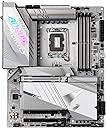
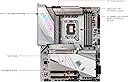
๐ Power your next-gen rig with the ultimate Z790 AORUS PRO X motherboard!
The GIGABYTE Z790 AORUS PRO X motherboard is a cutting-edge ATX platform designed for Intel's 13th Gen and upcoming processors. Featuring DDR5 memory support up to 128GB at 4800 MHz, five M.2 slots including PCIe 5.0 x4, and advanced thermal solutions, it delivers exceptional performance and reliability. With ultra-fast Wi-Fi 7, 5GbE LAN, and extensive USB-C connectivity, it ensures blazing network speeds and versatile expansion. Enhanced DIY features like Q-Flash Plus and RGB Fusion 2.0 make it a top choice for professional-grade builds.


| ASIN | B083RW9TJF |
| Best Sellers Rank | #54,891 in Computers ( See Top 100 in Computers ) #396 in Motherboards |
| Brand | Gigabyte |
| CPU Model | Others |
| CPU socket | LGA 1700 |
| Chipset Type | intel z790 x |
| Chipset type | intel z790 x |
| Compatible Devices | [Partial] Intel Devices with LGA 1700 Socket |
| Compatible Processors | Intel Core 13th Gen, Intel Core 14th Gen (and later using LGA 1700 socket) |
| Compatible devices | [Partial] Intel Devices with LGA 1700 Socket |
| Compatible processors | Intel Core 13th Gen, Intel Core 14th Gen (and later using LGA 1700 socket) |
| Customer Reviews | 4.4 out of 5 stars 142 Reviews |
| Graphics Card Interface | PCI Express |
| Item Weight | 2268 Grams |
| Main Power Connector Type | 24-Pin |
| Manufacturer | GIGABYTE |
| Memory Clock Speed | 4800 MHz |
| Memory Slots Available | 4 |
| Memory Storage Capacity | 128 GB |
| Mfr Part Number | Z790 AORUS PRO X |
| Model Name | Z790 AORUS PRO X |
| Model Number | Z790 AORUS PRO X |
| Number of Ethernet Ports | 1 |
| Number of Ports | 8 |
| Platform | Windows 11 |
| Processor Socket | LGA 1700 |
| RAM Memory Technology | DDR5 |
| Ram Memory Maximum Size | 128 GB |
| Ram memory technology | DDR5 |
| S/PDIF Connector Type | TOSLINK |
| System Bus Standard Supported | SATA 3 |
| Total PCIe Ports | 2 |
| Total SATA Ports | 1 |
| Total Usb Ports | 13 |
| UPC | 889523039403 |
| USB 2.0 | 4 |
W**E
Gigabyte z790 aorus pro x
Very good purchase runs my i9 14900k straight out the box no need for bios update has multiple argb headers for the ppl that like their machine lit up. Handy that the board has 5 x m.2 slots for lots of storage all in all a very good purchase
R**K
Receive damage goods
the packaging had no damage but on unboxing the product. I found out the Ram clipping lock and the Gpu lock broken. Did not expect a product like Gigabyte will deliver such poor quality.
B**N
Sturdy, better than expected, works first try.
Putting together a computer can involve accidental abuse of components. You slide around the motherboard trying to get it lined up, you press a little too hard in some areas, you exert too much pressure trying to get the CPU cooler on. You screw things in too tight. Stuff happens. Installing this thing, I was a bit rough, but this thing didn't even care. It took the punishment and worked great first try. I wanted to do a q-flash plus on it before first boot because I'm running an i9-14900kf. So it was only barely half assembled when I pushed the q-flash button. I half expected it to not work at all, but it worked first try! Aaaand then after the flash it tried to boot, which was only bad because I hadn't installed the CPU cooler yet, but hey, the bigger take away is that technically it booted first try. So then I assembled everything else, again I was a bit rough in the process. Again it worked first try when it was all finished. Build quality is really good, this is clearly a premium board. It auto detected and set up all my fans and my pump, which was nice. I wasn't sure how the pump thing was going to work. I plugged my AIO pump into the system fan/pump connector, and it just worked first try, no setup required. That's what you get when you pay for a board like this, it actually works first try with no setup. Aesthetically it looks nice in person, but maybe not as nice as the back mount boards, but still nice. The connectors for fans and power and all that run along the bottom which is okay I guess, although it made cable management a little weird. In terms of value for money, this thing does cost a lot of money, so I wouldn't call it a value, but I will say you are getting what you paid for. You're paying for a $300 motherboard, and you're getting a $300 motherboard, it is exactly what you're paying for, it is quality, and you're paying for that quality. It is very nice, and I have no regrets.
A**A
โ
ๅๅใๅฑใใฆใใ่จญ็ฝฎใใใฆใ็กไบใซ่ตทๅๅบๆฅใพใใใๆขฑๅ ใๅ้กใใใพใใใงใใใใกใใปใใจไฝ่ฉไพกใใใฆใใๆนใ่ฆใใใพใใๆตทๅค่ผธๅ ฅๅใฏๅฐ็ใพใง2ใ3้ฑ้ใปใฉใใใใฎใฏไปๆนใชใใใจใงใใฎใงใๆฌฒใใๆนใฏใใฎ่พบใ็่งฃใใฆ่ณผๅ ฅใใๆนใใใใใใใจๆใใพใใใกใใปใผใธใใใฆใใใ ใใๆใซไธๅฏงใซๅฏพๅฟใใฆ้ ใใใใใจใใใใใพใใ๏ผ
ุง**ุฏ
ู
ุงูุถู ู ุฐุฑ ุงุดูููุง ู ูุงุณุจู ูู ุนุงูุฌุงุช ุงูุชู
Trustpilot
1 month ago
1 month ago