Desertcart purchases this item on your behalf and handles shipping, customs, and support to Vanuatu.
🔥 Unlock next-level speed and power with Ryzen 7 9800X3D — the ultimate game-changer!
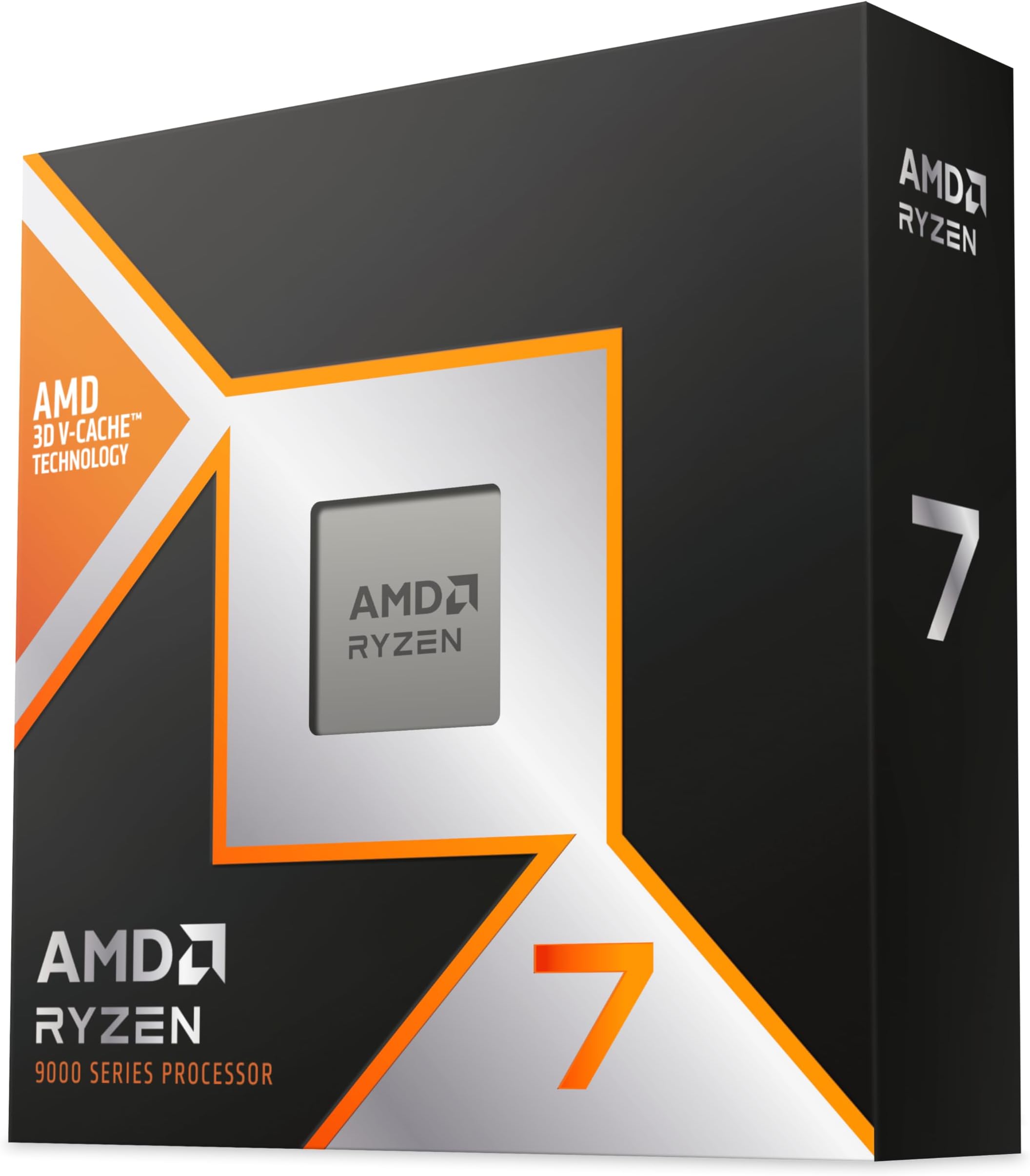
The AMD Ryzen 7 9800X3D is a cutting-edge desktop processor featuring 8 cores and 16 threads, a massive 104MB 3D V-Cache, and a max boost clock of 5.2 GHz. Designed on the advanced Zen 5 architecture and compatible with AM5 motherboards, it delivers exceptional gaming and multitasking performance with efficient power usage and straightforward setup. Ideal for professionals and gamers seeking premium speed and responsiveness.


| ASIN | B0DKFMSMYK |
| Best Sellers Rank | 946 in Computers & Accessories ( See Top 100 in Computers & Accessories ) 4 in CPUs |
| Brand | AMD |
| Brand Name | AMD |
| CPU manufacturer | AMD |
| CPU model | Ryzen 7 |
| CPU socket | Socket AM5 |
| CPU speed | 4.7 GHz |
| Cache Memory Installed Size | 104 MB |
| Cooling Method | External Cooler |
| Customer Reviews | 4.8 out of 5 stars 5,931 Reviews |
| Global Trade Identification Number | 00730143315289 |
| Item Dimensions L x W | 5L x 5W centimetres |
| Item Weight | 0.2 Pounds |
| Manufacturer | AMD |
| Manufacturer Part Number | 100-100001084WOF |
| Model Number | AMD Ryzen 7 9800X3D |
| Platform | Windows 11 |
| Processor Brand | AMD |
| Processor Core Count | 8 |
| Processor Count | 8 |
| Processor Number of Concurrent Threads | 16 |
| Processor Series | Ryzen 7 |
| Processor Socket | Socket AM5 |
| Processor Speed | 4.7 GHz |
| Product Warranty | 3 YEARS |
| Secondary Cache | 8 MB |
| Secondary cache | 8 MB |
| UPC | 730143315289 |
| Unit Count | 1.0 count |
| Wattage | 140 watts |
C**N
Excellent CPU, very happy with it
This is an absolutely great CPU and I’m very happy with it. For my PC build, it has been fast, stable and exactly what I wanted from a high-performance processor. Compatibility was straightforward for my setup, but of course you need to make sure you have the right AM5 motherboard and update the BIOS if needed. The installation itself is normal for a CPU, so not difficult if you are used to building PCs, but I would still take your time and follow the motherboard instructions carefully. In terms of stability, I have had no issues with it. The ease of use is basically simple once it is installed, as it just works as it should. The appearance is not something that matters much with a CPU, but the product and packaging look premium enough. It is not a cheap processor, but for the performance, I think the value for money is very good if you want a strong gaming or high-end desktop CPU. Overall, 5 stars from me and I highly recommend it.
A**D
Monster gaming CPU – fast, smooth and surprisingly efficient
I’m using the AMD Ryzen 7 9800X3D in a new AM5 build and it’s been excellent so far, especially for gaming. Paired with a high-end GPU, it just flies – frame times are smooth, 1% lows are noticeably better than my previous CPU, and heavy titles feel more consistent, not just “higher FPS on paper.” The big selling point is obviously the 3D V-Cache, and it really shows in CPU-heavy or open-world games. Load times and general responsiveness in Windows are also snappy, and it handles background tasks, recording and browsing while gaming without any drama. Thermals and power consumption are very reasonable for the performance. With a decent air or AIO cooler and a good case, temps stay under control and noise levels are easy to keep low. Setup on AM5 was straightforward – drop it in, update BIOS, enable EXPO for RAM and you’re basically done. If you’re building a gaming-focused rig and want one of the best “plug in and enjoy” CPUs without spending crazy flagship money, the Ryzen 7 9800X3D is a brilliant choice.
A**R
Great CPU
Great CPU all round in terms of performance in gaming. Price point is good as well. Very pleased with it. If you don't use Windows power throttling settings it stays fairly cool too even under heavy load.
S**M
Over the moon as promised it was *Used / Mint*
Was a little worried about buying a used 9800x3D but it arrived within 2 days, original packaging *including its AMD sticker*, CPU looked fully unused with 0 signs anyone had even installed it into a system before me. Upgraded from a 9600x that was Overclocked and Undervolted so naturally as soon as this 9800x3D posted, loaded into windows, verified using CPU-Z and AMD Adrenaline and loosely tested for temps and performance it was straight into Bios to Overclock and Undervolt this one too. Out of the box temps where no higher than my little 9600x was, perfectly stable through Cinebench R34 Multicore and a quick COD WZ test at 1080p low *competitive settings* to load the 9800x3D more than my 9060xt which is how I normally play anyway even with my Pro Controller reset to 8k polling had 0 stutters something my poor little 9600x couldn't handle and struggled at 4k polling rates after a couple of hours. Value wise at the price I paid for this 9800x3D vs the price I paid *new* for my 9600x I'm happy with the performance uplift so far... we'll see tonight properly though now she's Overclocked and Undervolted and put through a few hours of heavy gaming lol. Overall though so far really happy with it and for a *Used / Mint* CPU I really can't think of anything negative to say, it worked straight out the pack as it should would absolutely use this seller again if all their products Used or Otherwise are of the same high quality. **If my new CPU blows up tonight its my fault not the sellers as I am the one who has gone into my Bios and over tweaked the settings.** 24 hours after Install... absolute little beast of a CPU! Even at 1080p competitive settings with the FPS set to unlimited in several hard hours of COD WZ this 9800x3D was on average only 2c hotter than my 9600x was getting. Finding a stable Overclock and Undervolt was simple enough and seems perfectly stable using almost the same Bios settings the 9600x did with the exception of PBO scaler currently set x2 on the 9800x3D from x8 on the 9600x and the - TDP is -30mv on the 9800x3D vs -20mv on the 9600x but is perfectly stable and now I'm micro stutter free even at 8k polling rate from my controller which is where my little 9600x struggled. Highly recommend this CPU for gaming and if you get it from this seller even better.
C**D
Top notch gaming CPU
The power of this chip is astounding. Not the best for desktop activities, but for gaming its perfect Runs pretty cool compared to older generations and doesnt cause the cpu fans to spin much. Installation was simple and wont need to upgrade for a long time
B**F
9800X3D - Beast of a CPU & worth it at the current price of £400.
I originally did a new build back in June 2025 knowing I would do a few upgrades when prices were right. This was to replace an 8500G so a hefty upgrade. It was down to either the 7800X3D or the 9800X3D. Both are near identical in specs apart from marginally faster clock speeds on the 9800X3D along with the its newer Zen 5 architect. What swung it for me was the price - Only £50 more for the newer 9800X3D at the time of purchase!! Yep - £50 more for the newer, more efficient CPU!! Go figure eh?! Main (Useful feature): PCIe 5.0 support 24 x useable PCIe lanes + 8 useable PCIe lanes (via the chipset ~ m/b dependant) 96MB L3 cache (with 3D V-cache) Installing the CPU was as easy as removing the old one and slotting this one straight in. Finesse is still required or you'll liable to damage the motherboard CPU pins! They recommend using an AIO cooler or better - So I went for a Heatsink/Fan! THIS IS IMPORTANT - Having the case down on its side so the motherboard was flat, I applied thermal paste and then Attached the Heatsink/Fans. The PC was then powered on & not moved for around half an hour whilst doing the usual checks. Happy with the Thermals, I then powered it down & left it for another 5 minutes before moving the Case back into it's proper upright position. I've found that if I don't do this, after a few days I always end up with some weird hotspots on the CPU where the thermal paste has "shifted" and hasn't coated the chip uniformly & of an Even thickness! I'm going to assume that it's something to do with the initial heating/cooling/bonding cycle between the CPU/Paste/Cooler & of course, GRAVITY. Whether you choose to or not is up to you - I've found I always get better thermals doing it this way. You're also "supposed" to remove the motherboard from the case before swapping the CPU but how many of us do that?! So with that done, how has it performed? Considering this is a Heatsink/Fan setup I was expecting my idle temps to be around the high 30's to high 40's range.. What I'm actually getting is temps in the low 30's, even going as low as 28. Under full load, temps seem quite happy around the 60 - 65 degrees margin. It will sometimes go as high as 72 then slowly drop back into the low 60's. And Sometimes it seems quite happy chugging along under full load in the 50's though this seems to be very task specific. Under full load the important cores clock speed ranges were going from 5 - 5.2ghz. This is with HWinfo running in the background & viewing its reported high/low values! Power consumption - The CPU is rated @ max 120WTDP under full load. I seem to cap out around 105W under full load with idle fluctuating from lows of 29W to sudden spikes of 50W. Power wise & actually under load, it will draw anywhere from 90 watts to a maximum of 162 watts (Package Power Tracking) depending on what you're doing (gaming, rendering, etc) - Just be aware of this as you may need a beefier PSU if you're already close to the limits. I did disable the CPU iGPU in the Bios pretty much straight away as it's not needed and this will also help with the thermals. Apart from checking PBO was enabled and changing the DDR5 to an XMP/EXPO profile, NO other Bios settings were changed. Everything else is set on default. One thing I've noticed is that whenever you start any program the CPU temp will suddenly "Spike" up a few degrees to & then immediately return to its previous temp - it in no way affects the system performance yet is something I'll keep a close eye on. The 9800X3D is definitely a noticeable improvement. Games & the whole system seems a lot more "snappier" from the previous CPU I was using. I've also noticed that CPU utilization seems to only hover around the 40% mark with games. Trying some large MMO's, it's gone as high as 70% but that's about it. Cinebench will push it to 99% utilization and I expect if you're into editing, etc. that'll keep the numbers high. Everything is running as it should with completely acceptable temperatures & Zero Throttling. I still have 8 x PCIe lanes free from the CPU & another 8 x PCIe lanes from the chipset before Bifurcation & PCIe Lane splitting/sharing kicks in. So plenty of room for a better spec GPU plus other future upgrades. Worth the purchase? For me, Yes. But then look at my old CPU! For those running a lower end CPU it's definitely worth the upgrade if the price stays around £400 mark. Are you going to get the same results as me? Probably not. Some will be better, some worse. FINAL NOTE: If you are a Windows user MAKE sure the O/S Power Plan is set to "Balanced" and NOT "Performance". This is only applicable for "X3D" CPUs. Why you ask? High Performance mode can sometimes force the system to use the faster, non-X3D cores which means you'll actually end up with worse FPS & latency whilst gaming as you wont be using the V-cache! AMD optimizations also work much better in balanced mode. PS: (added Feb 2026) And for Overclocking? Or should I say undervolting? I have mine at a stable 5.45ghz which can hold the boost indefinitely & peaks at around 75 degrees Temp (though still does the weird temp jump on starting any program!) This DOES requires quite a few Bios setting changes & having your Cooling solution setup correctly. I've attached another Photo with HWinfo temps & power draw so you can compare between stock and tweaked values. I strongly recommend you do a web search for more details on how to do this if this is your thing. Anyhow, 5 out of 5 stars
S**T
No1 choice for budget and high end gaming
Arrived the day after purchase. This cpu has completed my high end pc and I highly recommend this cpu to all who can afford it. This is arguably the best cpu I have ever used
T**S
Gaming
Swapped out my Ryzen7 7700x I have since it launched. I use a noctua air cooler and I haven't seen temps run over 55 in gaming my FPS is more stable with a sizable Increase and no stuttering in CPU heavy gaming scenarios. I bought this when it dipped well below usual price to just over £300 and with the possibility of pricing rising another 10% I am well pleased. I only use this for gaming so I'm not concerned with editing or anything else. Stability is good and installation was easy as my BIOS are up to date so basically swapped out old for new.
H**N
اسطوري ولكن
من اقوى المعالجات الموجوده حاليا للالعاب تحديدا ، لكنه يطلب تبريد قوي انصحك لاتستخسر في المبرد ، خذلك مبرد مائي قوي
G**G
great CPU for gaming
easily undervolted and over clocked this.
Ö**I
Oyun için ideal
6 aydır kullandığım oyun için ideal bir işlemci
A**K
Outstanding gaming performance with excellent efficiency
The Ryzen 9800X3D has been an excellent upgrade and delivers exactly what it’s known for—top-tier gaming performance. Frame times are extremely consistent, CPU bottlenecks are minimal, and it performs exceptionally well in CPU-heavy games. Despite the performance, power efficiency and thermals are very manageable compared to traditional high-end CPUs. With a decent cooler, temperatures stay under control even during long gaming sessions. Stability has been flawless with no crashes or issues. While this CPU is clearly optimized for gaming, it still handles everyday productivity and multitasking smoothly. Pairing it with a solid AM5 motherboard and fast DDR5 memory makes a noticeable difference. If gaming is your main priority, the 9800X3D is one of the best CPUs you can buy right now and is absolutely worth the investment.
い**け
ゲームは最強
fpsを求める方はまず導入をおすすめします。 導入前i7-14700+5070tiとわりとミドルからハイよりの構成でしたがRustというCPU依存が大きいゲームだからとグラフィック設定高めでやっていたのもありfpsが70から90くらいで頭打ちが このCPUに変更にしたら140から180fpsが平均になり240fpsくらいまででる時もあります。 処理がおもい大きな拠点まわり、人数が多い戦闘時などfpsの低下が少なくなりかくつくことなどはなくなりました。 グラボとのバランスも必要ですがとても満足
Trustpilot
1 week ago
1 week ago