Buy anything from 5,000+ international stores. One checkout price. No surprise fees. Join 2M+ shoppers on Desertcart.
Desertcart purchases this item on your behalf and handles shipping, customs, and support to Vanuatu.
🚀 Elevate your build with the ultimate AMD AM5 powerhouse!
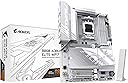
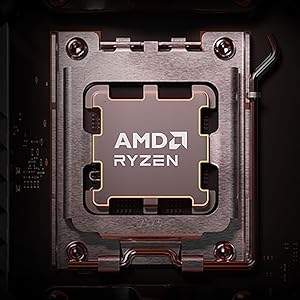
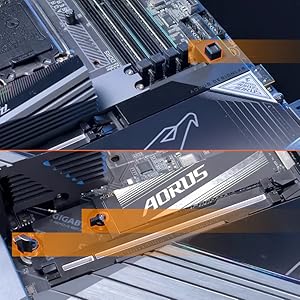
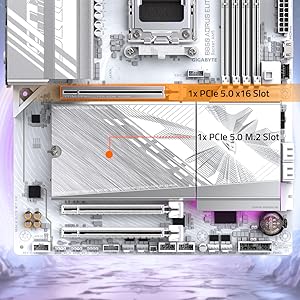
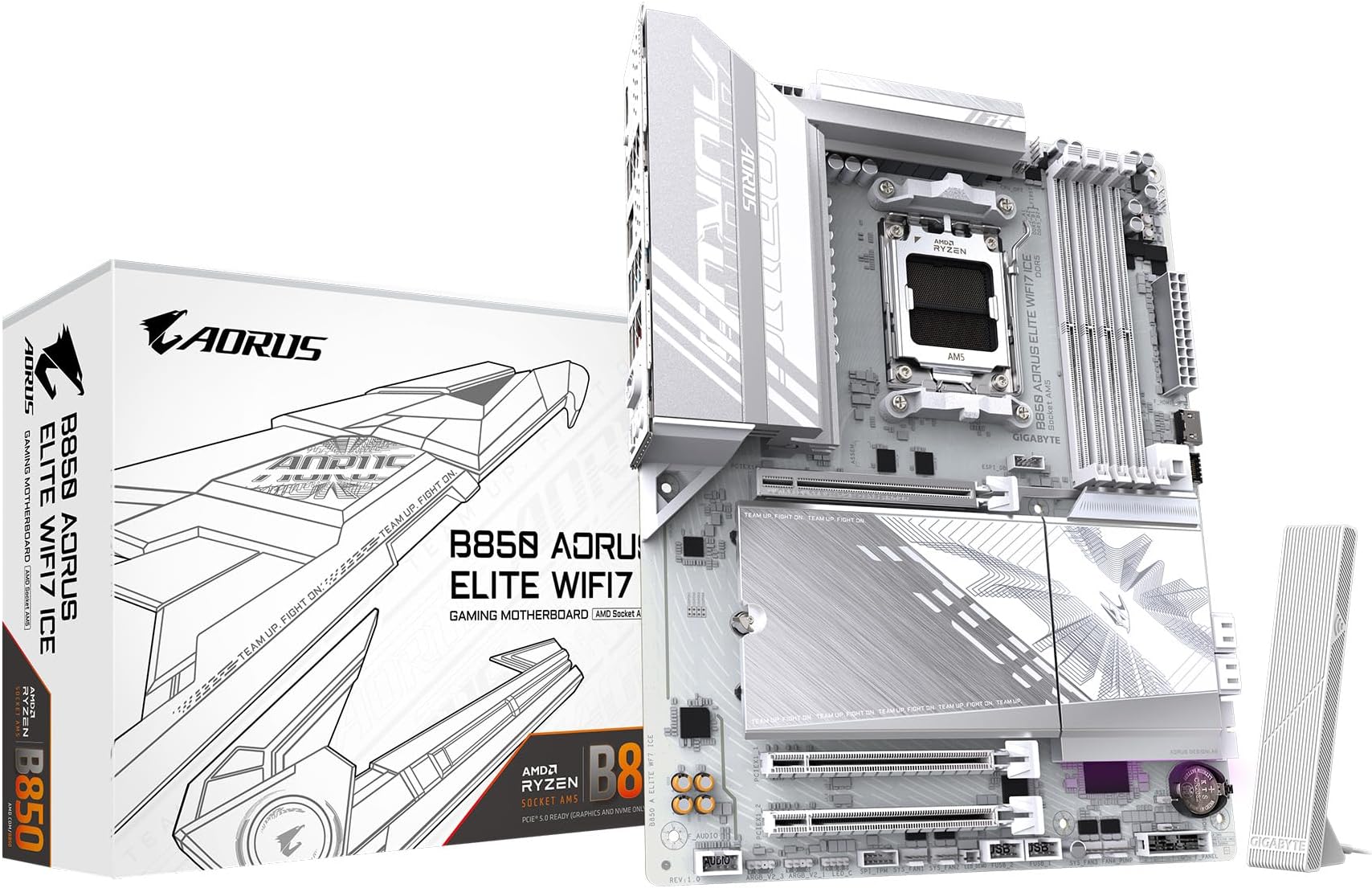
The GIGABYTE B850 AORUS Elite WIFI7 ICE is a cutting-edge ATX motherboard designed for AMD Ryzen 7000, 8000, and 9000 series processors. Featuring a robust 14+2+2 power phase design, PCIe 5.0 support, triple M.2 slots with thermal guards, DDR5 memory compatibility up to 256GB at 5200 MHz, and next-gen WIFI7 plus 2.5GbE LAN connectivity, it delivers exceptional performance and future-proof features. With user-friendly EZ-Latch installation and a 5-year warranty, it’s engineered for professionals and enthusiasts seeking reliability and speed.


| ASIN | B0DQLKRXKW |
| Best Sellers Rank | #2 in Computer Motherboards |
| Brand | GIGABYTE |
| Chipset Type | AMD B850 |
| Compatible Devices | Personal Computer |
| Compatible Processors | AMD Ryzen 7000 Series, AMD Ryzen 8000 Series, AMD Ryzen 9000 Series |
| Customer Reviews | 4.4 4.4 out of 5 stars (222) |
| Graphics Card Interface | PCI Express |
| Item Dimensions L x W x H | 12"L x 9.6"W x 1"H |
| Item Weight | 4.8 Pounds |
| Main Power Connector Type | 24-Pin |
| Manufacturer | GIGABYTE |
| Memory Clock Speed | 5200 MHz |
| Memory Slots Available | 4 |
| Memory Storage Capacity | 128 GB |
| Model Name | B850 AORUS ELITE WIFI7 ICE |
| Model Number | B850 AORUS ELITE WIFI7 ICE |
| Number of Ethernet Ports | 1 |
| Number of Ports | 14 |
| Platform | Windows 11 |
| Processor Socket | Socket AM5 |
| RAM Memory Technology | DDR5 |
| Ram Memory Maximum Size | 256 GB |
| System Bus Standard Supported | PCIe 5.0 |
| Total PCIe Ports | 3 |
| Total SATA Ports | 4 |
| Total Usb Ports | 12 |
| UPC | 889523045947 |
| Warranty Description | 5 Year Manufacturer |
J**.
Great looking and nice features for the price.
Great motherboard after BIOS update. I wish it could update itself over the internet but you must use a USB Flash drive to update. BIOS actually looks really nice. I love the built in heat sink for the SSD. No issues as far as stability so far. No crashes or blue screens except when I tried to unlock EXPO. Maybe that is the RAMs fault though. Boot times are as expected. I'd say it is a decent value for the money. I'm loving the built in wifi.
J**K
Great motherboard
Solid motherboard for my DDR5 build and great aesthetics. Was easy to install and temperatures are very cool with my 9700x.
M**P
Good motherboard for the money
I like it. It has a good look, plenty of USB ports and ez-latch is something more motherboard manufacturers should adopt. If you are doing a Windows 11 install, it should go flawlessly. My only installation issue was totally my fault. I didn't fully seat a ram stick. That was swiftly resolved thanks to the debug leds. You will want to download the manual before installing. It's on the Gigabyte website in a variety of languages and was easy to follow. One reviewer wrote that the website sent him to Adobe, but that did not happen for me. I clicked the download button and it down loaded. I switched to Linux Mint and lost wi-fi and lan functions. Gigabyte does not officially support Linux. That being said, updating my kernel to 6.14.0-28 completely solved the issue. Now that I have a white motherboard, I'm going to have to get white RAM. :D
J**E
Make sure the motherboard and everything works and stress tested
It was a great motherboard but I got one item broken right and another one system wasn’t working but after I got the third one it was a good motherboard and it does look good
L**L
Amazing board with some caveats.
I upgrade from a Gigabyte X570S Aorus Master in order to upgrade my Ryzen 5 5600x to a 7800x3d. The setup was pretty straight forward and I feel that the white color helps make labels clearer to read. There were some issues that faced after completing my build. I'll add fixes I found here in case anyone has a similar experience. 1. WiFi and LAN don't appear to be pre installed. They expect you to download this beforehand and put it into a flashdrive so that you can install it later. 2. QFlash is great but the manual (which doesn't come with it so dl on your phone or another pc) isnt straight forward on this. I found a recent YT vid from 2024 that showed me how to do it properly. 3. CMOS reset should work by pressing both pins with a metal object. I tried this and it did nothing for resetting my BIOS to default. Same with removing the CMOS battery for 30 minutes. 6. After I enable EXPO 1, my system didnt post. This ended up being because my two memory sticks weren't placed in the correct arrangement, the manual helped with figuring out how it should go. 7. The heat plate that covers the M.2 slots are great because they're tool less, but can be difficult to put back on because you have to hook the top and bottom into a small space by where the M.2 inserts are. 8. QFlash is great! But it does take a little over 6 minutes to complete. 9. The BIOS descriptions are extremely minimal. I often feel like they expect it to be tribal knowledge that you should get from YouTubers if you want to know what they are. 10. If you install your GPU then your boot M.2 in the slot below it, you may run into a frozen aorus logo loading screen. I had to put mine in the last slot at the bottom to get it to boot properly. Pros: • Comes with its own WiFi module with wifi7. I heard it's faster than the LAN capabilities. • The white color looks great! • QFlash has saved my life a few times, if I could name a child after it, I would to showy appreciation. • The manual was great and pretty well written given the broad amount of details it had to cover. • It has lights which help to indicate what may be causing problems. Check the manual to get a better understanding of what they mean. • Very roomie ports as I had an easier time connecting stuff then I did with my last few builds. • X3D turbo, I don't know if it's good or not yet, but it's at least there 😂 • Great clearing between the CPU and RAM making it easier to install and upgrade. • No tools needed for NVME and CPU inserts. Cons: • GPU was a bit difficult to properly seat. • M.2 didn't work in first slot like I would expect. Random legendary Reddit user told me how to fix this issue. • Seating NVME plate was a more difficult than it should be given that it's tool less. • website FAQs section was pretty much useless and they lacked proper laymens terms as to what each downloadable does. Some are straight forward but not all if you're not someone who's used to them. • the ice and non-ice versions are completely different, so make sure you get drivers and BIOS updates for the right one. All in all, it is a great MB with some cool features and plenty of room for upgrades. I picked this over the higher tier boards because I felt I wouldn't have been the type of user who would have taken advantage of the extra features. If your looking for a great upgrade white board to dip you into AM5 with an X3D chip then this is a fantastic option. Just note that while it's not difficult to setup, it's also not 100% plug-n-play for the less experienced builders.
J**N
Motherboard works great and looks amazing!
Board installtion went smoothly and it looks amazing. Booted on first try without issue and BIOS updated easily. Coming from another brands AM5 board I found the UEFI interface to be fairly easy to navigate (with one caveat being sometimes escape takes you back one screen sometimes it prompts you for something else, this is a minor gripe). RAM timings were easy to setup and all hardware was detected without issue. The heatsink for the M.2 slots is a solid piece and works well with the screwless retainers. Overall I am very pleased with the board so far and again it looks great.
L**A
وصلتني جديدة و سليمة من امازون امريكا خلال اسبوع تقريبًا، جميلله جدًاا للتجميعات البيضاء وفيها ثلاثة منافذ للتخزين و ما تحتاج هيت سينك العتب الوحيد ان مدخل الكرت فيها جدًا مرتفع بشكل يخلي التركيب مزعج و يوم ركبت الكرت صارت حواف مداخل الديسبلاي بورت مغطاه شويي من فوق بس ما يمديني اشبك السلك في الكرت بالكامل و اضطريت اطعج الكيس شوي عشان اقدر اشبك السلك في الكرت. للأمانة ما ادري المشكلة من الكيس ولا المذربورد
O**D
Best motherboard
S**Y
B650からこちらに交換しました。 白ケースなので見た目良くなりました。 biosの設定項目も少し増えてます。 マザーだけの交換ですがクリーンインストールしたので動きはとても良くなりました。 私の使い方ではBでじゅうぶん!金額的にも xよりかなり安いですが性能差は僅かでしょう biosを最新にして安定して動いてます。 前回も3年以上使ったので今回も同じくらい 使う予定です。 次回更新時にパーツの値段が安くなってる事を期待します。
R**Z
Works well, easy to build on and has more features than you will need, which does mean more $$$ though.
R**J
Using this GIGABYTE B850 AORUS Elite WiFi 7 ICE in a homelab setup with a Ryzen 9 7900X. Setup was smooth and the system posted on the first try, which was reassuring for an AM5 build. In daily use, the system has been stable under continuous workloads, and I’ve been comfortable leaving it running without issues. The 2.5GbE LAN has been reliable, and the multiple M.2 slots make future storage expansion easy. Build quality feels solid, and EZ-Latch is convenient when making changes. Overall: A dependable AM5 motherboard that works well for homelab and long-running use.
Trustpilot
2 weeks ago
1 month ago