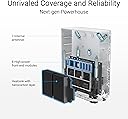
🚀 Elevate your home network to WiFi 7 speed and security — because buffering is so last decade!
The ASUS ZenWiFi BT8 is a next-gen tri-band WiFi 7 mesh router delivering up to 14 Gbps speeds and coverage for 3000 sq.ft. Powered by Smart AiMesh and seven internal antennas, it eliminates dead zones and supports flexible wired backhaul with dual 2.5G ports. It includes commercial-grade AiProtection Pro security, parental controls, VPN support, and 4G/5G mobile tethering for always-on connectivity. Designed for professionals and smart homes, it offers advanced network segmentation and seamless expandability without subscription fees.


| ASIN | B0DHWCFK52 |
| Antenna Location | Business, Gaming, Home |
| Best Sellers Rank | #13,119 in Electronics ( See Top 100 in Electronics ) #55 in Whole Home & Mesh Wi-Fi Systems |
| Brand | ASUS |
| Built-In Media | BT8 (W-1-PK), Power adapter, Quick start guide, RJ45 cable, Warranty card |
| Color | WHITE |
| Compatible Devices | Personal Computer |
| Connectivity Technology | Bluetooth, Wi-Fi |
| Coverage | 3000 sq.ft |
| Customer Reviews | 3.8 out of 5 stars 183 Reviews |
| Data Transfer Rate | 14 Gigabits Per Second |
| Frequency | 6 GHz |
| Frequency Band Class | Tri-Band |
| Is Modem Compatible | No |
| Item Dimensions L x W x H | 7.32"L x 2.83"W x 6.26"H |
| Item Weight | 1.88 Pounds |
| LAN Port Bandwidth | 2500 Mbps |
| Manufacturer | ASUS |
| Maximum Upstream Data Transfer Rate | 8643 Megabits Per Second |
| Model Name | BT8 (W-1-PK) |
| Model Number | BT8 (W-1-PK) |
| Number of Antennas | 7 |
| Number of Ports | 5 |
| Operating System | Linux |
| Other Special Features of the Product | Alexa Compatible, Network Standard: IEEE 802.11a IEEE 802.11b IEEE 802.11g WiFi 4 (802.11n) WiFi 5 (802.11ac) WiFi 6 (802.11ax) WiFi 6E (802.11ax) WiFi 7 (802.11be) IPv4 IPv6, VPN, AiProtection, WiFi 7 (802.11be) : (2.4GHz): up to 688 Mbps, (5GHz): up to 4323 Mbps, (6GHz): up to 8643 Mbps, Wireless router, AiMesh Node, Access Point Mode |
| RAM Memory Installed | 128 MB |
| Security Protocol | AiProtection, VPN, WPA/WPA2/WPA3-Personal, WPA/WPA2-Enterprise, WPS, Let's Encrypt, DNS-over-TLS, Security Scan, Firewall |
| Special Feature | Alexa Compatible, Network Standard: IEEE 802.11a IEEE 802.11b IEEE 802.11g WiFi 4 (802.11n) WiFi 5 (802.11ac) WiFi 6 (802.11ax) WiFi 6E (802.11ax) WiFi 7 (802.11be) IPv4 IPv6, VPN, AiProtection, WiFi 7 (802.11be) : (2.4GHz): up to 688 Mbps, (5GHz): up to 4323 Mbps, (6GHz): up to 8643 Mbps, Wireless router, AiMesh Node, Access Point Mode Special Feature Alexa Compatible, Network Standard: IEEE 802.11a IEEE 802.11b IEEE 802.11g WiFi 4 (802.11n) WiFi 5 (802.11ac) WiFi 6 (802.11ax) WiFi 6E (802.11ax) WiFi 7 (802.11be) IPv4 IPv6, VPN, AiProtection, WiFi 7 (802.11be) : (2.4GHz): up to 688 Mbps, (5GHz): up to 4323 Mbps, (6GHz): up to 8643 Mbps, Wireless router, AiMesh Node, Access Point Mode See more |
| UPC | 197105531987 |
| Warranty Description | 3 year |
| Wireless Communication Standard | 802.11ax |
| Wireless Compability | 802.11ax |
T**O
Asus gets it right.
Used to run asus routers, loved them then jumped to another brand for mesh as asus's offerings weren't strong yet. That router went end of life so back to alot of researching. My gripe with how the router market has developed is that they have either dumbed down all the admin features so you don't have many choices (or only make available in their business models for another $1,000), or make you pay subscription for basic firewall capability, or are made by a Chinese company where you may get some features you don't want (backdoors). Well, after researching Asus's offerings for mesh have matured a lot, and their philosophy to let you admin stuff the way you want hasn't (good thing) while not charging you for firewall and security protection built in. Yeah, it may be a more expensive product than others but do the match on that subscription or having to buy a firewall to put in front of it and its a deal. Anyhow, setup was super smooth. Performance is delightful. Speed is super fast and very stable. Note, I have two levels, basement, storage, and 2 foot thick brick walls that my last mesh router hlcould barely give me a signal through (getting 200 maps in my "bad spots now). The freedom only admin controls also means I can create segments, manually prioritize, create white lists, and not only have an iot network but choose which satellite and band they connect to (others force this and created so many headaches and security issues). I stretched my budget on this but given i rely on this and generally keep my routers until end of life, this wifi 7 router is pretty cheap after I do the math per year compared to competing models with a cheaper up front cost but more expensive size in long run that limit function. Anyhow, super happy. Happy to be back at Asus.
C**Y
Real regret over this purchase
I upgraded from a TP-link 6e wife system to this about two months ago. I shouldn't have because I got much better coverage with the TP-Link 6e. I did get slightly faster speed, but it was an irrelevant 15% boost, but I lost internet coverage in my basement. and parts of my house. I put the TP-Link back up and my coverage is restored. This is the worst value for money I've bumped into for ages. I really regret my purchase and wish I was still within the return window.
W**.
Not worth it, terrible product
Update as of 9/24/25. I lost my cell phone and had to download the Asus app again. Could not remember my password, and the only option is to factory reset my password. That's just not acceptable, why use an app at all? Updating this review on 9/21/2025. After using the router for 2 months, this router does not work for me. I have taken the time to update drivers on my laptop and I have a brand-new Android S24. The internet connection is still sketchy with some apps timing out because connection is slow or stops. TV's frequently are unable to connect with Netflix. I have also not been able to get my Arlo Door-cam to connect to the router. ITs an expensive router, and not very good. I am going back to Netgear products. They have always been bulletproof. I have a ~1800 square foot ranch house. Everything is on one level. The house has a basement, and I mounted A Netgear R6400 router just about dead center of the house, it was mounted to the floor joists. This setup worked very well. Solid signal throughout the house and even out on the patio in the backyard. I finished the basement and had to move the netgear router maybe 2 feet off center, but those 2 feet caused it to sit on the wrong side of a wood beam and my signal out on the patio tanked. I bought this Asus ZenWifi BT8 figuring it might perform better than the old router which was 5+ years old. It does not. Not only does it not cover the space any better, but all of my device's experience glitches using the internet. Pages will just stall to load. The installation directions state clearly that you may need to update your device drivers to something that supports WIFI 7. I did not update the drivers, because I saw no benefit to the solution. So I am going back to the old router and adding a netgear extender to cover the patio. Even when the devices are not glitching out, the throughput is nothing better than I had with the netgear. My message here... Unless you are prepared to take a chance updating the device drivers to something that supports WIFI 7, this device is not worth the price. There was no performance gain experienced, and I have yet to be successful connecting my Ring Camera to the network since the move to Asus.
A**R
Firmware of BT8 is not ready for primetime as of February 3, 2025.
Update: Upgrading rating from 1 star to 4 stars. At some point in the past year, the firmware was updated so that the product works as expected. There is no longer a need for the kluge described below to attain the advertised speeds. The routers are fast and reliable and give good coverage over the entire house. Original review: The firmware for the BT8 is not ready for primetime yet. You will either get a brilliant connection to your ISP router or you will get garbage. I have a gigabit internet connection. I previously ran an ASUS RT-AX1800S Dual Band WiFi 6 router and got the around 950 Mbps up an down when connected by wired ethernet and far less when connected wirelessly. I had a ASUS RP-AX58 AX3000 Dual Band WiFi 6 (802.11ax) Range Extender to extend wireless coverage over the far side of my long house. When the extender stopped working (no good reason), I purchased the ASUS ZenWiFi BT8 (3-Pack) Tri-Band WiFi 7 Mesh to get more reliable coverage. After I ran through the setup process including firmware upgrades, I found I got around 950 Mbps download speeds but only 2 Mbps upload. That's a pretty big gap. I'm an IT Professional, so I did all the things you're supposed to do to troubleshoot something like that. Then I got on with Asus support and did it all again, plus some other things that were so ridiculous I would have been angry if they worked. They didn't. Support said they would escalate with their support team and get back to me later if they found anything. I went through the process of reverting back to my old ASUS router with the connection provided by my ISP and found I still had gigabit speeds. Then I had the idea to plug the wan port of the BT8 router into the Lan port of the old ASUS router. Now I got 100 Mbps up and down on the BT8 system. That told me the WAN port hardware was capable but the firmware was incapable of correctly matching the port speed. I also had an old Netgear 5 port unmanaged gigbit switch lying around. I swapped out the ASUS RT-AX1800S and put that between the ISP gateway and the BT8. Now I had gigabit speeds up and down on the BT8. This confirms that the hardware is capable but the firmware is faulty. You shouldn't have to put 8 year old equipment between the BT8 and the ISP Gateway to get advertised speed. This is all to say that depending on the equipment provided by your ISP you may get a perfect connection or you may get garbage. The fact that the BT8 couldn't even reach 10% of the full speed when connected to another ASUS device should tell you everything you need to know about the quality assurance and testing they do with their products. I am going to give them a week or so to put out a firmware upgrade that fixes the problem but then I am returning it as defective before the exchange period ends. I am not eager to buy a Chinese router or a router that requires a subscription, so I hope they can get it together before then. This is supposed to be a plug and play consumer product, you shouldn't need to be an IT Professional with surplus network equipment lying around the house to get it to work properly.
D**U
Excellent Coverage and No More Dropped Connections
ASUS ZenWiFi – A Seamless Upgrade for Better Coverage and Speed!!! After experiencing persistent dead zones throughout my home with a single router, I decided to upgrade to the ASUS ZenWiFi system. With a growing number of smart devices, my previous setup simply couldn’t keep up. From the moment I installed this system, the difference was clear.... Effortless Setup The installation process was simple and intuitive. I powered on both units in the same room, connected the main unit to my AT&T fiber modem, and completed the setup through the mobile app. Within minutes, everything was fully operational—no technical headaches. Strong Signal, Sleek Design Despite my home being a modest 1,500 sq ft, I now have strong, reliable WiFi in every room. The system’s sleek, compact design fits discreetly into any space without being intrusive. Fast and Stable Performance Speeds consistently range from 800 to 900 Mbps, depending on the room. More importantly, the connection is stable—I no longer deal with frustrating resets or dropouts. Subtle, Yet Significant Impact This upgrade quietly transformed my daily experience with WiFi. There’s no fanfare—just consistent performance, broad coverage, and a smoother online experience across all our devices.
M**B
Long Delays in Connecting
I replaced my ASUS AX6600 with the BT8 and am very disappointed. Setup was easy and when connected, the speeds are great; however multiple times a day there will be long connection delays whether it be going to a news app, streaming video shopping. This happens on both the Samsung and iPhone phones in the home. Don't buy this product until ASUS fixes it.
A**R
Highly Recommended (with Caveats)
One of the Best Mesh Router Systems. This mesh router system is packed with features and offers excellent performance, all without requiring a subscription fee. When it’s working, it’s fast, reliable, and truly enhances your network experience. However, the software particularly with the BT8 was buggy until the firmware update released in June 2025. Even now, satellite nodes lose connection roughly once a month, forcing everything to fall back on the main unit. This impacts reliability in larger homes.
C**G
Solved My Dropped Signal Issues , Excellent Router
everything works perfectly now. **Pros** -Looks great and blends into most home decoration -Has 4 ethernet ports with one 2.5G WAN and one 2.5G LAN -Super easy to install with the ASUS router app -The app automatically optimizes my network, and it does so quickly -No more dropped signals at all -Impressive range, I get Wi-Fi both indoors and outside in my yard -Easy to expand by adding more units—these have 4 ethernet ports and give a nice boost to speed -It seamlessly switches between routers and extenders as I move around **Cons** -None so far. I’m very happy with this purchase!
Trustpilot
4 days ago
3 weeks ago