Buy anything from 5,000+ international stores. One checkout price. No surprise fees. Join 2M+ shoppers on Desertcart.
Desertcart purchases this item on your behalf and handles shipping, customs, and support to Vanuatu.
๐ฅ๏ธ Triple your screens, triple your productivity โ donโt get left behind!
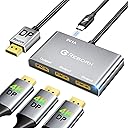
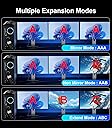
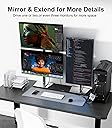
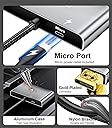
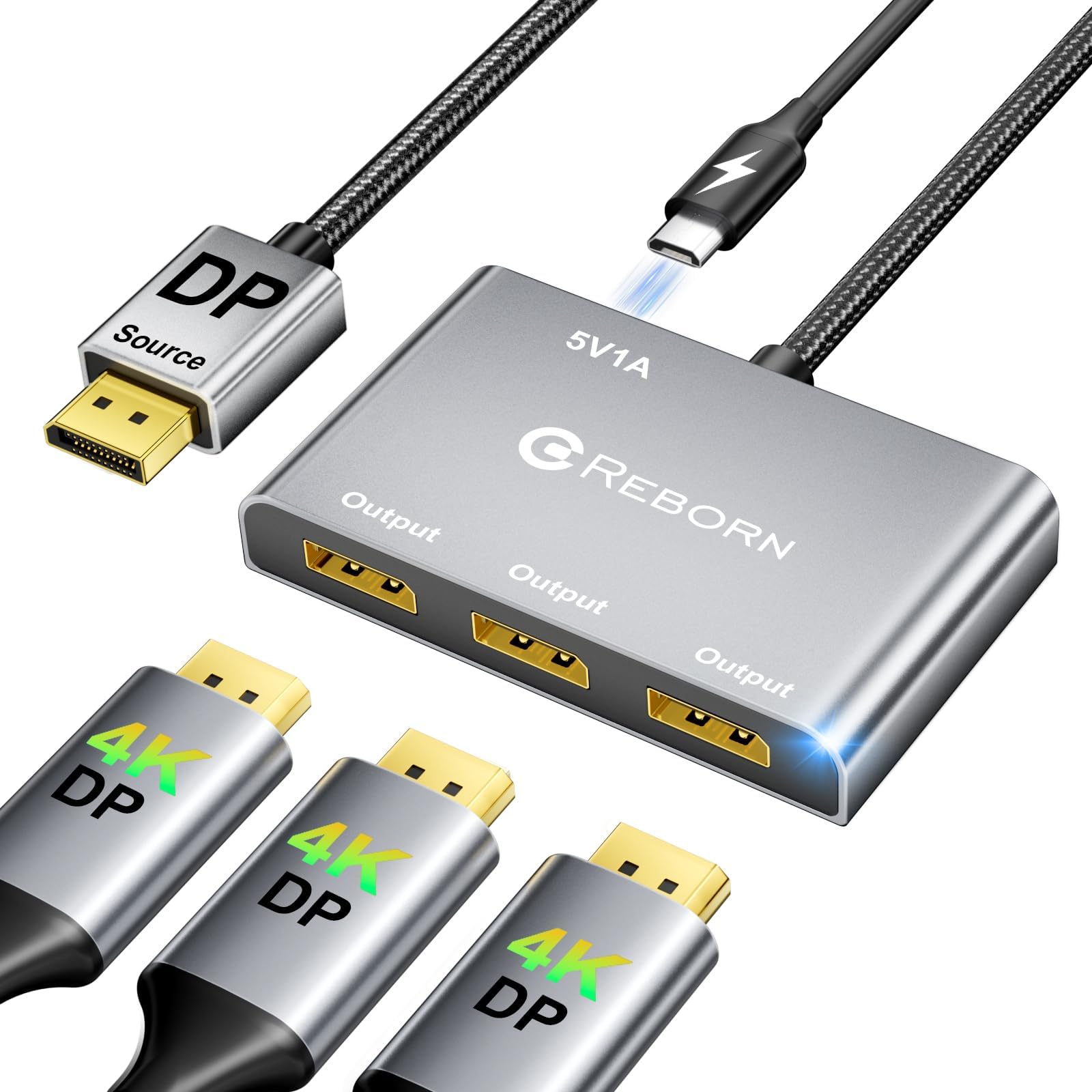
The Reborn DisplayPort Splitter is a compact, durable MST hub that converts one DisplayPort input into three 4K@60Hz outputs, ideal for professionals and gamers seeking expanded screen real estate. Featuring plug-and-play ease, gold-plated connectors, and aluminum heat dissipation, it supports both mirror and extended display modes with HDCP 2.2 compliance. Perfect for setups with high-bandwidth NVIDIA or AMD graphics cards, it delivers stable, crisp visuals across multiple monitors while backed by a 2-year warranty and responsive customer support.


| ASIN | B0DK4HK4SS |
| Best Sellers Rank | #60,921 in Electronics ( See Top 100 in Electronics ) #154 in Satellite TV Splitters #355 in Satellite Television Products |
| Brand | Reborn |
| Color | black |
| Compatible Devices | Desktop, Laptop |
| Connector Type | DisplayPort |
| Current Rating | 1 Amps |
| Customer Reviews | 4.3 4.3 out of 5 stars (20) |
| Input Voltage | 5 Volts |
| Item Weight | 0.13 Kilograms |
| Manufacturer | Reborn |
| Model Number | Reborn DP to 3DP Adapter 4K@60Hz |
| Number of Ports | 3 |
| Warranty Description | 2 Years |
A**A
Works. Mostly. Would not recommend for mission-critical real-time applications.
Works fine when it works, but sometimes both screens go black for 15-20 seconds at a time. Occasionally several times an hour. Depending on what I'm doing, this can be kind of a nuisance. update: They made it good. I revised my review.
C**3
Handy triple Displayport splitter for work/gaming setups
This Displayport splitter is great if you need to connect up to three monitors to a single source. It feels well built with the braided cable and solid connectors since I have been using it. I had no compatibility issues setting it up, it was just plug and play. I used it to run a triple monitor setup on my desktop and it worked really well (once I connected the power cable it came with). The video quality was good and stable, even with multiple screens going at once. Just keep in mind that to get full use of extended mode, you need to have a decent graphics card that supports higher bandwidth. I didnโt notice any lag or flickering with my modern setup. The aluminum housing seems to help with its cooling. It's a simple way to boost screen real estate for multitasking or gaming.
K**L
Maybe Not A Fit For An Old System But Maybe A Good Fit For A Newer System
Reborn DisplayPort to 3X DisplayPort Splitter - I have a 15 yr old custom built desktop that still runs Windows 7. A friend recently got rid of their old PC and let me have the 2 19 in Dell monitors (P1911 & P1913). I have a Dell (cannot remember the model number) monitor. I was hoping to connect all three, as I still use my PC for various basic things. Heck I am still running my purchased version of Office. As my system and video card are so old, it does not allow for "daisy chaining". I can use the adapter to use all three monitors to duplicate the desktop on all 3, but I cannot use the adapter to extend the desktop on all 3 monitors. Although, the Reborn DisplayPort to 3X DisplayPort Splitter did not work for me on my current system. I do plan to keep it. Once I am able to get a new system, I will see if it will assist in connecting the current (or possibly new monitors) to the new system.
D**D
Works very well when used per instructions; 12" input cable is a very limiting factor though
This DisplayPort splitter is designed to run up to three monitors off of one DisplayPort output. A Micro-USB port is used to power the device, and a 30 inch USB-A to Micro USB cable is included with the adapter. The splitter has one hard-wired DisplayPort cable "tail" that is plugged into the source device. This permanently-attached cable is 12 inches long. I would have preferred to have a DisplayPort input jack on the splitter instead of a hardwired cable, as that would allow for much more flexibility. I tested this splitter on a Dell OptiPlex 5070 Desktop that has an on-board Intel UHD Graphics 630 video adapter. As there were no instructions included with the splitter, I went by the write-up on the Amazon product page which says that this adapter should not be used with a docking station, KVM, or hub. I plugged the splitter into one of the computer's DisplayPort's, then I connected two 32 inch Samsung monitors and a 24 inch Dell monitor to the splitter. I had to source three DisplayPort cables, as there are none included with this splitter. The quality of the user-supplied cables could impact performance; I used three six-foot-long DisplayPort cables from Dell. After connecting the Display Splitter to USB power, I plugged in all 3 monitors and they were all up and running immediately at 60Hz; the two larger ones ran at 2560 x 1440 resolution, and the smaller 24" monitor ran at 1920 x 1080 resolution. Honestly, I wasn't sure what to expect when trying to run 3 monitors in extended mode using a lower end integrated graphics adapter on a business workstation, but I will say I'm impressed. The Reborn DisplayPort Splitter did a really nice job and ran all monitors at 60 Hz. I was afraid the refresh rate might be reduced when using the splitter, but that wasn't the case. I wanted to see how switching over to my laptop impacted the functionality of the Reborn Splitter, but my laptop doesn't have a DisplayPort output, just HDMI. I picked up a HDMI to DisplayPort adapter from Amazon and connected the Reborn splitter to that. I could not use "extended" mode on the monitors connected to the Reborn splitter when the HDMI to DisplayPort adapter was used; both monitors connected to the Reborn splitter displayed the same thing. This is a limitation of the HDMI to DisplayPort conversion, and not a limitation of the Reborn Splitter. The Reborn adapter works just as is should when plugged directly into a DisplayPort on a computer, but using anything in between the Reborn Splitter and the computer's DisplayPort isn't a good idea. Reborn states that on the product page as well: "Don't use it with any hub/docking station/KVM that may lead to compatibility issues." Make sure you heed this advice! Overall, this splitter works very well when used according to Reborn's instructions. I would have liked to see some sort of instruction pamphlet in the box, or at least a card with a web link to instructions. The 12" tail is a limiting factor which could be difficult if your computer resides on the floor away from your monitors. For these two reasons, I'm giving this 4 out of 5 stars. Performance-wise though, this product works very well.
A**R
Works well -- but no instructions included.
I ordered the Reborn DisplayPort Splitter to connect three external monitors to my Mac Mini M4. It works well for two monitors in extended mode and one in mirror mode. However, the splitter did not include instructions, so I had to go through some trial and error to install and connect everything correctly, especially since the HDMI connection only supports mirroring. On the positive side, it successfully runs all three monitors at 60 Hz, sufficient for the work tasks I need the external displays.
J**S
Effortless Multi-Monitor Setup
This DisplayPort splitter is a fantastic tool for boosting productivity! It seamlessly connects one source to three monitors, supporting both mirror and extended modes. The 4K resolution capability ensures stunning visuals, and the plug-and-play design makes setup a breeze. The durable build and stable transmission make it a reliable choice for work or gaming. Highly recommend for anyone needing a multi-monitor solution!
M**S
Works as expected, but my some displays kept resetting. Likely my system & not the 3x DP adapter
This mostly worked as expected. I was trying several new things at once so I'm not surprised that I had a bit of trouble. I was able to get all three displays (DP & HDMI) to display with the 3x DP adapter at once. I was trying to add a "fancy" webcam after I got things working initially, and that's when I saw the problems start. Unfortunately I didn't use JUST the 3x DP adapter for long enough (only minutes rather than hours) to confirm stable operation on my mini pc system BEFORE I tried adding the "fancy" webcam. Overall, though, it appears to work well to just plug and play. 4 stars because I'm not 100% sure where the problems came from but I expect it was due to adding the "fancy" webcam, rather than the 3x DP adapter
B**E
splitter
Great little splitter. Didn't mess up the quality or anything. very happy.
Trustpilot
2 weeks ago
2 months ago