Buy anything from 5,000+ international stores. One checkout price. No surprise fees. Join 2M+ shoppers on Desertcart.
Desertcart purchases this item on your behalf and handles shipping, customs, and support to Vanuatu.
๐ Elevate your virtual presence with pro-grade clarity and seamless connectivity!
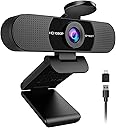
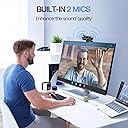
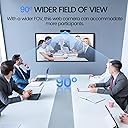
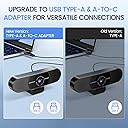
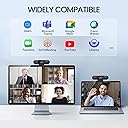
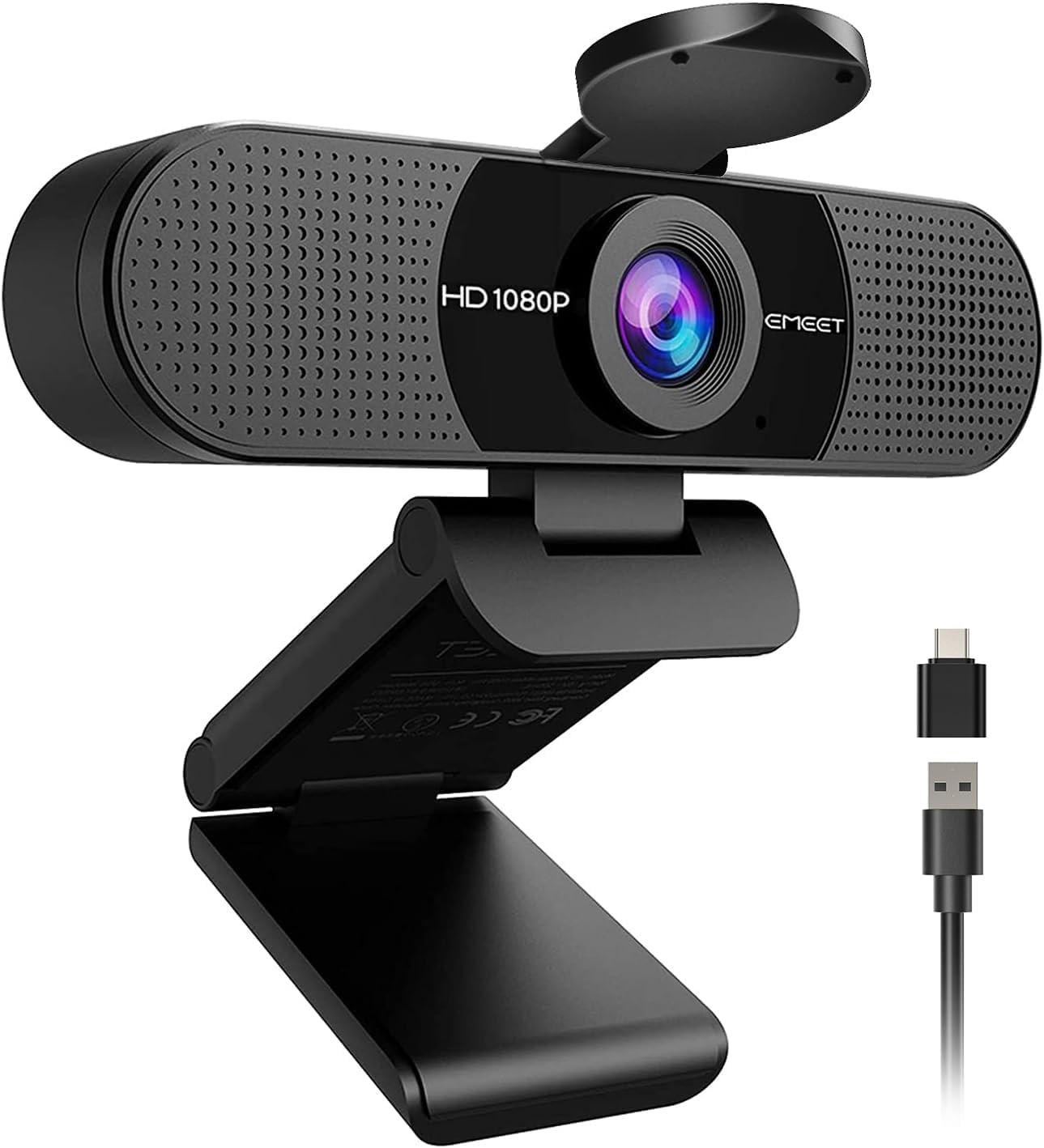
The EMEET C960 2025 Version is a professional-grade 1080P Full HD webcam featuring a 90ยฐ wide-angle lens, dual omnidirectional microphones, and a privacy cover. It supports plug-and-play USB Type-A and A-to-C connections for broad compatibility with Windows, macOS, and Android TV. Designed for crystal-clear video calls and streaming, it automatically adjusts lighting and color for optimal image quality, making it an ideal choice for home offices and remote professionals.


| ASIN | B0DSPJPRXD |
| Are Batteries Included | No |
| Best Sellers Rank | #3 in Webcams |
| Brand | EMEET |
| Built-In Media | C960 Webcam, Cover, User Manual, USB Cable |
| Camcorder Type | Webcam |
| Color | Black |
| Compatible Devices | Laptop, Personal Computer, Android TV |
| Connectivity Technology | USB |
| Customer Reviews | 4.4 out of 5 stars 1,728 Reviews |
| Display Resolution Maximum | FHD |
| Effective Still Resolution | 1080 Pixels |
| Effective Video Resolution | 1080 Pixels |
| Features | Auto Light Correction, Clip Base, Dual Omnidirectional Microphones, Privacy Cover, USB Type-A & A-to-C Adapter |
| File Format | AVI |
| Flash Memory Type | NOT Available, Rely on Your PC/Mac |
| Focus Type | Fixed Focus |
| Form Factor | Ultra Compact |
| Has Image Stabilization | No |
| Image Aspect Ratio | 16:9 |
| Item Dimensions D x W x H | 4.88"D x 2.65"W x 2.04"H |
| Item Weight | 0.16 Kilograms |
| Lens Type | Wide Angle |
| Manufacturer | Shenzhen eMeet technology Co.,Ltd. |
| Maximum Focal Length | 3000 Millimeters |
| Minimum Focal Length | 500 Millimeters |
| Model Name | C960 2025 Version |
| Model Number | C960 2025 Version |
| Operating System | Android TV (V7.0 and above), We recommend using the mainstream operating systems instead of Chrome OS which may not be compatible with all versions and models., Windows (Win 10, 11๏ผTips: Incompatible with Windows Hello functions), macOS (10.14 and above) |
| Photo Sensor Technology | CMOS |
| Screen Size | 3.8 Inches |
| Sensor Type | CMOS |
| Shooting Modes | Low Light |
| Style Name | 1080P Updated |
| Supported Audio Format | AAC, MP3, PCM |
| Supported Image Format | Mjpeg |
| Unit Count | 1.0 Count |
| Video Capture Format | AVI |
| Video Capture Resolution | 1080p |
| Video Resolution | 1080p |
| Warranty Description | 2-Year Warranty |
| Water Resistance Level | Not Water Resistant |
J**T
Good little camera at great price.
Camera on my laptop did not work and I needed for an online meeting. Shipped and delivered quickly. Easy setup and great function. Would recommend.
M**R
This camera is awesome
bought this as a โjust get something cheap that worksโ webcamโฆ and it completely overdelivered. Iโve used it for Zoom calls, Teams meetings, and even a couple YouTube recordings โ and every single time someone asks, โWait, what camera are you using?โ Thatโs when you know itโs good. The video quality is shockingly crisp for the price. Itโs true 1080p, not that blurry, washed-out โtechnically HDโ look. Even in less-than-perfect lighting, it still makes you look clear and professional (huge win if youโre working from home like me). But what really surprised me? The microphone. Most built-in webcam mics sound like youโre talking through a tunnel. This one doesnโt. The dual mics actually pick up your voice cleanly without making you sound robotic or distant. I stopped using my separate mic for casual calls because this one is justโฆ easier. Other things I didnโt expect to love: โข Plug & play = literally 10 seconds to set up โข Works with EVERYTHING (Zoom, Teams, FaceTime, Google Meet, even my Switch) โข Wide enough angle without making your face look distorted โข Comes with USB-A AND USB-C option (no adapter hunting) โข Stays securely mounted โ no awkward slipping mid-call Is it a $200 professional camera? No. But hereโs the thing โ for 95% of people, you donโt need that. This does the job extremely well without overcomplicating anything. If youโre upgrading from a laptop camera or an older webcam, this will feel like a massive glow-up overnight. Simple. Clean. Reliable. Way better than it has any right to be at this price. Highly recommend.
G**B
Economical web cam + microphone provides basic functions. Windows 11 compatible.
Economical camera/microphone provides clear image, adequate sound. Has basic video and audio control functions. Fixed focus, wide angle view suitable for 1 to 4 people in scene. Truly Plug-n-Play installation on Windows 11 system. User Guide is nearly worthless. However, "Settings" (gear icon" in the native Windows "Camera" app is intuitive enough to enable user to adjust it if necessary.
J**K
Great Webcam for the Price (Occasional Brief Blur)
Overall Iโm very happy with this webcam for everyday video calls and meetings. The setup was incredibly easyโjust plug it in and it works right away without installing anything. The video quality is clear and the wide viewing angle is great for Zoom, Teams, and other calls. Itโs a solid upgrade from the built-in laptop camera. The microphone also works well. People can hear me clearly without needing a separate mic, which makes it convenient for quick meetings and calls. The privacy cover is a nice extra feature too. The only small issue Iโve noticed is that the video occasionally goes blurry for a second and then refocuses. It doesnโt happen often and it corrects itself quickly, but itโs something Iโve noticed during longer calls. The camera uses a fixed-focus lens designed to keep objects within a certain range sharp, which generally works well for normal desk distance. ๏ฟผ Even with that minor quirk, itโs still a great value for the price and works perfectly for everyday work calls, virtual meetings, and online chats. If you want an affordable, simple webcam thatโs easy to use, this one gets the job done. Helpful tip: Make sure the webcam is plugged directly into your computer rather than a USB hubโthis can help keep the video feed stable.
A**R
Great Webcam
Great device. The instructions were straightforward and It was easy to set up. The picture and sound quality are awesome, and I am able to position the webcam to my satisfaction. I would recommend this webcam to future shoppers.
M**R
Really good, inexpensive Teams/Zoom camera
Works perfect for what I need. I only needed a camera for occasional Teams calls. I keep my laptop closed & hate having to open it up, redo the multiple screens just because someone called an impromptu 5 minute meeting on camera. I just wanted an inexpensive camera I could turn on real quick if I needed to. Good quality but not great, I don't need great though, so this works perfectly if you just need something affordable because you have to be on camera
M**S
Finally, a webcam that doesnโt make me look like a wanted poster
This webcam was ridiculously easy to set up. Plugged it in, and within minutes I was on video looking far more employable than I had any right to. The picture is clear, the mic actually picks up my voice without making me sound like Iโm calling from inside a washing machine, and the wide view is great when I need to lean around, gesture wildly, or let chaos in the background make a guest appearance. Big bonus for the USB Type-A and A-to-C adapter. It basically showed up ready to work with whatever port nonsense my computer wanted to throw at me. For the price, this thing punches way above its weight. Five stars. It has seen me at my best, my worst, and several meetings I should have just emailed about.
D**N
Solid work from home webcam, and the physical privacy cover is a genuine selling point
Been using this for home office meetings for a while now and it has held up well. No complaints from anyone on the other end about audio, which is really all I need to know about the mics. They just work, consistently, without me having to think about it. Picture quality is good for 1080p. Color reproduction looks natural on screen and I have not had anyone mention anything looking off. The 90 degree field of view is nice on a wider setup. I have this sitting on a 49 inch curved ultrawide and it handles the mounting fine, stays put, no wobble or creep during calls. The detail I did not expect to appreciate this much is the physical privacy cover. It is a hard flip-down flap rather than just a software toggle or an LED light you have to trust. I know that sounds like a small thing but there is a real difference in how it feels to actually cover the lens versus just hoping a button is doing what it says. For anyone doing a lot of calls from home, that peace of mind adds up. Plug and play, no driver nonsense, works across everything I have thrown at it. Versatile enough that the USB-A and USB-C adapter situation means you are not hunting for the right port. One star off just because there is always room to grow, but honestly this has been a no-hassle, does-what-it-says piece of gear.
Trustpilot
2 weeks ago
2 months ago