Buy anything from 5,000+ international stores. One checkout price. No surprise fees. Join 2M+ shoppers on Desertcart.
Desertcart purchases this item on your behalf and handles shipping, customs, and support to Vanuatu.
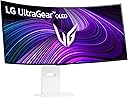
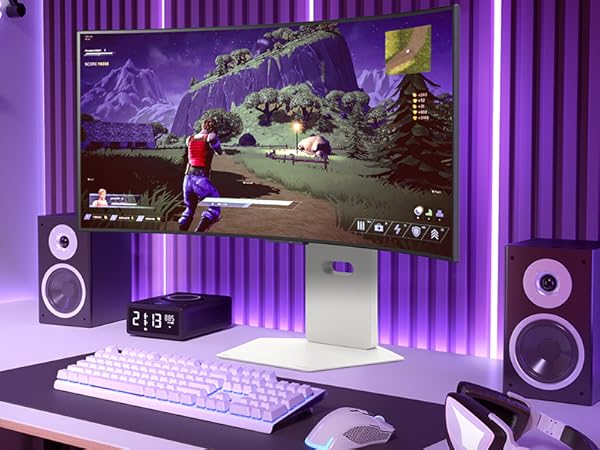
🎮 Level up your battlestation with LG’s 39” Ultragear OLED — where speed meets cinematic immersion.
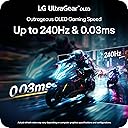
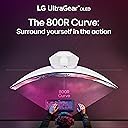
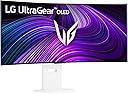
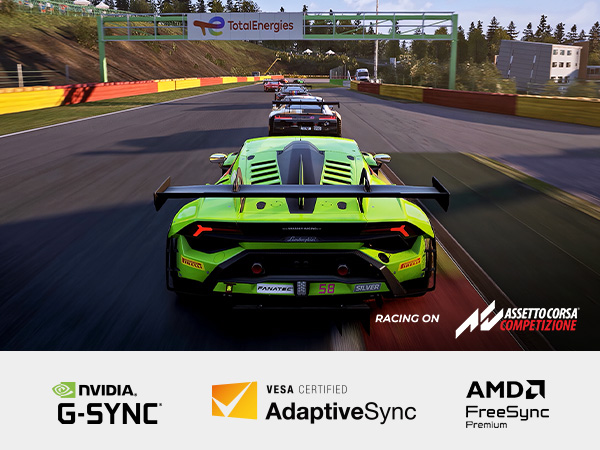
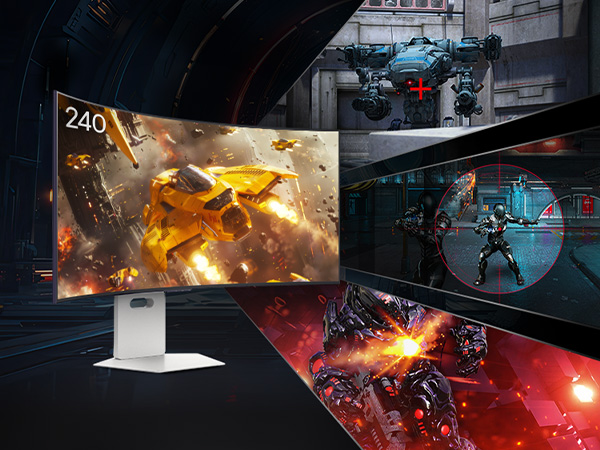
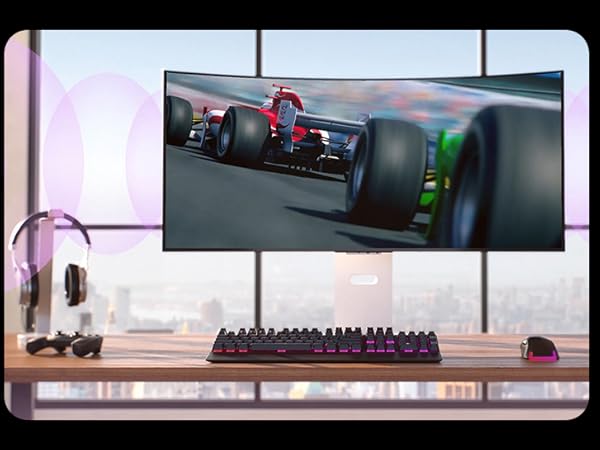
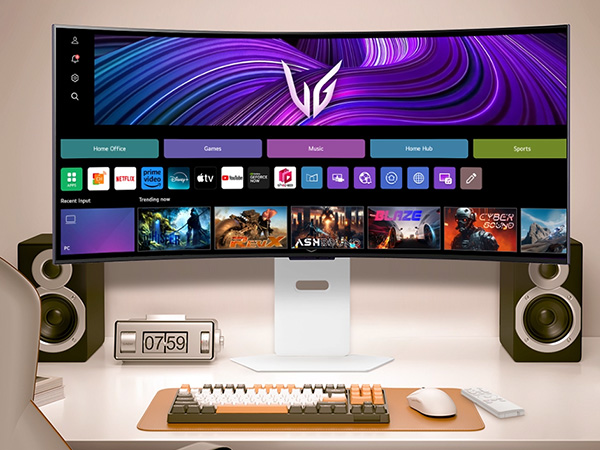
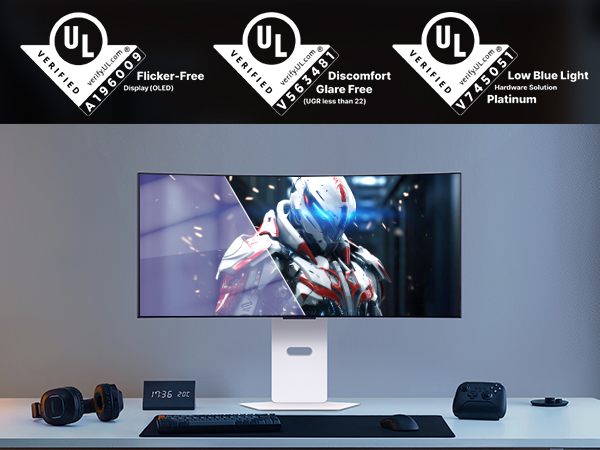
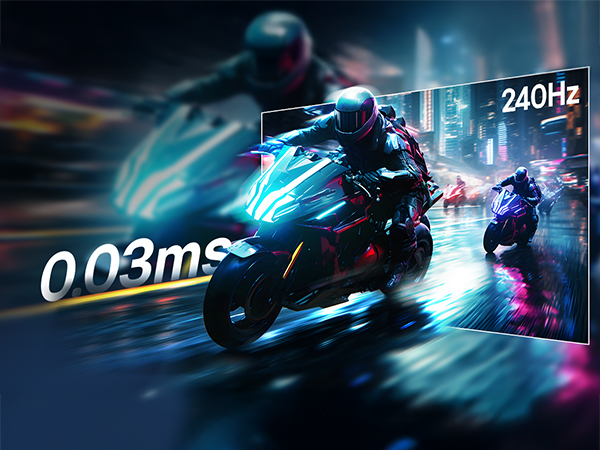
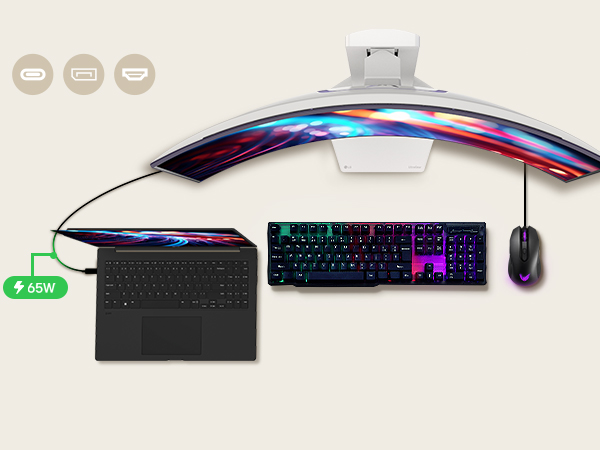
The LG 39GX90SA-W is a 39-inch WQHD OLED curved gaming monitor featuring a blazing 240Hz refresh rate and ultra-fast 0.03ms response time. Its steep 800R curve and 98.5% DCI-P3 color coverage deliver immersive, vibrant visuals with deep blacks thanks to DisplayHDR True Black 400. Equipped with AMD FreeSync Premium and NVIDIA G-SYNC compatibility, it ensures tear-free gameplay across PC and consoles. The built-in webOS platform offers seamless access to popular streaming and cloud gaming services. Designed for comfort and durability, it includes ergonomic adjustments, anti-glare coating, built-in speakers, and a 2-year limited OLED warranty.


| ASIN | B0F15C7JL2 |
| Adaptive Sync | FreeSync Premium, G-Sync Compatible |
| Additional Features | Anti Glare Screen, Built-In Speakers, Curved, Dynamic Action Sync, Height Adjustment, High Dynamic Range, Swivel Adjustment |
| Aspect Ratio | 21:9 |
| Best Sellers Rank | #3,541 in Electronics ( See Top 100 in Electronics ) #144 in Computer Monitors |
| Brand | LG |
| Brightness | 275 Candela |
| Built-In Media | Display Port Cable, HDMI Cable, Monitor, Power Cable, USB-C Cable |
| Color | White |
| Color Gamut | 98.5 |
| Connectivity Technology | DisplayPort, HDMI, USB Type C |
| Contrast Ratio | 1500000:1 |
| Customer Reviews | 4.2 out of 5 stars 396 Reviews |
| Display Resolution Maximum | 3440 x 1440 Pixels |
| Display Technology | WQHD |
| Display Type | OLED |
| Hardware Connectivity | DisplayPort, HDMI, USB Type C |
| Has Color Screen | Yes |
| Image Contrast Ratio | 1500000:1 |
| Item Dimensions D x W x H | 12.71"D x 34.95"W x 23.85"H |
| Item Weight | 25.2 Pounds |
| Manufacturer | LG Electronics Inc. |
| Model Name | 39GX90SA-W.AUS |
| Model Number | 39GX90SA-W.AUS |
| Mounting Type | Wall Mount |
| Native Resolution | 3440x1440 |
| Number of Component Outputs | 3 |
| Picture Quality Enhancement Technology | DisplayHDR 400 TRUE BLACK, HDR10 |
| Pixel Pitch | 0.266 |
| Power Consumption | 67 Watts |
| Refresh Rate | 240 Hz |
| Resolution | QHD Ultra Wide 1440p |
| Response Time | 1 Milliseconds |
| Screen Finish | Matte |
| Screen Size | 39 Inches |
| Screen Surface Description | Matte |
| Shape | Curved |
| Specific Uses For Product | Desktop, Entertainment, Gaming |
| Total Number of HDMI Ports | 2 |
| Total USB 3.0 Ports | 2 |
| Total Usb Ports | 3 |
| UPC | 195174115329 |
| Unit Count | 1.0 Count |
| Viewing Angle | 178 Degrees |
| Warranty Description | 2 Year Manufacturer |
| Warranty Type | 2 Years Manufacturer Warranty |
R**N
I was blown away,going from Alienware 3225qf
So far it's a great monitor. So first of the sound.... Never had a monitor with speakers but these are loud and sound good. Not great like a headset but good enough when you want to give your ears a break. They are a little muffled due to beaing in the housing. Picture quality... It amazes me at the quality and sharpness of games even on 2560x1080 330hz mode. I have always wanted a widescreen 4k monitor when I seen this at another store on display I had to try it especially when it was on sale for 25% off. It didn't look as good in the store as it does at home. Search online for the best color settings and this monitor will surpass the DW3225qf in gaming. On paper the colors of a WOLED aren't as good as the QD OLED, but if you only use it for gaming that won't make a noticeable difference. The colors are still vibrant even in hdr. Final thoughts.... For some reason gsync doesn't work on the 3225QF as well as this monitor. Games at 240hz on the 3225QF had stutter and tearing. All the games I tested on this monitor are silky smooth. At 2560X1080 Battlefield 6 runs at 600 fps, almost 2x the refresh rate, but it's still smooth and no tearing. This is an amazing widescreen monitor I am glad I purchased.
G**O
This monitor is amazing; pros/cons for non-professional users
I've been using it for 4 months now and when I first set it up, it was stellar. The difference was incredible. It's very immersive and just a great screen. I'm not going to go into all the details that others do, but I'll highlight a few things: Pro: - It's big. The curvature is just about right if you're about 3 feet away. - The HDR is a nice change and very noticeable. - Refresh is fine - 165Hz is more than enough if you can push it there. - 2 HDMI, 1 DP, 1 USB-C is nice. - I get 165Hz with both DP 3M (what is now Green Jiss CABLE-54532587 (?)) and HDMI 2M (Ubluker UB222) cables from Amazon. - USB-C port provides power/video to a MacBook, if that's what you're using. - It's packed very well (and huge, as you would expect). Con: - Other reviews mention not coming out of sleep. I had the same issue. I just changed the settings to not go into deep sleep and it's been fine. - Would have preferred a different way to switch between inputs than pulling up the menu with that small nipple-like joystick. I imagine that it will eventually fail. - Firmware update is a mess to do. Don't know if I needed it or not but did it anyway (the sleep issue noted above). - The USB-A ports on the monitor are only fed by the USB-C input. Kinda disappointing. If you have a MacBook attached via USB-C but want those USB-A ports for a different machine, nope. - It's big (pro and con depending on your setup). I think the USB port thing is my biggest gripe. Would be nice to have the USB-C video but not have the USB-A hub/ports tied to that input. One more USB input for the hub with a toggle on which to use would have made it perfect. Anyway, overall, I can ignore the cons and say that this is an amazing monitor.
S**J
Absolutely phenomenal!
Not saying anything not already said but will expand. Upgraded from a Samsung 49 inch monitor (CRG9), and I can't recommend the upgrade enough! I am running at full resolution (maybe not full speed) with a couple of 10 series NVIDIA cards on a (almost) 10 year old PC, which is both a commentary on the quality of the old cards and the flexibility of this monitor. The brightness in comparison is insane! The old monitor was much heavier with this one being much easier to move/manipulate; especially love the ease with which it will raise and lower. Resolution is crisp and the size is perfect! While the 49 inch monitor gave a 'smaller' resolution over a wider screen, with the LG seemingly much larger in comparison even at 5K; however, instead of giving you small print and tiny video game characters to watch, you get to appreciate the fine detail and clarity with a taller and more narrow screen. Your first thought will be "the resolution is not a effectively good" but you realize the meant you have to swivel your head side-to-side across a really wide monitor. While the curve seems aggressive, it is completely natural while viewing. It is a more expensive monitor but you are getting what you pay for.
J**N
Shows adds on the home screen and hard to turn off
Displayed a ad for an insurance company on the top of my home screen on my freaking PC monitor by default. Had to go through several menu layerrs to turn off advertisements. Not acceptable shame on LG Gemini said It is frustrating to see ads on a high-end OLED, especially when you're using it as a computer monitor. LG has recently expanded its "ad solutions" to include home screen banners and even screensaver ads. Since most LG OLED monitors (like the UltraGear series) now run a version of webOS, you can disable these by diving into the system settings. How to Disable Ads & Recommendations Open Settings: Press the Gear icon on your remote or use the joystick on the monitor to navigate to the All Settings menu. Navigate to Home Settings: Go to General > System > Additional Settings > Home Settings. Toggle OFF both Home Promotion and Content Recommendations. Disable Screensaver Ads: In the same Additional Settings menu, look for Screen Saver Promotion. Toggle this OFF to prevent ads from playing before your screensaver kicks in (which is also better for preventing OLED burn-in). Limit Ad Tracking: Go to General > System > Additional Settings > Advertisement. Toggle ON the option to Limit Ad Tracking and select Reset Advertising ID.
T**.
Blows me Away But Has Problems
First let me start off by saying congratulations if you are reading this review. You are looking at a product that is truly something special. A 1700$ monitor is pretty wild when you think about it. Personally, I can't afford it but I bought it anyway. Why you might ask? Because I only buy the best for myself despite being low income. I felt this monitor would be keystone to the PC I built in November where again, I spared no expense. My initial reaction to this monitor was dear God please don't let me break it taking it out of the box. The screen bezel is very small and you dont want to be wrapping your fingers around this monitor. Bad things will happen. Once I read the extremely vague and poorly translated instructions(More on this topic later) I had the monitor on the desk without having anything bad happen. I felt lucky this was the case. The way this thing was packaged felt like an accident waiting to happen. But I digress. On to the good stuff. The monitor is absolutely stunning and beautiful and almost every imaginable way. Visually it has me looking up from my pillow at night thinking "Damn Daniel." Once properly set up I soon realized I was dealing with a huge leap forward in picture quality and color representation from my nearly 13 year old 1080p BEN Q monitor. I mean...Que Owen Wilson Voice here..."WOW" Its gorgeous. Gaming has been super fun on this bad boy (Or girl) not sure what the monitor identifies as. Personally I believe the finest things in life are female. Like a ferarri. Ya that's right. This thing is a Ferrari of monitors compared to the Lexus I had been using for so long. But I feel there's some things I'm a little worried about. Here are some of my negative things to say and this is why it's not a perfect 5 stars. The documentation with the monitor seems very lacking. I didn't find a real owners manual explaining things in great detail. I even looked online and that also wasn't anything impressive or super helpful. I'm trying to better understand what it means to own an OLED. A type of screen known for it's issues with Burn in. That's right. The documentation is vague and unhelpful when it comes to burn in. They have no problem saying they won't cover burn in with their warranty but it's ok for the consumer to drop nearly 2 grand on something with a user manual translated by God only knows. LG your "Long periods of time" advice for preventing burn in is very vague in my opinion. You should also offer burn in protection. Im not talking about the obvious situations. I dont expect to have a monitor replaced if I freeze frame on Pedro Pascals face for 12 hours and it destroys the screen. But this is a gaming monitor. I dont play a single game that does not have static HUD elements present. These are objects which do not move or go away during play. How long until one of these in game elements damages my gaming monitor? I only have a vague answer for that. Big Problem. Additionally is seems like cleaning this thing is going to be interesting. The monitor has technologies for keeping it healthy, but again; The information on them and how often they should be run is pretty vague in my opinion. In closing, this is a fantastic product that I have my fingers crossed that it works out to my expectations. So far is has only impressed and changed my opinion completely on curved displays and 1440p resolution gaming. I hope if you order one it comes in good condition. My box was a little banged up and that had me worried but alas all is well so far. Only time will tell whether I made a good choice in going with an OLED or if I have doomed myself by spending so much on a monitor that wont make it 13 years like my 600$ LCD. To anyone who braves the water and buys one I wish you all the luck. Fly safe.
A**Z
Absolutely phenomenal!
First off, the curve is VERY aggressive! However, once you sit in front of it, it's nowhere near as bad as you may think. I have yet to try this on PC; it works mostly great on console. You do have to tweak some annoying settings to get it to register HDR and may have to manually adjust the picture quality but it is very worth it! You can either have the image stretched or cut it down to 16:9. I personally recommened the stretched ratio since it doesn't look as terrible as one might think. In some game, however, it is very noticable and should be switched to 16:9 instead of 21:9. The colors and brightness are beautiful, especially in dark rooms. The high refresh rate makes gameplay look simply stunning and easily worth the discounted price. While the original price is crazy, the cut down price makes this monitor a MUST if you want to get into wide screen monitors! The response time feels practically instant compared to other monitors I've used. The height can also be adjusted to very high or average, which helps a lot. Overall, I give this monitor a 9/10; one point is taken off due to the original full price. But if that doesn't bother you, go for it! 2026 Update: Still an amazing monitor! Again, the price is pretty difficult but it is most definitely worth it!
A**S
OLED is superior
I have a 55" OLED from LG and that inspired me to get an OLED monitor for my computer. For the foreseeable future it will be OLED only for me. I have this paired with a RTX 5080, displays games beautifully. The high refresh rate is amazing, I was looking for something that was at least 120hz with VRR. This fit the bill perfectly. There is VERY light compatibility support when it comes to video display through websites/apps. Unless you find a workaround (they are out there) you will have black bars sometimes around the image, even if the image received is 21:9, it may show up smaller in the center. For Mac there are apps to expand the image to fill the screen (after using the fullscreen function and it doesn't fill the screen) but for Windows I genuinely haven't looked for a solution. The HDR functions well when using DisplayPort or USB-C, there can be on/off flickering when using HDMI input. This seems to be throughout LG products. Can't determine what would be at fault, could be the monitor, cable, or source. But my 55" LG OLED had the screen flashing on and off each time you transitioned into a new scene in game while using Xbox Series X with HDR on. Whatever the issue was, it was very similar to this weird behavior coming from the HDMI to HDMI situation I just experienced with the Mac mini and this display. I had issues with the HDR flickering on/off when using a Mac Mini, HDMI to HDMI and it did NOT like that. USB C from the Mac mini into the USB C port on the display works phenomenally. All in all this monitor is great, OLED is expensive, but from my personal experience it has been worth it.
J**Z
Very good monitor
I'm using a 5070ti with this. Graphics have been incredible. This has enhanced HDR settings which have made my games come out much better. I'm loving this monitor so far. It can connect to your Wi-Fi so you can watch movies on it without a pc. Bluetooth connects to your headset if you want. Has built in speakers that work really well. You can control it with a remote or phone app.
J**Z
Impressive monitor
The out of box settings are not great, google optimum settings for it. I upgraded from the asus pg32ucdm which is 4k qd oled and glossy. I was worried that this lg would not be as good, but it's really close to my asus after changing some settings. The ppi is a little less then the asus by like 15ppi, and its really not noticeable. For the minor trade offs, this lg is very immersive and I have not complaints with it. If you're upgrading from the previous lg 45 model which I also have or a lcd, this will be a huge upgrade for you. Keep in mind you need a beefy gpu, I run a 4090 and play Star citizen, bf6, cod, and racing games and can just barley max out the monitor on the highest settings.. I seen some reviews of people getting the wrong model or a used panel with hrs on it, but I ordered from amazon lg store and I got a brand new monitor. One thing to mention is when I first powered the monitor on and loaded into windows there was like vertical banding on the left and right of the screen that scared me. But with a little googling it's normal with a new panel and i just ran a pixel clean on the monitor. First run fixed it for me and the screen is perfect now. I never tried the dual mode as I dont see myself ever lowering the resolution for any of the games I play. If you're looking for one of the best gaming monitors, this one is it. The size to me is perfect along with the 800r curve. Makes you feel like you're in the game!
N**7
Excelente opcion.
Excelente opcion de Smart TV y monitor. Muy recomendado.
A**M
Great monitor, one small problem
Initially received the monitor with severe panel artifacts (second time experiencing this with LG). Almost returned it again, but Pixel Cleaning in the monitor settings fixed it completely. Works great now, but be aware of this issue before buying. For a premium LG monitor, it shouldn’t be like this out of the box.
F**N
Great curved monitor but it's heavy
I got this curved monitor as a gift for myself on my birthday and I was surprised on how heavy the box was when I first got it. Unpacking and installing wasn't that hard except with the portion of getting the curved monitor onto it's stand. I recommend getting another person to assist you since It's fairly awkward balancing the monitor on your knee and chest while trying to get it onto the stand at the edge of a table. Once hooked up and going, I was surprised at how nice it was. It's my first time using a curved monitor so I'm still new to the real estate that you get with it. Paired with my old samsung monitors, I'm getting so much more space than before. Gaming with the monitor is also amazing as well. The FOV that you get in games is amazing and I'm able to see so much more around me than before. It really immerses yourself into the game. I'm really happy that I've looked into which monitor suits me the best because this one was truly amazing to use. I also like the fact that LG has a built in rest function for the monitor so that it auto turns off when it's not in use to prevent burn ins on the OLED. The monitor also has a built in scrubbing function where during some times that I have noticed some burn in from my desktop icons. You go to the settings and in the general setting there is an OLED image cleaning that removes it after a couple of minutes. I've been using this monitor for almost 2 months now and I'm still impressed day to day on how much it's able to do and I'm happy to get something that can finally express the potential of my PC.
M**A
Not 5K
The title image and description is not what it says. This is 2K not 5K its 3440 and its totally misleading.
Trustpilot
2 weeks ago
1 week ago