Buy anything from 5,000+ international stores. One checkout price. No surprise fees. Join 2M+ shoppers on Desertcart.
Desertcart purchases this item on your behalf and handles shipping, customs, and support to Vanuatu.
๐ฎ Dominate every frame with the fastest, sharpest 24" pro gaming monitor!
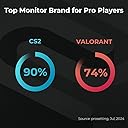
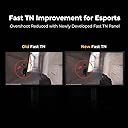
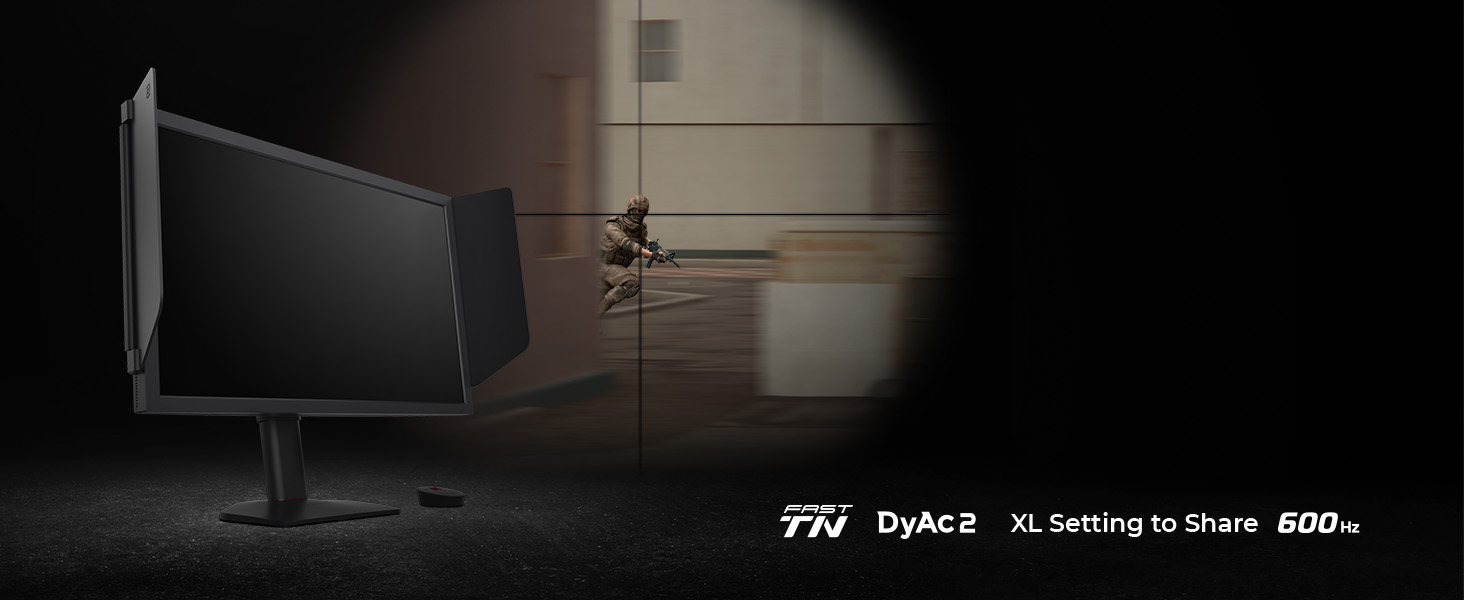
The BenQ Zowie XL2586X+ is a 24.1-inch Full HD TN gaming monitor featuring an ultra-fast 600Hz refresh rate and 0.5ms response time. Equipped with DyAc 2 technology for superior motion clarity and a vivid color film that enhances color performance by 35%, itโs designed for competitive gamers seeking precision and speed. Additional perks include Auto Game Mode for automatic color optimization, ergonomic height adjustment powered by industrial-grade bearings, and multiple connectivity options including HDMI and DisplayPort. This monitor is ideal for tactical shooter enthusiasts aiming to elevate their gameplay.


| ASIN | B0DK5TZMHV |
| Adaptive Sync | FreeSync |
| Additional Features | High Dynamic Range |
| Aspect Ratio | 16:9 |
| Best Sellers Rank | #18,020 in Computers ( See Top 100 in Computers ) #535 in Computer Monitors |
| Brand | BenQ |
| Brightness | 300 cd/m2 |
| Built-In Media | What's in the box: BenQ ZOWIE XL2586X+ 24.1" Full HD 16:9 600Hz DyAc 2 TN L |
| Color | Black |
| Color Gamut | 98 |
| Compatible Devices | Gaming Consoles, Laptops, Desktops |
| Connectivity Technology | HDMI, DisplayPort |
| Contrast Ratio | 1000:1 |
| Customer Reviews | 4.6 4.6 out of 5 stars (33) |
| Display Resolution Maximum | 1920 x 1080 Pixels |
| Display Technology | LCD |
| Display Type | TN |
| Hardware Connectivity | DVI, DisplayPort, HDMI, USB, VGA |
| Has Color Screen | Yes |
| Item Dimensions D x W x H | 57.7D x 20.8W x 51.8H centimeters |
| Item Weight | 25 Pounds |
| Manufacturer | BenQ |
| Model Name | XL2586X+ |
| Model Number | XL2586X+ |
| Mounting Type | Wall Mount |
| Native Resolution | 1920x1080 |
| Number of Component Outputs | 1 |
| Picture Quality Enhancement Technology | DyAc 2 |
| Refresh Rate | 600 Hz |
| Resolution | FHD 1080p |
| Response Time | 0.5 Milliseconds |
| Screen Finish | Matte |
| Screen Size | 24.1 Inches |
| Shape | Flat |
| Total Number of HDMI Ports | 1 |
| Total USB 3.0 Ports | 1 |
| Total Usb Ports | 1 |
| UPC | 840046051020 |
| Unit Count | 1 Count |
| Viewing Angle | 170 Degrees |
| Warranty Description | 3 Year Warranty |
H**I
Loving it
At first it did not feel right because i used oled monitors for so long but when i started to get use to the panel and colors i started to appreciate dyac 2 and 600hz, the motion clarity is amazing. I recommend this monitor ONLY if you play tactical shooters lile CS2 etc..
A**B
Severe Internal Hardware Defect (Scaler Chip Failure) - Lines at ALL Refresh Rates
I purchased this monitor specifically for its high refresh rate, but unfortunately, it arrived with a clear internal hardware defect that makes it unusable. I am writing this review to save others time on troubleshooting, as the issue requires an immediate RMA (Return Merchandise Authorization). The Problem (Visual Artifacts): Horizontal lines/static consistently appear across the bottom half of the screen the moment the monitor receives a video signal from the PC and while playing cs2. Crucial Troubleshooting Details (Proof of Hardware Failure): 1. Cable/GPU Ruled Out: The defect is present regardless of the refresh rate chosen (it appears at both 600Hz and a low-bandwidth 120Hz). I used the original DisplayPort cable and the latest GPU drivers. 2. Monitor Panel Itself is Fine: The lines disappear completely when the monitor shows its internal screens, such as the On-Screen Display (OSD) menu or the "No Signal Detected" message. Conclusion: Since the monitor displays its own internal diagnostics perfectly but shows artifacts as soon as it processes an external video feed (even at a low 120Hz), this points to a failure in the internal scaler or input processing board of the monitor. This is a fatal defect in the monitor's circuitry and cannot be fixed by changing cables or software settings. Recommendation: If you encounter any lines or artifacts that do not appear on the OSD or "No Signal" screen, stop troubleshooting immediately. Do not waste time buying new cables. Contact Zowie/BenQ support for an immediate replacement or refund. This is a manufacturing defect.
R**D
Good monitor
M**D
very good for competitive gamers and esports players
D**L
It looks absolutely clean. The aesthetic, quality of not only the picture, but the build quality as well. The refresh feels very quick, responsive, and unlike anything Iโve used before. Very nice!
D**H
Color accuracy? No. Viewing angles? not really. Refresh rate? Insane. Somehow it was plug and play with 600 hz, I didn't even need to mess with windows settings. That's not to say you won't have to. The only issue i had was getting my games to accept that it was going to be my main monitor. I also have an LG OLED (240hz). no amount of messing with settings fixed the issue, but unplugging my OLED's DP cable and restarting did the trick. I was then able to plug the OLED back in and everything functioned how i wanted. It's insanely good for FPS games especially CS2. i swear DYAC2 on premium is like some kind of black magic when it comes to reducing motion blur. With the premium setting their is some very slight overshoot in the UFO test, However I don't notice it in game. Putting Dyac2 on high (ironically... that is the lowest setting) eliminated the over shoot in testing, but does not have the same motion clarity as premium; that change is somewhat noticeable in game. compared to my OLED (240 hz) This monitor has noticeably better motion clarity. but some artifacts that affect image quality. On paper objectively it should be a way better monitor than 240 HZ OLED. however as far as Subjective/qualitative it is easily noticeable in testing, but in game vs the OLED its not all that game changing. value: If you're comparing this to a 480hz OLED which are currently at the same price point of 1000 $ USD the OLED is going to be a much better monitor overall only slightly falling behind in blur reduction. But not in a game changing way. I can't with a clean conscious say that this monitor is the answer for anybody really; except for Professional level players, and that's not because I think it's a better choice. The only reason it's the answer for pro level competitors is standardization of setup, because its what the tournament organizers have been using for years and will likely continue to use for the foreseeable future. if you're going to spend 1000 USD on a monitor Get OLED unless you're a pro level FPS competitor that goes to LANs regularly; then get the Zowie to make the online and Lan experience as 1:1 as possible.
C**S
Iโm not gonna go into a big long blog about it. Itโs mine but you could definitely made a difference in my gaming at least a second or two of my response time. I am running a 5090 so that does help but definitely a great monitor. I highly recommend.
Trustpilot
2 months ago
3 weeks ago