Buy anything from 5,000+ international stores. One checkout price. No surprise fees. Join 2M+ shoppers on Desertcart.
Desertcart purchases this item on your behalf and handles shipping, customs, and support to Vanuatu.
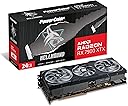
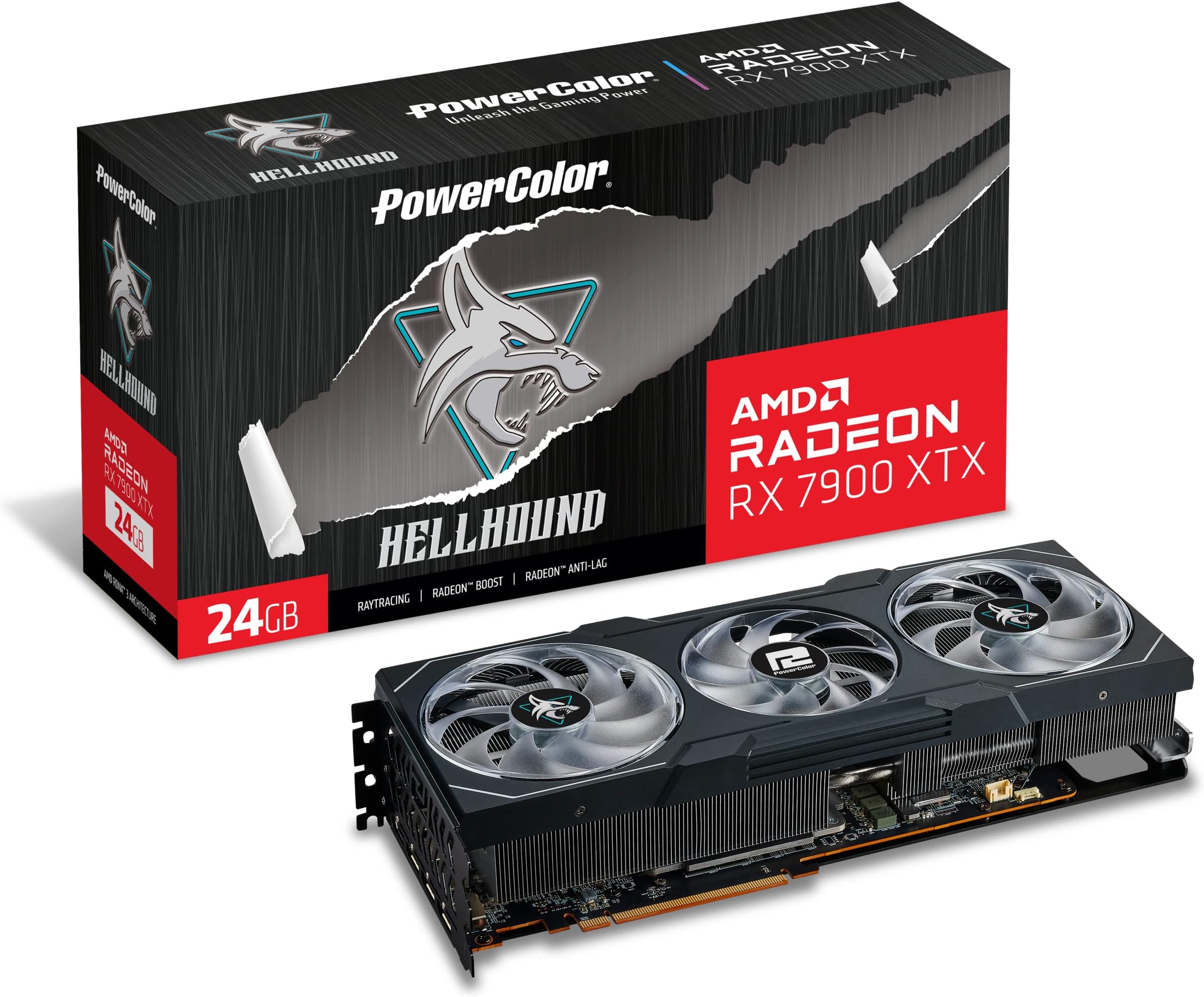
🚀 Power up your rig with the RX7900XTX — where speed meets unstoppable graphics!
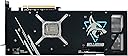
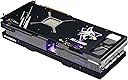
The POWERCOLOR RX7900XTX is a high-end AMD Radeon graphics card featuring 24 GB of GDDR6 memory, a 2,525 MHz boost clock, and PCIe 4.0 x16 interface. It supports multiple high-resolution displays through HDMI 2.1 and DisplayPort 1.4a, making it ideal for gamers and professionals seeking cutting-edge performance and reliability, backed by a 2-year authorized warranty in Japan.


| ASIN | B0BMWSRM7W |
| Amazon Bestseller | #176,049 in Computers ( See Top 100 in Computers ) #873 in Computer Graphics Cards |
| Antenna Location | Gaming |
| Brand | PowerColor |
| Built-In Media | Manual Driver CD |
| Compatible Devices | Desktop |
| Customer Reviews | 4.0 4.0 out of 5 stars (282) |
| GPU Clock Speed | 2525 MHz |
| Graphics Card Interface | PCI Express |
| Graphics Card Ram | 24 GB |
| Graphics Coprocessor | AMD Radeon RX 7900 XTX |
| Graphics Description | Exclusive |
| Graphics Ram Type | GDDR6 |
| Item Weight | 1.5 Kilograms |
| Manufacturer | POWERCOLOR |
| Memory Clock Speed | 2000 MHz |
| Mfr Part Number | RX7900XTX24G-L/OC |
| Model Name | RX7900XTX 24G-L/OC |
| Model Number | RX7900XTX24G-LOC |
| Number of Fans | 3 |
| Video Output Interface | HDMI |
| Video Processor | AMD |
| Warranty Description | 2 Year Retailer Warranty |
J**I
100% recommended
Very good product! After 1 year it gave me 0 problems! Pros: - Ease of use or installation. - Build quality and materials.
昼**転
NVIDIA GeForce高騰に伴い人生初のAMD Radeonです。 Amazon購入ではなく中古取扱店で2月上旬に12万円で購入しました。 結論から言うと、NVIDIA GeForceとあまり変わらない操作性・動作感で現在では非常に狙い目なグラボになっていると感じました。 モンスターハンターワイルズのベンチマークスコアはWQHD解像度で約27000でした。 (グラフィックプリセットのウルトラからアップスケーリングモードをNative AAに変更しています。ちなみにレイトレーシング高ではスコアは25000前後でした。) AFMF2と併用すれば99%FPSがだいたい120FPS以上出ていて、画質とフレームレートを高い水準で両立することができています。 性能が明らかに中古12万円台のものではないと思います。もちろん良い意味で。 (新品では15~17万円でしたが品薄でワイルズ発売に間に合わなそうだったので今回は見送りました。) RX7900XTXではアップスケーリングモードは基本的にNative AAを推奨します。 クオリティにすればFPSが向上しスコアも30000を超えますが、グラフィックが若干ぼやけるのとスタッタリング(一瞬のカクツキ)の発生頻度が少し多くなりました。 Native AAでもFPSは十分に出ているので、余力を画質向上に回すほうが良いと思います。 また、フレーム生成はオフのほうが残像が少なく見えました。 私の環境ではフレーム生成の恩恵は感じづらかったです。 (ちなみに私が使用しているモニターはAW2723DFというAMD FreeSync Premium Pro対応の最大280Hz表示可能なWQHDモニターです。数値上はフレーム生成によってさらなる恩恵を得られるはずなのですが、肉眼では非常に細かな残像が増えて見えるだけで快適さの向上は感じられませんでした。オフでも、というかむしろオフのほうがヌルヌルして見えて満足度は高かったです。) 2025年2月現在では4K環境で99%FPS120以上を実現するためにはRTX4090かRTX5090しかなさそうなので、高画質と高フレームレートの両立を目指す場合、WQHDとRX7900XTXの組み合わせが一番現実的なのかなと思います。4Kでヌルヌル動作は現状厳しそうです。 あまり表立って言及されていないっぽいですが、検証系の方々の動画を見ると1%LowFPSの数値が4Kだと全体的に低めに出ているので、4K解像度でスタッタリングの解消をするのはかなりハードルが高いと思います。 RTX4090などでなくてもフレーム生成を用いて4K60FPSで普通にプレイすること自体は十分可能だと思いますが、「カクツキなく」遊ぶとなると現状でも中々難しいようです。 特にモンスターハンターシリーズは戦闘中はモンスターの動きに合わせて常に画面を動かすことになると思うので、カクツキについて十分に考慮したほうが良いです。 (具体的には平均FPSよりもシーン毎の99%FPSや1%LowFPSの数値の変化に注意すべきです。個人的にはどのゲームも1%LowFPSが60を下回ると明らかにカクカクして見える気がします。) 製品版がどれくらい最適化されているかにもよりますが、おそらく物語終盤になるにつれてモンスターのエフェクトが派手になり描画負荷も増していくと思われるので、FHD~WQHDの最高設定でも余裕のあるRX7900XTXをオススメします。 近々RX9070XTなどの発売も確定しているようですが、私自身RX7900XTXの性能に満足していますし、RTX5080・RTX5090と同様に競争率が高くなるであろう新製品を勝ち取れる気が全くしないので買い時だったのだと納得しています。ワイルズ発売後もグラボ争奪戦をしたくなかったので後悔はしてません。 多少落ち着いてくれたらありがたいのですが、皮肉なことに製品版ワイルズの出来が良ければ良いほど品薄と値上がり傾向はしばらく続くのではないかと思っています。 人生初のRadeonなので何か気になることが出てきたら追記にてお知らせします。 今のところキレイな映像でヌルヌル動くアルマさんを見ることができて非常に満足しています。 本当にありがとう、AMD。
上**輝
とても満足しています👍
S**G
ADVERTENCIA: La base que incluye para sostenerla tarjeta obstruye facilmente el movimiento de un abanico, recomiendo ampliamente ponerlo en la esquinita, por que aunque la pongas normal y a simple vista no obstruye, creeme que no permite que las aspas giren, no se arriesguen y ponganlo en la esquinita. Tenia un gabinete chiquito con poca respiracion al frente Delta Corsair RGB, no era suficiente ventilacion, la tarjeta llegaba a 99c en la parte mas caliente del gpu, al poner la mano encima del gabinete se tocaba hirviendo. Una pesadilla por que el estudio se sentia como un sauna. Luego cambie por una Lancoool 216 RGB y bajo como 15 a 10 grados dependiendo el juego, ahora lo maximo que se calienta es a 90 centigrados una parte del gpu, la otra queda en 70 o 80 grados, lo cual es una temperatura muy respetable, este gabinete le da mejor ventilacion y le puse un abanico extra que agarre aire de abajo y se lo aviente hacia arriba.Aclaro que no alguna ventilacion liquido, es solo de aire, mi cpu tiene un bequiet, los dos abanicos al frente uno abajo y otro tras. El Hellhound es mas frio que el Devil, por lo que no tendras problemas si noe s liquida tu ventilacion. El gpu hace ruido al jugar al maximo, pero no es molesto el ruido, ya que tenia un Ps4 y vaya que sonaba como avion con los ultimos juegos como god of war, ese si hace ruido en verdad. El psu que te recomiendan es de 800 watts y estuve usando uno de 750 watts, no exploto pero se sentia en ratos que jaloneaba, lei por ahi que el problema con estas nuevas tarjetas de gama alta tanto amd como nvidia, son picos de potencia espontaneos. Por lo que cambie de psu a uno de 1200 watts Thermalwake y ha trabajado de maravilla, incluso algunas temperaturas bajan mas, procesando cosas normales como youtube y trabajos de diseño la temperatura ronde de 40 a 50 grados en verano, supongo que en invierno van a ser mas bajas por vivir en el norte donde hay un caloron. Batalle en acostumbrarme al nuevo software, por ejemplo habia juegos que solo me daba 90 frames y moviendole a los settings de la tarjeta aun en ultra pudo jugar BF2042 a 160 fps todo en ultra a 1440p. He estado usando la tarjeta en undervolt, yestos son los resultados que me dan. No me interesa mucho el overclock aun por que siento que tiene que pulirlo mas el driver. Los nuevos drivers hace que consuma menos watts en idle, es decir al estar en computadora encendida sin jugar. Si tienes televisor LG o alguna otra marca con VRR, es la mejor tarjeta, nunca batallo siempre la detecta a la primera, con mi rtx 3070 anterior habia veces que tenia que desconectar una y otra vez en cada puerto hasta que la reconociera. Aqui no hay ese problema siempre la detecta sin fallo alguno. Recomendacion: Si tu gabinete cabe muy apenas la tarjeta, por milimetros, si tu psu es bajo, recomiendo actualizarlos antes de cambiar a xtx, ya que demandan mucho espacio para ventilacion y buena fuente d epoder para estabilidad, si tienes gabinete pequeño y un psu de 750 watts todo esta bien para la 7900 xt.
J**C
I have had several 7900 xtx cards, mostly sapphire nitro +. I needed a smaller card for a new build and they are to large. I tried the power color red devil spectral 9070xt and it is way to long. Insert the hellbound 7900xtx. It's only a 2 x8 pin power card which is surprising but can pull over 350 watts with ease. After my system not recognizing the card and some sweaty panic moments thinking I bought a dudd, I managed to delete all the amd software and start fresh. Working now 100 percent and seems to perform as good as the sapphire cards. Overall I am happy with this card for performance vs cost as a 4090 is unobtainium these days. For reference my case is a thermal take tower 500 and this card fits with around 3 mm of clearance for length. Phew!
C**T
carte graphique puissante mais le logiciel qui va avec crash régulièrement et ne semble pas être prévu pour les jeux de plus la fenêtre au lancement des jeux est gênante et inutile et ne peut pas être désactivé. Si vous jouer acheter une carte gforce car elles sont plus performante en jeux et ne présente aucun des problèmes que vous aller rencontré avec cette carte graphique.
M**.
These gpu's are fast, with 24Gb of memory, any game my gaming kids throw at it just produces fps so high, all I now hear is wow after wow, they are expensive but have been worth every penny, i built two gaming rigs both using these cards in an AM5 platform and can say they were very easy to install, they come with additional mounting arms to support them which was great, they are quiet and have very big heat fins on them, they come with 3 fans to help keep them cool, the build quality is very high and overall gaming performance is impressive, check you have enough room in your case as these will take up 3 slots on the rear of your case and are long. You wont be disappointed - one last thing, you will need a 900w or higher PSU, I bought the corsair RM1000X which allows these GPUs to run without issue.
J**S
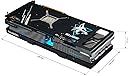
Just like my 3080 12GB it’s quiet. It stays between 70c under load . I get over 150fps at max settings on 1440p. The hellhound wins for half the money you get better performance than a 4090. Pros : + Card contains a huge heat sink with 8 copper heat-pipes for high cooling + in hot summer.. Temperature does not exceed 63c at 100% usage.. and with a OC it does reach 67c + Fans speed are quiet and even with OC it's barely audible + Watt consumption around 360w & the max OC is 415w, while other models with OC consume around 460w (less watts = less heat) + The fans have cyan and violet lights, and they can be turned off if you don't like them + The card came with a small holder (the card is huge, so you need to put a small holder under it to reduce weight and heaviness so that it does not affect the motherboard) + Aluminum back cover to dissipate heat and help hold the card together + The price of the card is cheaper than other cards of the same class, as well as its cooling is very excellent for its price + Better than Sapphire Pulse.. which have smaller heatsink (Pulse have 6 heat-pipes Vs Hellhound 8 heat-pipes) & more aggressive annoying fans (Pulse 1600RPM Vs Hellhound 1200RPM).. it's like 5c less temps compared to Pulse, while it's like 9c if U match it with1600RPM speeds Negatives: - Needs excellent case fans, given that all cards that exceed 300w or higher cause heat to the internal parts - As far as I know.. majority of modern high-end cards contain Coil whine.. and it is cannot be heard unless you are very close to the case.. and coil whine is also present with NVIDIA cards as well Final Note: The card is worthy and considered a class 3080 & sometimes it's beat 3080 by a little margin, it comes with 24GB Vs 12GB of RTX 3080, which is something that will benefit you in modern games and upcoming heavy games, 750w is the minimum .. But if you have a high wattage processor like 12700k or beyond, than you may need 800w, and it needs a Mid Tower case or bigger, because the length of the card is 32cm (big but not huge like Merc310 which is like 35cm) The card is worth it as long as it does not exceed the official price or less.. and sometimes you can get it for less than the official price, but it is preferable to buy it if you have a 4k screen, and it is not suitable for regular 1080p screens.. after all, this is high-end GPU which is 2nd strongest card in performance after 4090 (7900xtx is more like OC 4080 with RT off)
Trustpilot
1 month ago
1 week ago