Buy anything from 5,000+ international stores. One checkout price. No surprise fees. Join 2M+ shoppers on Desertcart.
Desertcart purchases this item on your behalf and handles shipping, customs, and support to Vanuatu.
⚡ Elevate your game with the speed and color that pros crave!
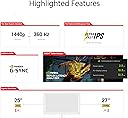
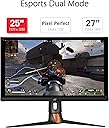
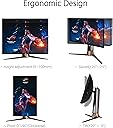
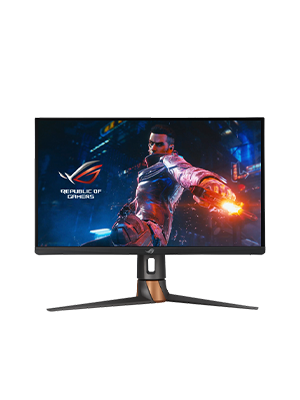
The ASUS ROG Swift PG27AQN is a groundbreaking 27-inch QHD gaming monitor featuring a blazing 360Hz refresh rate and ultra-fast 1ms IPS panel. It delivers stunning HDR600 visuals with a wide color gamut (120-125% sRGB, 95% DCI-P3) and NVIDIA G-SYNC Ultimate for tear-free, ultra-low latency gameplay. Designed for professional e-sports gamers, it offers ergonomic adjustability, multiple connectivity options, and an immersive HDR experience that transforms fast-paced FPS gaming into a vivid, competitive advantage.


| ASIN | B0BHK7LLZD |
| Adaptive Sync | G-Sync |
| Additional Features | High Dynamic Range |
| Aspect Ratio | 16:9 |
| Brand | ASUS |
| Built-In Media | LCD Monitor |
| Color | black |
| Compatible Devices | Desktop, Gaming Console, Laptop |
| Connectivity Technology | wired |
| Customer Reviews | 4.2 4.2 out of 5 stars (418) |
| Display Resolution Maximum | 2560 x 1440 ピクセル |
| Display Technology | LCD |
| Display Type | LCD |
| EU Spare Part Availability Duration | 3 Years |
| Global Trade Identification Number | 00195553580625 |
| Hardware Connectivity | DisplayPort, HDMI, USB |
| Has Color Screen | Yes |
| Item Type Name | Computer Monitor |
| Item Weight | 8.4 kg |
| Manufacturer | ASUS |
| Model Name | PG27AQN |
| Model Number | PG27AQN |
| Mounting Type | Wall Mount |
| Native Resolution | 2560x1440 |
| Number of Component Outputs | 4 |
| Picture Quality Enhancement Technology | True |
| Pixel Pitch | 0.233 |
| Power Consumption | 42 Watts |
| Refresh Rate | 360 Hz |
| Resolution | QHD Wide 1440p |
| Response Time | 1 Milliseconds |
| Screen Finish | Glossy |
| Screen Size | 27 Inches |
| Specific Uses For Product | Gaming |
| Total Number of HDMI Ports | 3 |
| Total Usb Ports | 1 |
| UPC | 195553580625 |
| Viewing Angle | 170 Degrees |
| Voltage | 240 Volts |
V**Y
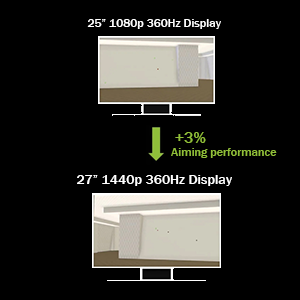
Changing my review from 2 starts. The monitor came with a dead pixel from factory. However, ASUS has done their part. Shipping it back and getting it repaired was a seamless process. I was able to track exactly what stage of the repair process it was in the whole time. Check your monitors with a black screen to instantly rule out any dead pixel, I literally had just ONE. With that being said, this a beautiful monitor. Quality Going from 1080p to 1440p at 27" really does feel like 4K because of the screen size. It has great in-depth settings. Colors/Panel I personally switch back and forth for RPG games and FPS modes with it's according presets. It has GORGEOUS Colors. I still haven't set the HDR mapping either. I would say the monitor is very red/yellow dominant. I personally like when the colors are a bit over saturated, this monitor does do that and combined with the brightness of the LED it makes the colors super vivid. Refresh Rate The 300Hz refresh rate is a must. I only can go up to 120hz on the Xbox Series X and when I returned it to get repaired, and switched to my old 60hz monitor, this was the biggest noticeable difference and I never got used to it. It's a massive difference, I couldn't imagine when over clocking it to 300hz. I have seen others comment on eye strain/discomfort. If this happens to you just play with your screen temp and black levels. I personally like having cold temp colors. This monitor has made gaming a more immersive and attractive experience. I definitely recommend, just check those pixels!
M**.
Didn't come with plastic peal and other signs of a being a new monitor, also displays black lines across the screen when at 240, 270, and 300hz. Will be returning for refund.
A**R
I game most days bought this cause of refresh rates and hz not realizing the screen was lcd as it’s not posted anywhere… screen is fast but definitely blurry for the price lcd is the past this is the price of some oled as I figured it was.
A**O
Para mi suerte me toco 1 sin pixeles muertos o algo por el estilo, la calidad de la imagen esta muy bien, me gusto
T**J
AMAZON FUMBLED THE BAG CAUSE I STOLE THIS FOR $750. I was so shocked and skeptical why it was listed as that price but props to the one who actually secured the bag. I heard reviews of quality control being poor such as dead pixels, and broken back plates, but luckily my unit was not affected at all. I honestly don't know where to start. I've tested multiple monitors such as Neo G8, Alienware QD-Oled (DW Version), BenQ Xowie XL2566k, LG Oled 27gr95qe-b, AW2723DF, and so on but I have the perfect monitor for me that I finally settle on. This monitor can play any title of what you want but is purely for competitive games. This is the fastest panel I've played on with very good picture quality. Out-of-the-box settings when you first boot it up are factory calibrated in sRGB mode with accurate colors. Although it was very dim without messing with the settings since there is no way to adjust the brightness in that mode. The monitor is definitely bright, brighter than an OLED display in general which I find lacking in that department in what I owned previously before. It may not have the infinite contrast ratio or so-called good blacks level because it's an IPS display but let's be real, when you are playing games in general such as competitive, you do not need to have that. I can't stress enough why people are so obsessed with OLED when burn-ins are a problem. I mostly game and have static images such as UI and productivity work that I would worry so much about it constantly, with it being an LED, I don't have to worry as much. It has a G-SYNC module built but you don't really need to enable it if your hardware can run 360hz. Somewhat my 7700x/RTX 4090 was capped at around 323 fps such as OW2, or Valorant so I disabled it and it hit above that FPS count. At a high refresh rate, you won't notice image tearing at all. You do want to run the Overdrive mode to normal since anything above such as esports and extreme mode will increase the amount of inverse ghosting, but overall it's clear as day with a good response time for an IPS panel. There is backlight bleeding but to a minimum where I don't notice it all. You definitely are not going to use HDR at all which is a gimmick on a panel like this without a local dimming zone such as FALD. It uses Edge-lit dimming like the G7 but you might as well turned off because it's only meant for HDR as I stated above it's a gimmick and just worth turning off. Most of the content you play or even watch is in SDR, just mess with the settings on this monitor and you have the most fantastic picture quality. The settings I use for a vivid color-like image and gaming are: GameVisual: Racing Mode Brightness: Whichever you prefer, I setting mine atleast very high nit of brightness (for example like 85%) Variable Backlight: Off (that was the gimmick I was mentioning about) OD: Normal Display Color Space: Wide Gamut (THIS MAKES THE COLOR POP MORE) All the other settings I didn't list such as blue light, color temp, dark boost, gamma and such didn't touch because that's all user preference. In conclusion, this monitor is very good for absolute competitive gaming and watching content. It's an IPS display with the fastest response time of any IPS (cause of ultrafast crystal and dual voltage driver) out there with little to no input lag (360hz) whatsoever. It's worth picking it up for hardcore gamers if it ever comes back in stock.
Trustpilot
2 months ago
3 days ago