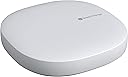
![SmartThings Hub 3rd Generation [GP-U999SJVLGDA] Smart Home Automation Hub Home Monitoring Smart Devices - Alexa Google Home Compatible - Zigbee, Z-Wave, Cloud to Cloud Protocols – White](https://m.media-amazon.com/images/I/614d2lQP0hL._AC_SL3840_.jpg)


Buy anything from 5,000+ international stores. One checkout price. No surprise fees. Join 2M+ shoppers on Desertcart.
Desertcart purchases this item on your behalf and handles shipping, customs, and support to Vanuatu.
🏠 The brain your smart home deserves — connect, automate, dominate!
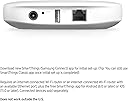
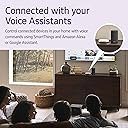
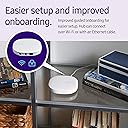
The Samsung SmartThings Hub 3rd Generation is a powerful home automation hub that connects and controls a wide range of smart devices via Zigbee, Z-Wave, and Wi-Fi protocols. Compatible with Alexa and Google Home, it enables seamless voice control and automation through a single smartphone app. With an effortless setup process and extensive device compatibility, it transforms any home into a smart, responsive environment.
| ASIN | B07FJGGWJL |
| Alert Type | Motion Only |
| Antenna Location | Monitoring |
| Are Batteries Required | No |
| Best Sellers Rank | #285,200 in Tools & Home Improvement ( See Top 100 in Tools & Home Improvement ) #264 in Home Automation Hubs & Controllers |
| Brand | Samsung SmartThings |
| Built-In Media | Hub^Power Adapter^QSG^HSG^LAN cable |
| Color | White |
| Compatible Devices | Smart Devices |
| Connectivity Protocol | Ethernet, Wi-Fi, Zigbee |
| Connectivity Technology | Wired, Wireless |
| Control Method | Voice |
| Controller Type | SmartThings, Google Assistant |
| Customer Reviews | 4.3 out of 5 stars 9,022 Reviews |
| Enclosure Material | Plastic |
| Form Factor | Dome |
| Frame Rate | 30 frames per second |
| Global Trade Identification Number | 00192969000341 |
| Indoor Outdoor Usage | Indoor |
| Indoor/Outdoor Usage | Indoor |
| Item Dimensions | 5 x 5 x 1.2 inches |
| Item Type Name | SmartThings Hub |
| Item Weight | 0.3 Pounds |
| Light Source | Infrared |
| Manufacturer | Samsung HI |
| Manufacturer Warranty Description | 1 Year Limited |
| Model Name | Samsung SmartThings |
| Model Number | GP-U999SJVLGDA |
| Mount Type | Wall Mount |
| Night Vision | Night Color |
| Night Vision Range | 130 Feet |
| Number of Items | 1 |
| Other Special Features of the Product | Motion Sensor |
| Photo Sensor Technology | CMOS |
| Power Source | Battery Powered |
| Recommended Uses For Product | Monitoring |
| Room Type | Bedroom, Kitchen, Living Room, Nursery, Office |
| Special Feature | Motion Sensor |
| UPC | 192969000341 192969000068 |
| Unit Count | 1.0 Count |
| Video Capture Format | MPEG-4 |
| Video Capture Resolution | 720p |
| Viewing Angle | 130 Degrees |
| Water Resistance Level | Not Water Resistant |
| Waterproof Rating | IP54 |
| Wattage | 3 watts |
| Wireless Technology | Wi-Fi |
| Zoom Type | تقريب رقمي |
R**D
It not only works extremely well, it's a game changer!
I don't quite understand the negative reviews -- and it almost stopped me from purchasing this remarkable hub. Let me start by saying that I have been actively upgrading everything in my home to be completely automated. It started with multiple Alexa and Google devices to Hue lighting and automated garage door openers. The next thing I wanted to do was put sensors on all my doors to announce when they were open and closed. It was suggested to me to buy this Smartthings hub along with their individual sensors. The hub arrived yesterday. I immediately unpacked it and plugged it in. I then went to my iPhone and downloaded the Smartthings app. From within the app, I added a device and was directed to the hub which I paired by scanning the QR code on the back of my device with my camera. The hub connected to my home WiFi network, new updates were downloaded and installed and I was ready to go. Really, I was paired and ready to roll in less than 15 minutes. Completely effortless. My first project was to put a sensor on my front door and have Alexa announce when it opens and closes. I chose to do this with Alexa due to its ease of adding routines. Doing this with Google would have been far more of a hassle (as of the writing of this review) since I would have had to go through the IFFT app and probably add additional software such as BigTalker2. So, all I had to do, after pairing the Samsung MultiPurpose sensor, was to go into Alexa, add routine, add device (Samsung door sensor) and then create two separate routines that announce when the door is open and then closed. I cannot begin to express my joy when I was easily able to create this routine with Alexa and to actually see it work. This hub is absolutely remarkable. Now that I have it, I plan to go crazy adding more sensors all over my home. For those who claim this product does not work, I have to totally disagree. Setting up the hub was effortless. Pairing their sensors were immediate. Everything has been working perfectly, as expected. Best of all, once you get this hub set up, the possibilities are endless when it comes to what you can pair with it to work with Alexa or Google. You may say that this is the "brain" of your automated home. It all begins with this product.
E**9
I like it!
Omg I love this! I bought another version years ago and it was so difficult to set up and would not pair to my GE light switches or any of my devices. So I waited too long to install it and I could not return it to Amazon. I ended up donating it to Salvation Army brand new. Now fast forward several years later, wink is trying to charge a monthly fee. So I was in search for a new hub. I saw in several reviews the smart things three. The reviews are very good so IDecided to buy it to try it again. I just set it up and it works so much easier than the wink hub. I didn’t have to carry it around to pair the devices. All I had to do was go around with my phone and connect the devices to the app. It was so easy. I am completely in love with this new hub. The best thing about it is that it also attaches to my Samsung TVs. It is a little hard to do the automations on it but I will read some further instructions and I’m sure I will have it set up. So far so good. It works a lot better with the iPhone than it did years ago as well. I’m happy!!!
S**C
So Far So Good for a Newbie but NO SONOS
We are just starting to build out our smart home. So far we have a smart lock, bedside lamps with smart bulbs and driveway lighting. Oh, an the echo show for Alexa. I must have read a hundred articles before deciding on the SMART THINGS hub. It seems to have the most compatibility with “things” and Samsung is a strong enough brand that it will hang around for the long haul. The hub is easy to connect just plug it in and connect to your wifi. I had a few problems keeping it connected initially but after a software update I think it’s fixed. Be sure to choose optimal placement for your hub in a central location and not near your router or you’ll get glitches. Other than that— so far so good. The new ST app is fine for me but people say the “classic” is better. I did have to go to the classic to pair my SONOS and it was so glitchy we took them off the network. PROS: Easy, widely compatible, super cool CONS: Does not work with SONOS. Can give random “offline” message when not offline.
M**Y
Maybe I Got a Good One? No Issues, Works Seamlessly
I don't know why this is reviewed so negatively. Maybe they've updated the firmware, maybe I got a good one? My guess is that it's proximity to a wifi signal or people are using an outdated or underpowered router. I have mine connected via ethernet cable, I also 2 extenders in addition to my router so that I have wifi coverage to all the little smart things I have. The thing just works, it's crazy I know. I bought it primarily because I have Samsung appliances. I didn't realize all that enabled me to do with the fridge was turn the icemaker on and off.. And control a few temps. I ended up getting somfy blinds and a Schlage z wave lock thinger which needed the hub to work for remote control and access. When I have reliable and good success with those products I figured I'd try Samsung's motion sensor for my mailbox. It lets me know when it has been opened (so I know when I have mail), but also keeps me up to date on the temperate and vibration of the mailbox? Kind of strange but cool nonetheless. I've been having fun with routines. I have a SAD light that's super bright, thanks to ittf and tie ins of another free service my blinds will only raise in the morning if it's sunny outside. If it isn't, my sunshine light is activated. I'm not a tech guru, set up is easy and kinda fun. I hesitated because of all the had reviews, but 2 months in there hasn't been a single hiccup.
J**M
A rather easy transition
I got word that Iris, my previous home automation system, was shutting down at the end of March 2019, so I immediately ordered a Smartthings hub as my replacement. It didn't hurt that this was one of Lowe's recommendation and that the vast majority of my devices would transition. The setup and transition was fairly painless. I removed one by one each of my transferable devices and immediately paired it with Smartthings. I had an issue with one device, which required some Smartthings phone support to get paired, turned out to be simple after Daniel got on the phone. My biggest concern was my thermostat This one was an Iris 1st generation device. Everything I read said it would pair, as it turned out we need to download and install the previous version of the Smartthings app and install it from there and it showed up on the new app. I have 3 devices yet to transition over, I just wasn't in the mood to crawl under the house or move my car in the garage for 2 of them. I'll do that this coming week as they're not mission critical today. Programming Scenes, scheduling tasks and assigning button functions was no more difficult than Iris was, actually it may have been a bit easier, or Iris gave me some good experiences. Programming options are about the same, just wish there was a history event log. From Iris I could see at a very quick glance if she preformed the tasks and/or when the last time the garage door either went up or down. The Geo Tracking function in theory looks promising, however it seems very slow to recognize when I return home and run the assigned scene. In time I'll add my Iris fob and assign scenes to run with the press of a button from the car rather then rely on the Geo Tracking function if doesn't speed up. I'm not a home automation power programmer as some I've seen out on the internet, but for my simple needs I'm hoping to have as good a relationship with Smartthings as I had with Iris. Rest in peace Iris, it was a fun ride. One more thing: Smartthings, find Daniel in customer service, give the guy a hefty raise!!! He understood my needs and came to the rescue in a cool, calm, and very knowledgeable way. Guys like him are hard to find and easily lost.
R**T
Not ready for prime time - app does not work, hub could not be connected
After months of installing smart products from other vendors without a hitch, I added the SmartThings hub and motion sensors to start automating actions based on doors opened, motion in an area, etc. Process of setting up my Samsung account was HORRIBLE. It was the most convoluted signup I have ever experienced. Every time I clicked on a help icon to understand the options I was signing up for, the app cleared the data I had entered and made me start over. The email confirmation process was convoluted and confusing. I got errors attempting to verify my account, then suddenly it showed up as approved. The password I had set (and automatically saved in my password manager) didn't work. I am guessing the site does not accept complex passwords with standard punctuation characters, but I got no error messages when creating the password during sign up. I had to guess and stumble my way thru getting into my account. Hoping that the worst was behind me, I powered up the hub to link it to my network and add devices. Again, HORRIBLE experience. I had installed the app and was signed in, but after many attempts, the app NEVER detected the hub. It was clear that the instructions included in the box did not apply to the product. As an experienced networking professional who has installed dozens of smart devices, I was unable to get the hub recognized by and added to the Samsung app. Never got to connecting it to my network - either by WiFi or wired LAN. Basically their app doesn't work on iPhone, so I can't use their hub. Without a hub, the rest of their products are useless. And don't look for a web interface as an alternative for configuring these hubs. There isn't one. Samsung didn't see that as important, I guess. Nor is the Samsung Account any help. You saw the awful runaround I described above? Well as a last shot before returning these I logged in to my account. NOTHING even remotely related to or useful for SmartThings. Nothing. So there is no way to configure the hub - WiFi, wired, HTTP or web account. How can a company as large as Samsung that has delivered many successful mobile phone products fail so miserably? I'm guessing it's the same reason they produced exploding, burning phones. Products were pushed to market without testing. I DO NOT recommend SmartThings products to anyone as a result of this experience. DO NOT BUY SmartThings. Find another vendor. I'll be returning these to Amazon and finding another vendor. Samsung is not worth the frustration and wasted time. Addendum: Think my problems are unusual? Read the forums on SmartThings.com. That would have saved me a lot of time. It's clear from looking there for help that other customers are having the same problems. Worse, the Samsung tech support folks don't seem to offer useful answers. And their online help isn't helpful either. The suggested solutions don't work - or don't make sense, like "contact your internet service provider" if the hub won't connect to your WiFi. Like the ISP will know how to resolve Samsung's product problems when Samsung's own support people can't? Save your time, money and frustration. Find smart home products from a vendor other than Samsung. SmartThings are a dumb move.
G**N
Easy
Much easier to set up than other smart home systems, but harder to do complex automations. Still, is good enough and supports all the protocols I need.
R**N
Why I Dumped My Wink Hub and bought Samsung SmartThings!
Recently Wink started charging a monthly fee to use their Smart Hub, so I looked at available hubs and decided on moving to Samsung, and boy was I glad I did. Samsung clearly has a much more technical user base and more robust support options than the Wink Hub. Don't get me wrong, Wink is good, but Samsung isn't in business to collect rent off their Smart Hubs. SmartThings is meant to tie their products together and add value, whereas Wink is a much smaller business. Pros: Integrates with Microsoft Cortana, so you can use your computer for voice commands if you like, or spend $39.00 and buy the Microsoft Harmon Cardon Invoke speaker . I have two of the Cortana speakers, and I am still enjoying them. Cortana works great with Samsung SmartThings Hub, and she can control all my devices without any issues whatsoever, and works with Spotify, IFTTT, etc... App has a nice clean user interface which is very clear and easy to use. The only point of confusion is there is a legacy app and a newer app. Personally I like the older app interface, and both can be found on the iPhone App store. For the really geeky people, Samsung even has and IDE, so you could even build your own THING to control with the super advanced features. Support for Z-Wave and Zigbee - pretty much has support for just about every device you could imagine. In some cases developers will write custom solutions if it's desired by the community bad enough, which I leveraged in the case of a solution designed to work with Wink. After a little bit of copy and pasting some code into the Samsung IDE, I had a working fan which I thought I might have to replace! There are so many features for the low price, you cannot go wrong with SmartThings! I could go on forever saying nice things about SmartThings, but try it and decide for yourself. To the Wink Guys, Rent = Missing Customers!
H**N
Funciona como se promete en Mexico
La verdad es que me tomo algo de tiempo decidirme para comprar este hub por los múltiples comentarios que había de que no funcionaba en Mexico. Después de recibir varias respuestas a mi pregunta de como hacerlo funcionar me animé y no me arrepiento. El producto llego antes de lo esperado. En cuanto llego empece el proceso de instalación. Voy a relatar la forma en la que a MI me funciono, el caso de otros puede ser diferente, no comparto esto como una opinion absoluta sino como una cuestión anecdotica esperando que a alguien mas le funcione. Habían recomendado que bajara Smartthings classic para poder configurarlo. Hice esto, entre a la app, procedí a crear una Samsung account a la cual le puse que estaba en Estados Unidos. Ya entrando en la app me pedía que diera de alta un Hub antes de agregar mas cosas pero requería un código el cual solo viene con Hubs V1 y V2, la pagina de Samsung decía que para el V3 (que es el de 2018 y el que compre aquí) no se requería el código pero se necesitaba la aplicación mas nueva (Smartthings a secas). Ya tenia conectado el Hub y el led que trae parpadeaba verde/rojo, como lo del código no se podía descargue la aplicación mas nueva. En la app nueva me logee con la Samsung account que habia creado con la Smartthings Classic, entre sin problema, le di a agregar dispositivo y lo detecto de forma inmediata, básicamente tal como lo indica la pagina de ayuda de Smartthings que viene en la app. Todo fue a través de Wifi, solo tuve que seguir las instrucciones que me iban saliendo en la app y listo!. En este momento ya agregue varias de las cosas que ya tenia en mi casa, por ejemplo mi cerrojo inteligente lo abro y cierro desde la app de Smartthings. Ojala les sirva a los que no han podido hacerlo funcionar!
A**X
Quick to get up and running
The Samsung Smartthings Hub was simple enough to get up and running. I did not use the WiFi connection, but decided to hard wire (ethernet) this to my router. It was simple to get this set up using the app. The hub picks up the devices easily...I have only put the water sensor and the multi-sensor onto the hub at this time - both Samsung Smartthings devices. They were all easy to connect, especially with the QR code on the unit. The surprising thing is that this hub picked up my WeMo plugs that are on the same WiFi network without me entering anything in. It just came up on the Samsung app and asked me to match them to rooms. In the end, I am able to use the Hub to control even these WeMo plugs and schedule things very easily. The hub really makes things easy.
A**R
Dissappointing
The item is not supplied with an Australian power adaptor therefore no use unless it's plugged into a convertor
Y**L
Excelente Producto Cálidad y Precio.
Solicite el producto y me llegó antes de lo prometido. Lo compre con el riesgo de que no funcionara en Mexico ya que leí varios comentarios de que no servía, pero Funciona perfectamente en MEXICO, lo conecte muy rápido y con cuenta de Samsung MEXICO. Excelente precio comparado con las tiendas aquí en CDMX. Funciona conectado por WiFi, no requiere cables, solo para la energía eléctrica. Quede muy contenta con este producto.
N**B
Thank wink, Samsung. SmartThings camera is another matter for Canada!
Works great. Easy setup. Despite way more product support myq garage doors aren't one of them. I'm in Canada and 100% worked out of the box and also was version 3. Much different gui than wink but it's okay. Will take some getting used to. Unfortunately, the camera would not register to my Canadian account and despite having a dedicated website to indicated samsung can provide a work around...they were far from helpful. Camera had to be returned and was unable to even see if it worked.
Trustpilot
5 days ago
3 days ago